Smart Home Devices Compared for Use Case, Platform, and System Fit
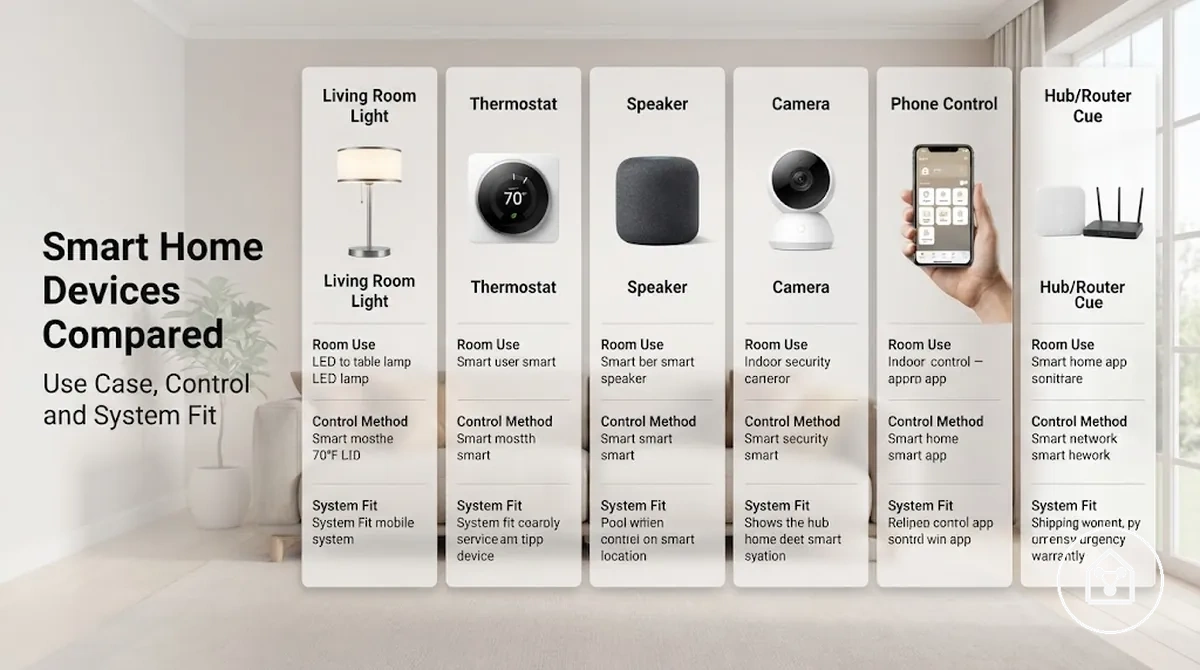
Smart home devices should be compared by the household role they serve rather than by a universal ranking. The decision frame is use case, platform, and system fit.
The decision frame is use case, platform, and system fit.
A household focused on lighting and sensors needs a different device mix from one centred on cameras, speakers, or connected appliances. Use-case fit identifies the required device type and room role, while platform fit requires confirmed compatibility with the selected ecosystem and any required hub. For example, a lighting bundle offers stronger expansion value when its bulbs, switches, and sensors work through the same supported platform instead of requiring separate control systems. This separates the device decision from the hub, bundle, and ecosystem decisions.
This separates the device decision from the hub, bundle, and ecosystem decisions.
Protocol support provides the next comparison criterion: the Connectivity Standards Alliance states that Matter operates over IP technologies including Wi-Fi, Thread, and Ethernet, while the Thread Group defines Thread as a low-power IP mesh protocol. Wi-Fi devices use a compatible wireless network, whereas Thread devices need a compatible Thread network and border-router function; Matter support improves interoperability but does not make every platform feature identical. Compare room fit, compatibility, hub dependency, bundle composition, expansion value, and protocol support as qualified selection criteria rather than ranked buying claims.
Table of Contents
Smart Home Comparison Scope Across Devices, Systems, Hubs, and Bundles
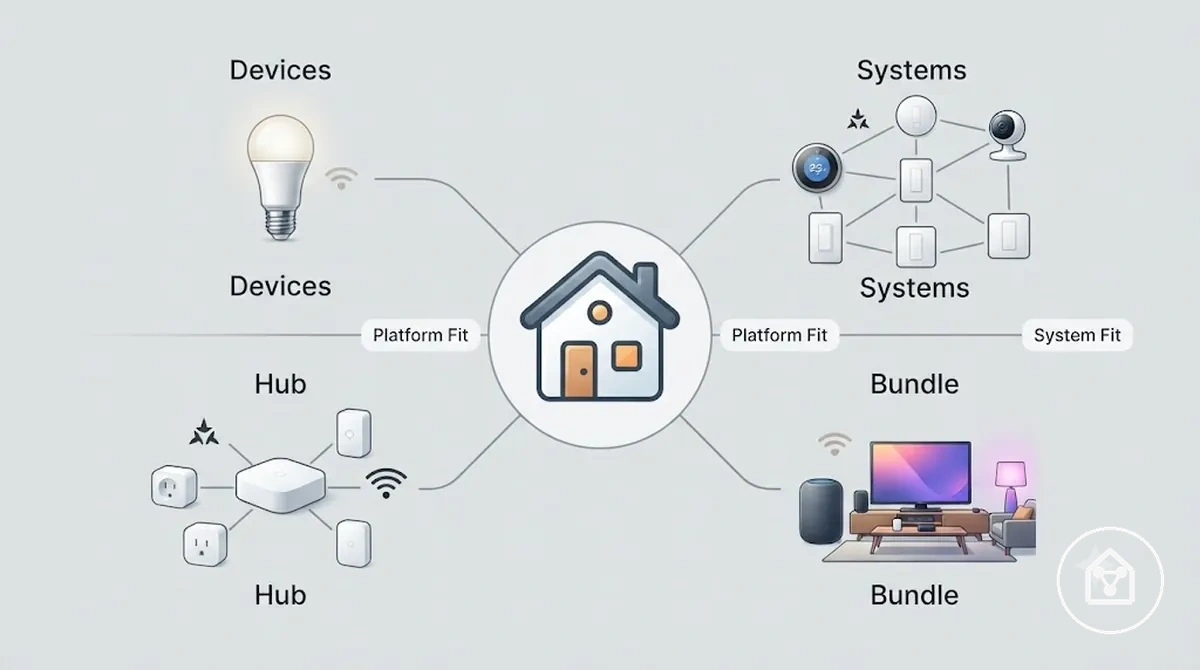
Smart home comparison scope classifies smart home devices into four comparison objects: individual devices, complete systems, hubs, and bundles. Comparing the correct object keeps the evaluation aligned with the intended use case, platform, compatibility, and the section's primary decision variable, system fit.
Smart home comparison scope classifies smart home devices into four comparison objects: individual devices, complete systems, hubs, and bundles.
Smart home comparison scope across devices, systems, hubs, and bundles becomes easier to understand when each comparison object is evaluated separately before detailed criteria are applied.
| Comparison entity | Primary comparison value | Decision effect |
|---|---|---|
| Smart home devices | Individual function, room suitability, platform compatibility, and use case | Determines whether a single connected device fits the intended task. |
| Smart home system | Ecosystem coverage, platform integration, and expansion path | Evaluates long-term system fit instead of isolated device selection. |
| Hub | Required when the selected ecosystem or protocol relies on central coordination; Matter devices can operate across supported IP networks, while Thread devices require a compatible Thread network and border router | Determines whether compatible devices can communicate and automate together. |
| Bundle | Grouped device mix designed for a shared platform, room, or expansion goal | Provides greater value when all included devices share the same compatibility requirements and ecosystem. |
For example, comparing a lighting bundle with a whole-home smart home system answers a different decision than comparing two individual smart home devices because the comparison scope changes. Keep system comparisons focused on decision support rather than setup or troubleshooting guidance, and refer to the smart home devices hub for broader navigation when required.
Smart Home Device Types Compared by Household Role
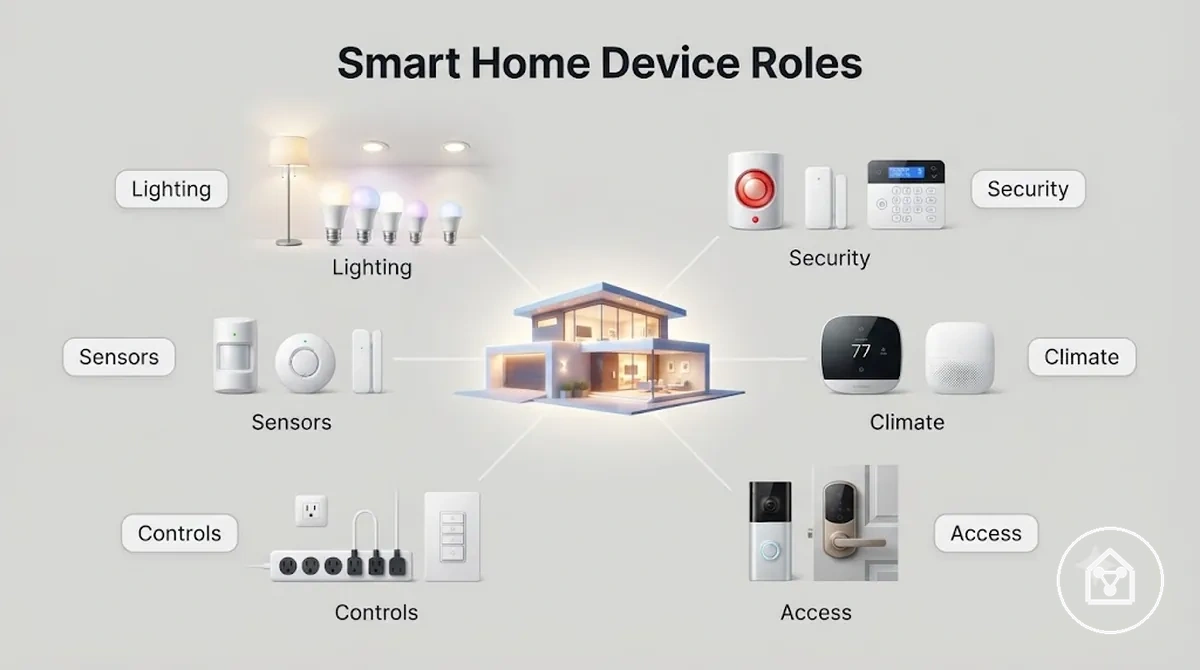
Smart home device types are most useful to compare by the household role they perform rather than by brand, model, or individual features. A role-based comparison shows how each device type supports comfort, monitoring, control, or automation, making household role the primary decision variable.
Smart home device types are most useful to compare by the household role they perform rather than by brand, model, or individual features.
Smart home device types compared by household role become easier to evaluate when each device group is assessed by its role, operating condition, and expected household outcome.
| Device type | Household role | Typical condition | Decision outcome |
|---|---|---|---|
| Lighting | Comfort and routine automation | Scheduled control or sensor-triggered activation | Improves convenience for everyday routines. |
| Security | Monitoring and access control | Entrances or outdoor areas require alerts or controlled access | Supports monitoring and timely notifications. |
| Climate | Temperature management | Heating or cooling responds to schedules or occupancy | Maintains indoor comfort more consistently. |
| Sensors | Automation trigger | Motion, contact, temperature, or environmental changes are detected | Starts automated actions without direct user input. |
| Smart plugs and controls | Device control | Existing appliances require scheduled or remote switching | Expands automation without replacing connected appliances. |
| Cameras and locks | Monitoring and secure access | Visual observation or controlled entry is the priority | Addresses security needs that differ from lighting or climate roles. |
For example, a motion sensor and a smart light work together but perform different household roles: the sensor provides the automation trigger, while the light delivers the visible response. Compare device groups by their household role before evaluating individual products, and compare smart home device types when you need a broader role-based comparison.
Lighting, Security, Climate, Sensor, and Control Roles
Each device type contributes a distinct household role within a smart home comparison. Lighting supports comfort and routines, security focuses on monitoring and access control, climate devices regulate indoor conditions, sensors provide the automation trigger, and control devices coordinate actions between connected devices. The main decision variable is the household role assigned to each device type.
The main decision variable is the household role assigned to each device type.
Lighting, security, climate, sensor, and control roles are easier to evaluate when each device group is compared by its function, operating condition, and effect on automation or user control.
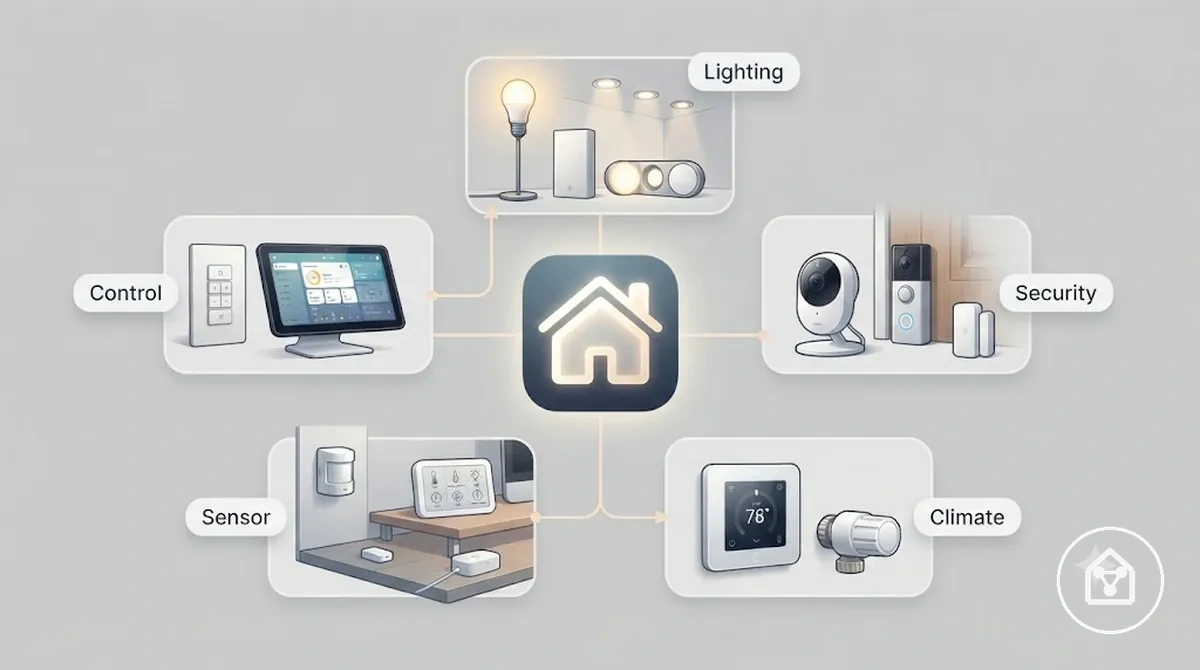
The following summary separates the role of each device group for quicker household decision-making:
- Lighting: Delivers illumination and supports convenience by following schedules or responding to an automation trigger when those conditions are configured.
- Security: Provides monitoring and access control by detecting events and generating notifications when a monitored condition occurs.
- Climate: Adjusts heating or cooling according to scheduled settings or detected environmental conditions to support indoor comfort.
- Sensor: Detects motion, contact, temperature, or similar environmental changes and supplies the automation trigger that starts another device's action.
- Control: Coordinates manual commands and automated routines so connected device groups respond according to predefined conditions instead of direct physical operation alone.
For example, a motion sensor can trigger a hallway light after movement is detected, while the control device manages the automation rule and the lighting device provides the visible result. The reviewed section evidence does not specify model-specific technical values, so this comparison remains limited to verified functional roles rather than individual product performance.
Convenience-First Systems Versus Security-First Systems
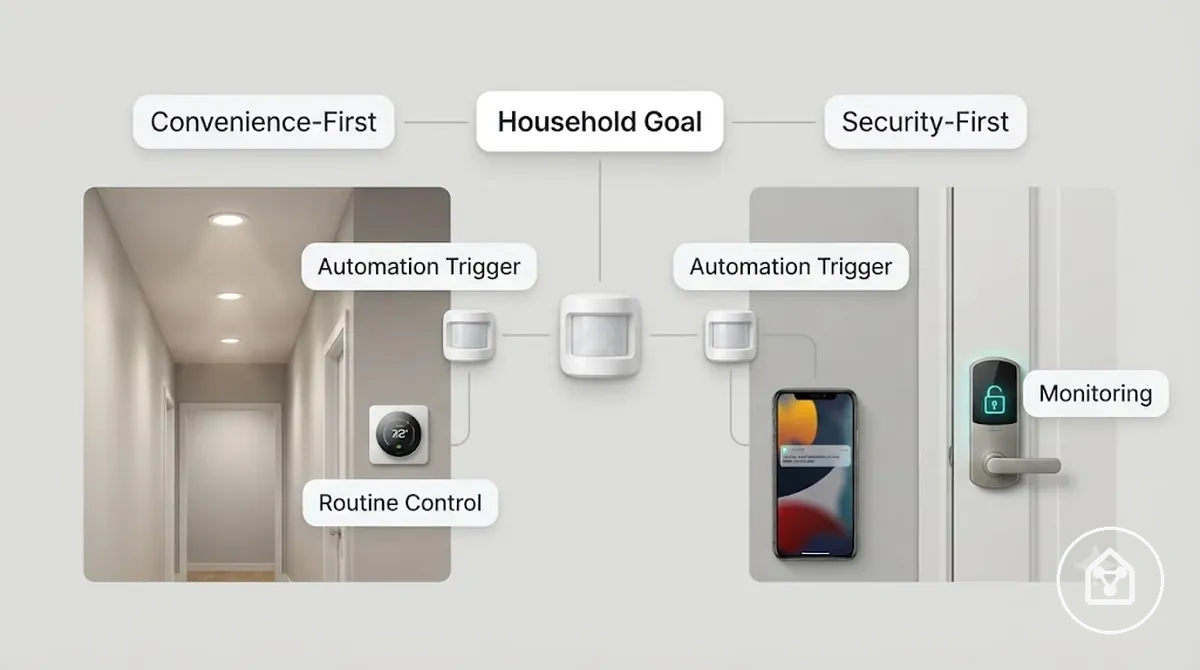
Convenience-first systems versus security-first systems differ because the primary household goal changes the preferred device mix. A convenience-first approach prioritises automation that streamlines daily routines, while a security-first approach prioritises monitoring, access control, and responsive event awareness. The main decision variable is the household role the system is expected to fulfil.
The main decision variable is the household role the system is expected to fulfil.
Convenience-first systems versus security-first systems become easier to evaluate when the comparison focuses on how each priority changes device selection and automation behaviour.
| Comparison criterion | Convenience-first | Security-first |
|---|---|---|
| Primary goal | Improve comfort, routines, and user convenience. | Improve monitoring, access control, and household awareness. |
| Automation trigger | Sensor events commonly activate lighting, climate, or control functions for routine tasks. | Sensor events commonly trigger monitoring actions or access-related notifications. |
| Responsiveness | Prioritises quick automated responses that reduce manual interaction. | Prioritises timely detection and notification when monitored conditions occur. |
| Decision outcome | Favours a device type mix centred on convenience and routine automation. | Favours a device type mix centred on security functions while retaining automation where appropriate. |
For example, the same motion sensor can switch on hallway lighting in a convenience-first household role or generate a monitoring event in a security-first household role, with the control device applying different automation rules. The reviewed evidence does not specify model-specific performance values, so this comparison is limited to verified functional priorities rather than individual device capabilities.
Use-Case and Room Fit Across Smart Home Devices
Use-case and room fit across smart home devices are determined by the household need, placement condition, signal path, and control method rather than by the device type alone. A suitable room fit matches the device's purpose with indoor or outdoor conditions, entryway coverage, and whole-home coordination. The main decision variable is the intended use case and room fit.
The main decision variable is the intended use case and room fit.
Use-case and room fit across smart home devices becomes clearer when the comparison focuses on placement, signal, and control requirements instead of room names alone. The annotated example below highlights the criteria that influence device selection without turning the section into a room-by-room catalogue.
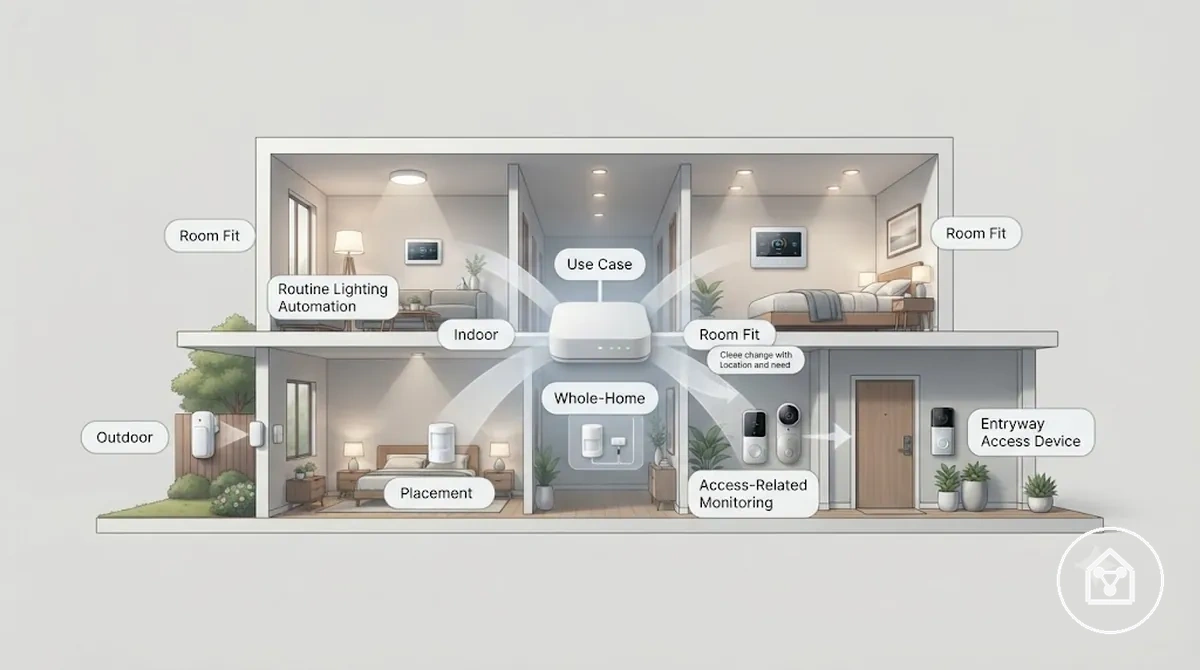
- Comfort: Match indoor placement with automation routines such as lighting or climate control where occupants spend the most time.
- Safety and access control: Choose entryway placement when monitoring, notifications, or controlled access are the primary household needs.
- Outdoor exposure: Use a device category intended for outdoor conditions when weather resistance and dependable signal coverage are required.
- Whole-home coordination: Select placement that maintains reliable communication between home zones so automation and control remain consistent across the household.
For example, the same motion sensor can activate hallway lighting to improve comfort when placed indoors or send an access-related notification when positioned near an entryway. The reviewed evidence does not specify model-specific signal range, environmental durability ratings, or power requirements, so those values should be confirmed in the manufacturer's specifications before selecting a specific device for that location.
Everyday Comfort, Safety, Energy, and Access-Control Needs
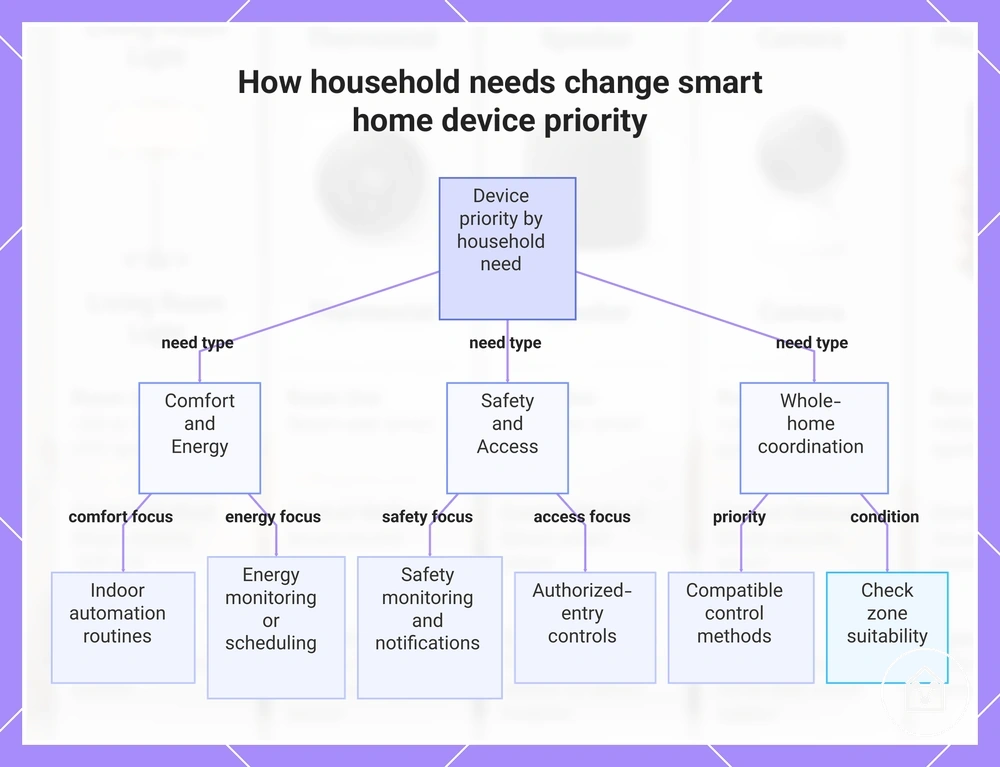
Household need changes smart home device priority because each use case maps to a different device role. Comfort, safety, energy, and access control should be prioritised according to the required automation trigger, notification, monitoring, or control outcome. The main decision variable is the primary household need.
- Comfort: Prioritise indoor devices that support automation routines, such as occupancy-triggered lighting or climate control, when convenience within a specific room fit is the main use case.
- Safety: Prioritise monitoring and notification features when awareness of activity at an entryway or another home zone is more important than direct access control.
- Energy: Prioritise energy monitoring or scheduling when the goal is to measure usage or control operating periods, without assuming a fixed reduction in consumption.
- Access control: Prioritise authorised-entry controls and activity notifications when managing entry is the primary household need.
- Whole-home coordination: Prioritise compatible control methods when indoor and outdoor devices must share automation routines, while checking whether placement, signal range, and power type suit each home zone.
For example, a motion sensor may be a higher priority for comfort when it triggers indoor hallway lighting, while an entryway device with authorised-entry controls may take priority when access control is the main need. The final priority remains conditional on room fit, placement, outdoor suitability, signal coverage, power requirements, and the household routine the device must support.
The final priority remains conditional on room fit, placement, outdoor suitability, signal coverage, power requirements, and the household routine the device must support.
This chart shows how different household needs (comfort, safety, energy, access control, and whole-home coordination) determine the priority of smart home devices and their features.
Indoor, Outdoor, Entryway, and Whole-Home Device Fit
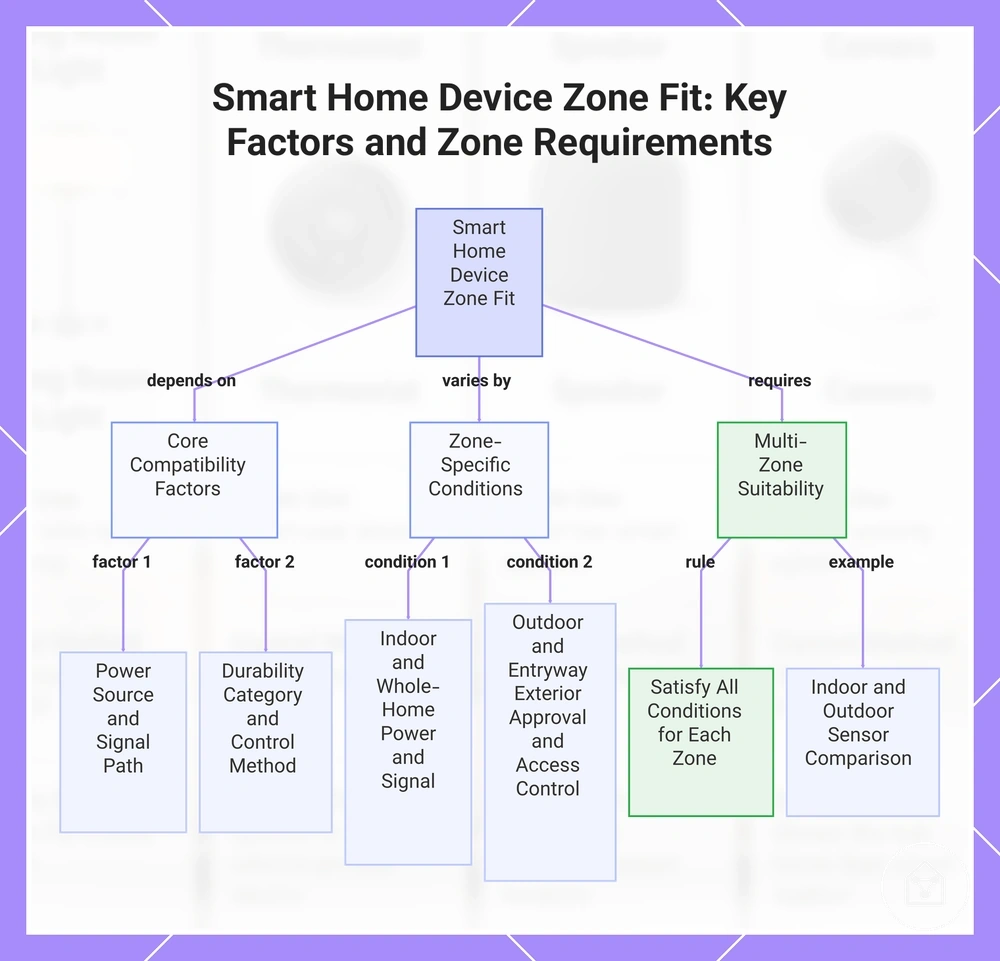
A smart home device is compatible with a placement zone when its room fit matches the required power source, signal path, durability category, and control method for that use case. Indoor, outdoor, entryway, and whole-home locations therefore require different checks for comfort, safety, energy, and access control. The main decision variable is the placement condition.
- Indoor: Indoor placement suits devices intended for sheltered rooms when comfort or automation routines require a stable power source and a signal path within the home.
- Outdoor: Outdoor placement requires a device category approved by its manufacturer for exterior exposure; choosing an indoor-only device creates a durability and compatibility risk.
- Entryway: Entryway placement favours devices with access control, notification, or monitoring functions when the household need is awareness or management of arrivals.
- Whole-home: Whole-home placement requires a control method and signal arrangement that can connect the intended home zones; isolated coverage can interrupt automation or energy-monitoring routines.
- Multi-zone fit: A device fits more than one zone only when its stated power, signal range, durability category, and control compatibility satisfy every intended placement condition.
For example, an indoor motion sensor can support a comfort routine by triggering hallway lighting, while an outdoor-rated sensor is the appropriate category for activity monitoring near a gate. Final suitability remains conditional on the model's stated environmental use, power requirement, signal coverage, and compatibility with the intended control system.
Final suitability remains conditional on the model's stated environmental use, power requirement, signal coverage, and compatibility with the intended control system.
This chart shows how a smart home device's fit to indoor, outdoor, entryway, and whole-home zones depends on core compatibility factors, zone-specific conditions, and multi-zone suitability rules.
Smart Home Platforms Compared for Ecosystem Fit
A smart home platform is compatible with an ecosystem when its app control, voice assistant support, device support, and protocol support match the intended devices and routines. Platform differences affect control experience, automation depth, and future expansion. The main decision variable is ecosystem fit.
Platform differences affect control experience, automation depth, and future expansion.
The table compares how Alexa, Google Home, Apple Home, SmartThings, Home Assistant, Matter, Thread, Zigbee, Z-Wave, Wi-Fi, and hub requirements shape compatibility.
| Platform or protocol group | Compatibility condition | Practical effect |
|---|---|---|
| Alexa and Google Home | The device must list support for the selected voice assistant and its app integration. | Voice and app control remain available only for functions exposed by that integration. |
| Apple Home | The device must support Apple Home directly or connect through a compatible bridge. | A more controlled ecosystem can simplify app control, but unsupported devices cannot be added without an accepted bridge path. |
| SmartThings and Home Assistant | The selected controller, hub, or integration must support the device and its communication method. | These multi-platform setups can widen device choice, although deeper automation may require greater user technical comfort. |
| Matter, Thread, Zigbee, Z-Wave, and Wi-Fi | The platform and device must share the required protocol, controller, or bridge. | Matching protocol support can enable connection, but it does not ensure that every feature or automation is available across platforms. |
| Hub and cloud dependency | The ecosystem may require a local hub, a bridge, cloud access, or a direct Wi-Fi connection. | Local control remains available only when the platform, hub, and device support it; cloud-dependent functions require the relevant online service. |
A locked ecosystem can provide a more consistent control experience when most devices use the same app and voice assistant, while a flexible multi-platform setup can support a wider device mix when the required hubs, bridges, protocols, and integrations are present. For example, a household planning future expansion may prefer a controller that supports Matter alongside Zigbee or Z-Wave rather than relying on a single communication method, provided the chosen devices expose the required functions.
When reviewing compatibility differences , compare device support, hub dependency, protocol requirements, local or cloud control, and user technical comfort before choosing an ecosystem.
When reviewing compatibility differences, compare device support, hub dependency, protocol requirements, local or cloud control, and user technical comfort before choosing an ecosystem.
Alexa, Google Home, Apple Home, SmartThings, and Home Assistant Differences
These smart home platform options differ by voice assistant alignment, app ecosystem, automation flexibility, device availability, and technical complexity. The comparison below shows how Alexa, Google Home, Apple Home, SmartThings, and Home Assistant affect control and future expansion without treating any ecosystem as a universal winner. The main decision variable is household ecosystem fit.
| Platform | Control profile | Expansion and household fit |
|---|---|---|
| Alexa | Voice assistant and app control centre on supported device actions and routines. | Fits an Alexa-led household when the intended devices expose the required controls through that ecosystem. |
| Google Home | Voice and app automation use supported starters, conditions, and actions. | Fits a Google-centred household when device support and cloud dependency match the planned routines. |
| Apple Home | App control centres on the Apple Home ecosystem, with a compatible hub or bridge required for selected remote, Matter, or Thread functions. | Fits an Apple-led household when devices support Apple Home directly or through an accepted bridge path. |
| SmartThings | A compatible hub can combine app control with supported Matter, Zigbee, Z-Wave, and Wi-Fi devices. | Fits a mixed-device household when the selected hub and integrations support the intended compatibility and local control requirements. |
| Home Assistant | User-managed control supports configurable automation, while Matter, Thread, Zigbee, Z-Wave, or Wi-Fi devices require the relevant controller, radio, or integration. | Fits households with greater technical comfort when deeper automation and flexible device support justify the added setup complexity. |
For example, an Apple-centred household may prefer Apple Home for a consistent app experience, while a household combining Wi-Fi devices with Zigbee or Z-Wave equipment may prefer SmartThings or Home Assistant when the required hub, bridge, and integrations are available. Platform suitability therefore remains conditional on existing devices, preferred control methods, automation needs, and future expansion plans.
Matter, Thread, Zigbee, Z-Wave, Wi-Fi, and Hub Dependency Differences
A smart home platform is compatible with a device when the ecosystem supports its protocol and any required hub, bridge, or controller. Matter, Thread, Zigbee, Z-Wave, and Wi-Fi create different pairing, local control, cloud dependency, and expansion conditions across Alexa, Google Home, Apple Home, SmartThings, and Home Assistant. The main decision variable is protocol and hub alignment.
The main decision variable is protocol and hub alignment.
The table compares each connectivity condition with its practical effect. Connectivity Standards Alliance documentation defines Matter as an application layer that can operate over Wi-Fi, Thread, and Ethernet, while Thread Group documentation states that Thread devices use a border router to communicate with other IP networks; Zigbee and Z-Wave devices require a compatible coordinator or controller. For example, a platform may recognise a Matter device but expose fewer app control or automation functions than another ecosystem. Protocol support can reduce pairing friction, although feature availability remains conditional on the device type, platform integration, and selected hub or bridge.
| Protocol or dependency | Compatibility condition | Practical effect |
|---|---|---|
| Matter | The device type, platform, and Matter feature set must be supported by each selected ecosystem. | A compatible device can connect to more than one supported control platform, but app control and automation features can differ between ecosystems. |
| Thread | A Thread device requires a compatible Thread border router to reach the wider home network. | The mesh supports local IP communication when the platform recognises the device and its application layer. |
| Zigbee | A Zigbee device requires a compatible coordinator, hub, or bridge. | The hub can provide local control, while available functions remain limited to those exposed by the hub and platform integration. |
| Z-Wave | A Z-Wave device requires a compatible Z-Wave hub, gateway, or controller. | The controller manages pairing and commands, while platform access requires an integration that exposes the intended functions. |
| Wi-Fi | A Wi-Fi device connects through the household network and uses local communication, a manufacturer cloud service, or both. | A separate radio hub is usually unnecessary, although cloud-dependent control becomes unavailable when the required external service or internet connection is offline. |
Hub-Based Systems Compared with App-Based Smart Home Setups
Hub-based systems centralise compatible smart home devices through dedicated hardware, while app-based setups control devices through individual apps or cloud-linked ecosystems. Hub dependency changes the control method, reliability, privacy, installation burden, and expansion path, so the main decision variable is whether the household needs centralised local automation or simpler device-by-device control.
| Hub-based system | App-based setup |
|---|---|
| Control method: A hub coordinates compatible devices through one controller and can retain local control for supported commands and automations. | Control method: Each device uses its own app or cloud service, although a shared ecosystem app can combine supported controls. |
| Reliability: Supported local routines can continue when internet access fails, but the hub remains a central hardware dependency. | Reliability: Local Wi-Fi controls can remain available, while cloud-dependent commands stop when the required internet connection or external service is unavailable. |
| Automation depth: A hub can coordinate multi-device conditions and actions when its integrations expose the required functions. | Automation depth: Automation is limited to the routines, triggers, and cross-device connections provided by the selected apps or ecosystem. |
| Compatibility: Device support requires a matching hub radio, protocol, driver, or bridge. | Compatibility: Device support requires a compatible mobile platform, account service, network connection, and app integration rather than a separate multiprotocol hub. |
| Installation and privacy: Installation includes dedicated hardware and device pairing, while locally processed functions can reduce feature dependency on external cloud services. | Installation and privacy: Adding a Wi-Fi device can require only its app and account, but data handling and remote control follow each provider's cloud and privacy model. |
| Expansion path: A compatible hub can provide one control layer for a growing mix of sensors, switches, and automations, subject to its supported protocols and integrations. | Expansion path: New devices can be added without central hardware, but the number of apps, accounts, and separate automation systems can increase as the home expands. |
For a simple Wi-Fi home with a small number of smart home devices, an app-based setup can reduce the initial installation burden when each device's cloud reliance and privacy terms are acceptable. A larger home may gain a clearer expansion path from a hub-based system when the chosen hub meets the required compatibility criteria, while an automation-heavy home may benefit from local processing and deeper cross-device rules. Neither model provides complete resilience because the practical comparison still depends on device support, local versus cloud feature dependency, and the failure points the household is prepared to manage.
Smart Home Bundles Compared by Starting Point and System Role
A smart home bundle groups devices around a defined starting role, such as lighting, security, sensing, hub control, or automation. The practical comparison is not the number of included devices but whether the bundle covers the required role, preserves compatibility, and supports the intended expansion path.
| Bundle type and starting role | Included role, compatibility limit, and expansion effect |
|---|---|
| Starter kit: Introduces a small device mix for basic control and a lower learning curve. | The starter kit establishes one or two functions but can omit a hub, broader sensing, or advanced automation. Expansion remains coherent when later devices use the same ecosystem, protocol, and control method. |
| Hub kit: Establishes a central control layer for compatible devices. | The hub kit supports coordinated control and deeper automation when devices use supported protocols and integrations. Expansion becomes more unified when new devices match those compatibility requirements. |
| Lighting bundle: Starts with bulbs, switches, or lighting controls. | The included role is room or whole-home lighting control, while security, access control, and environmental sensing remain missing roles. Expansion is more consistent when additional lights and controls use the same bridge, app, or ecosystem. |
| Security bundle: Starts with monitoring, access control, or alert functions. | The security bundle can combine contact sensors, motion sensors, cameras, or access devices, while lighting and environmental control remain separate roles. Expansion requires compatible alert, recording, and control functions rather than device count alone. |
| Sensor bundle: Starts with environmental or presence information. | The sensor bundle provides inputs such as motion, temperature, contact, or occupancy, while direct control devices can remain absent. Expansion adds functional value when the selected platform can use sensor states as automation triggers. |
| Automation kit: Starts with coordinated triggers, conditions, and actions. | The automation kit combines controllers, sensors, or actuators around automated behaviour, but its completeness is limited to supported device roles and integrations. Expansion improves automation depth only when added devices expose the required triggers, conditions, and actions. |
For example, a lighting bundle is a suitable starting point when the immediate goal is coordinated lighting, but security and sensing remain later expansion roles. A hub kit can provide a broader foundation for mixed devices, while a starter kit can reduce the initial learning burden when its narrower device mix matches the household's first use case. A smart home bundle is preferable to separate devices only when its included roles, missing roles, compatibility limits, and expansion effects align with the planned system.
Starter Kits, Hub Kits, Lighting Bundles, Security Bundles, and Sensor Bundles
The right smart home bundle starts with the device role needed first and leaves a clear path for compatible expansion. Compare each bundle type by its included role, missing role, compatibility risk, and expansion outcome.
- Starter kit: A starter kit combines a limited device mix for an initial use case and a lower learning curve. Its missing roles can include central hub control, broader sensing, or multi-device automation, so expansion should use the same supported ecosystem or protocol.
- Hub kit: A hub kit establishes central control and automation for devices that use its supported protocols and integrations. Devices outside those compatibility categories require another bridge, app, or control layer, which can fragment later expansion.
- Lighting bundle: A lighting bundle starts with bulbs, switches, or lighting controls and leaves security, access control, and environmental sensing outside its included role. Its expansion path is more consistent when added lighting devices use the same bridge, control method, or ecosystem.
- Security bundle: A security bundle starts with monitoring, sensors, alerts, or access control and leaves lighting or environmental automation as separate roles. Compatibility risk increases when cameras, sensors, recording functions, and monitoring services require different platforms.
- Sensor bundle: A sensor bundle supplies inputs such as motion, contact, temperature, or occupancy but can omit devices that act on those inputs. Expansion adds practical control when the selected platform can convert sensor states into alerts or automation triggers.
- Automation kit: An automation kit combines controllers, sensors, or actuators around triggers, conditions, and actions. Its expansion remains coherent when added devices expose the functions required by the planned automation rules.
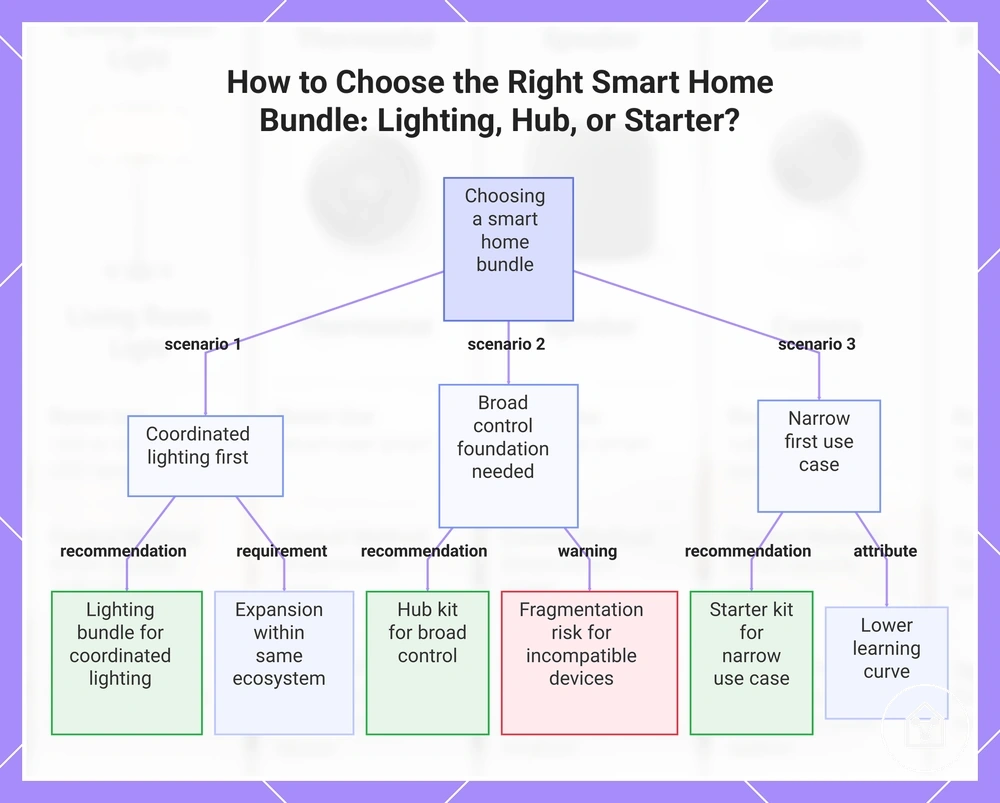
For example, a household that wants coordinated lighting first has a clearer starting role with a lighting bundle than with a security bundle, but later sensing and access control remain separate decisions. A hub kit offers a broader control foundation when its protocol support matches the planned device mix, while a starter kit remains suitable when a narrow first use case and lower learning burden matter more than immediate system breadth.
This chart shows the three main scenarios for selecting a smart home bundle based on device role and expansion path, as described in the section.
This chart shows the three main scenarios for selecting a smart home bundle based on device role and expansion path, as described in the section.
Single-Device Expansion Versus Multi-Device Bundle Planning
A single-device expansion path spreads cost and learning across separate additions, while a smart home bundle establishes multiple roles at the start. The main decision variable is whether the household values gradual control or coordinated coverage.
| Decision variable | Single-device expansion | Multi-device bundle planning |
|---|---|---|
| Cost spread | Cost is divided across separate purchases, which limits the initial commitment but can duplicate hubs, bridges, or accessories. | Cost is concentrated at the start, which can reduce duplicated components when every included device has a planned role. |
| Compatibility control | Each added device can be checked against the existing protocol, app, and control method before expansion continues. | Compatibility is easier to coordinate when the starter kit, hub kit, lighting bundle, security bundle, sensor bundle, or automation kit uses one supported ecosystem. |
| Learning curve and automation depth | A gradual path introduces one device role at a time, but deeper automation develops only after compatible sensors, controllers, and actions are added. | A bundle path can establish broader automation earlier, although unused roles increase complexity without adding practical value. |
| Coverage and redundancy | Room coverage grows incrementally, so gaps remain visible and duplicate devices can be avoided during each upgrade. | Multi-device planning can cover multiple rooms or roles immediately, but overlapping sensors or controls create redundancy when the device mix does not match the layout. |
| Upgrade flexibility | Individual devices can be replaced or redirected without changing the entire starter system, provided later additions preserve compatibility. | A coordinated bundle supports a clearer expansion path when future devices remain compatible with its hub, protocol, and automation structure. |
For example, adding one compatible sensor before extending coverage to another room keeps the learning curve and cost spread narrow, while a planned sensor bundle and hub kit can support wider automation from the start. The single-device path suits staged testing when each addition is checked against the existing system, whereas the bundle path suits coordinated coverage when its included roles, compatibility limits, and upgrade plan match the household’s intended expansion.
Comparison Criteria That Change the Best-Fit Decision
The smart home devices that fit a household are determined by weighted comparison criteria rather than an isolated feature. Compatibility, control method, reliability, and budget tolerance can change the result directly, while privacy, installation, room fit, and the expansion path affect how practical that result remains. The main decision variable is which conditions carry the greatest consequence for the household.
Rank each decision factor as essential, preferred, or low priority before comparing options.
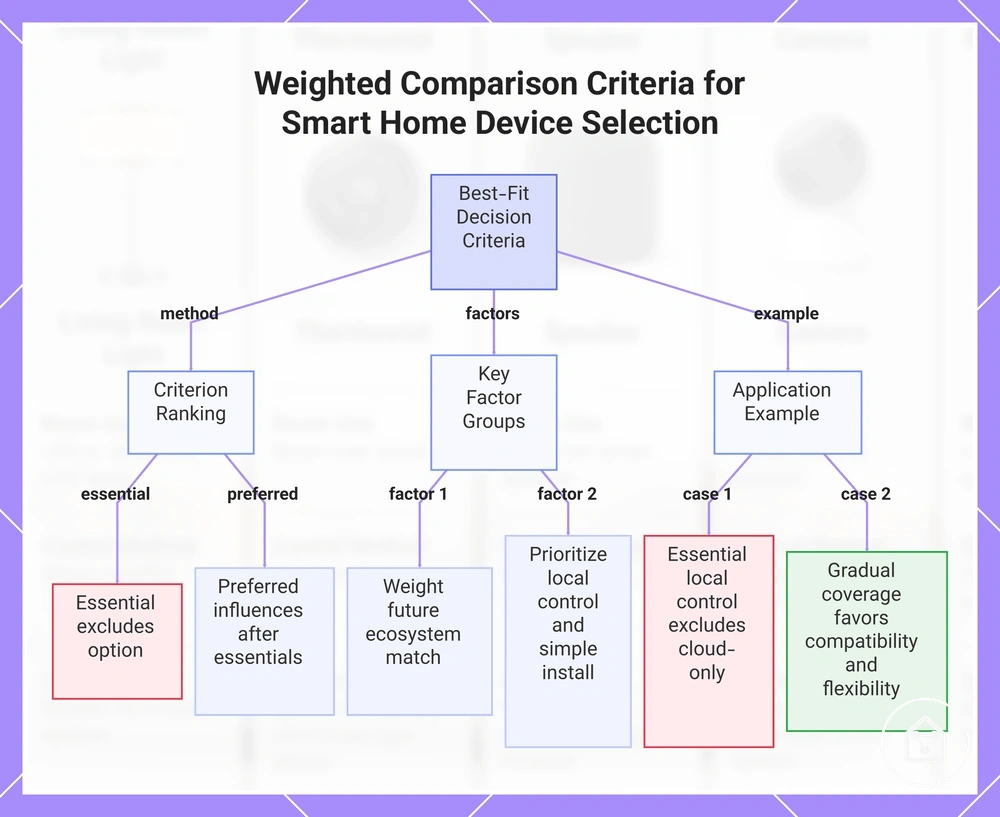
Rank each decision factor as essential, preferred, or low priority before comparing options. An essential criterion should exclude an option when its condition is not met, while a preferred criterion should influence the decision only after the essential requirements are satisfied.
- Compatibility and expansion path: Give this criterion greater weight when future devices must use the same supported ecosystem, protocol, hub, or app; a mismatch introduces an additional bridge or separate control layer.
- Control method and automation support: Prioritise local controls, app control, voice control, or automated routines according to who will operate the system and whether internet-dependent features are acceptable.
- Installation burden and reliability: Increase this criterion's weight when fixed wiring, hub placement, battery replacement, or network coverage would be difficult; a simpler installation path reduces maintenance only when it still supports the required device role.
- Privacy and feature dependency: Prioritise local processing or limited data collection when cameras, microphones, occupancy sensing, or cloud accounts create an unacceptable privacy condition; removing cloud dependency can also remove features that require remote processing.
- Room fit, device role, and budget tolerance: Match the device role to the room condition first, then compare the acceptable initial cost and later expansion cost; broader coverage adds value only when each included function serves a planned use.
For example, a household that treats local control and low installation burden as essential should exclude an option that requires cloud access or new fixed wiring, even when its automation support is broader. A household planning gradual room-by-room coverage may instead give greater weight to compatibility and upgrade flexibility, provided the chosen expansion path remains within its budget tolerance.
After ranking the essential criteria, use choosing smart home devices to apply those priorities without treating every comparison point as equally important.
After ranking the essential criteria, use choosing smart home devices to apply those priorities without treating every comparison point as equally important.
This chart shows how to rank criteria as essential or preferred and evaluate key factors to determine the best-fit smart home device.
This chart shows how to rank criteria as essential or preferred and evaluate key factors to determine the best-fit smart home device.
Compatibility, Control Method, Features, Installation, Privacy, and Reliability Signals
Verification signals reduce comparison mistakes by showing whether smart home devices meet the household’s required compatibility, control method, reliability, privacy, and installation conditions. Check each attribute against a stated category or boundary rather than treating a feature label as proof of fit. The main decision variable is whether the verified signals support the intended use and expansion path.
- App and voice control: Verify whether control is available through the required mobile app, local interface, or named voice platform; treat voice functions as unavailable when the listed platform, account, language, or region is not supported.
- Protocol support: Confirm the stated connection category, such as Wi-Fi, Bluetooth, Zigbee, Thread, or a required hub, and check whether every planned controller supports that category before extending the expansion path.
- Installation requirement: Classify installation as portable, plug-in, battery-powered, or fixed-wired; a fixed-wired device creates a higher installation burden when the location lacks the required power or mounting condition.
- Privacy control and feature dependency: Check whether recording, remote access, cloud storage, or account use is required, optional, or unavailable; a privacy control has limited decision value when disabling data processing also removes the compared feature.
- Reliability and firmware support: Treat update availability, offline operation, connection recovery, and support for the device generation as fit signals; classify a feature as generation-specific when the documentation limits it to newer hardware or firmware.
For example, app support does not confirm full compatibility when voice control requires a separate platform account or automation requires a hub that is not included. These criteria provide a stronger comparison only when the reader verifies platform, subscription, region, firmware, and device-generation boundaries for the exact smart home devices being considered.
Value and Price Trade-Offs in Smart Home Comparisons
Value in a smart home comparison is the balance between upfront cost, system fit, reliability, and expansion flexibility rather than the lowest device price. A lower price can lose value when the device needs an extra hub, paid subscription, difficult installation, or early replacement. Value is therefore conditional on the device role and the household’s existing system.
| Cost-value factor | Condition to verify | Effect on value |
|---|---|---|
| Device price and bundle price | The bundle includes required controls or accessories rather than duplicating equipment already owned. | A higher bundle price can provide better value when it removes necessary add-on purchases; unused components reduce that benefit. |
| Hub requirement | The device works directly with the existing system or requires a separate compatible hub. | A required hub raises the upfront cost but can support expansion when later devices use the same hub. |
| Subscription dependency | Core functions are available without payment, subscription-only, or split between free and paid access. | Recurring payment increases ownership cost when the required feature remains subscription-dependent. |
| Installation effort | Setup is portable, plug-in, battery-powered, or fixed-wired under the intended room conditions. | More installation effort can reduce value when it adds labour or limits relocation without improving the required function. |
| Reliability and upgrade path | The device supports the intended role, receives usable firmware support, and fits the planned expansion path. | Higher upfront cost can represent stronger long-term value when it supports avoided replacement and preserves system fit. |
The price trade-off should include device price, bundle price, hub requirement, subscription, and installation effort as separate ownership conditions. Energy or convenience benefits add value only when the device performs a frequent household task, while reliability matters when failure would force replacement or disrupt connected routines. Compare these conditions together because a low upfront cost can be offset by recurring fees or required infrastructure.
Compare these conditions together because a low upfront cost can be offset by recurring fees or required infrastructure.
For example, a single low-priced device may suit a limited room task when it works with the existing control method and needs no subscription. A higher-priced bundle may provide greater long-term value when its included hub supports later devices and avoids replacing incompatible equipment, linking current cost to the expansion path.
Use cost and value differences to compare these limits before treating a higher or lower listed price as the stronger decision.
Price comparisons cannot establish universal savings because installation conditions, partner pricing, subscription choices, device life, and household usage remain variable. Use cost and value differences to compare these limits before treating a higher or lower listed price as the stronger decision.
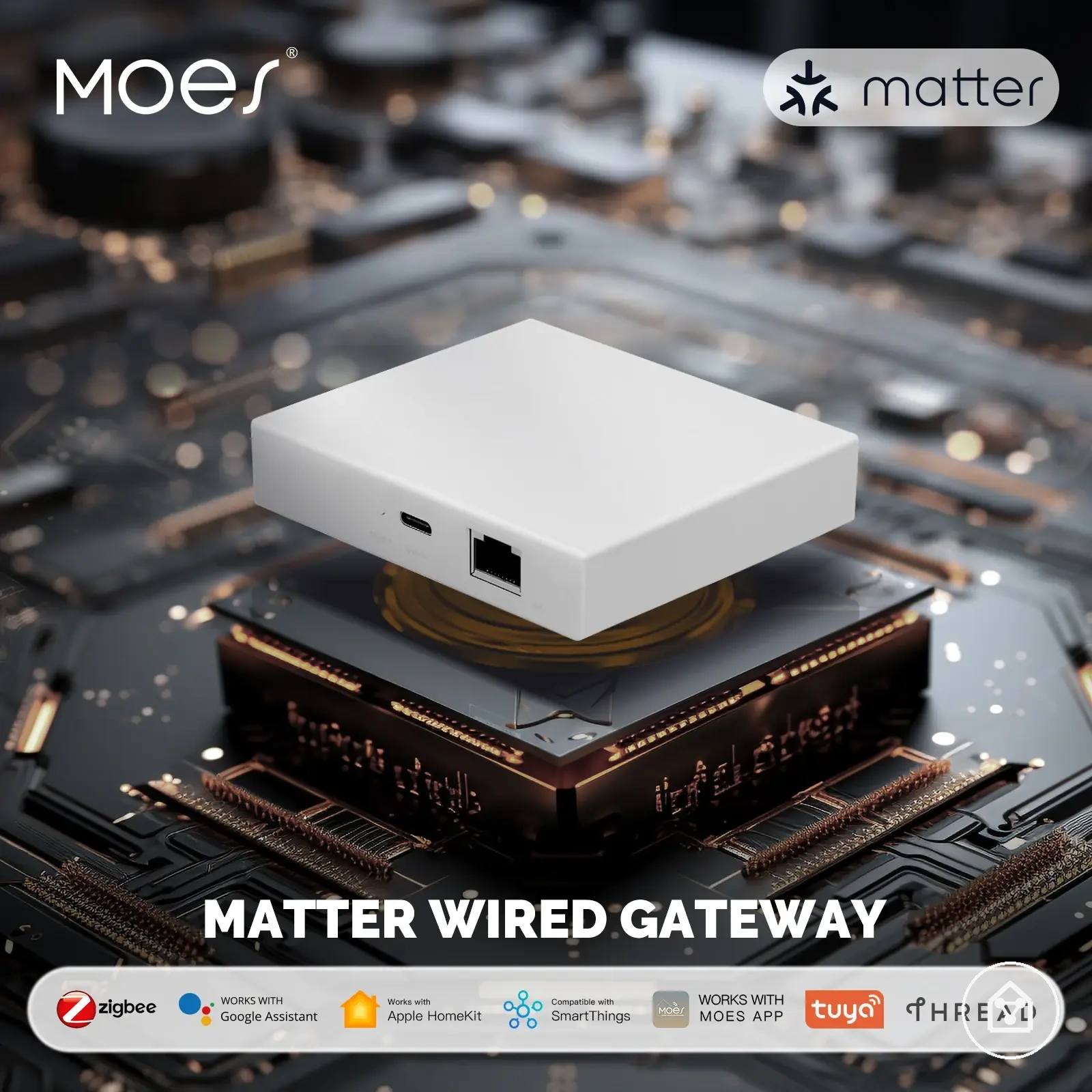
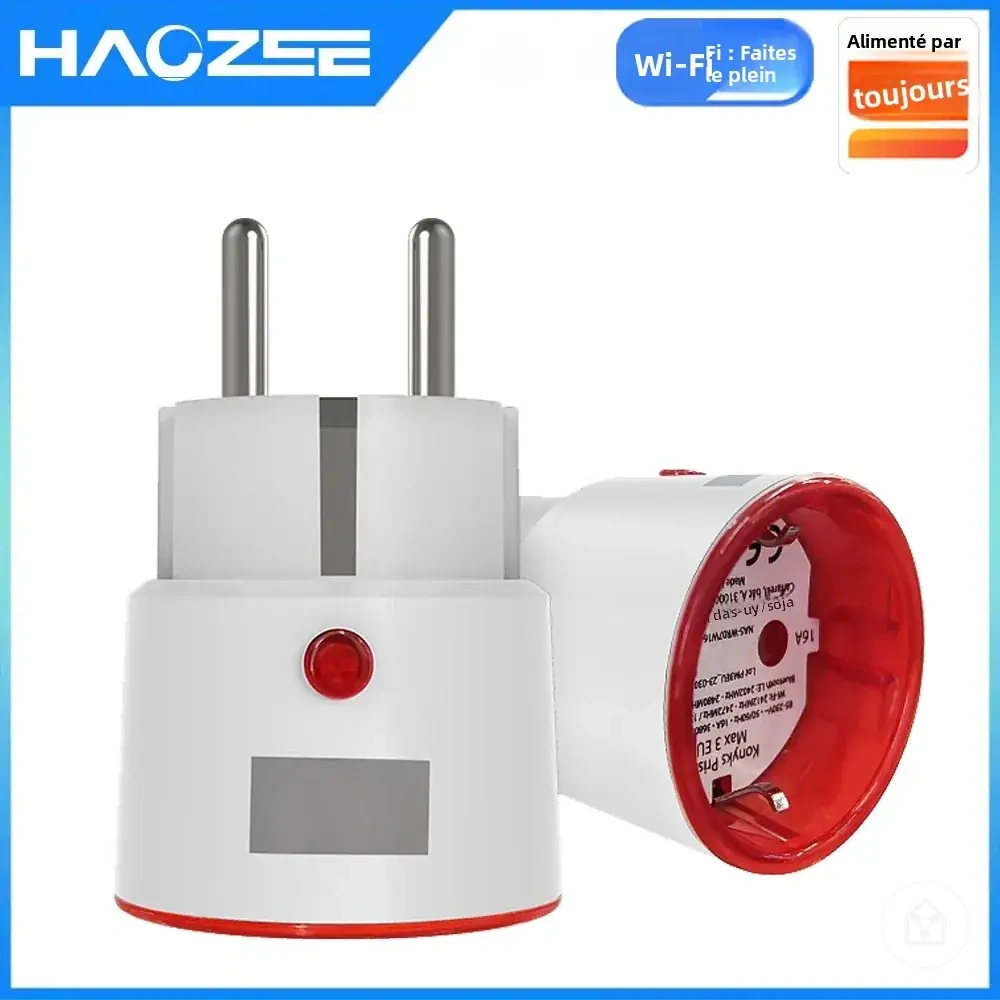
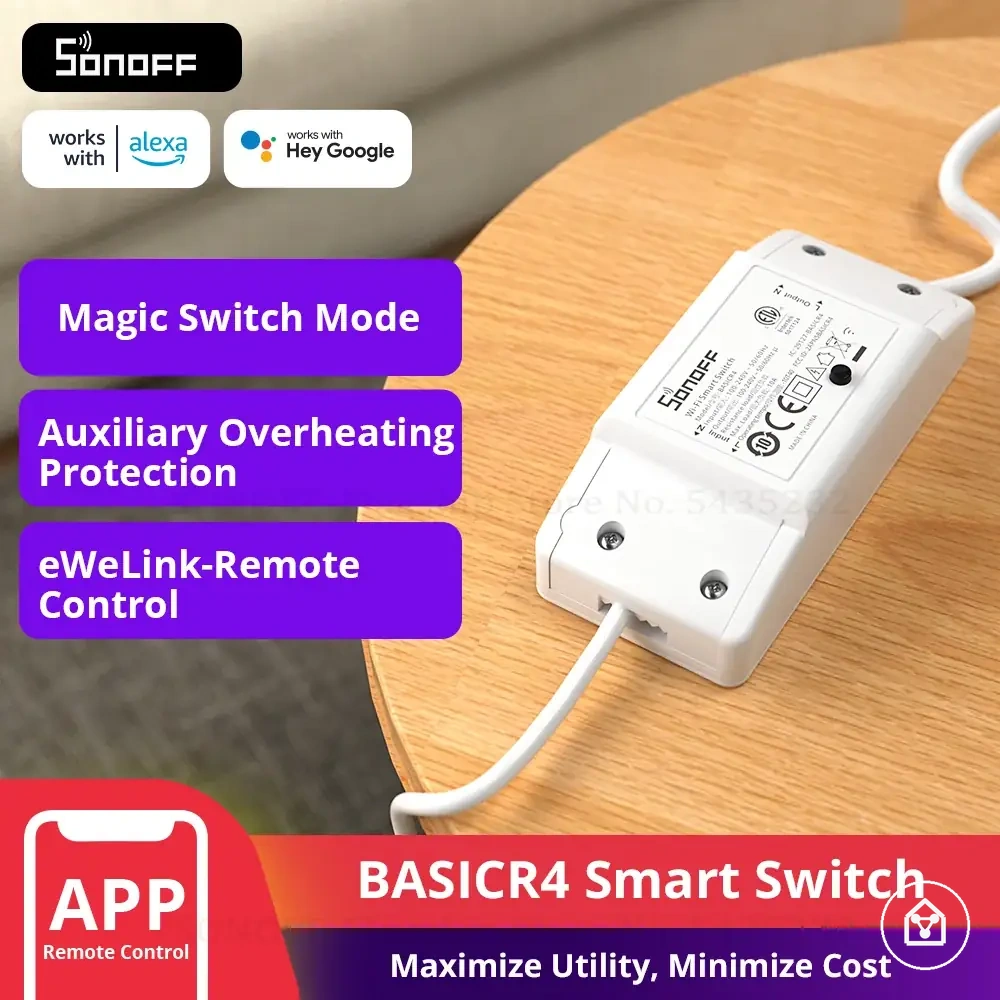
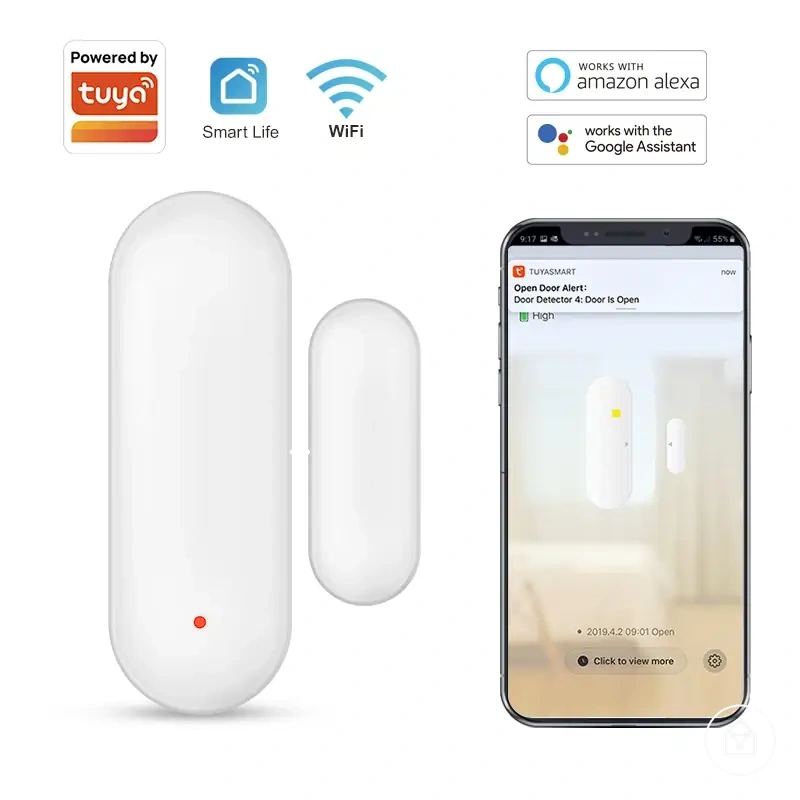
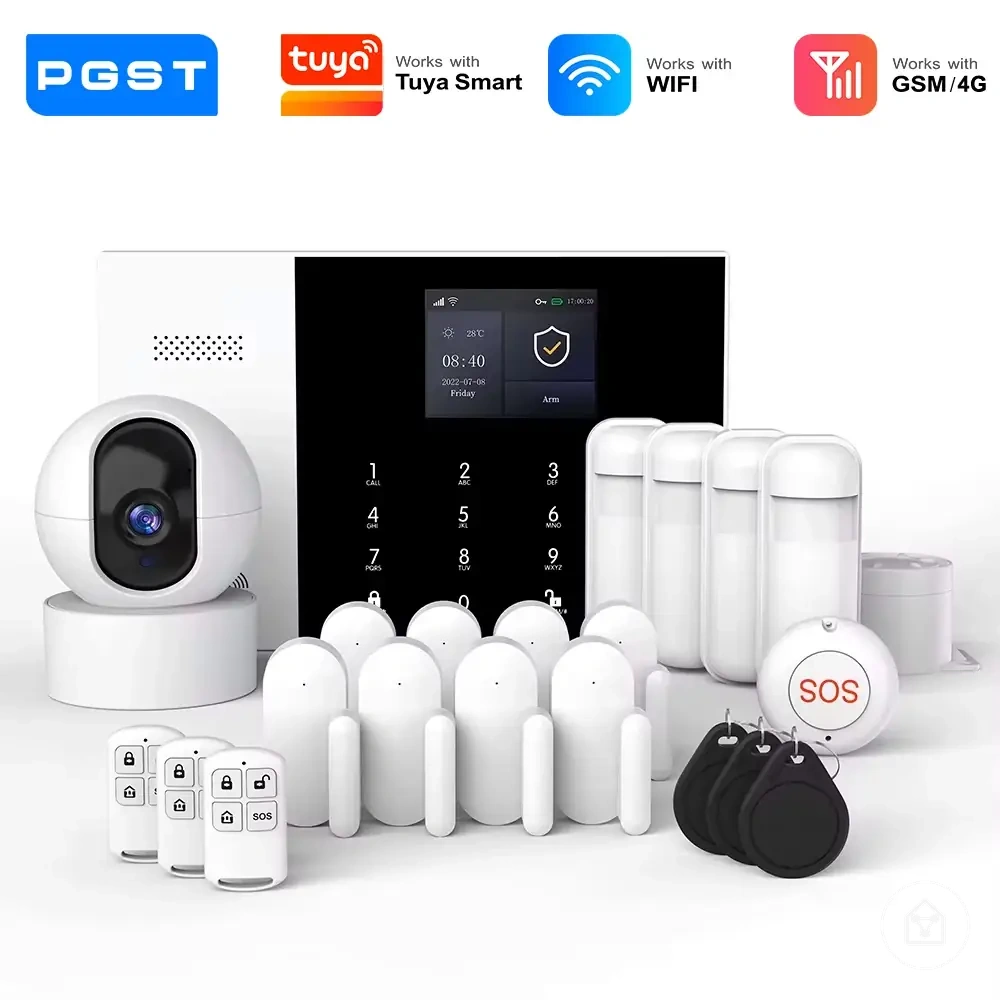
Here are product examples that may make comparison easier.
Here are product examples that may make comparison easier. Before buying, always review the compatibility criteria, essential features, and product details.
Best-Fit Comparison Paths for Common Smart Home Decisions
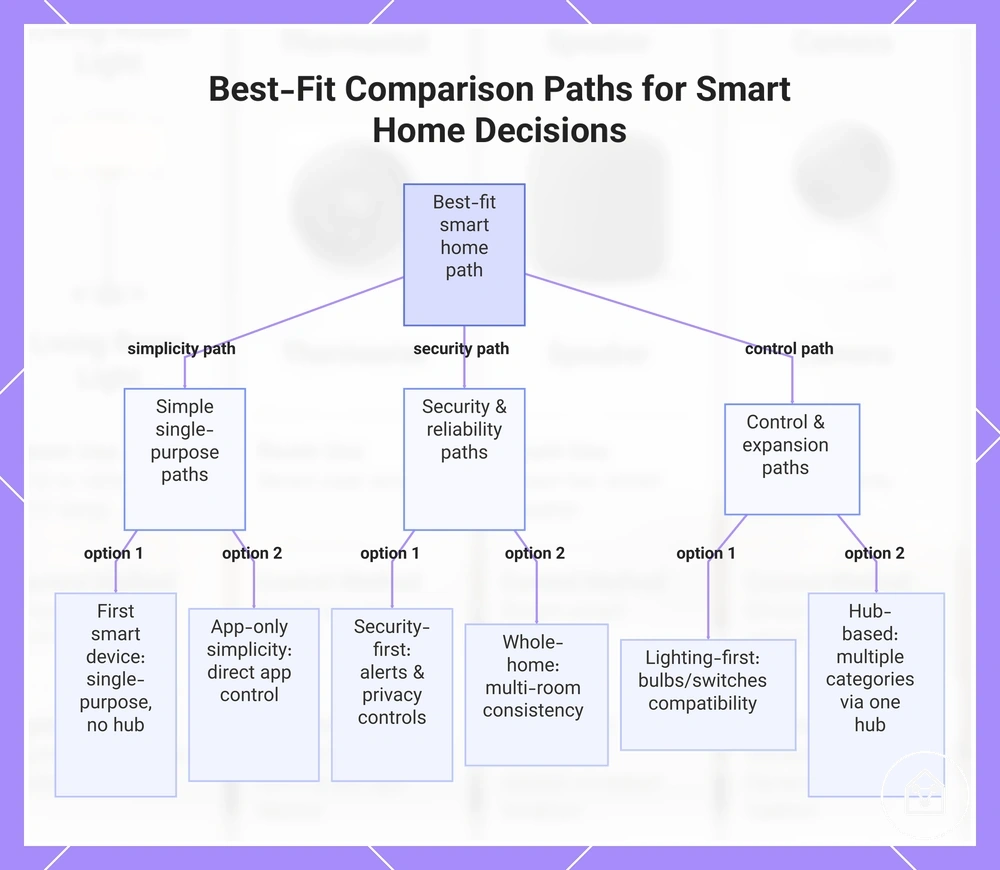
The best-fit path for smart home devices starts with the use case, then filters choices by platform compatibility, control method, bundle need, and value tolerance. Reliability, privacy, and installation become selection criteria where they change the likely fit. This creates a decision path based on situation, condition, and practical effect.
This creates a decision path based on situation, condition, and practical effect.
A first smart device suits a narrow task when it works through an existing app or voice platform without extra infrastructure, while a security-first setup requires stronger privacy controls, reliable alerts, and an acceptable installation burden. A lighting-first setup fits room-level convenience when the preferred control method supports the required bulbs or switches; hub-based expansion fits multiple device categories when one compatible hub reduces fragmented control. App-only simplicity favours devices that operate through one supported application, whereas whole-home planning favours an expansion path that preserves compatibility across rooms. Choose the path whose required platform, feature dependency, reliability, and installation conditions match the intended scope.
The buying checklist provides the next step after the local comparison path is clear.
Use the checklist below to compare each decision path against the criteria that change the final choice rather than repeating a full purchase process. The buying checklist provides the next step after the local comparison path is clear.
Before buying, always review the compatibility criteria, essential features, and product details.
Here are product examples that may make comparison easier. Before buying, always review the compatibility criteria, essential features, and product details.
- First smart device: Select a single-purpose path when one device meets the immediate use case, uses an accepted control method, and requires no unwanted hub or subscription.
- Security-first setup: Select this path when dependable alerts, defined privacy controls, and the accepted installation type carry more decision weight than broad device variety.
- Lighting-first setup: Select this path when room or zone control is the primary goal and the chosen bulbs, switches, app, and voice platform share verified compatibility.
- Hub-based expansion: Select this path when multiple planned device categories support the same hub and centralised control justifies the added hardware.
- App-only simplicity: Select this path when direct app control is sufficient and limiting extra hubs or interfaces matters more than maximum expansion flexibility.
- Whole-home planning: Select this path when reliability, privacy, installation conditions, and the expansion path must remain consistent across multiple rooms and device roles.
Use this chart to compare the main smart home decision path categories and their specific options based on use case, control method, and reliability requirements.