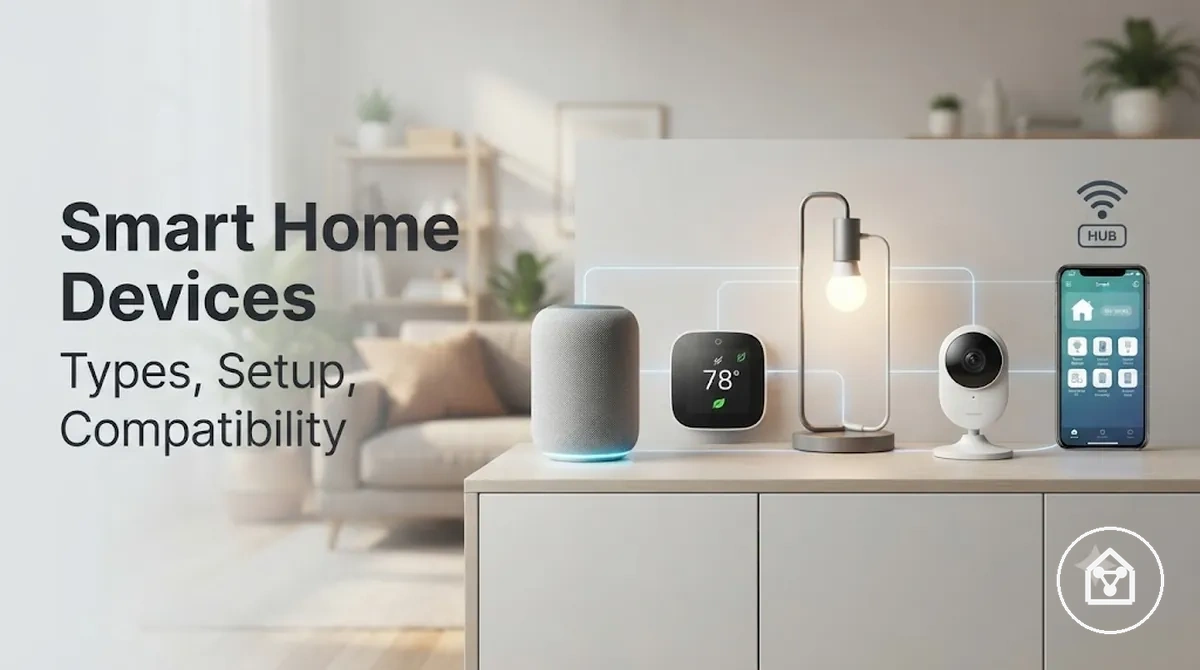
Smart Home Devices for Connected Home Decisions
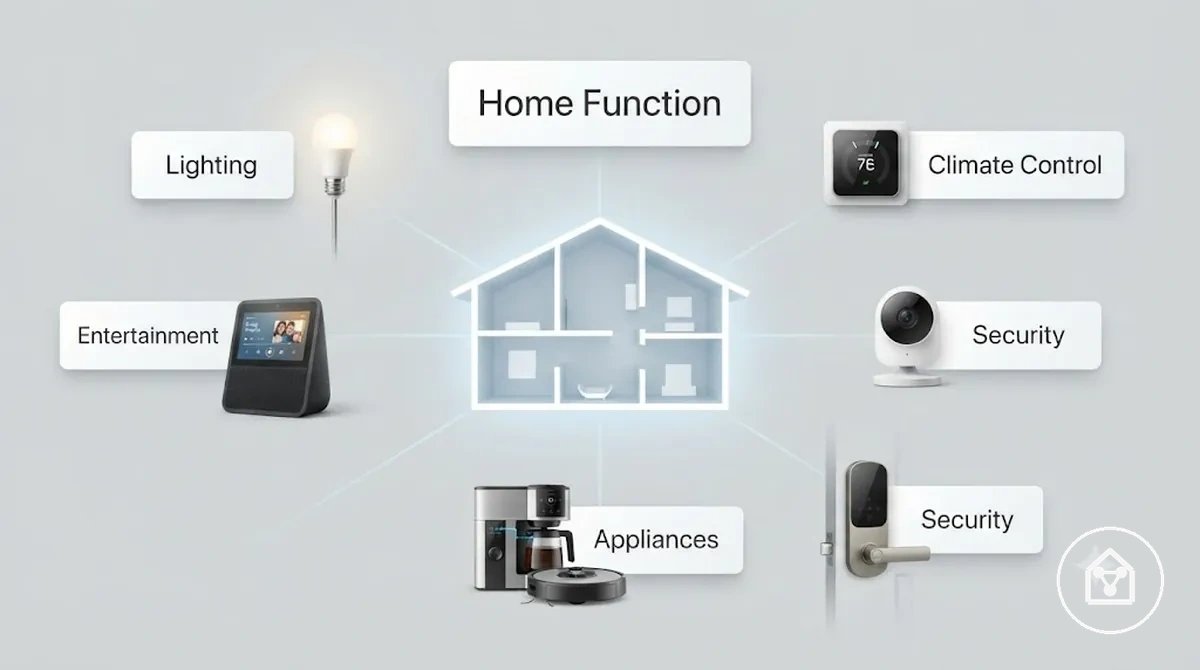
Smart home devices are connected products that monitor, control, or automate household functions such as lighting, security, climate control, entertainment, and appliances. As a connected-home decision category, they should be evaluated by their intended purpose, ecosystem compatibility, setup readiness, security controls, and long-term reliability rather than by individual product features alone.
Compatibility is determined by the supported ecosystem or communication standard, such as Apple Home, Amazon Alexa, Google Home, Matter, Wi-Fi, Thread, Zigbee, or Z-Wave.
Compatibility is determined by the supported ecosystem or communication standard, such as Apple Home, Amazon Alexa, Google Home, Matter, Wi-Fi, Thread, Zigbee, or Z-Wave. According to the Connectivity Standards Alliance, Matter provides a common application-layer standard for smart home interoperability, but feature availability remains limited to the capabilities supported by both the device and the chosen platform.
Setup readiness means confirming that the required network, power source, mobile application, and any necessary hub or border router are available before selecting a device.
Setup readiness means confirming that the required network, power source, mobile application, and any necessary hub or border router are available before selecting a device. For example, a household planning smart lighting should verify whether the chosen bulbs connect directly through Wi-Fi or require a dedicated bridge before comparing automation or scheduling features.
Security is a core purchasing criterion because connected devices process household and account data.
Security is a core purchasing criterion because connected devices process household and account data. The Australian Cyber Security Centre recommends choosing devices that receive security updates, allow default credentials to be changed, support strong authentication where available, and clearly explain how user data is collected and managed.
Table of Contents
Smart Home Devices in a Connected Home System
Smart home devices operate as connected components within a home system by exchanging data and commands across a shared network instead of functioning independently. Their value comes from coordinated communication between devices, applications, controllers, and supported communication technologies that enable unified monitoring and control.
Understanding what smart home devices are also means understanding how they interact inside the wider system.
Understanding what smart home devices are also means understanding how they interact inside the wider system. According to the Connectivity Standards Alliance, interoperability is achieved only when devices share a supported communication standard or ecosystem, such as Matter, Thread, Zigbee, Wi-Fi, or Z-Wave, and when the selected platform supports the relevant device functions.
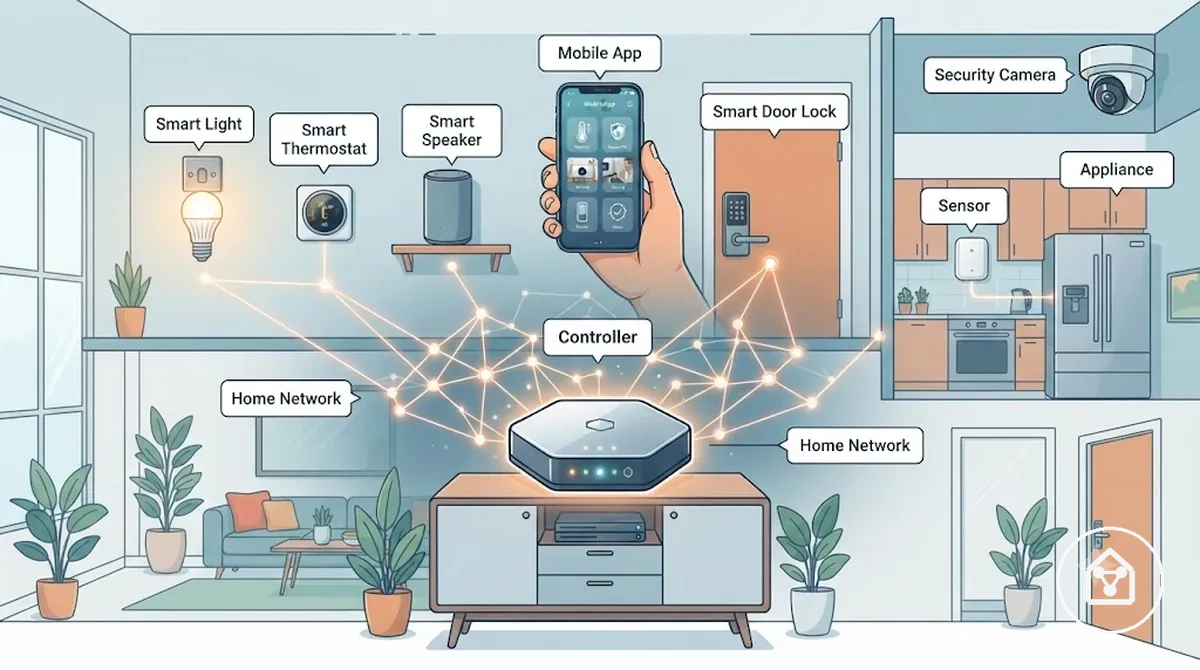
A connected home system normally includes smart devices, a home network, a mobile application, and, where required, a controller, hub, or border router that manages communication between compatible products. Whether direct device-to-device communication is available depends on the supported protocol and the controller or ecosystem selected for the system.
Whether direct device-to-device communication is available depends on the supported protocol and the controller or ecosystem selected for the system.
For example, a motion sensor can send a detection signal to a compatible controller, which instructs a connected smart light to turn on while updating the event in the homeowner's mobile app. This illustrates how sensors, controllers, networks, applications, and appliances work together as a coordinated connected home system rather than as isolated devices.
Main Smart Home Device Categories
Smart home device categories are most useful when grouped by the household function they perform and the decisions they support. Classifying devices by use case, control method, and decision signal helps compare categories without assuming every home requires the same combination.
| Category | Primary Use Case | Typical Control Method | Decision Signal |
|---|---|---|---|
| Lighting | Manage indoor and outdoor lighting | Mobile app, voice assistant, wall control, automation | Convenience, scheduling, energy management |
| Climate Control | Regulate heating, cooling, and indoor comfort | Smart thermostat, mobile app, automation | Comfort and energy efficiency |
| Security | Monitor access points and household activity | Mobile app, alerts, automation | Monitoring, notifications, access control |
| Appliances | Operate connected household equipment remotely | Mobile app, voice assistant, scheduled routines | Task automation and remote management |
| Entertainment | Control audio and media devices | Mobile app, voice assistant, remote control | Media access and multi-room playback |
Industry references, including guidance from PCMag and Security.org, commonly organize smart home products into functional categories because each group addresses a distinct household objective while remaining part of a connected home ecosystem.
Readers seeking a more detailed breakdown of individual device groups can continue to types of smart home devices .
For example, a household focused on reducing electricity use may begin with smart lighting and climate control, while another prioritizing property awareness may first select security devices. Readers seeking a more detailed breakdown of individual device groups can continue to types of smart home devices.
Lighting, Plugs, Sensors, Cameras, Locks, and Climate Devices
Lighting, plugs, sensors, cameras, locks, and climate devices perform different home functions by controlling equipment or monitoring specific household conditions. Selecting the appropriate device family depends on the area of the home, the task to automate, and whether the goal is to control, detect, monitor, or regulate an environment.
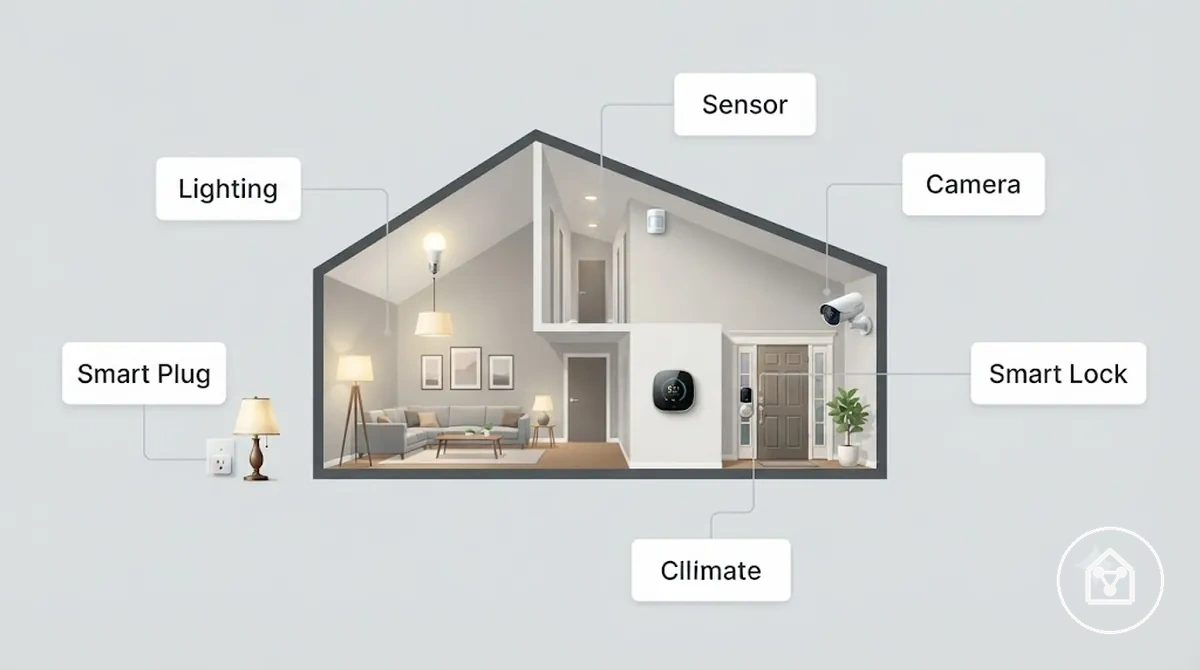
- Smart lighting: Controls indoor or outdoor lights through schedules, automation, voice commands, or mobile apps, making it suitable for living rooms, bedrooms, hallways, and exterior pathways.
- Smart plugs: Add remote switching and scheduling to compatible plug-in appliances such as lamps, fans, or coffee machines without replacing the appliance itself.
- Smart sensors: Detect conditions including motion, door or window status, temperature, humidity, or water leaks, allowing connected systems to trigger notifications or automated actions.
- Smart cameras: Monitor entrances, driveways, gardens, nurseries, or shared indoor areas by providing live viewing, motion-triggered recording, and security notifications.
- Smart locks: Manage door access through approved digital credentials such as mobile apps, PIN codes, or authorised users, reducing reliance on physical keys.
- Smart climate devices: Regulate indoor temperature and comfort by controlling heating, cooling, or ventilation according to schedules, occupancy, or temperature settings.
For example, a motion sensor installed in a hallway can trigger nearby smart lights after movement is detected, while a smart thermostat automatically adjusts heating based on a scheduled temperature profile.
Controllers, Speakers, Displays, and Hubs
Controllers, speakers, displays, and hubs perform different control-layer roles by sending commands, providing user interaction, or coordinating compatible smart home devices. Their functions differ by interface, coordination capability, and ecosystem or communication protocol requirements rather than by the devices they control.
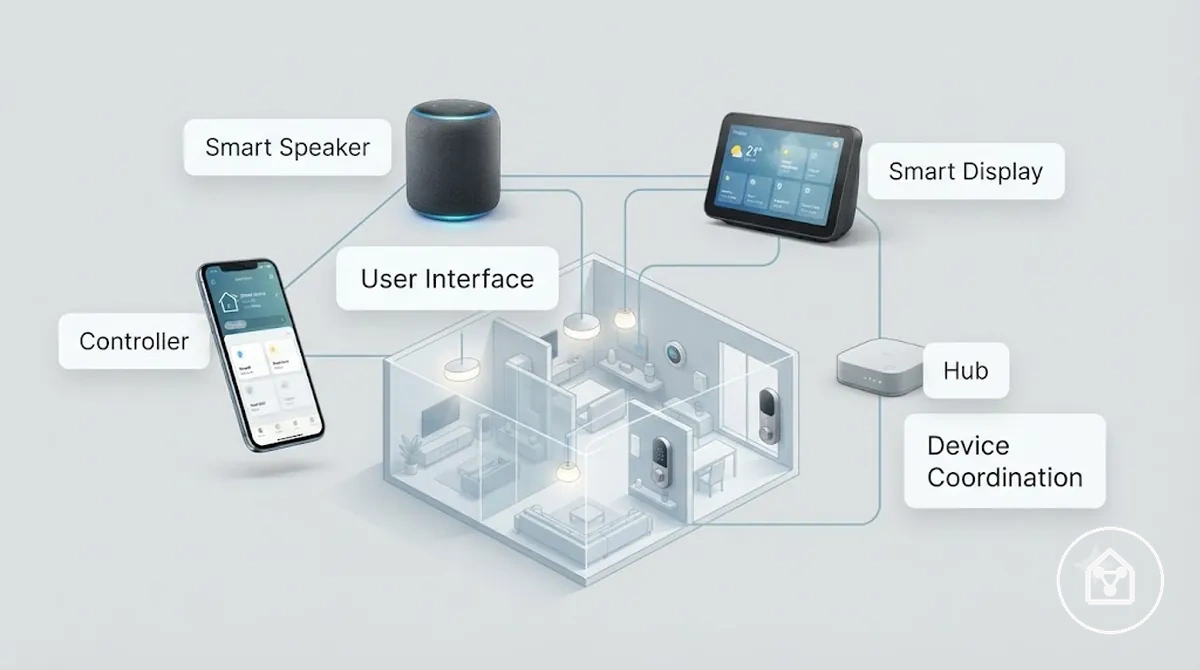
The comparison below distinguishes these control-layer devices according to how they interact with and coordinate a smart home system.
| Device | Primary Role | Interface | Dependency |
|---|---|---|---|
| Controller | Manages devices and automations through software or dedicated controls. | Mobile app, web interface, or physical remote | Requires devices that are supported by the selected platform or ecosystem. |
| Smart Speaker | Receives voice commands and starts supported routines using an integrated voice assistant. | Voice | Requires a compatible voice ecosystem and supported connected devices. |
| Smart Display | Combines touchscreen controls with visual access to smart home information such as camera feeds, routines, and device status. | Touchscreen and voice | Available features depend on the supported ecosystem and compatible devices. Google states that Nest Hub displays can control compatible smart home products and display connected device information. |
| Hub | Coordinates communication between compatible smart devices that use supported automation ecosystems or communication protocols. | Background coordination | Hub requirements vary by protocol and home setup. According to the Connectivity Standards Alliance, Matter enables compatible devices to work across supported ecosystems, although many Wi-Fi devices operate without a dedicated hub. |
For example, a homeowner might use a smart speaker to start a lighting routine by voice, a smart display to view a doorbell camera, and a dedicated hub only for Zigbee devices that require central coordination.
Compatibility Factors That Shape Device Choice
Smart home devices are compatible when they share the required ecosystem, communication protocol, network connection, and supported control method needed for the functions you plan to use. Checking these criteria before purchase reduces the risk of devices that connect individually but cannot participate in shared automations, voice control, or centralized management.
The checklist below separates the primary compatibility factors that determine whether smart home devices can work together reliably.
The checklist below separates the primary compatibility factors that determine whether smart home devices can work together reliably.
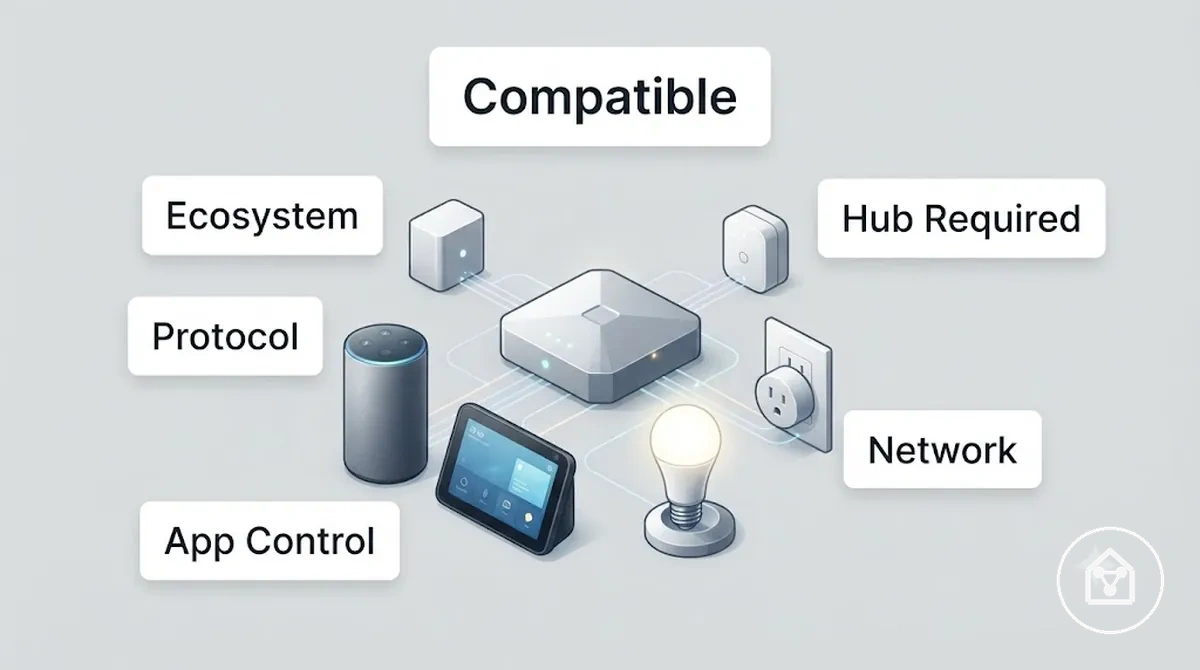
| Compatibility Factor | What to Check | Practical Value |
|---|---|---|
| Ecosystem | Confirm that every intended device supports the same smart home platform, such as Apple Home, Google Home, Amazon Alexa, or Samsung SmartThings. | Shared platform support enables centralized control and compatible automations. |
| Communication Protocol | Verify that devices communicate through compatible technologies such as Wi-Fi, Zigbee, Z-Wave, Thread, Bluetooth, or Matter where supported. | Matching protocols or supported bridges allow devices to exchange commands correctly. |
| Hub Requirement | Check whether each device operates independently or requires a dedicated hub or bridge. | A required hub must be present before compatible devices can participate in supported automations. |
| Network Condition | Ensure the installation area has reliable coverage for the required connection type, such as Wi-Fi or Thread. | Stable connectivity improves command delivery, device status updates, and automation reliability. |
| App Control | Confirm that the manufacturer's app or a supported smart home platform provides access to the features you intend to use. | Compatible apps simplify setup, monitoring, firmware updates, and routine management. |
According to the Connectivity Standards Alliance, Matter provides a common application layer that allows certified compatible devices to work across supported ecosystems, although available features can still differ between platforms and manufacturers.
For broader selection guidance, see the smart home device compatibility page.
For example, a homeowner installing Zigbee smart lights should confirm that the selected hub or smart home platform supports Zigbee before purchasing additional devices. For broader selection guidance, see the smart home device compatibility page.
Ecosystems, Platforms, and Voice Assistants
Smart home ecosystems are compatible when connected devices support the same platform, account-access method, and voice-control integration. A single primary platform creates more consistent app control and automation, while devices tied to another ecosystem may require separate accounts, apps, or routines.
The comparison below shows how each platform-fit criterion affects control consistency.
The comparison below shows how each platform-fit criterion affects control consistency.
| Platform-Fit Criterion | Matching Condition | Mismatch Effect |
|---|---|---|
| Supported Devices | Each device is listed as supported by the selected ecosystem or an approved integration. | An unsupported device remains outside the platform or requires a separate control path. |
| App Logic | Devices can be added, grouped, and automated through the same platform application. | Separate applications divide setup, monitoring, and routine management. |
| Account Access | The required manufacturer or platform accounts can be linked under the intended household access arrangement. | Unlinked accounts prevent shared device visibility or supported automation across services. |
| Voice Control | The device supports the selected voice assistant directly or through a documented platform integration. | Voice commands remain unavailable or limited to a different assistant or application. |
For example, smart lights and smart plugs that support the same ecosystem, account arrangement, and voice assistant can be grouped within one supported routine. A device restricted to another platform would instead require a separate app or automation path.
Protocols, Hubs, Matter Support, and Network Fit
Smart home devices are compatible when their communication protocol matches an available hub, controller, border router, or home network connection. A protocol match enables pairing, while adequate coverage from the required router, hub, or mesh determines whether control remains reliable at the installation location.
Smart home devices are compatible when their communication protocol matches an available hub, controller, border router, or home network connection.
Use this mini-checklist to diagnose protocol and network fit before choosing or installing a device:
- Protocol match: Confirm that the device uses a connection type supported by the intended controller, such as Wi-Fi, Thread, Zigbee, Z-Wave, or Bluetooth. A device using an unsupported protocol cannot pair directly unless a compatible bridge provides the required connection.
- Hub or border router: Check whether the device requires a dedicated hub, a compatible Matter controller, or a Thread Border Router. The Thread Group identifies a Thread Border Router as the connection between a Thread network and adjacent IP networks; without that role, a Thread accessory cannot communicate beyond its local Thread network.
- Matter support: Verify Matter support separately for the device, controller, and required device function. The Connectivity Standards Alliance distinguishes roles such as Matter controller, commissioner, and bridge, so support for one role does not confirm that every required role or feature is available.
- Firmware and region: Confirm that the installed firmware version and regional product variant include the required protocol or Matter function. A feature excluded from the current firmware or regional configuration remains unavailable until the applicable manufacturer release is installed.
- Network fit: Test the intended location for a stable connection to the required router, hub, or mesh component. Solid walls, longer distances, and wireless interference reduce usable coverage, while a closer controller or supported mesh component can strengthen the communication path.
For example, a Matter-over-Thread sensor requires both a Matter controller and access to a Thread Border Router. If the home has a Matter controller but no Thread Border Router on the local network, the sensor cannot complete the required Thread communication path until that network role is added.
Choosing Smart Home Devices by Home Need
Household needs provide the most useful starting point for selecting smart home devices because they determine which functions deliver practical daily benefits. The best device fit is defined by the intended purpose, room, compatibility with the existing smart home system, and the amount of setup and maintenance the household is prepared to manage.
Choose devices that solve the highest-priority household requirement before expanding into additional automation.
Choose devices that solve the highest-priority household requirement before expanding into additional automation. Independent evaluations from organisations such as PCMag and Security.org consistently assess smart home products according to their intended use, ecosystem compatibility, and everyday usability rather than isolated technical features.
For a detailed decision process, see how to choose smart home devices .
Apply the same decision criteria to every purchase by comparing the household objective with installation effort, supported integrations, and long-term usability. For a detailed decision process, see how to choose smart home devices.
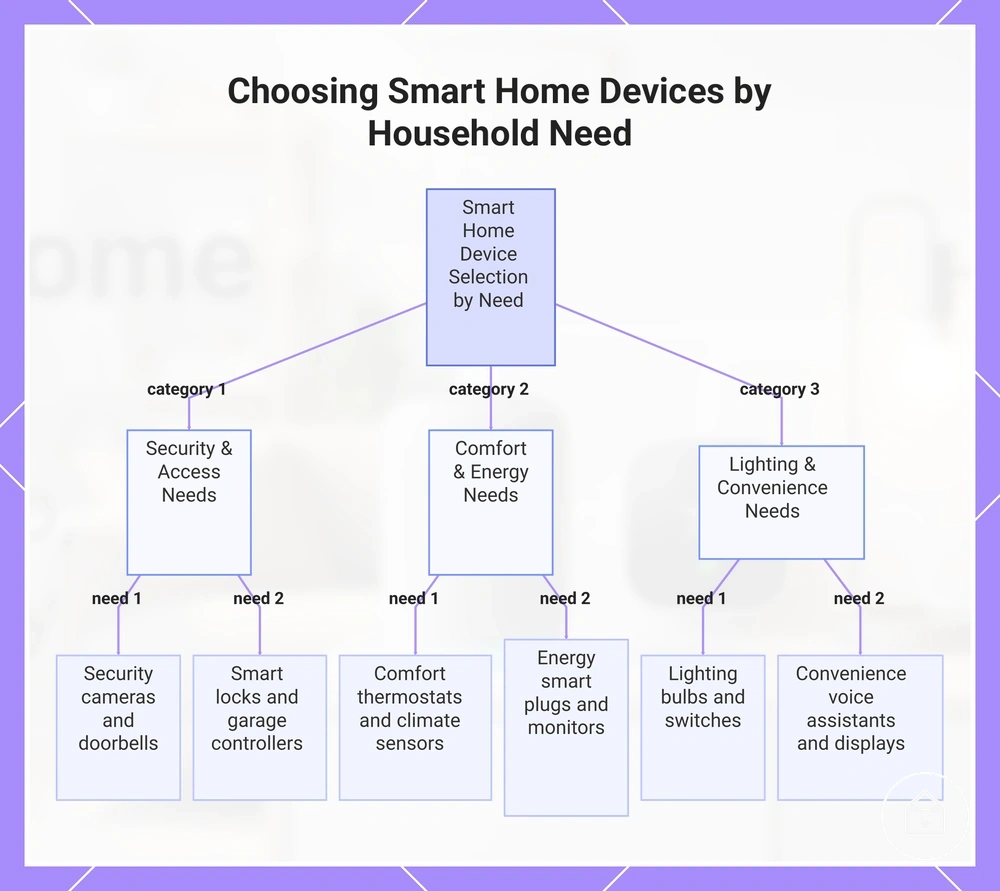
- Security: Prioritise cameras, video doorbells, motion sensors, or alarms when protecting entrances or monitoring activity is the primary need. Confirm support for the preferred ecosystem, notification options, and recording features before purchase.
- Lighting: Prioritise smart bulbs, switches, or lighting controllers when scheduling, dimming, or scene automation is the main objective. Verify compatibility with existing wiring, switches, and the intended control platform.
- Comfort: Prioritise smart thermostats, climate sensors, or motorised blinds when improving indoor comfort is the main goal. Confirm compatibility with the home's heating or cooling system and installation requirements.
- Access: Prioritise smart locks or garage controllers when managing household entry is more important than broader automation. Check compatibility with existing door hardware, supported communication protocols, and preferred authentication methods.
- Energy: Prioritise smart plugs or energy-monitoring devices when reducing unnecessary electricity consumption is the objective. They provide the greatest benefit for appliances with predictable operating schedules or measurable standby power use.
- Convenience: Prioritise voice assistants, smart displays, or automation routines when simplifying everyday tasks is the main requirement. Their value increases when connected devices already support the same ecosystem and automation platform.
This chart categorizes household needs into three groups and shows the recommended device types for each, based on the article's guidance.
Beginner Devices and Starter Kits
Beginner devices and starter kits are the best entry point when they let a household test smart home automation with low setup complexity and a clear expansion path. A single smart bulb, smart plug, or smart speaker is often a better starting choice than a large bundle because it demonstrates everyday value without requiring multiple installations or a long-term platform commitment.
Beginner devices and starter kits are the best entry point when they let a household test smart home automation with low setup complexity and a clear expansion path.
Starter kits provide the greatest value when every included device supports the same ecosystem and contributes to one household objective, such as lighting automation or basic home monitoring. According to the Connectivity Standards Alliance, Matter-certified devices use a common application layer that improves interoperability across supported smart home platforms, provided a compatible Matter controller is available.
Starter kits provide the greatest value when every included device supports the same ecosystem and contributes to one household objective, such as lighting automation or basic home monitoring.
Use this checklist before choosing a beginner device or starter kit:
- Ease of setup: Choose products with guided app onboarding and QR-code or numeric-code commissioning. The Connectivity Standards Alliance specifies these onboarding methods for Matter devices.
- Compatibility: Confirm support for the household's preferred ecosystem, communication protocol, and controller before purchasing. A Matter-certified device still requires a compatible controller and supported network transport to operate.
- Expandability: Select a starter kit only when its platform supports the next devices planned for the home. A single compatible device is the lower-risk option when future expansion has not been decided.
- Safety assumptions: Distinguish between plug-in or battery-powered products and mains-wired devices. Follow the manufacturer's installation guidance and applicable electrical regulations before installing equipment that connects to fixed household wiring.
For example, a household interested in scheduled lighting can begin with one compatible smart bulb in the living room to evaluate app control and automation. A starter kit becomes a better investment only when multiple rooms will be automated using the same platform from the beginning.
Room, Security, Comfort, and Energy Priorities
Room function and household priority should determine the smart device mix because each area benefits from different automation outcomes. Entry areas prioritise access awareness, living spaces emphasise convenience and comfort, while lower-occupancy rooms are better suited to automation that limits unnecessary operation.
Room function and household priority should determine the smart device mix because each area benefits from different automation outcomes.
The following comparison helps match household priorities with suitable device categories while recognising the practical trade-offs of each choice.
| Household Priority | Suitable Device Category | Primary Trade-off |
|---|---|---|
| Security at entrances | Smart locks, door sensors, video doorbells, and outdoor cameras | Improved entry monitoring requires reliable power, network connectivity, and ongoing notification management. |
| Comfort in living areas | Smart lighting, speakers, blinds, and climate controls | A unified platform simplifies daily automation, while mixed ecosystems can require additional apps or compatible controllers. |
| Bedroom comfort | Room temperature sensors, smart blinds, and scheduled lighting | Room-specific automation improves personal comfort but requires separate routines from shared household spaces. |
| Kitchen and utility monitoring | Leak sensors, smart plugs, and task lighting controls | Monitoring supports earlier awareness of household issues, but connected appliances must remain within the manufacturer's electrical ratings. |
| Energy management in low-use rooms | Occupancy sensors, smart switches, smart plugs, and zoned climate devices | Automation reduces unnecessary operation when rooms are unoccupied, but equipment that requires continuous power should be excluded from automatic shut-off routines. |
For example, a family focused on comfort may automate lighting and temperature only in the living room and bedroom, while another household that prioritises security may begin with a smart lock and door sensor at the main entrance before expanding to other rooms.
Setup Readiness Before Adding Devices
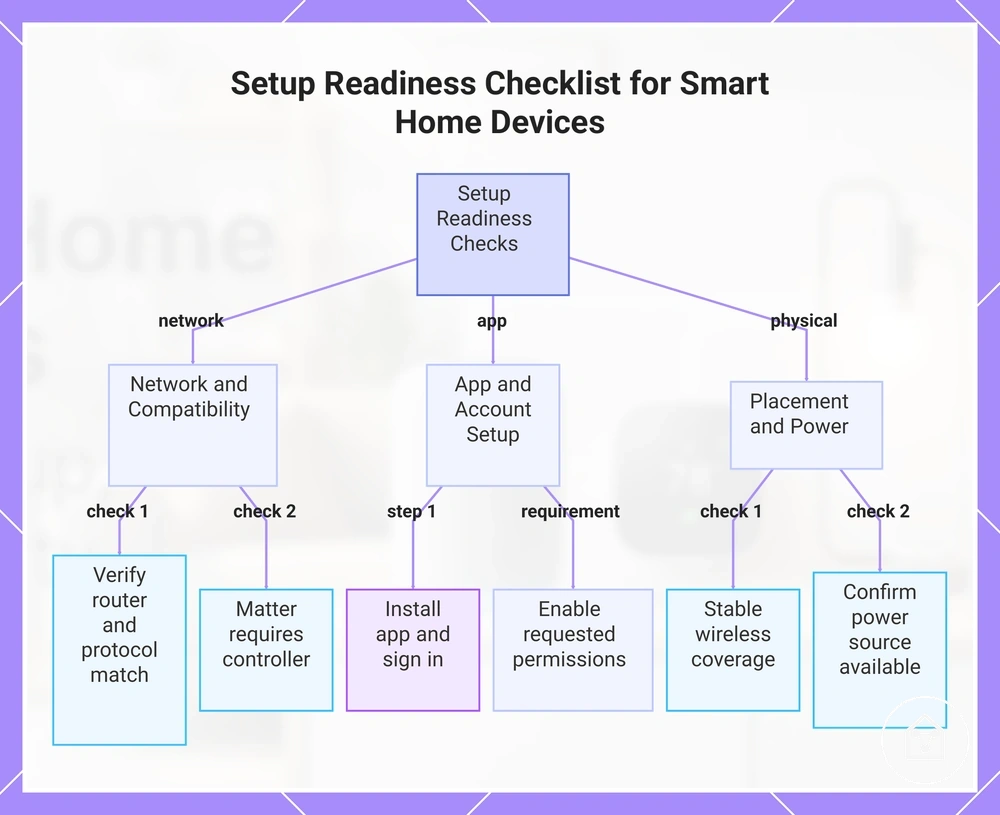
Setup readiness begins by confirming that your network, account, power source, and intended installation location already satisfy the device's requirements. Completing these checks before pairing helps avoid unnecessary interruptions during installation without replacing the manufacturer's setup instructions.
- Network: Verify that your router, wireless coverage, and supported protocol, such as Wi-Fi, Zigbee, Thread, or Matter, match the device's stated requirements. Devices using Matter also require a compatible Matter controller.
- App: Install the required manufacturer or platform app, sign in to the correct household account, and enable requested permissions such as Bluetooth, local network access, or location when onboarding requires them.
- Placement: Select an installation location with stable wireless coverage and suitable mounting conditions before permanently securing the device.
- Power: Confirm that replaceable batteries are installed or that a compatible mains power connection is available before beginning commissioning.
- Account: Ensure the device will be added to the intended home, household, or platform account to reduce the need for ownership transfers or factory resets after installation.
According to the Connectivity Standards Alliance, Matter commissioning uses a QR code or manual setup code together with Bluetooth Low Energy during onboarding. Keeping the setup code accessible and enabling Bluetooth on the commissioning device improves readiness before the installation process begins.
After these readiness checks are complete, continue with setting up smart home devices for the full installation process.
For example, preparing a smart light switch by checking Wi-Fi coverage, confirming the correct app account, and identifying its mounting location allows installation to proceed without pausing to resolve missing prerequisites. After these readiness checks are complete, continue with setting up smart home devices for the full installation process.
This chart outlines the main prerequisite checks to complete before pairing smart home devices to avoid installation interruptions.
Wi-Fi Strength, App Pairing, and Device Placement
Wi-Fi signal quality, app pairing conditions, and device placement are the local factors most likely to influence whether a smart home device can be discovered and connected reliably. Check these conditions before treating pairing delays as installation or hardware problems.
- Wi-Fi strength: Confirm the installation location provides a stable signal that matches the device's supported network requirements. Signal quality decreases when thick walls, concrete floors, large metal objects, or long distances separate the device from the wireless access point.
- App pairing: Use the correct manufacturer or platform app, sign in to the intended household account, and grant required permissions such as Bluetooth, local network access, or location when the onboarding process requests them.
- Device placement: Position the device within the manufacturer's recommended operating environment before permanent mounting, because enclosed cabinets and physical obstructions can reduce wireless communication quality.
- Device state: Verify the device is powered and in its supported pairing mode. Pairing behaviour differs by manufacturer, application, supported network, and current device state.
- Network consistency: Keep the mobile device connected to the supported home network when the manufacturer's onboarding process requires it, particularly for Wi-Fi products.
For example, pairing a new smart plug near the wireless router before moving it to its final location helps identify whether reduced signal strength at the installation point is affecting discovery rather than the pairing process itself.
Security, Privacy, and Reliability Checks
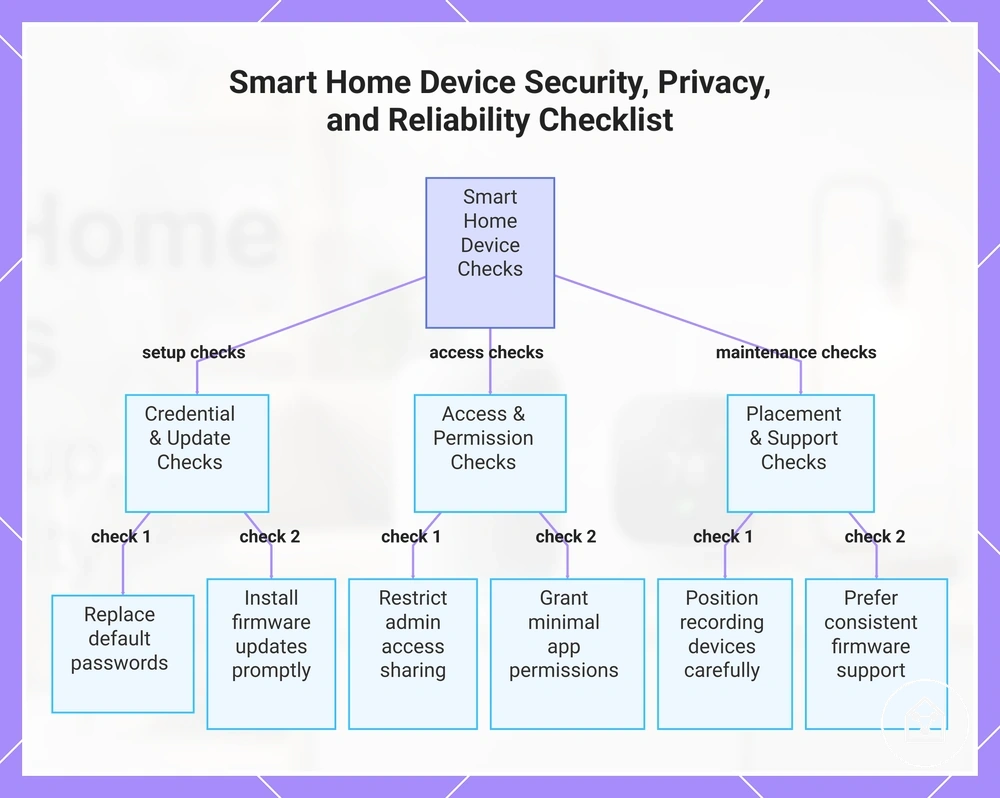
Security, privacy, and reliability are essential evaluation criteria before purchasing or installing a smart home device because each is influenced by the device type, granted permissions, network configuration, physical placement, and ongoing software maintenance. No connected device should be assumed to be completely secure or completely private, so reducing risk through informed configuration is more effective than relying on default settings.
These protections strengthen compatible devices but remain effective only when manufacturers continue providing updates and users install them.
According to the Connectivity Standards Alliance (CSA), Matter supports authenticated device onboarding, encrypted communication, access control, and secure over-the-air firmware updates as part of its security architecture. These protections strengthen compatible devices but remain effective only when manufacturers continue providing updates and users install them.
For example, an indoor security camera placed in a shared living room exposes more personal information than a smart plug controlling a lamp.
For example, an indoor security camera placed in a shared living room exposes more personal information than a smart plug controlling a lamp. Reviewing camera, microphone, cloud-storage, and sharing permissions before installation helps align device access with the intended level of privacy.
Reviewing camera, microphone, cloud-storage, and sharing permissions before installation helps align device access with the intended level of privacy.
Long-term reliability also depends on regular firmware support, controlled account access, and clear permission management rather than hardware features alone. When comparing products, include ongoing security support as a purchase criterion, and refer to smart home device security for more detailed guidance.
- Passwords: Replace default credentials with a unique, strong password whenever local account management is available.
- Software updates: Choose products that receive firmware updates and install security patches promptly after release.
- Access sharing: Share administrative access only with trusted household members and review permissions regularly.
- Camera and microphone exposure: Position recording devices only where their video or audio coverage matches the intended privacy expectations.
- Permissions: Grant only the permissions required for normal operation, such as Bluetooth or local network access during setup when requested.
- Reliability: Prefer manufacturers with a consistent firmware maintenance history and devices that continue providing local functions when supported, reducing dependence on continuous cloud connectivity.
This chart shows the main security, privacy, and reliability checks to perform when evaluating smart home devices.
Buying Paths for Comparing Smart Home Options
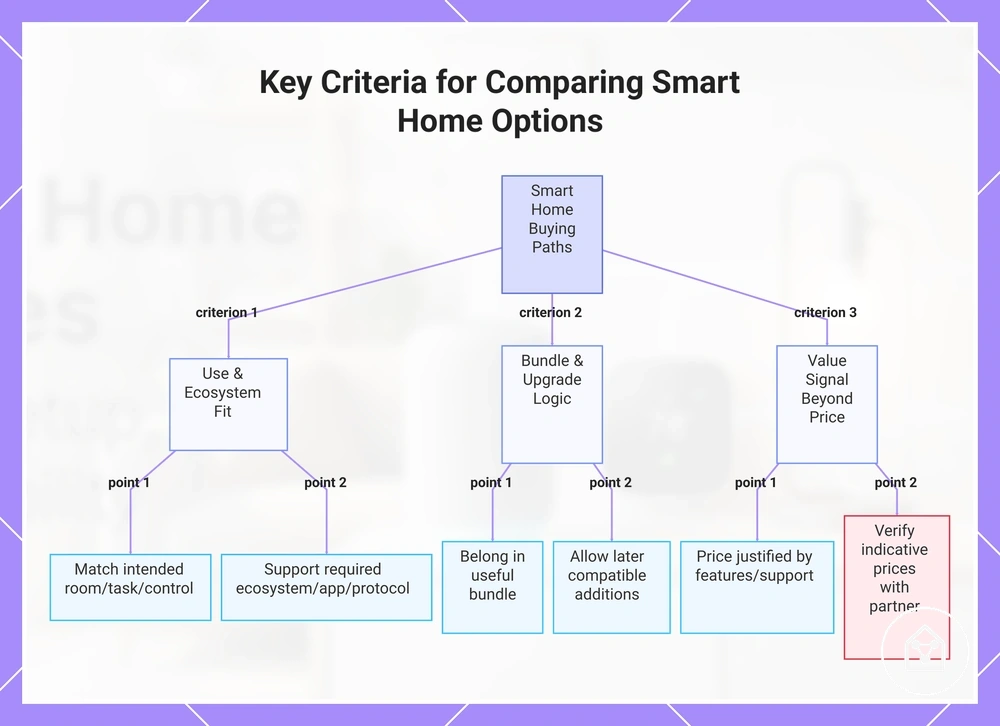
Smart home buying paths differ most clearly in how well each option fits the intended use, matches the existing ecosystem, supports grouped purchases, allows later expansion, and signals value beyond the initial price. A lower-priced device is not automatically the stronger option when it requires a separate app, hub, or replacement pathway.
Compare each shortlisted option against the same criteria before reviewing individual products.
Compare each shortlisted option against the same criteria before reviewing individual products. The comparison should identify whether the device suits the intended room or task, supports the required platform and communication method, belongs in a useful bundle, accepts compatible additions later, and provides enough supported functionality to justify its partner-controlled price.
Broader smart home device comparisons can then be used to evaluate shortlisted options against the same decision criteria.
For example, a household already using one supported ecosystem may obtain a clearer upgrade path from a compatible device than from an isolated product with more features but no practical connection to existing routines. Broader smart home device comparisons can then be used to evaluate shortlisted options against the same decision criteria.
- Fit: A suitable option matches the intended room, task, control method, and frequency of use; features outside that use case provide limited practical value.
- Compatibility: A compatible option supports the required ecosystem, app, communication protocol, and control interface; a mismatch creates a separate control path or prevents the intended integration.
- Bundle logic: A bundle is useful when its included devices serve one planned routine or area; unrelated extras reduce value even when the combined price appears lower.
- Upgrade path: A stronger upgrade path allows compatible devices or accessories to be added without replacing the existing control platform; a closed path limits expansion to the supported product range.
- Value signal: Value is stronger when the current partner-listed price is supported by relevant features, ongoing software support, usable warranty terms, and reduced need for extra hubs or subscriptions. Prices, availability, and promotions remain indicative because retail partners control them.
Use these criteria to narrow the field before treating product cards as decision evidence. Product listings should confirm the comparison rather than replace it, and current prices or promotions should be checked with the relevant retail partner.
Use these criteria to narrow the field before treating product cards as decision evidence.
This chart shows the key criteria to evaluate when comparing smart home devices: fit, compatibility, bundle logic, upgrade path, and value signal.
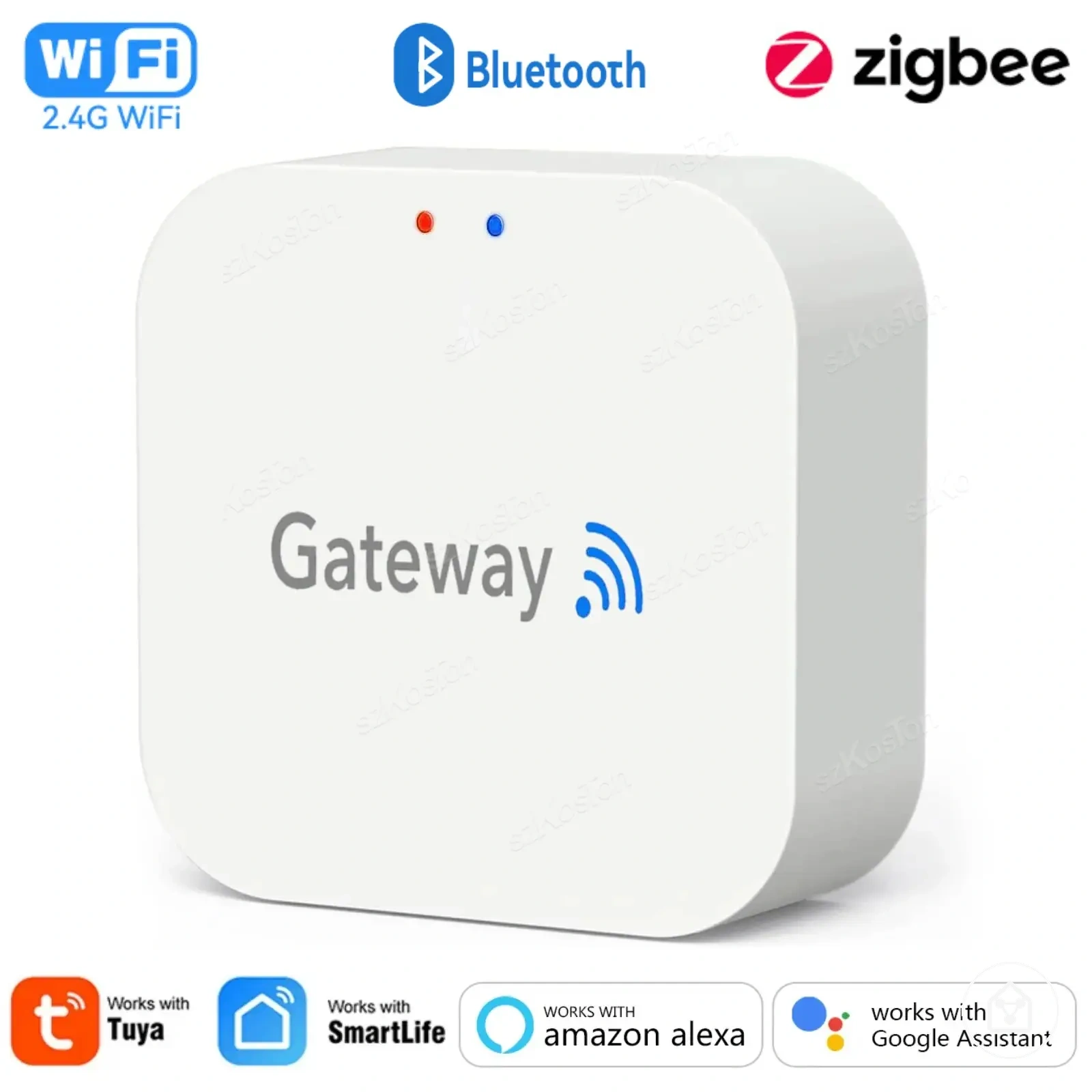
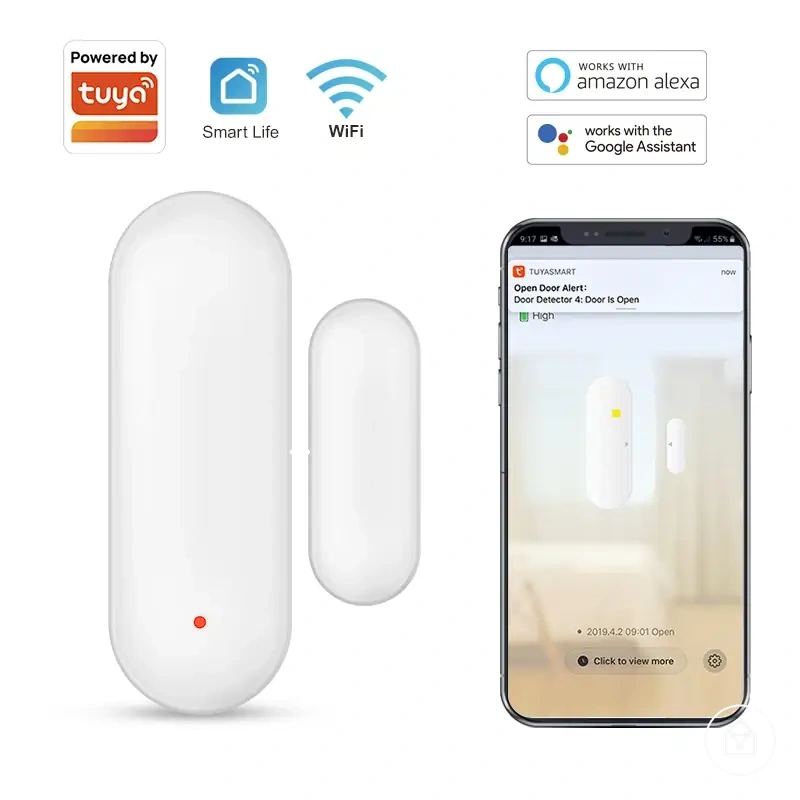
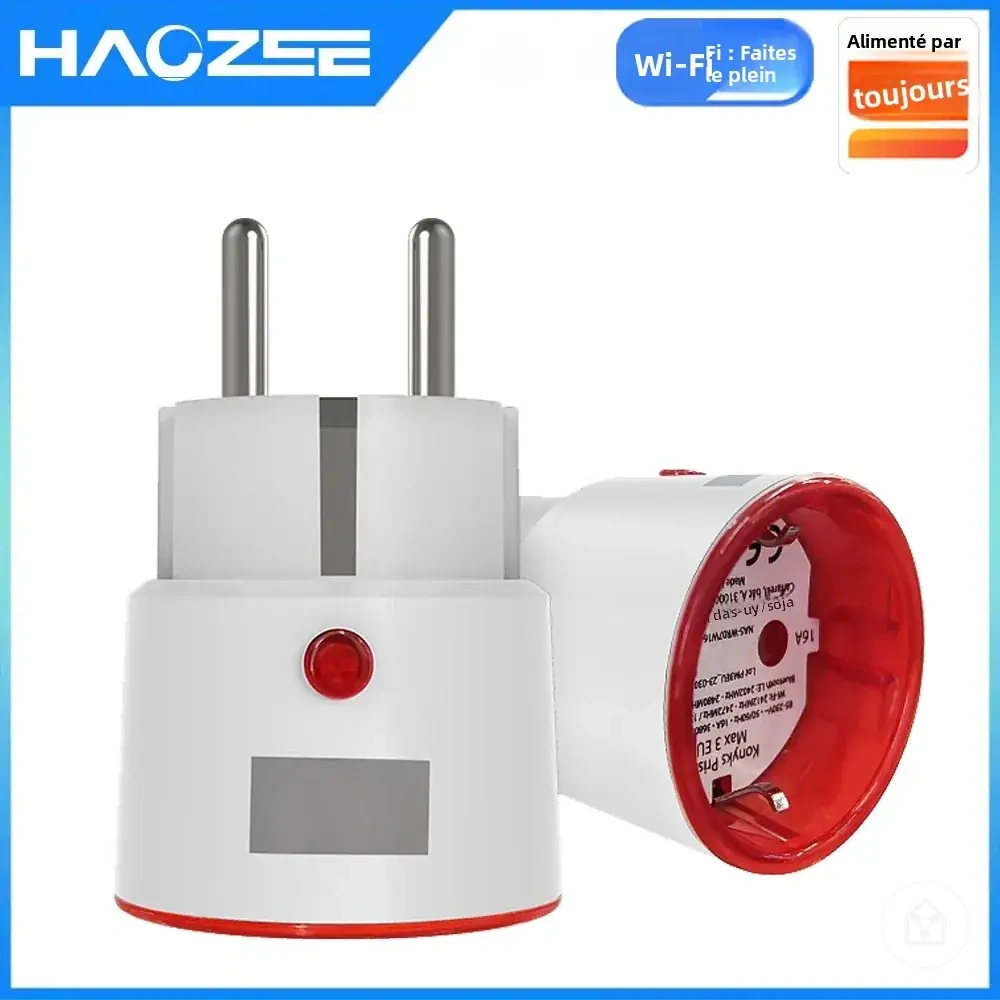
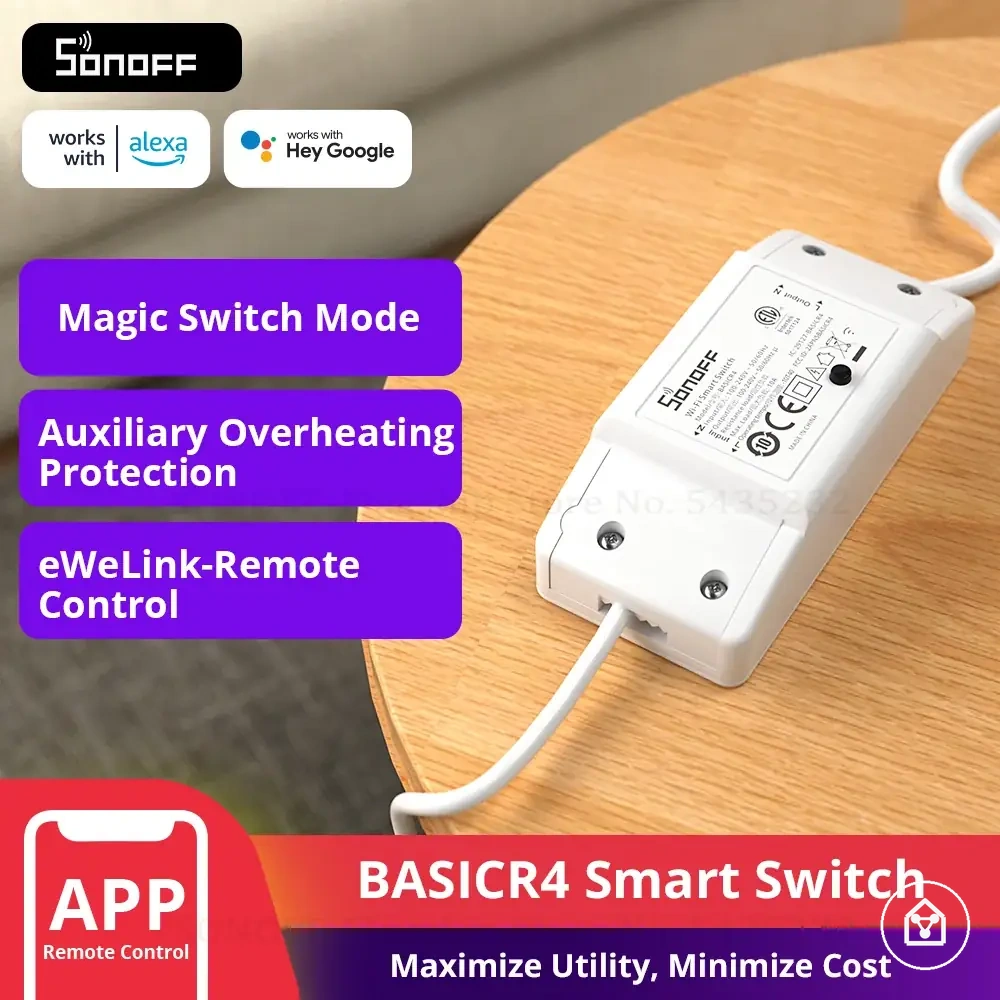
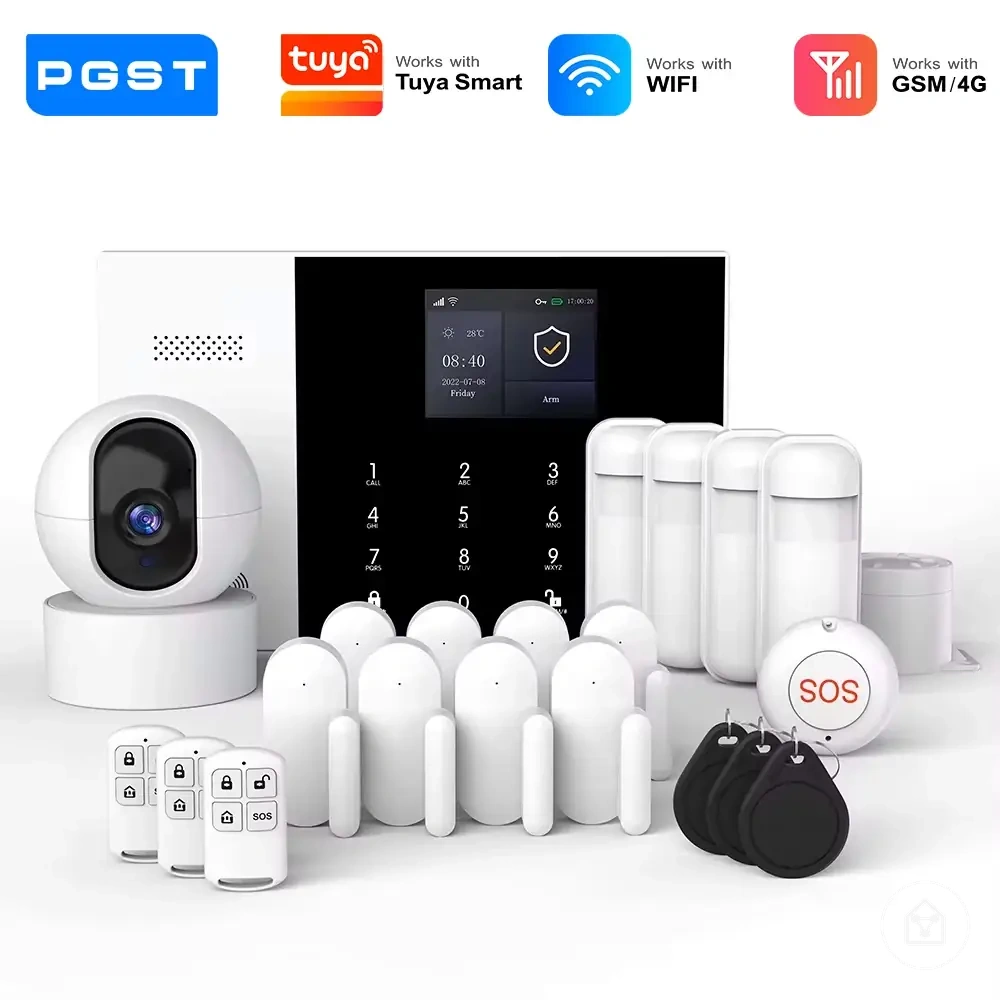
Here are product examples that may make comparison easier.
Here are product examples that may make comparison easier. Before buying, always review the compatibility criteria, essential features, and product details.
Best-Fit Devices, Bundles, and Upgrade Paths
The right buying path is determined by need concentration, compatibility confidence, and planned expansion. Choose a single device for one defined task, a starter bundle for multiple coordinated needs, or an upgrade path when future additions are already part of the plan.
The right buying path is determined by need concentration, compatibility confidence, and planned expansion.
Use this checklist to distinguish the three paths without treating any option as inherently better:
- Single best-fit device: Choose this path when one device satisfies the primary need, the required control method is confirmed, and no related additions are planned.
- Starter bundle: Choose this path when the included devices support the same room, routine, or household objective and every bundled item has a defined use.
- Longer upgrade path: Choose this path when the initial device supports the intended ecosystem and later additions are expected to extend the same routines, rooms, or control structure.
- Compatibility confidence: Confirm the required platform, app, communication protocol, hub requirement, and control interface before selecting any path; an unsupported requirement makes that path unsuitable.
- Expansion plan: Use a staged upgrade when future needs are identifiable but not immediate; this limits unused devices while preserving a compatible route for later additions.
For example, a user who needs remote control of one lamp has a concentrated need and can select one compatible smart plug rather than a bundle. A household planning coordinated lighting, motion detection, and voice control across multiple rooms has a broader expansion plan and should compare a starter bundle with a staged ecosystem path.
Indicative Cost and Value Signals Before Partner Price Checks
Indicative value is stronger when a smart home device combines confirmed compatibility, documented operating support, manageable installation needs, low replacement exposure, and continued usefulness for the intended household task. A lower listed price signals weaker value when essential accessories, specialist installation, subscriptions, or early replacement are likely to increase the total commitment.
A lower listed price signals weaker value when essential accessories, specialist installation, subscriptions, or early replacement are likely to increase the total commitment.
Assess compatibility before price because a device that does not support the required platform, app, protocol, hub arrangement, or control interface cannot deliver the intended function. Reliability has stronger value when the planned network, power, and placement conditions match the device's documented operating requirements; unresolved conditions increase troubleshooting and replacement exposure.
Installation and support conditions separate the visible device price from the practical cost of ownership.
Installation and support conditions separate the visible device price from the practical cost of ownership. A device that works with existing wiring, power, mounting points, and network equipment has fewer added requirements than an option needing a separate hub, accessories, subscription, specialist installation, or unsupported replacement parts.
| Value signal | Stronger indication | Weaker indication | Check before comparing partner prices |
|---|---|---|---|
| Compatibility | The required ecosystem, app, protocol, hub arrangement, and control method are explicitly supported. | An essential interface is unsupported or requires a separate control path. | Confirm every required connection and control condition. |
| Reliability | The planned network, power, and placement conditions match the documented operating requirements. | At least one required operating condition remains unsupported or unresolved. | Check documented operating conditions and support coverage. |
| Installation needs | Existing power, wiring, mounting, and network conditions satisfy the setup requirements. | Extra hardware, specialist work, or structural changes are required. | Identify every installation dependency and its separate cost. |
| Replacement risk | The device has a clear support route, replaceable accessories where relevant, and a practical role beyond a short-term use. | Failure of one unsupported component would require replacing the wider setup. | Review warranty responsibility, accessory availability, and replacement conditions with the relevant partner or manufacturer. |
| Long-term usefulness | The device supports an existing routine and a defined future use without requiring unrelated purchases. | The device duplicates current functions or relies on an undefined expansion plan. | Compare current use with the additions genuinely planned. |
| Accessory and support needs | Required hubs, sensors, subscriptions, batteries, and support conditions are identified before purchase. | Necessary extras remain unclear until after the device is selected. | List mandatory and optional additions separately. |
For example, a lower-priced device that requires a separate hub and subscription may represent weaker value than a higher-priced device that works with the household's existing platform and needs no mandatory extras.
Use the smart home device buying checklist to record these conditions before opening partner listings.
Use the smart home device buying checklist to record these conditions before opening partner listings. Partner prices, promotions, availability, delivery terms, warranties, and included accessories remain partner-controlled, so compare the same device configuration and required extras rather than the headline price alone.
Common Smart Home Device Decision Questions
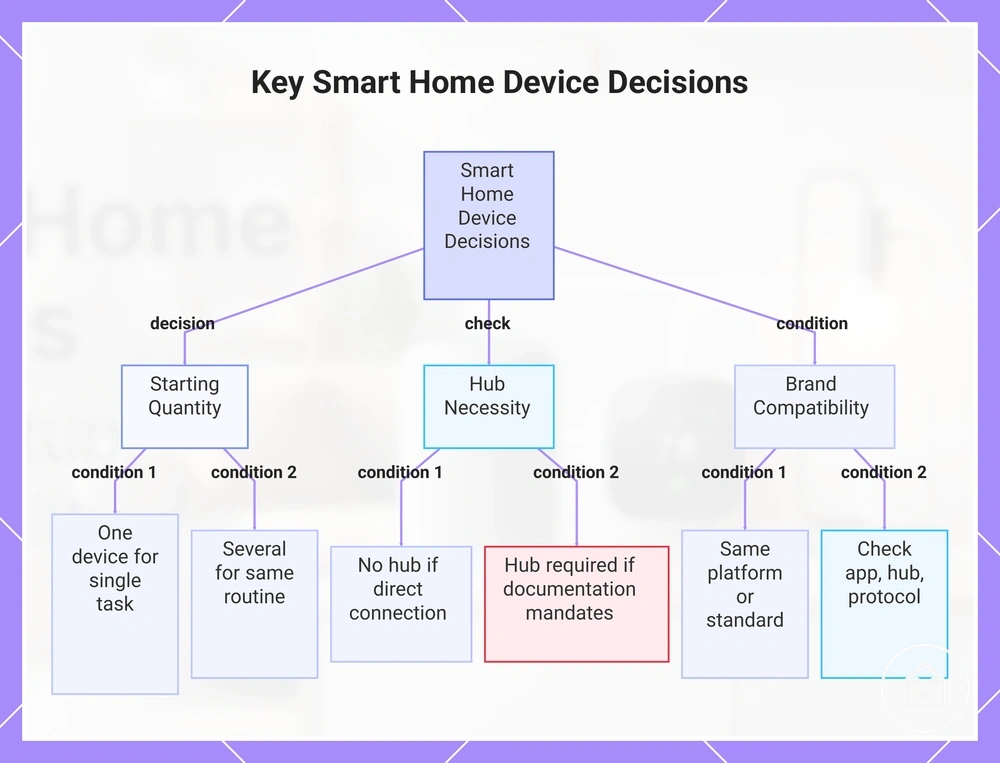
Should I start with one smart home device or several?
Start with one device when a single household task is the immediate priority and its platform, app, power, and control requirements are confirmed. Choose several devices only when each device supports the same planned routine or room and every item has a defined purpose.
Do all smart home devices need a hub?
No, a separate hub is unnecessary when the selected device connects directly through its supported app, network, or control platform. A hub is required when the device documentation identifies it as mandatory for setup, automation, or remote control.
Can devices from different brands work together?
Devices from different brands can work together when they support the same control platform, communication standard, or explicitly documented integration. Brand names alone do not confirm interoperability, so check the required app, hub, protocol, account, and feature support for each device.
Is a lower-priced smart home device better value?
A lower price represents better value only when the device still meets the required compatibility, reliability, installation, accessory, and support conditions. A cheaper option represents weaker value when mandatory extras increase the practical cost or an unsupported requirement prevents the intended use.
Should I choose a device for current needs or future expansion?
Choose for current needs when future additions are undefined, because this limits unused features and unnecessary accessories. Plan for expansion when later devices, rooms, or routines are already identified and the first device provides a confirmed compatible path for those additions.
Choose for current needs when future additions are undefined, because this limits unused features and unnecessary accessories.
This chart shows the main decision points for smart home device selection: starting quantity, hub necessity, and cross-brand compatibility.