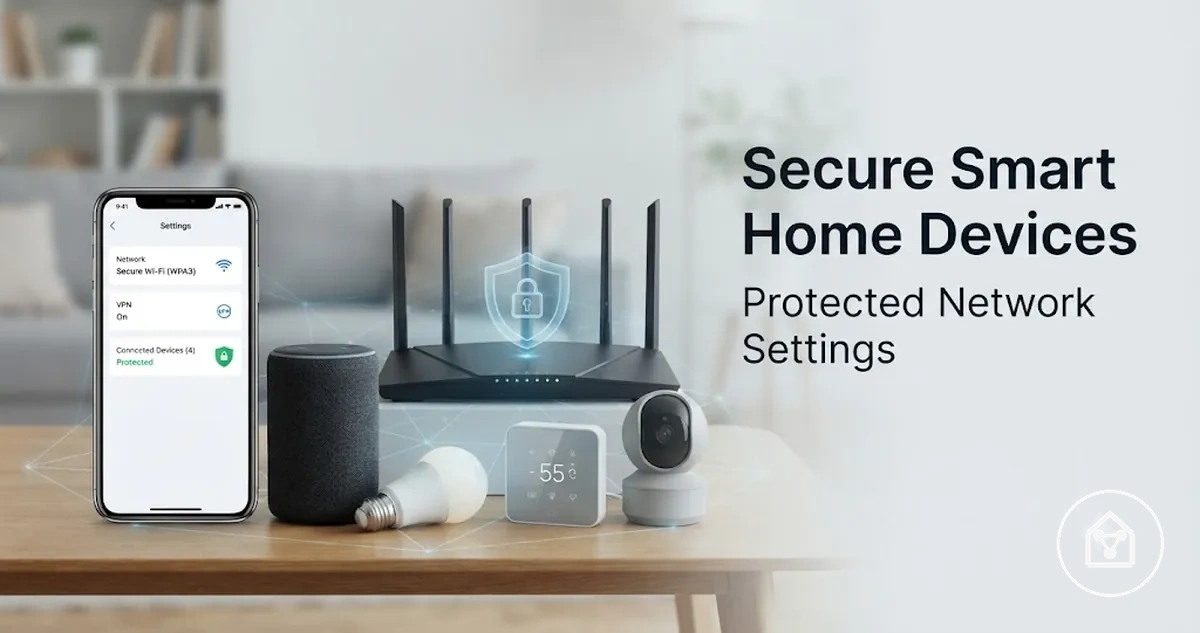
How to Secure Smart Home Devices
Smart home devices are secured through layered controls that include account protection, home network settings, updates, device settings, and ongoing monitoring. Changing default passwords, reviewing account access, applying available firmware updates, and configuring router protections are core security actions that reduce avoidable exposure. The level of protection depends on the device type, router capability, manufacturer support status, and household configuration.
The level of protection depends on the device type, router capability, manufacturer support status, and household configuration.
Connected devices can create security risks because they combine physical hardware with accounts, applications, network connections, and remote access features. Smart cameras, locks, sensors, and hubs can have different exposure points because their functions and connections to the home network are different. According to the Federal Trade Commission, consumers should take steps such as changing default passwords, keeping software updated, and securing their home network when using internet-connected devices.
Smart cameras, locks, sensors, and hubs can have different exposure points because their functions and connections to the home network are different.
For example, a household using a smart camera, smart lock, and smart hub may need to review account access, router settings, device updates, and enabled features separately because each device has a different role in the connected home. These security controls focus on protecting device access and network connections, while privacy settings address how information collected by devices is managed.
Table of Contents
Smart Home Device Security Risks
Smart home device security risks are the exposure points created by device accounts, software, settings, and home network connections. Common risks include account takeover, weak default passwords, insecure router configurations, outdated firmware, and device features that increase the impact of unauthorised access. The level of exposure depends on the device type, its capabilities, its network access, and the security controls available.
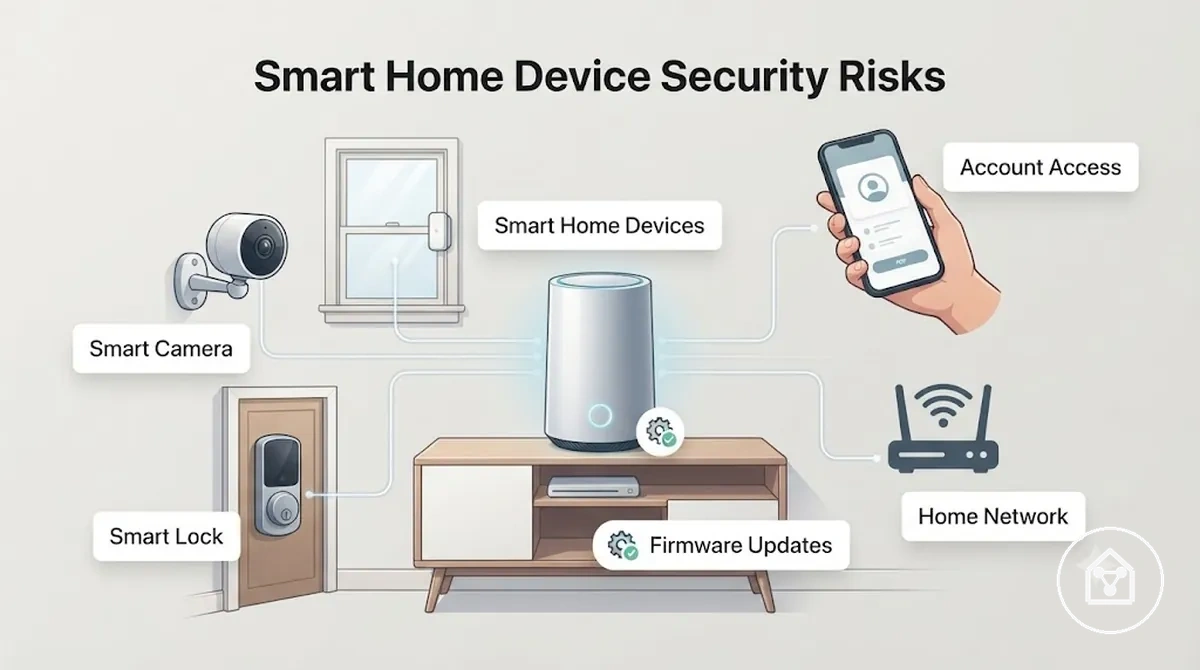
Security risks change based on what a smart home device can access or control. A smart camera with live view, microphone access, and stored recordings has different exposure considerations from a sensor that only reports a limited condition, while a smart lock can create different concerns because it controls physical entry. A compromised hub can have a broader effect because it may coordinate communication between connected devices, accounts, and automation settings.
Security risks change based on what a smart home device can access or control.
The following risks organise Smart Home Device Security Risks by their source and possible effect:
- Account takeover: A compromised account can expose connected device controls, shared access permissions, or settings when account protection is insufficient.
- Default password exposure: A device using unchanged default credentials can create an avoidable access weakness during initial setup.
- Insecure router settings: Weak home network protection can increase exposure because smart home devices rely on Wi-Fi and router connections to communicate.
- Outdated firmware: A device without available firmware updates may remain exposed to known software issues that updates are intended to address.
- Smart camera or microphone exposure: Devices with audio or video features have additional security considerations because they can collect, process, or transmit more information than simple sensors.
- Compromised hubs: A hub connected to multiple devices can increase the potential impact of unauthorised access because it may manage communication between sensors, locks, cameras, and other connected devices.
These risks connect to the wider smart home devices hub because security evaluation is part of understanding how connected devices operate together. A household using cameras, locks, hubs, and sensors should assess each device according to its capability and network role rather than assuming every smart home device has the same security exposure.
Security Checks Before Connecting a Smart Home Device
A smart home device should be checked before connecting to the home network when its manufacturer support, credentials, permissions, or update status are unclear. These security checks help identify setup conditions that could increase exposure before the device receives network access. A pre-connection review focuses on support status, default login settings, device app permissions, unused features, and internet access requirements.
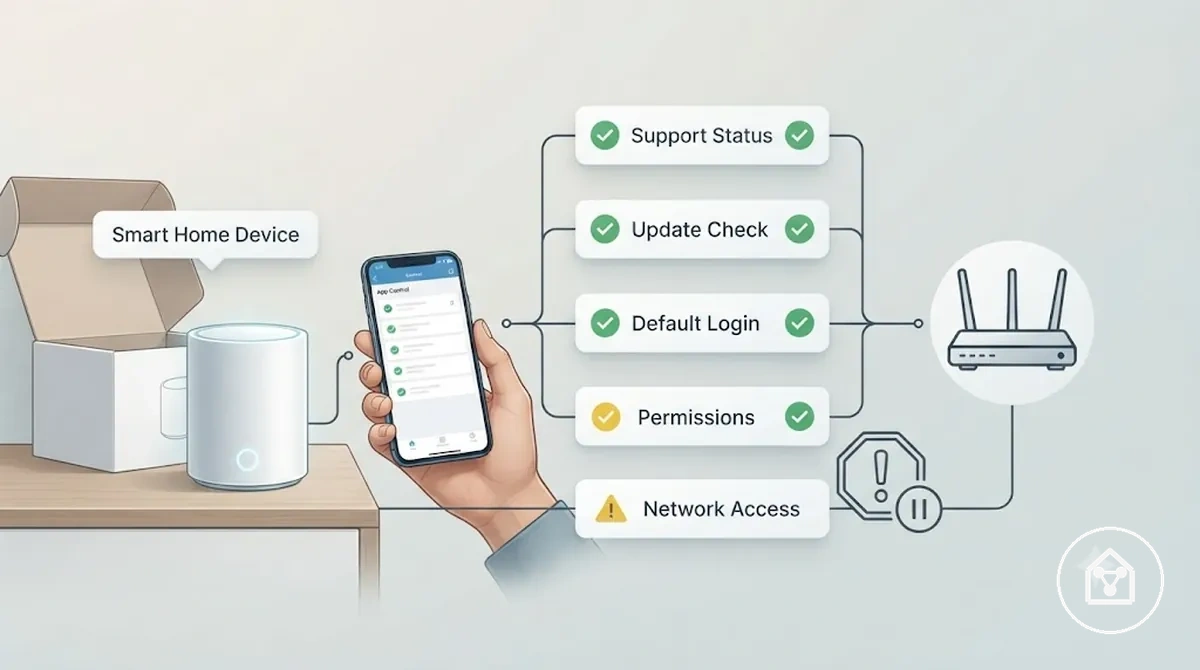
Security checks before connecting a smart home device reduce avoidable exposure by identifying settings that affect how the device communicates and receives access. A device with unclear manufacturer support, missing update information, unnecessary remote access, or unused enabled features requires additional review before connection. For example, a newly added smart camera should have its default login reviewed, available updates checked, and device app permissions understood before it joins the home network.
Security checks before connecting a smart home device reduce avoidable exposure by identifying settings that affect how the device communicates and receives access.
The following Security Checks Before Connecting a Smart Home Device help separate acceptable setup conditions from situations that require caution or delay:
- Manufacturer support: Check the device support status before connection. A device with active support information provides clearer guidance for future updates and security maintenance.
- Update policy: Review whether the device app provides firmware update information or update notifications. Unclear update availability can make future security maintenance decisions harder.
- Default login: Check whether the default username or password has been changed during first setup. Unchanged default login details can create an avoidable account access weakness.
- Permissions: Review device app permissions before connection. Permissions should match the device function, while unnecessary access requests should receive additional review.
- Unused features: Check enabled features such as remote access or cloud connections. Features that are not required for the intended use should be disabled when the device supports that option.
- Internet access: Confirm whether the device requires internet access or supports local control. Devices requiring external connections should be reviewed according to their role in the home network.
These checks support connection decisions and complement broader selection criteria such as security before choosing devices. A smart home device with clear support, access settings, and update information can proceed to setup, while unclear conditions should be reviewed before joining the home network.
Manufacturer Support and Update Availability
Manufacturer support and update availability affect whether a smart home device can maintain security after setup. A device with clear support status, available firmware updates, security notices, and maintained app support provides stronger information for long-term security decisions. Support status should be reviewed before connection because a device's future update path can influence its ongoing exposure.
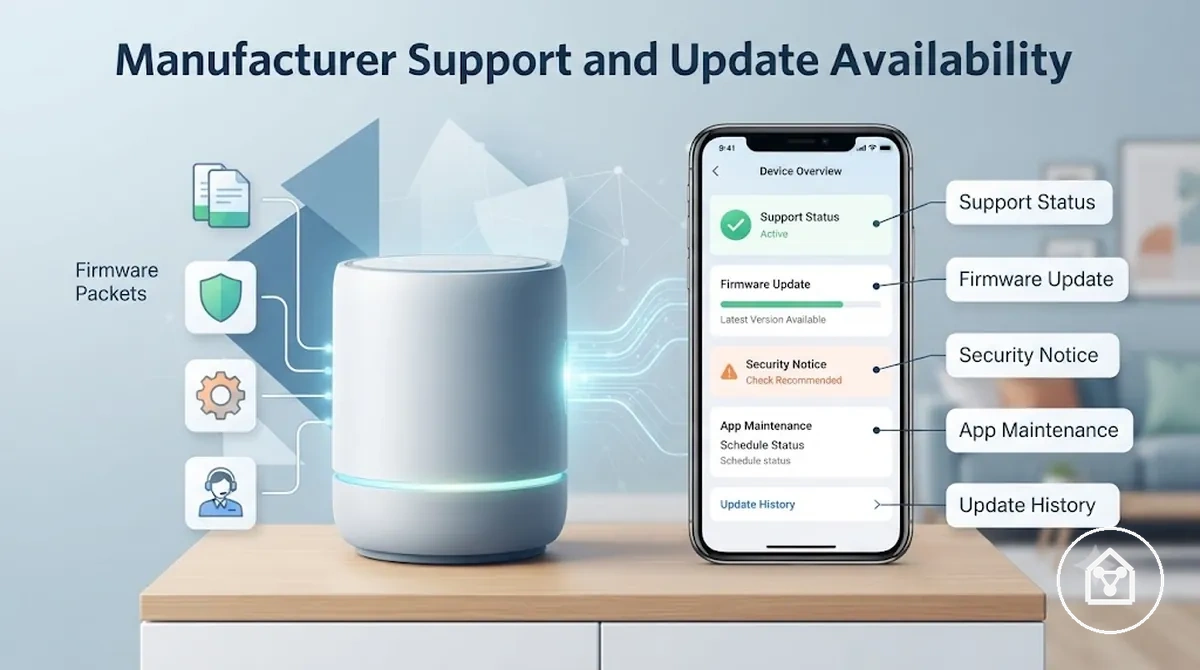
Missing updates or unclear support information can make it harder to assess future security conditions. An older device is not automatically unsafe, and a supported device is not automatically risk-free, because exposure also depends on update history, device role, network access, and available security controls.
Missing updates or unclear support information can make it harder to assess future security conditions.
The following Manufacturer Support and Update Availability signals help verify support conditions before connecting a smart home device:
- Support status: Check whether the manufacturer provides current support information. Clear support status helps identify whether future maintenance information is available.
- Firmware availability: Review whether firmware updates are provided for the device. Available firmware support can help address software issues identified after release.
- Security notices: Check whether the manufacturer publishes security notices or update information. These notices provide visibility into reported security changes or fixes.
- App maintenance: Review whether the device app continues to receive maintenance updates. App support can affect how users manage device settings and access controls.
- End-of-support: Check whether the device has reached an end-of-support stage. A device with limited future support may require additional review before connection.
Detailed update-failure troubleshooting belongs to a separate diagnostic process when normal update checks fail. This subsection only evaluates manufacturer support and update availability as pre-connection security signals.
Default Credentials and Unused Features
Default credentials and unused features can expose a new smart home device unnecessarily during first setup. Reviewing default usernames, default passwords, and enabled features before connection helps identify settings that may increase exposure without supporting the intended household use. The checklist below verifies common first-setup settings related to access, visibility, and device control.
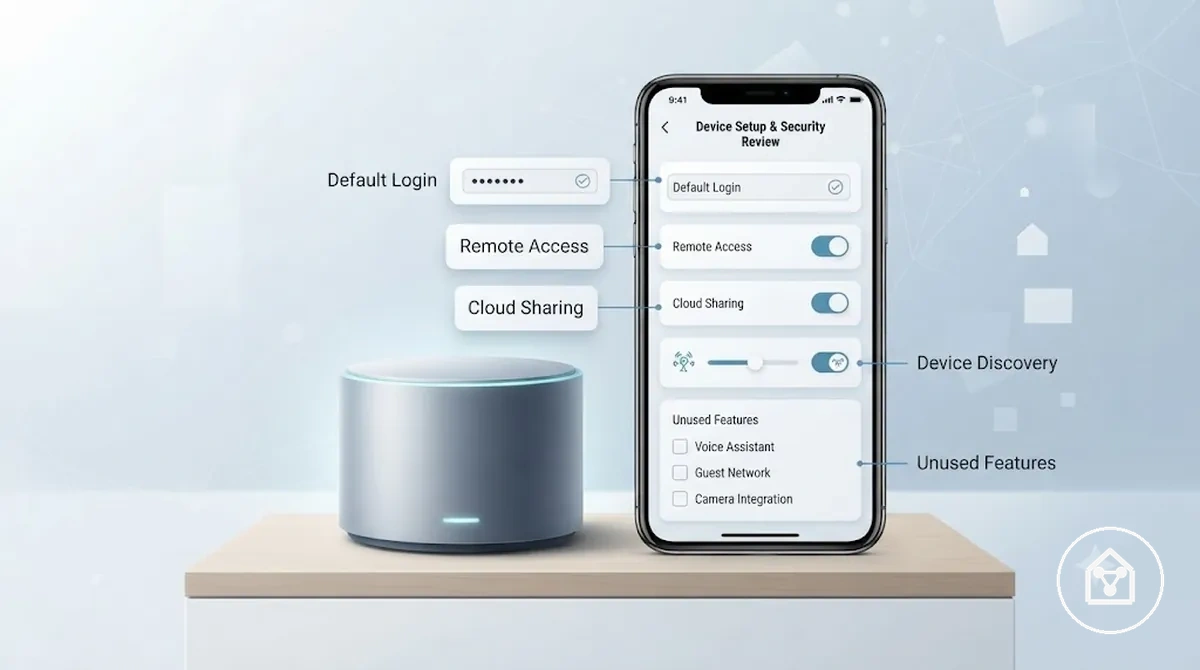
- Default login: Check the default username and default password during first setup. Change default credentials when the device supports credential updates to reduce exposure from unchanged login details.
- Remote access: Review remote access settings before enabling them. Keep remote access active only when it supports an intended household use case.
- Cloud sharing: Check cloud sharing options and connected accounts. Disable sharing features that are not required for the way the device is used.
- Device discovery: Review device discovery settings and local network visibility options. Adjust these settings according to whether discovery is needed for normal device operation.
- Unused features: Check enabled-by-default settings that are not required. Disabling unnecessary features can reduce avoidable exposure while keeping the functions needed by the household.
Account and Password Protection for Smart Home Devices
Account protection and password protection limit unauthorised control of smart home devices by securing the credentials that connect users, apps, networks, and device services. Using a unique password for each device account or app account and enabling MFA where available strengthens the control layer around connected devices. Account security is part of device security because credentials can determine who accesses settings, remote controls, and shared features.
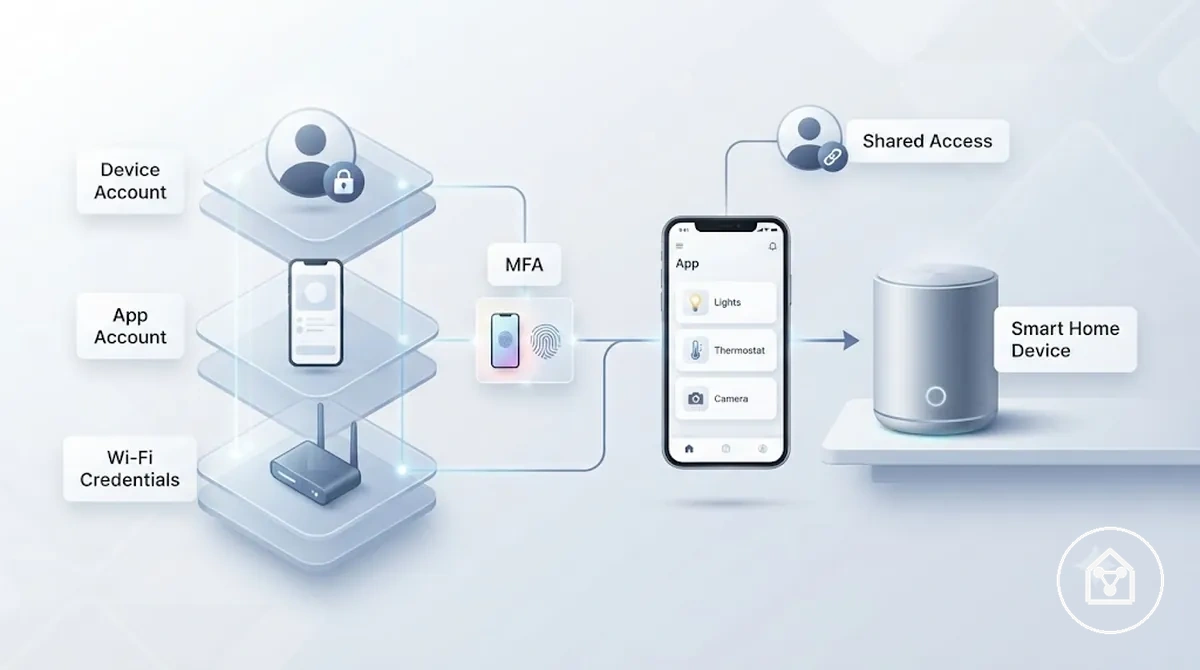
Smart home device credentials operate across different layers, so changing one password does not secure every connection. Wi-Fi credentials protect access to the home network and router, while device account or cloud account credentials control access to device settings and connected services. Shared access, recovery options, and user roles should also be reviewed because they affect who can manage connected devices.
Smart home device credentials operate across different layers, so changing one password does not secure every connection.
The following Account and Password Protection for Smart Home Devices checklist verifies key credential controls:
- Device account: Check that each smart home device uses the intended device account and that access is limited to required users.
- App account: Review the app account connected to the device and confirm that recovery options are available for account restoration.
- Unique password: Use a unique password for each account instead of reusing the same credential across connected services.
- Wi-Fi credentials: Confirm that Wi-Fi credentials protect the router and home network separately from device or cloud account passwords.
- MFA: Enable multi-factor authentication when the device ecosystem or account provider offers this option.
- Shared access: Review admin, guest, and shared-user access so each person receives only the level of control needed.
Unique Passwords for Device Accounts and Wi-Fi Access
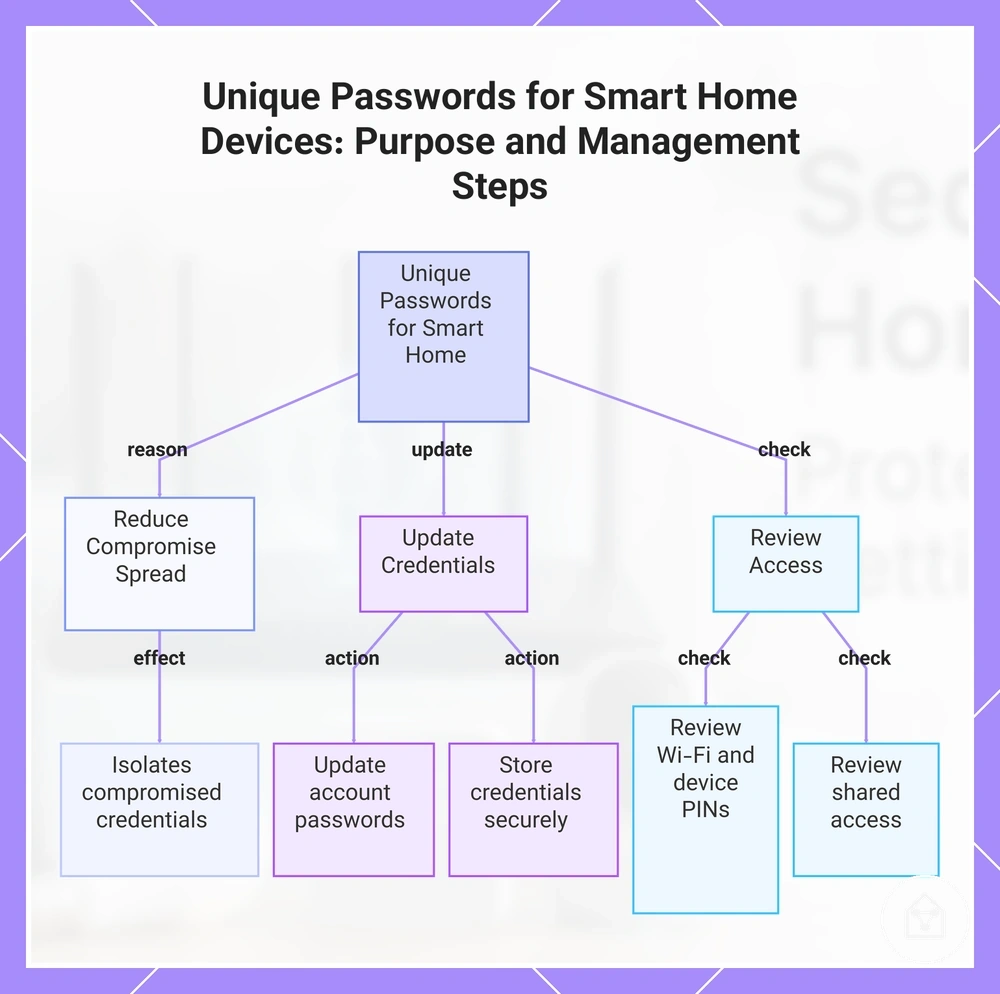
Unique passwords reduce the chance that one compromised credential exposes multiple smart home device accounts or network connections. Use separate credentials for device accounts, app logins, Wi-Fi access, and device PINs where these options are available. Separating credentials creates distinct access layers so a change to one login does not automatically affect every connected device.
The following steps verify which credentials to update and what to review after changes.
Credential changes can affect connected devices differently depending on how the ecosystem manages account and network access. A Wi-Fi password change may require re-pairing or reconnecting some devices, while an app login change may only affect access to the related account. The following steps verify which credentials to update and what to review after changes.
- Update account passwords: Change the password for each device account and app login using a unique password rather than reusing the same credential across services.
- Review Wi-Fi access: Update the Wi-Fi password when needed and check whether connected devices require re-pairing after the network credential changes.
- Check device PINs: Review device PIN settings where available and use separate PINs when multiple devices or household members require different access levels.
- Store credentials securely: Use a password manager or another protected storage method to keep credentials organised without unsafe reuse.
- Review shared access: Check shared users, permissions, and household member access after credential changes to confirm that each person has the intended level of control.
This chart explains why unique passwords are important for smart home devices and shows the key steps to update and review credentials.
Multi-Factor Authentication and Shared Access
Multi-factor authentication and shared access controls can reduce account misuse when supported by a smart home ecosystem. MFA adds a verification step during account login, while access roles help separate owner access from guest access and other user permissions. These controls should be reviewed with account recovery options because access availability depends on how the device service manages users.
The appropriate access role should match the control level required.
Shared access decisions can change when multiple household members need different levels of device control. For example, a household member who manages settings may require owner access or an admin role, while a visitor may only need limited temporary access for a specific purpose. The appropriate access role should match the control level required.
Shared access decisions can change when multiple household members need different levels of device control.
The following comparison clarifies how Multi-Factor Authentication and Shared Access controls are used:
| Access control | Security use |
|---|---|
| Owner access | Provides primary control for device settings, account recovery options, and administrative changes. |
| Guest access | Provides limited device control without requiring full account management permissions. |
| Temporary access | Provides time-limited permissions when the ecosystem supports temporary user access. |
| MFA | Adds an additional verification step during account login when multi-factor authentication is available. |
Secure Network Settings for Smart Home Devices
Smart home device security depends partly on secure network settings because the router and Wi-Fi configuration control how connected devices access the home network. Reviewing encryption, Wi-Fi passwords, firmware status, and device visibility settings helps reduce unnecessary exposure before smart devices communicate through the network. Network protection works as one security layer alongside device accounts and individual device settings.
Network protection works as one security layer alongside device accounts and individual device settings.
The main network controls include router settings, Wi-Fi password protection, encryption, firmware updates, guest networks, IoT separation, remote management, and device visibility. Basic router controls can be checked by most households, while advanced network separation options depend on router capability and smart home ecosystem requirements. Network separation can reduce exposure between devices, but it may affect local discovery, automation, or device control when an ecosystem relies on direct communication. The following steps organize Secure Network Settings for Smart Home Devices by their security effect rather than as general connectivity setup instructions.
- Enable encryption: Check that the router uses supported Wi-Fi encryption settings. Encryption protects wireless communication between connected devices and the router, reducing exposure from unauthorized network access.
- Strengthen the Wi-Fi password: Use a strong Wi-Fi password for router access and update it when access control changes are required. A password change may require connected devices to reconnect or complete re-pairing depending on the ecosystem.
- Update router firmware: Review router firmware availability and apply supported updates when provided. Updated router software can improve maintenance conditions and address known issues identified by the manufacturer.
- Use a guest network: Create a guest network when devices or users do not need access to the main home network. The security effect depends on router features and whether smart devices require communication across networks.
- Consider IoT separation: Use IoT separation or network separation features when supported by the router and ecosystem. Separation can reduce exposure between connected devices, but it may limit local control or automation features that rely on shared network visibility.
- Review remote management: Check remote management settings on the router and disable external administration access when it is not required. Limiting remote router access reduces unnecessary exposure of router controls.
- Manage device visibility: Review device visibility and local discovery settings according to household needs. Reducing visibility may limit exposure, but disabling discovery can affect smart home functions that depend on local device communication.
Network settings can interact with hubs, automation systems, and device ecosystems, so broader considerations around network and hub security may be relevant when connectivity limits affect device control.
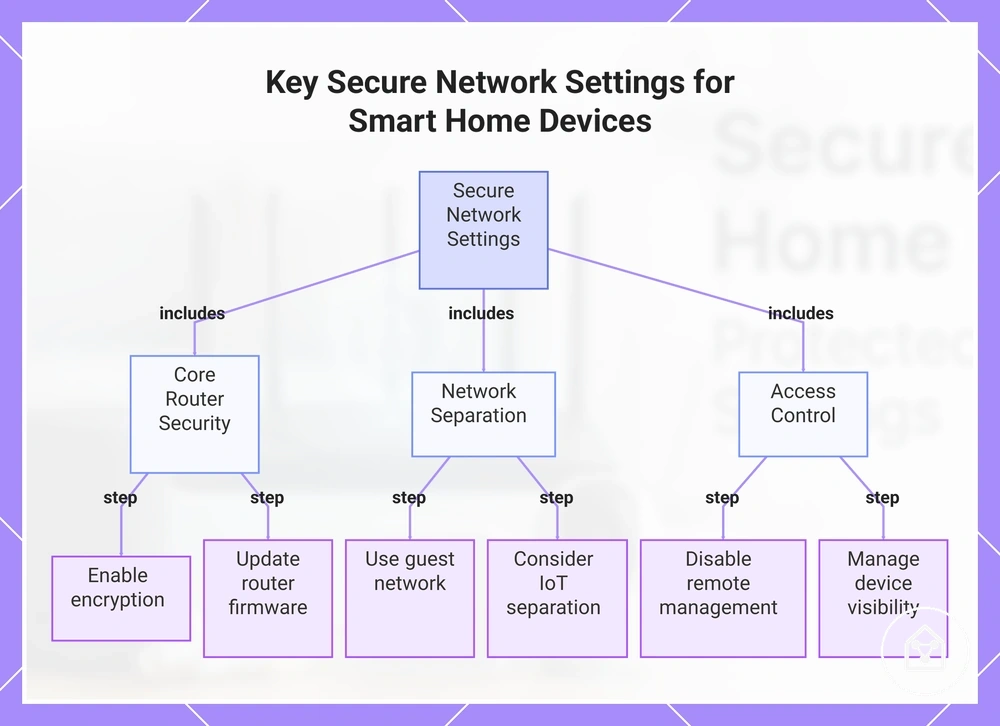
This chart groups the essential network security actions into three categories: core router security, network separation, and access control.
This chart groups the essential network security actions into three categories: core router security, network separation, and access control.
Router Encryption and Wi-Fi Password Settings
Router encryption and Wi-Fi password settings are key router controls for smart home device security because they influence how connected devices access the home network. WPA2 or WPA3 encryption, a strong Wi-Fi password, and updated router firmware can improve network protection when these options are supported by the router model. Available settings depend on router capability and firmware version, so older routers may provide fewer current security options.
Available settings depend on router capability and firmware version, so older routers may provide fewer current security options.
The following Router Encryption and Wi-Fi Password Settings table organizes common settings by their security effect:
| Setting | Safer condition | Why it matters |
|---|---|---|
| WPA2 or WPA3 encryption | Use WPA2 or WPA3 when available instead of older wireless encryption options. | Encryption protects communication between the router and connected devices. |
| Wi-Fi password | Use a unique network password and update it when access control changes are required. | A separate Wi-Fi password helps control access to the home network. |
| Router admin password | Change the default admin password when the router supports this setting. | The admin password controls access to router configuration settings. |
| Router firmware | Apply supported router firmware updates when they are available. | Current firmware can provide updated security options and maintenance improvements. |
| Remote administration | Disable remote administration when external router management is not required. | Limiting remote access reduces unnecessary exposure of router controls. |
| WPS | Review WPS availability and disable it when it is not needed and the router supports this option. | Reducing unused setup features can limit unnecessary network exposure. |
| Network name exposure | Review network visibility settings according to household needs. | Visibility settings affect how devices and users discover the wireless network. |
Separate Networks and Guest Networks for IoT Devices
Separate networks and guest networks for IoT devices can reduce exposure by limiting how smart devices communicate with other devices on the home network. Network separation can place IoT devices away from phones, laptops, and other higher-value devices on the main network when the router and ecosystem support this setup. This approach adds a network control layer but does not replace secure passwords, firmware updates, or device-specific security settings.
Network separation can affect local discovery, automation, and device control depending on how a smart home ecosystem communicates.
Network separation can affect local discovery, automation, and device control depending on how a smart home ecosystem communicates. For example, a hub that depends on same-network access may require additional checks before devices are moved to a guest network or isolated network. A separate network is most suitable when the router supports the feature and the household can accept possible changes to automation or device access.
For example, a hub that depends on same-network access may require additional checks before devices are moved to a guest network or isolated network.
The following contrast explains what Separate Networks and Guest Networks for IoT Devices can change and what still needs protection:
| What separation can reduce | What still needs protection |
|---|---|
| Exposure between IoT devices and devices on the main network when network separation is supported by the router. | Device accounts, passwords, firmware updates, and individual device settings still require protection. |
| Unnecessary communication between a guest network or isolated smart device network and higher-value household devices. | Local discovery and automation may require shared network access depending on the device ecosystem and hub dependency. |
| Direct interaction between separated network groups when router capabilities support controlled access between them. | Device control may change after separation if smart devices rely on same-network communication. |
Updates and Firmware Security for Smart Home Devices
Updates and firmware security for smart home devices help reduce known security exposure by maintaining device software, apps, hubs, and routers after setup. Firmware updates, app updates, hub updates, and router updates can address identified issues when they are available from the relevant provider or manufacturer. Update availability depends on device support status, app maintenance, hub dependency, and router firmware support.
Routine update checks help keep connected devices within their supported maintenance cycle.
Routine update checks help keep connected devices within their supported maintenance cycle. Automatic updates can simplify maintenance when supported, while manual checks help verify available versions, notifications, and release notes when automatic options are unavailable. Checking update status across device layers helps identify missing maintenance information, but failed updates require a separate diagnostic process rather than routine checking. If normal checks fail or a device cannot update, follow dedicated guidance for update problems and security.
If normal checks fail or a device cannot update, follow dedicated guidance for update problems and security .
The following Updates and Firmware Security for Smart Home Devices checklist verifies update coverage across device, app, hub, and router layers:
- Firmware updates: Check whether smart home devices receive firmware updates and review available update notifications when provided.
- App updates: Review app updates for applications used to manage smart home devices and connected settings.
- Hub updates: Check hub updates when a hub manages communication between multiple connected devices.
- Router updates: Review router firmware updates because network equipment can affect connected-device maintenance conditions.
- Automatic updates: Enable automatic updates when supported by the device ecosystem and suitable for the intended setup.
- Manual checks: Perform manual checks to verify update availability, versions, and release information when needed.
- End-of-support: Review end-of-support status because devices without future update availability may require additional evaluation.
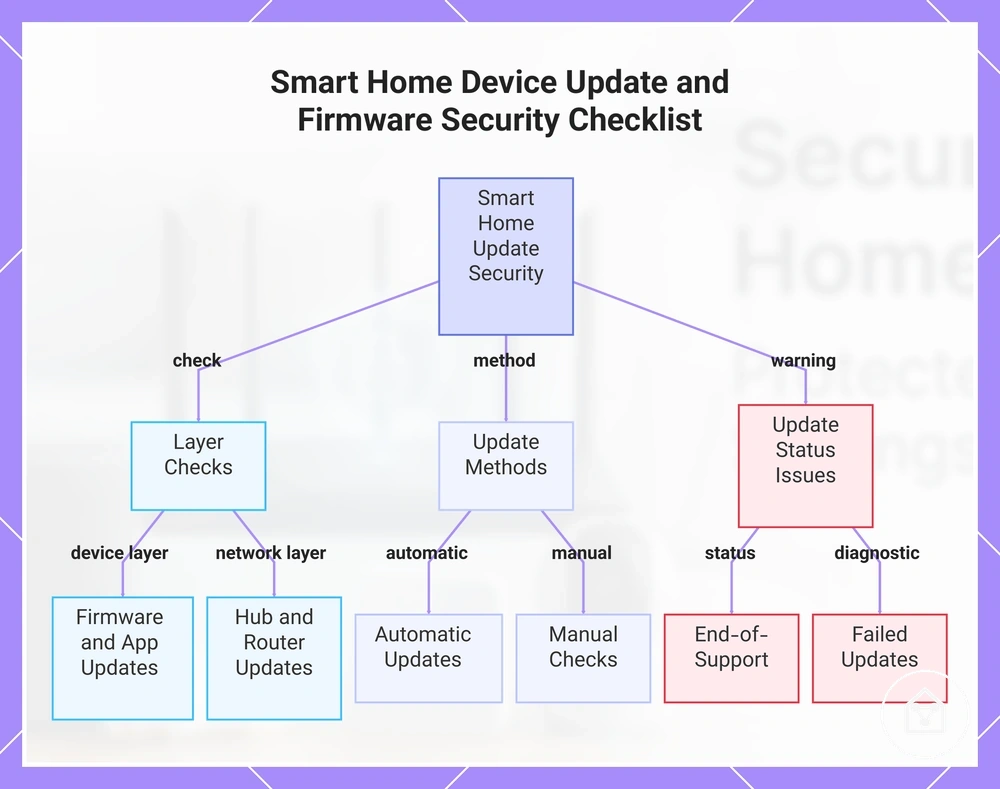
This chart shows the main update layers, methods, and status warnings to verify update coverage for smart home devices.
Automatic Updates and Manual Update Checks
Automatic updates and manual update checks confirm whether smart home devices have security updates available or whether update settings need review. Checking device app settings, firmware version information, hub version details, and router version status helps verify update coverage across connected device layers. Update availability differs between ecosystems, so automatic updates may not be supported for every device.
Update availability differs between ecosystems, so automatic updates may not be supported for every device.
The following Automatic Updates and Manual Update Checks routine verifies update settings, versions, and notifications across smart home device components:
- Review automatic updates: Check device app settings for an automatic update toggle or update preference. If automatic updates are unavailable, use manual update checks to review whether security updates can be found.
- Check firmware version: Review the device information area for the current firmware version. If a version check or update option is unavailable, confirm whether the device provides another update notification method.
- Review hub version: Check the hub version when a hub manages connected devices. If the hub does not provide a visible version check, review available update notifications or support information.
- Check router version: Review router version information when router firmware affects network-managed device maintenance. If router updates are managed separately, check the router settings independently from device updates.
- Review update notifications: Check update notifications or alerts for available security updates. An offline device or battery-powered device may miss updates until it reconnects or receives sufficient power.
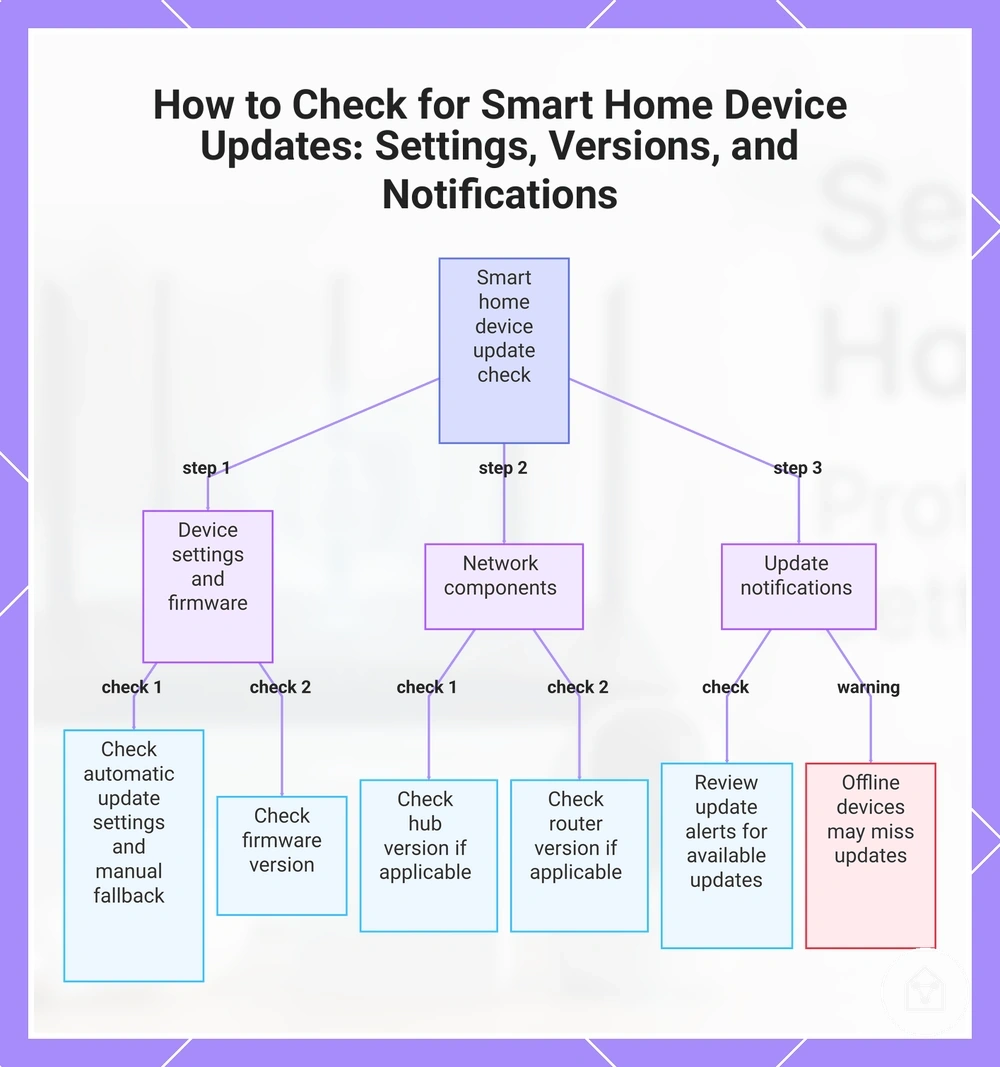
This chart shows the routine for verifying automatic update settings, version checks, and update notifications across smart home devices.
Unsupported Devices and Outdated Routers
Unsupported devices and outdated routers carry a higher long-term security risk because they may no longer receive reliable updates or maintenance information. Support status and update history help determine whether a device or router still has an available security maintenance path. The risk level also depends on router age, internet exposure, and the device role within the smart home system.
When support ends, the safer decision depends on how the device is used and what access it has.
When support ends, the safer decision depends on how the device is used and what access it has. A camera, lock, hub, or internet-exposed device may require a different response from a low-impact sensor because its role changes the potential security impact. Isolation, disabling, replacing, or retiring a device should be considered according to exposure, available controls, and future support conditions.
Isolation, disabling, replacing, or retiring a device should be considered according to exposure, available controls, and future support conditions.
The following Unsupported Devices and Outdated Routers criteria help decide the appropriate action:
| Condition | Security concern | Safer decision |
|---|---|---|
| Device or router has no current support status or reliable update history. | Future security updates may be unavailable, increasing long-term exposure. | Keep with controls only when risk is limited; otherwise consider isolation, replacement, or retirement based on device role. |
| Router has reached an outdated state and no longer receives firmware updates. | Older router software may limit available security options and maintenance support. | Consider replacing the router when it manages internet access for important connected devices and no supported update path exists. |
| Smart device has internet exposure and controls cameras, locks, hubs, or other higher-impact functions. | Loss of maintenance support can create greater concern because the device has broader access or control. | Consider isolation or disabling unused access when replacement or retirement is not immediately practical. |
| Device has limited access, such as a low-impact sensor with restricted network exposure. | The potential impact may be lower than devices with direct control functions. | Review whether continued use with available controls is reasonable based on support status and device role. |
Device-Specific Security Settings
Device-specific security settings depend on what a smart home device can sense, unlock, record, or control. Cameras, microphones, smart locks, sensors, and hubs require different security controls because each device category creates different access and exposure conditions. The correct settings depend on device capability, enabled features, and how the device connects to the wider smart home system.
Device categories connect specific capabilities to security settings and risk effects.
Device categories connect specific capabilities to security settings and risk effects. A camera or microphone may require controls for live view, storage, and remote control, while a smart lock may require settings for PINs, guest codes, entry alerts, and access logs. Sensors and hubs may require review of automation permissions, notifications, and control permissions because they can influence connected actions. Local storage, cloud access, and remote control options should be reviewed according to the security trade-offs created by each device role.
Security settings can overlap with privacy considerations when devices record information, store data, or expose access visibility.
Security settings can overlap with privacy considerations when devices record information, store data, or expose access visibility. Security controls focus on limiting unauthorised access and controlling device functions, while privacy considerations address information handling; these areas connect through topics such as smart home privacy risks without expanding this section into privacy guidance.
Reviewing device-specific security settings by capability helps identify which controls are relevant for each device category.
Reviewing device-specific security settings by capability helps identify which controls are relevant for each device category. The purpose is to match settings with what a device can access, record, unlock, or control rather than applying identical settings across all smart home devices.
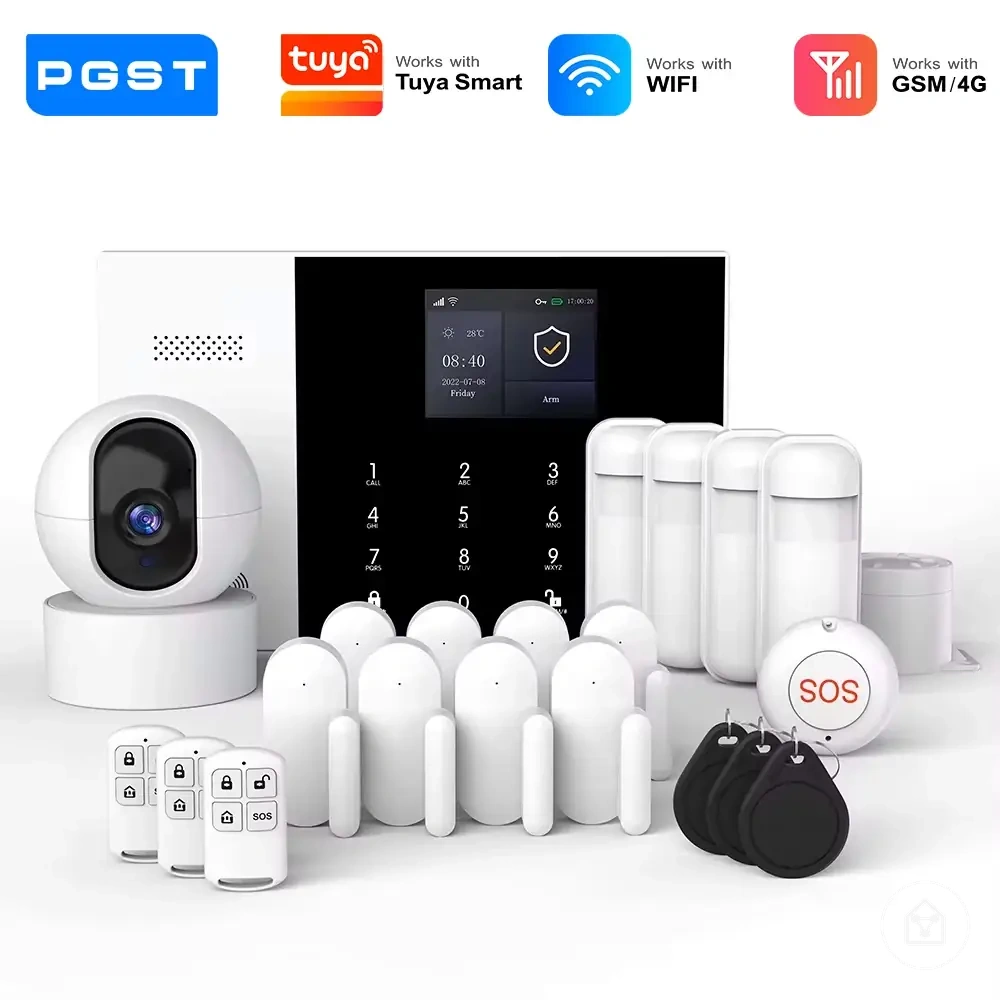
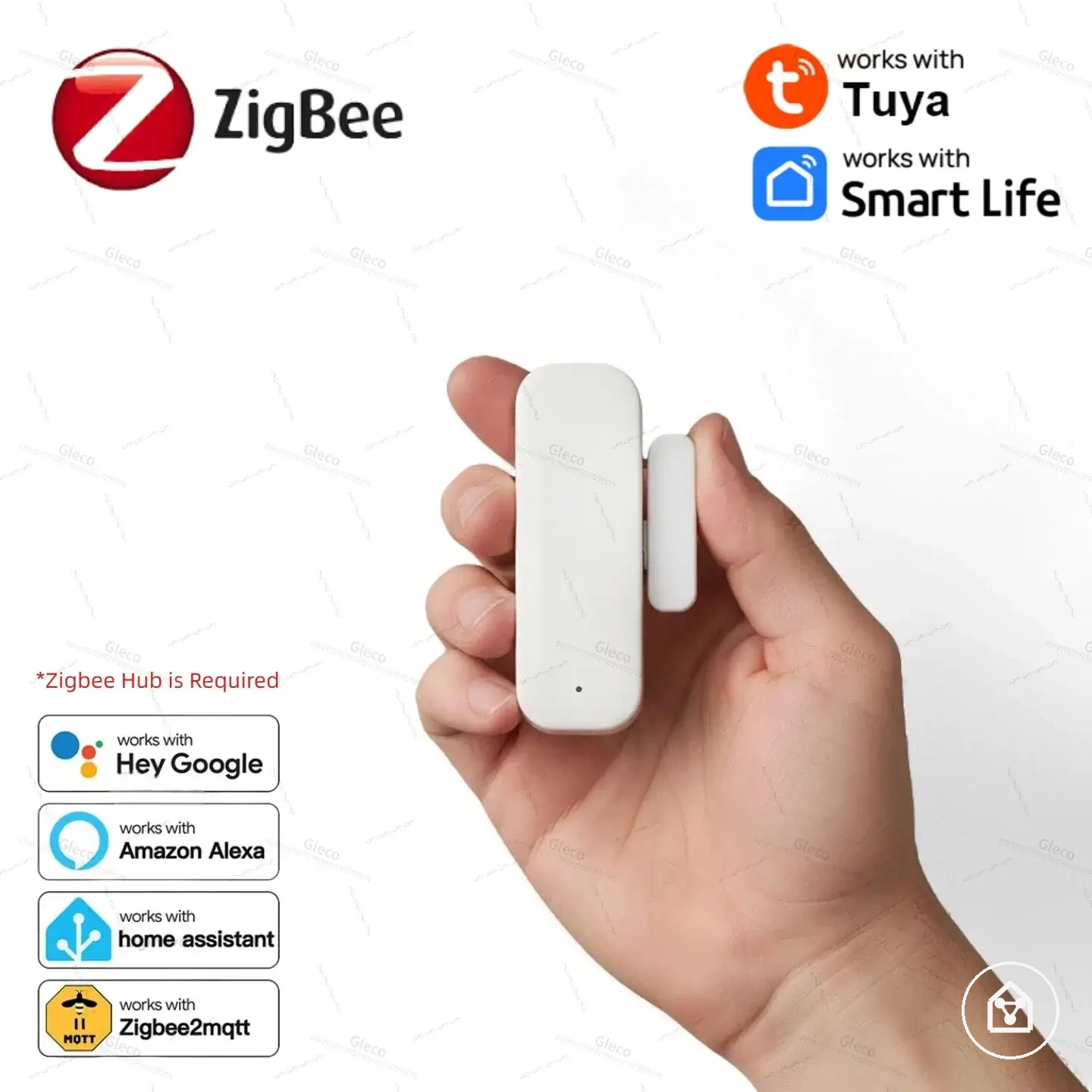
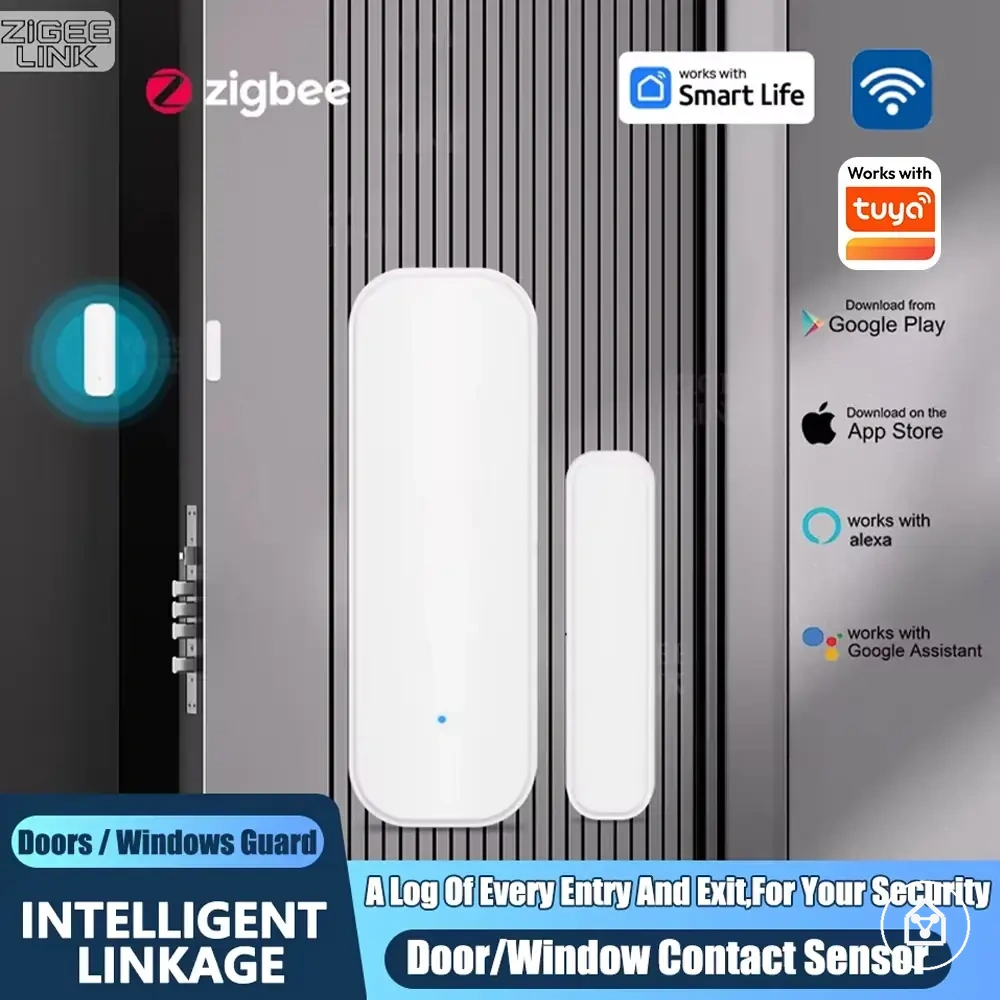
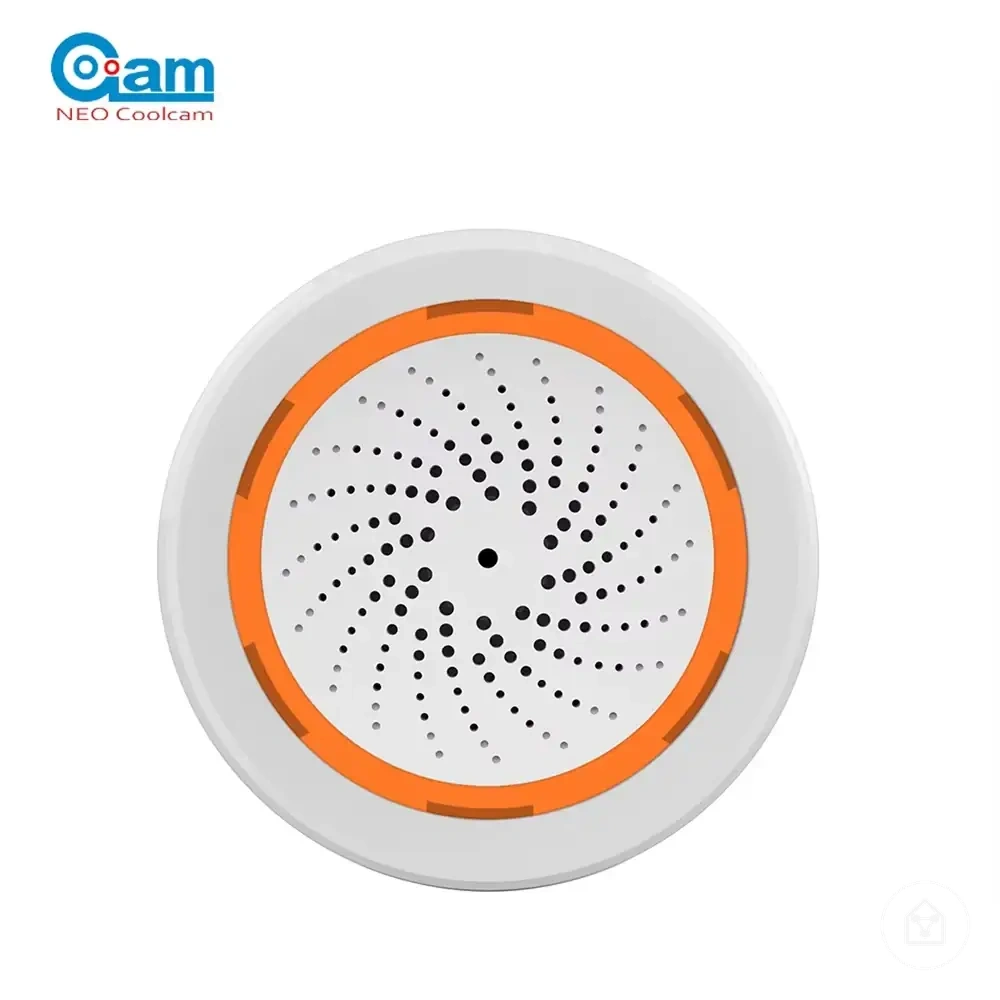
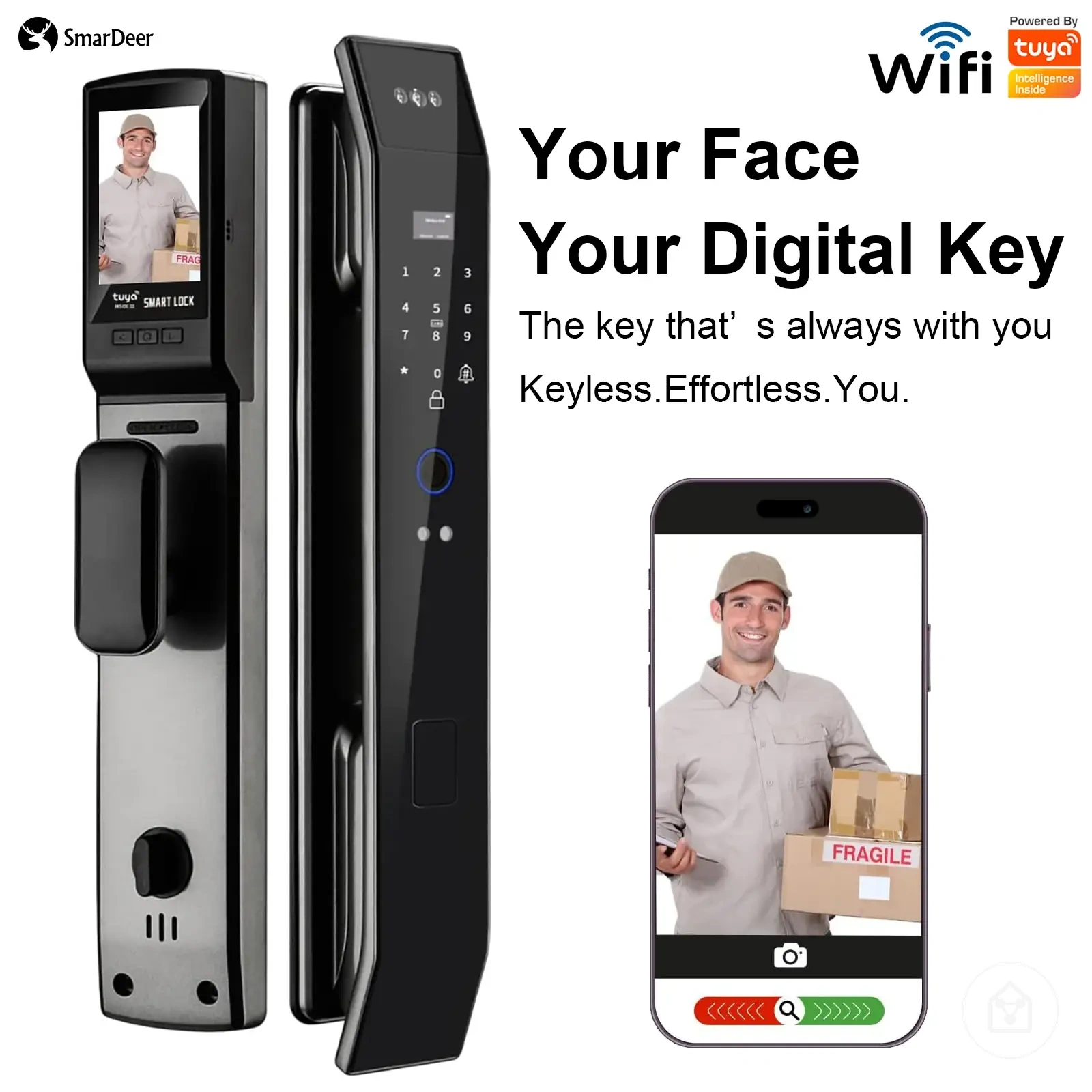
The products below are useful examples for comparing available options.
The products below are useful examples for comparing available options. Before buying, check that the compatibility criteria, key features, and product details match your needs.
| Device category | Security setting | Safer condition | Risk reduced |
|---|---|---|---|
| Camera or microphone | Live view, recording, storage, and remote control | Limit access to required users and review storage and remote control options. | Reduces unnecessary access to recorded content and device controls. |
| Smart lock | PINs, guest codes, entry alerts, and access logs | Use controlled access permissions and review available entry records. | Reduces unclear access rights and unauthorised entry control. |
| Sensor | Notifications and automation permissions | Allow only required automation actions and alerts. | Reduces unwanted triggered actions from connected sensors. |
| Hub | Control permissions and connected device access | Review which users and devices can be managed through the hub. | Reduces broad control exposure across connected devices. |
| Alerts or storage | Local storage and cloud access | Select storage and alert settings according to required access needs. | Reduces unnecessary storage access and notification exposure. |
Smart Cameras and Microphones
Smart cameras and microphones require security settings that match their ability to record, store, and provide access to household activity. Camera and microphone security depends on access controls, recording settings, storage options, and alerts because these features determine who can view, manage, or receive device information. The appropriate controls depend on available device features, storage type, and app permissions.
- Camera passwords and MFA: Review smart camera account access and enable multi-factor authentication when supported. Strong account controls help limit unauthorised access to camera functions and settings.
- Live-view access: Review live-view access permissions and connected app users. Limit remote viewing access to people who require this control.
- Recording zones: Configure recording zones when supported to define which areas the camera records. This setting can reduce unnecessary recording while maintaining the intended security function.
- Cloud storage and local storage: Review whether recordings use cloud storage, local storage, or another supported storage method. Storage choices affect where recordings are retained and how access is managed.
- Microphone mute: Check microphone mute controls when audio recording is available. Disable audio recording when it is not required and when the device supports this option.
- Alerts and physical placement: Review alerts for access or activity events and consider physical placement to control exposure to household activity. Camera and microphone placement should match the intended security purpose without unnecessary coverage.
Smart Locks, Sensors, and Hubs
Smart locks, sensors, and hubs need security controls based on what they trigger, detect, or administer within a smart home environment. These devices require different settings because entry devices, sensing devices, and central hubs create different access conditions. Reviewing control permissions, alerts, and update settings helps align security with the role each device performs.
- Smart locks: Review lock PINs, guest codes, and access logs when available. Use separate access codes for different users or situations when supported, and remove access that is no longer required. In a shared household, individual guest codes can make access decisions clearer than one shared code.
- Sensors: Review tamper alerts, sensor notifications, and automation permissions according to the sensor role. Motion, entry, and environmental sensors may trigger different actions, so notification and automation settings should match the intended use.
- Hubs: Review hub admin access, automation permissions, and hub update status. Limit administrative access to required users because a hub can manage connected devices and their settings.
- Backup power: Check backup power options when a lock, sensor, or hub needs continued operation during a power interruption. The effect depends on the device design and the role it performs within the smart home.
Ongoing Smart Home Security Monitoring
Ongoing smart home security monitoring helps keep earlier security settings from drifting as accounts, devices, networks, and permissions change over time. A repeatable security checklist can identify changes in account access, device settings, update status, and network conditions before they create unnecessary exposure. The purpose is to maintain visibility of important controls rather than provide perfect protection.
The purpose is to maintain visibility of important controls rather than provide perfect protection.
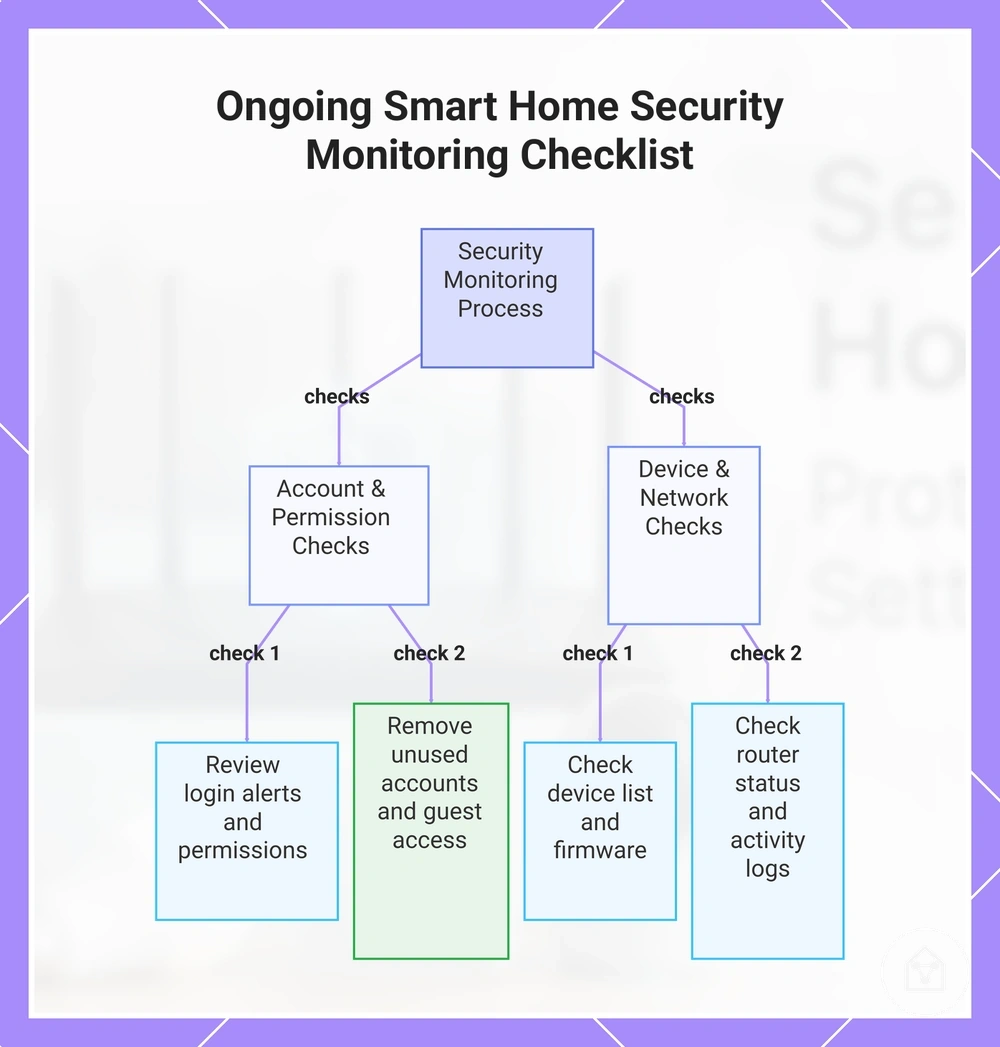
Account access and permissions should be reviewed because shared users, unused accounts, and outdated permissions can change the original security setup. Check login alerts, account access, and permission review settings for unfamiliar activity or users who no longer need control. Remove or adjust access when household requirements change and existing permissions no longer match the intended use.
Remove or adjust access when household requirements change and existing permissions no longer match the intended use.
Firmware checks and router checks help confirm whether connected devices and network equipment still have available maintenance information. Review update status and support conditions when device or router circumstances change, especially for devices that manage important functions. These checks support the original security setup by identifying changes rather than repeating full update procedures.
These checks support the original security setup by identifying changes rather than repeating full update procedures.
The following Ongoing Smart Home Security Monitoring security checklist verifies account, network, update, and device-setting drift:
- Login alerts: Check account notifications for unexpected sign-ins or access events. If alerts show unfamiliar activity, review account access and permission settings.
- Device list: Review the connected device list for unknown or unused devices. Remove access or disconnect devices that are no longer needed.
- Permission review: Check shared users and guest access permissions. Clean up access when users no longer require control.
- Firmware checks: Review device firmware status and available maintenance information. Recheck devices that no longer appear to receive supported updates.
- Router checks: Review router status and available update information. Reassess network conditions when connected devices or access requirements change.
- Unused devices: Identify devices that remain connected but are no longer used. Disable or remove access when keeping them active no longer provides value.
- Guest access cleanup: Review temporary access settings and remove outdated guest permissions. Recheck shared access when household circumstances change.
- Activity logs: Review camera activity logs and lock activity logs when available. Treat unusual activity as a signal for further review rather than automatic confirmation of misuse.
When a device no longer matches the household risk level, decide whether to keep it active, recheck its settings, disable access, or remove it from the environment. If a device needs to be configured again after cleanup, follow the earlier secure setup steps before reconnecting or restoring access.
Before buying, check that the compatibility criteria, key features, and product details match your needs.
The products below are useful examples for comparing available options. Before buying, check that the compatibility criteria, key features, and product details match your needs.
This chart organizes the main categories of checks and actions for ongoing smart home security monitoring to prevent security drift.