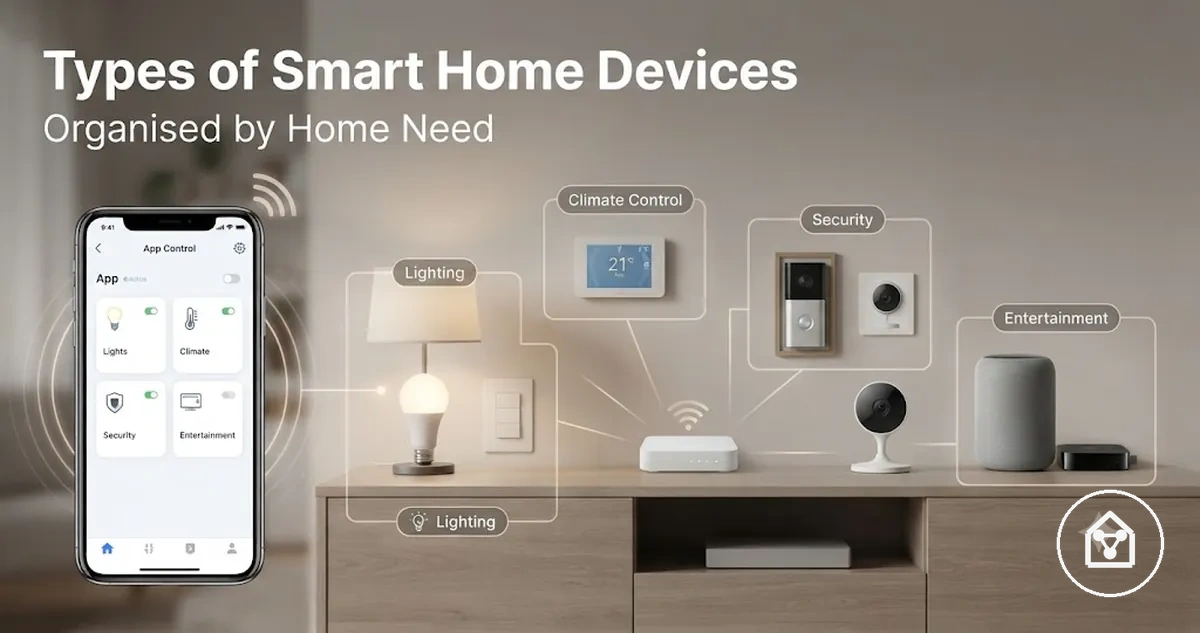
Types of smart home devices by home need
Smart home devices are connected devices that use digital control, sensing, or automation to support specific home needs. Device types are grouped by their function, such as lighting control, security monitoring, comfort management, or appliance control. The main way to understand these categories is by looking at the home need each device type addresses.
The main way to understand these categories is by looking at the home need each device type addresses.
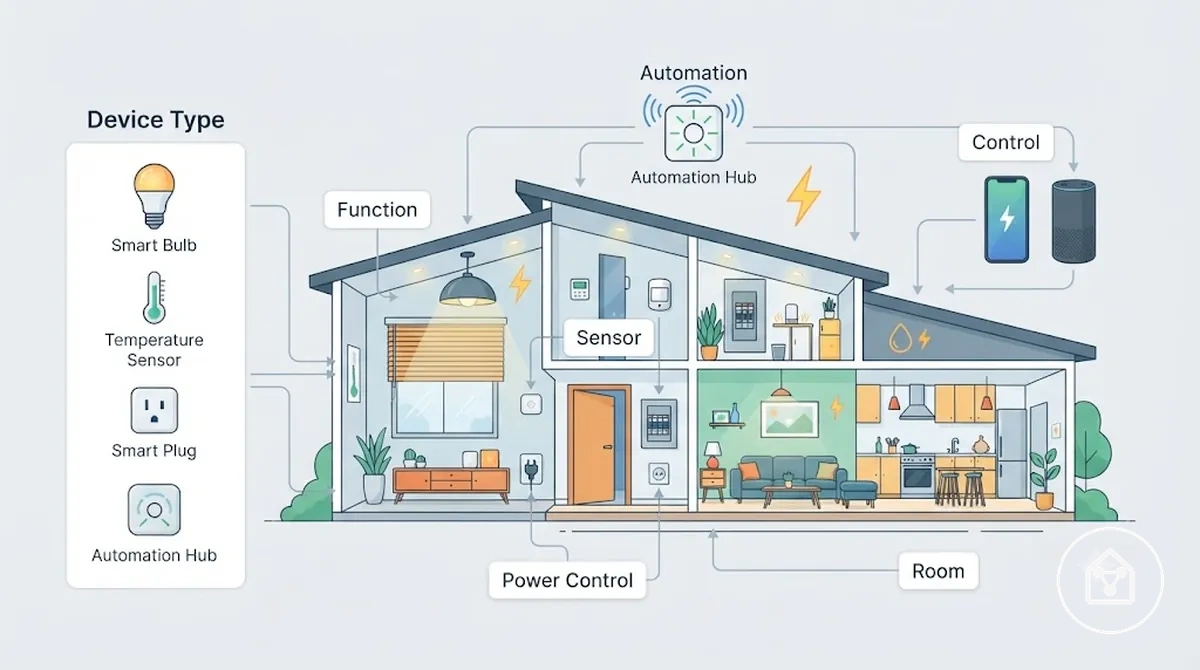
Smart home devices should be considered through the relationship between device type, room, control method, and expected outcome. A smart sensor can detect a condition, a lighting device can manage room illumination, and a smart plug can control power for compatible appliances, while each device serves a different use case within a home automation system. The smart home devices overview provides the wider context for how these device categories connect within a home setup.
The smart home devices overview provides the wider context for how these device categories connect within a home setup.
Understanding device types is different from checking full compatibility, completing setup requirements, or making a buying decision. Compatibility requires separate checks for factors such as connection method, supported systems, and installation conditions. Product examples should be considered after device roles and selection logic are clear rather than before the category differences are understood.
Compatibility requires separate checks for factors such as connection method, supported systems, and installation conditions.
Common smart home device categories include lighting devices, security devices, sensors, smart plugs, and comfort devices such as thermostats. For example, a homeowner improving bedroom comfort may consider a thermostat for temperature control, a sensor for detecting room conditions, and lighting controls for scheduled illumination because each device type addresses a different part of the home experience.
Table of Contents
How smart home device types are grouped
Smart home device types are grouped by the function they perform, the room or system they affect, and the way they connect to control or automation. This classification approach identifies each device type by its role in a home rather than by individual products. The grouping logic connects device type, function, and home need.
The grouping logic connects device type, function, and home need.
A device type can be understood by its function, control point, sensing role, power control role, and connection method. A lighting device has the function of managing illumination, a sensor has the sensing role of detecting conditions, and a smart plug has the power control role of managing connected appliances. For example, a motion sensor in a hallway can trigger an automation routine when movement is detected, while a smart switch provides a control point for changing lighting behaviour.
Learning how smart home devices work provides the foundation for understanding these relationships.
Grouping devices by role explains how smart home systems are organised, but it does not replace checking how devices work, connect, or fit a specific home environment. The difference is that type grouping explains categories, while compatibility checks evaluate connection requirements and system fit. Learning how smart home devices work provides the foundation for understanding these relationships.
| Grouping basis | What it means | Example device type | Why it matters |
|---|---|---|---|
| Function | The task the device performs in the home system | Smart lighting device | Shows whether the device supports lighting, security, comfort, or another home need |
| Room | The home area where the device is used | Thermostat in a living room | Connects the device role with the environment where it provides value |
| Control point | The method used to operate the device | Smart switch | Clarifies whether control happens through a physical switch, app, or automation routine |
| Sensing role | The condition the device detects | Motion sensor | Explains how detected conditions can trigger alerts or automated actions |
| Power control | The way the device manages power for connected equipment | Smart plug | Shows how compatible appliances can receive scheduled or remote control |
| Connection | The communication relationship used within the smart home system | Connected smart home device | Helps identify how devices interact with apps, controllers, or automation routines |
Smart home lighting devices for everyday control
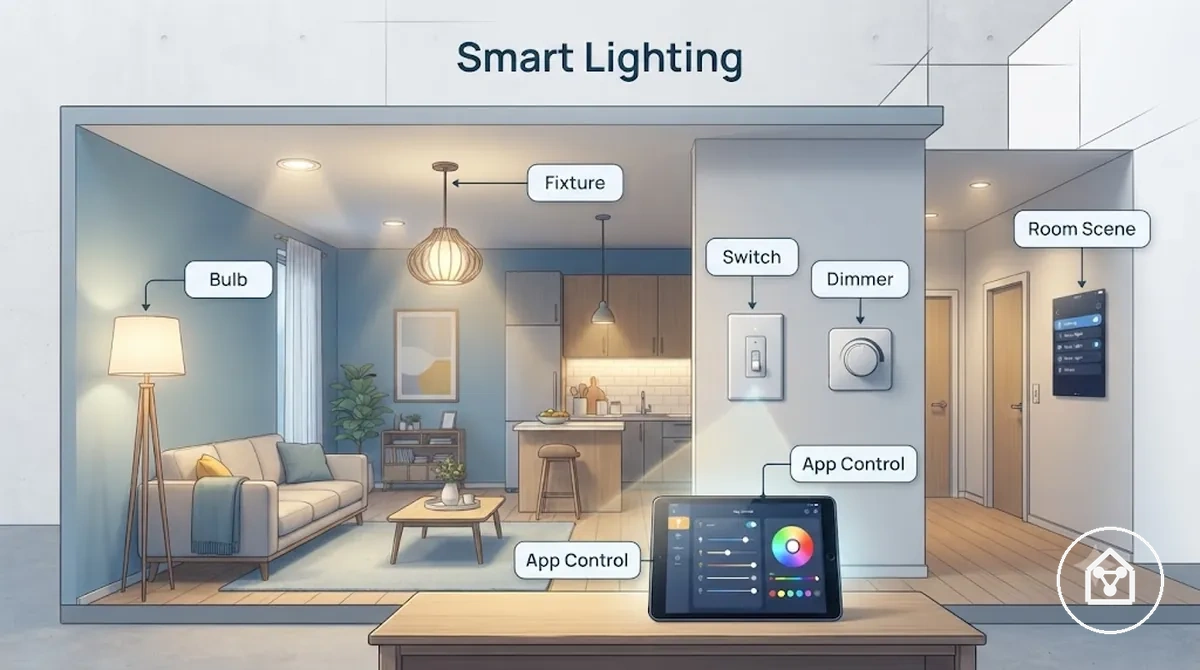
Smart lighting devices support everyday room control by adjusting brightness, creating scenes, following schedules, and enabling remote operation. The device form determines how lighting control is applied, with bulbs, fixtures, switches, and dimmers offering different approaches to managing light. Everyday lighting control is therefore connected to selecting a device form that matches the room placement and intended use.
Everyday lighting control is therefore connected to selecting a device form that matches the room placement and intended use.
Smart lighting attributes include brightness adjustment, dimming, scenes, schedules, and control methods such as app control or voice control. Bulbs can provide adjustable light settings when used with compatible fittings, while switches change the control point by managing connected fixtures through manual or automated routines. For example, a bedroom lighting scene can combine scheduled dimming with app control to create a different lighting condition for evening use.
Room placement and installation conditions influence how lighting devices fit a specific home environment.
Room placement and installation conditions influence how lighting devices fit a specific home environment. Fixtures provide fixed lighting positions, switches provide wall-based control points, and dimmers require a lighting setup that supports adjustable brightness control. Smart lighting selection focuses on the relationship between device form, power source, control method, and everyday outcome rather than treating all lighting devices as interchangeable.
| Lighting device form | Attribute | Useful condition | Everyday outcome |
|---|---|---|---|
| Bulbs | Brightness and scene control | Compatible light fitting and suitable power source | Adjustable lighting for different room activities |
| Light strips | Flexible placement | Areas requiring accent or indirect lighting | Additional lighting effects in selected spaces |
| Fixtures | Fixed lighting position | Rooms using dedicated lighting units | Consistent illumination from a chosen location |
| Switches | Control point management | Compatible existing lighting control point | Automated control of connected lights |
| Dimmers | Brightness adjustment | Lighting systems that support dimming | Variable light levels for changing room conditions |
Bulbs, light strips, lamps, and fixtures
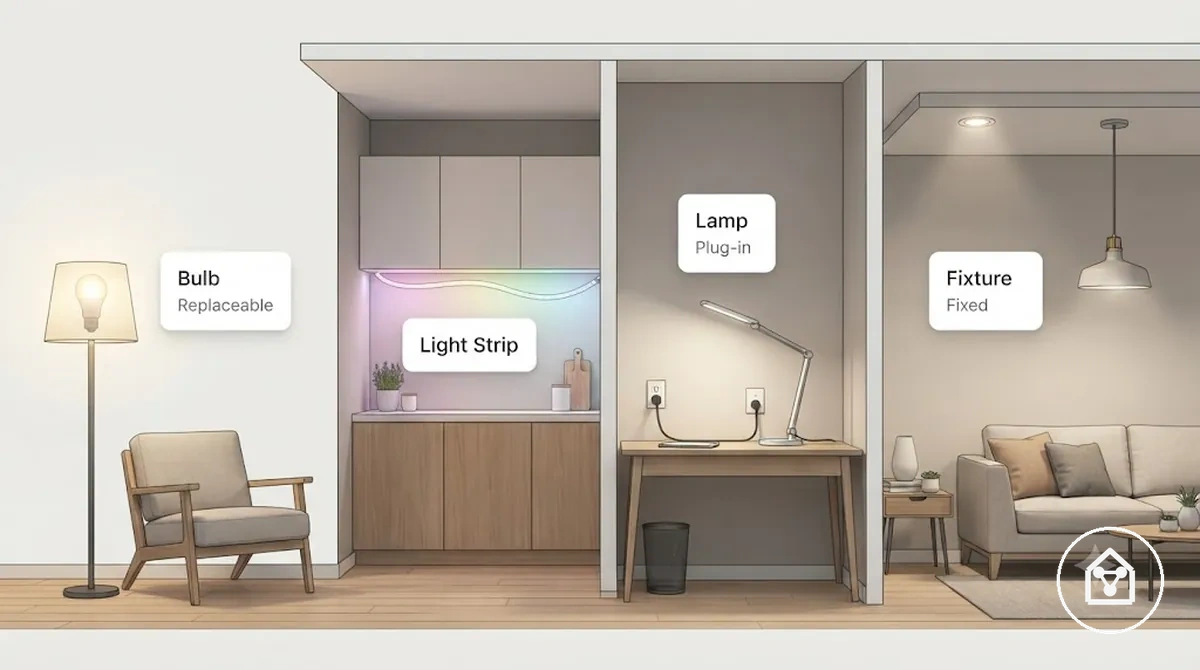
Smart lighting forms differ by their physical design, placement, and installation burden. A bulb is a replaceable light source, a light strip is a flexible lighting form, a lamp is a plug-in device, and a fixture is a fixed lighting unit. These categories separate replaceable, plug-in, and fixed lighting options within smart lighting.
Fixture: A fixed lighting form designed for a dedicated room position.
- Bulb: A replaceable lighting component that fits a compatible socket and can provide brightness and colour control features. It suits situations where the existing fitting can be reused without changing the full light structure.
- Light strip: A flexible lighting form with placement as its main attribute. It fits accent lighting situations where a narrow or adaptable light source is useful, such as under shelves or along room features.
- Lamp: A plug-in lighting device that combines a light source with a movable housing. Its flexibility suits renters or rooms where changing the position of the light is more practical than modifying fixed lighting.
- Fixture: A fixed lighting form designed for a dedicated room position. It suits spaces where a permanent lighting location and consistent room placement are preferred.
Light strip: A flexible lighting form with placement as its main attribute.
For example, a renter may choose a plug-in lamp or replaceable bulb because these forms usually require fewer changes to the existing room environment, while a fixed fixture is more suited to a permanent lighting arrangement.
Switches, dimmers, and lighting control devices
Switches and dimmers change the lighting control point instead of replacing the light source itself. A switch manages how a fixture receives control commands, while a dimmer adds brightness adjustment when the lighting system supports dimming. This difference separates control-side lighting devices from replaceable bulbs and other light-source changes.
Switches and dimmers change the lighting control point instead of replacing the light source itself.
Lighting control devices are evaluated through factors such as wiring, load type, fixture compatibility, neutral wire availability, and dimming support. A switch can provide wired control through a wall control point, while a dimmer can adjust light levels when the fixture and electrical configuration support that function. For example, a smart dimmer may allow app control or voice control for different lighting routines when the connected fixture supports compatible dimming.
Switch and dimmer suitability requires a qualified check of the fixture type, wiring conditions, load type, and local requirements.
Switch and dimmer suitability requires a qualified check of the fixture type, wiring conditions, load type, and local requirements. These devices should be viewed as control devices that modify how lighting operates rather than as replacements for the light source.
| Light-source device | Control-side device |
|---|---|
| Changes the lighting component, such as a bulb or light source | Changes the control method for an existing fixture |
| Control focuses on source attributes such as brightness and colour control | Control focuses on switching, automation, and dimming support |
| Fit is based on socket type, bulb format, and room use | Fit is based on wiring, load type, fixture type, and control requirements |
| Usually involves replacing or adjusting the lighting source | Usually involves changing the control point used for lighting operation |
Smart home security and monitoring devices
Smart home security and monitoring devices are grouped by the role they perform in observing areas, managing access, and creating alerts. Cameras support observation, locks and entry devices support access control, and alarms support alerting when a detection trigger occurs. These roles separate observation, access, and alerting functions within smart home security.
These roles separate observation, access, and alerting functions within smart home security.
Security devices use different attributes based on their monitoring role, including camera field of view, video doorbell visitor communication, lock access methods, alarm triggers, entry sensor states, notification behavior, and storage options. A camera can monitor a selected area, a video doorbell can support visitor interaction at an entry point, a lock can manage access conditions, and an alarm can respond to detected events with alerts. For example, an entry sensor can send a notification when an entry point changes state, while storage options determine how recorded information is retained.
For example, an entry sensor can send a notification when an entry point changes state, while storage options determine how recorded information is retained.
Smart home security device types explain monitoring roles, but they do not replace broader practices for securing smart devices or evaluating a complete security approach. Privacy-sensitive placement, storage choices, and notification settings should be considered according to the monitored area and intended use of each device.
| Device type | Primary role | Key attribute | Use condition |
|---|---|---|---|
| Camera | Observation and monitoring | Field of view | Used where visual monitoring of an area is needed |
| Video doorbell | Entry observation and visitor communication | Visitor detection and notification | Used near entrances where visitor activity is monitored |
| Lock | Access control | Access method and fallback options | Used where controlled entry management is required |
| Alarm | Alerting | Detection trigger and notification behavior | Used where specific events require an alert response |
| Entry sensor | Condition detection | Open or closed state monitoring | Used on entry points where status changes need notification |
Cameras and video doorbells
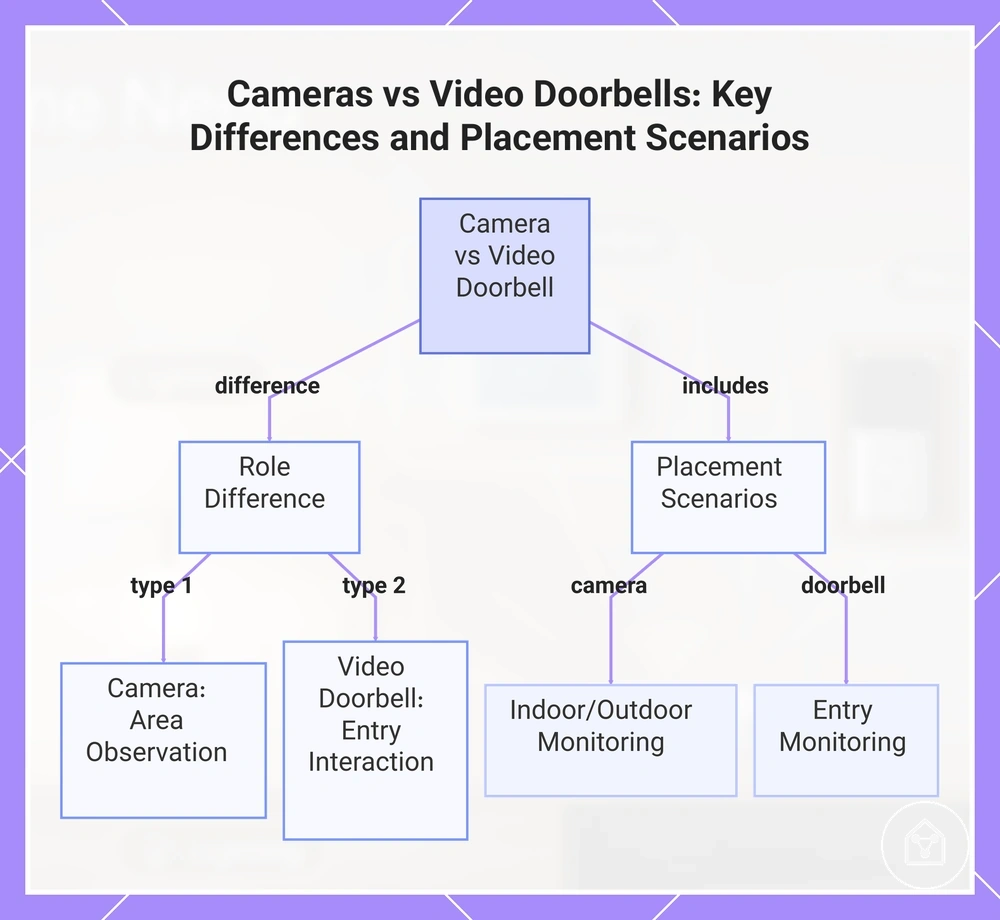
Cameras and video doorbells are visual monitoring devices with different placement and interaction roles. A camera is used for observing an area, while a video doorbell combines entry monitoring with visitor interaction features. These differences separate general camera placement from entry-facing doorbell placement.
These differences separate general camera placement from entry-facing doorbell placement.
Camera and video doorbell attributes include field of view, power source, night vision, two-way audio, storage options, and alert sensitivity. A camera may suit indoor or outdoor monitoring where the viewing area is the main consideration, while a video doorbell is suited to entry locations where visitors and notifications are relevant. Recording, storage, and alert behavior depend on device settings, placement conditions, and the selected storage approach.
- Indoor camera: Used for indoor visual monitoring where room placement and field of view determine the area being observed. It may suit spaces where users need visibility of a room while considering storage and alert sensitivity settings.
- Outdoor camera: Used for exterior monitoring where power source, placement, and night vision capabilities affect suitability. It may suit areas such as driveways when the device is positioned for the intended viewing area.
- Video doorbell: Used at an entry point where visitor interaction is the main monitoring role. Two-way audio, notifications, and storage options depend on the device features and chosen settings.
- Shared-entry camera: Used in shared entrances where placement and privacy considerations require attention. Monitoring sensitivity and notification settings should match the intended use of the location.
This chart compares the roles and ideal placement of cameras and video doorbells, highlighting their distinct monitoring functions.
Locks, alarms, and entry monitoring devices
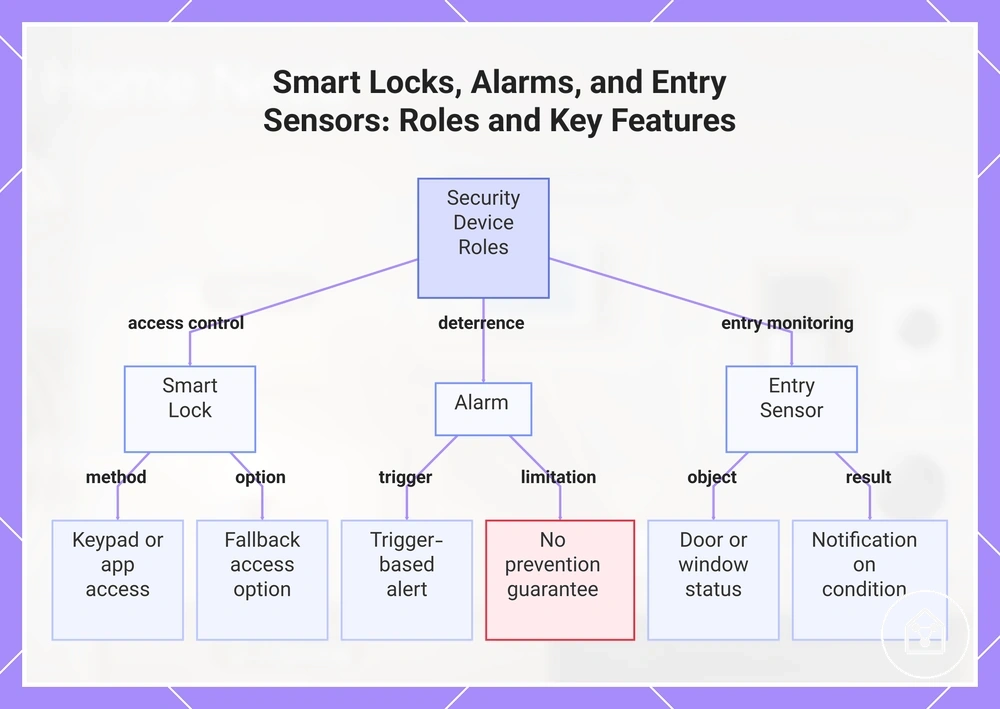
Smart locks, alarms, and entry monitoring devices support different security roles by managing access, creating alerts, and monitoring entry conditions. A smart lock focuses on access control, an alarm focuses on alerting, and an entry sensor focuses on detecting door or window status changes. These roles separate access, deterrence, and alerting outcomes.
These roles separate access, deterrence, and alerting outcomes.
Smart locks can use access methods such as keypad or app access, while alarms use a trigger to create notifications when configured conditions occur. Entry sensors monitor door status or window status changes, and device operation can depend on factors such as battery condition, power availability, and fallback access options. For example, a smart lock with fallback access can provide an alternative entry method when the primary access method is unavailable.
These devices support convenience, deterrence, and notification outcomes but do not replace a complete security system.
These devices support convenience, deterrence, and notification outcomes but do not replace a complete security system. Battery dependency, access reliability, and alarm behavior should be considered according to the device type, placement, and intended use.
- Access control: A smart lock provides controlled entry through methods such as keypad or app access when the device is configured for the intended door and access conditions.
- Deterrence: An alarm provides an alert function when a trigger occurs, supporting awareness of selected events without guaranteeing prevention of incidents.
- Entry monitoring: An entry sensor monitors door status or window status changes and can provide notifications when the configured condition is detected.
This chart shows the three main security device roles — access control, deterrence, and entry monitoring — along with their key features and limitations.
Smart home sensors for detection and alerts
Smart home sensors detect changes in an environment and can trigger alerts, routines, or automated responses based on detected conditions. A smart home sensor connects a detected attribute, such as movement, contact state, temperature, or air quality, with a defined response. This detection relationship links sensor type, condition, and alert or routine outcome.
This detection relationship links sensor type, condition, and alert or routine outcome.
Sensor attributes include detection range, placement, battery life, thresholds, and integration with other smart home devices. A motion sensor can detect movement in a monitored area, while a contact sensor can detect door or window status changes; the resulting alert or routine depends on the configured condition and connected system.
Sensor usefulness depends on home layout, placement, range, battery condition, and integration context.
Sensor usefulness depends on home layout, placement, range, battery condition, and integration context. For example, a leak sensor placed near a water source can provide a notification when moisture is detected, while a temperature sensor can support a routine when a configured temperature condition is reached.
| Sensor type | Detected attribute | Condition or threshold | Alert or automation outcome |
|---|---|---|---|
| Motion sensor | Movement | Movement detected within the monitored area | Alert notification or routine trigger |
| Contact sensor | Door or window status | Open or closed state change | Status notification or automation response |
| Presence sensor | Presence or occupancy | Detected presence condition in a space | Routine activation or status response |
| Leak sensor | Moisture or water presence | Moisture reaches the sensor trigger condition | Leak notification |
| Temperature sensor | Temperature | Configured temperature condition | Climate-related routine or notification |
| Humidity sensor | Humidity | Configured humidity condition | Environmental monitoring response |
| Air quality sensor | Air quality attribute | Detected change in measured air condition | Air quality notification or routine response |
Motion, contact, and presence sensors
Motion sensors, contact sensors, and presence sensors are smart home sensors that differ by their detection method and the conditions they monitor. A motion sensor detects movement, a contact sensor detects open or closed status changes, and a presence sensor detects occupancy conditions. These differences separate movement, access-state, and occupancy detection.
These differences separate movement, access-state, and occupancy detection.
Response timing and false trigger risk depend on sensor placement, home layout, monitored conditions, and integration with other smart home devices. For example, a motion sensor placed in a frequently used room may trigger an occupancy routine when movement is detected, while a contact sensor on a door can trigger an alert when the open status changes.
| Sensor type | What it detects | Best local use | Limitation to qualify |
|---|---|---|---|
| Motion sensor | Movement within a monitored area | Rooms where movement-based alerts or occupancy routines are useful | Placement and room activity can affect false trigger risk |
| Contact sensor | Door or window open status changes | Doors and windows where status monitoring is needed | Detects contact changes but does not measure wider room activity |
| Presence sensor | Occupancy conditions in a space | Rooms where occupancy routines depend on continued presence detection | Response timing and detection behaviour can vary with layout and conditions |
Leak, temperature, humidity, and air quality sensors
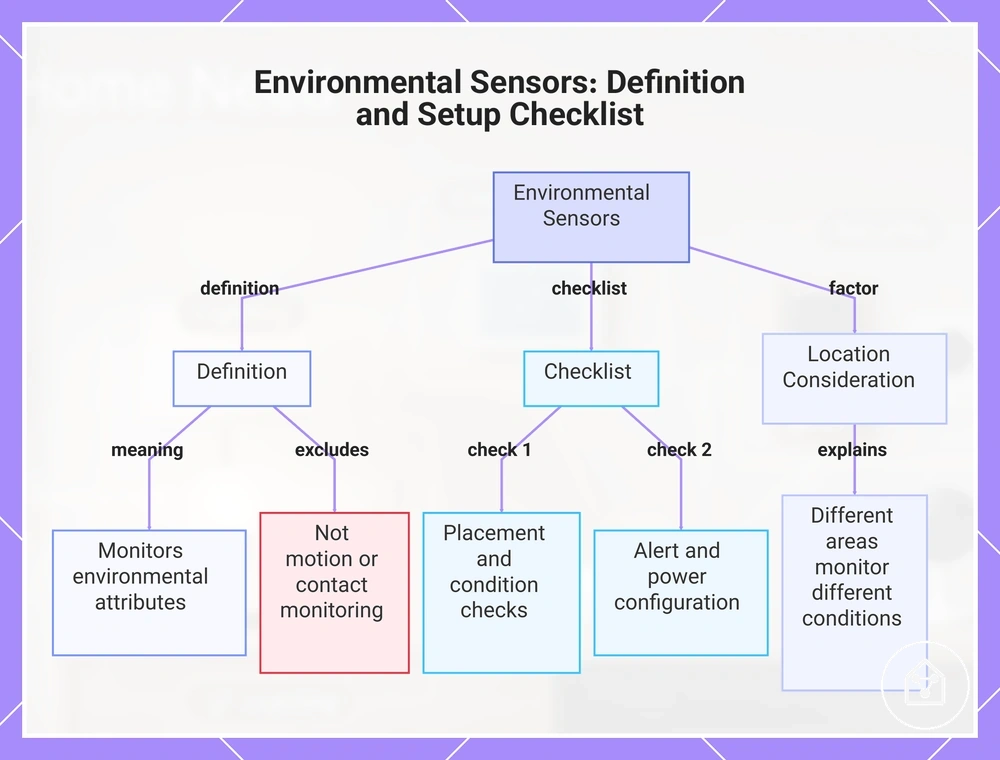
Leak sensors, temperature sensors, humidity sensors, and air quality sensors are environmental sensors that monitor home conditions rather than movement or access changes. These sensors detect environmental attributes and can trigger notifications or routines when configured conditions are reached. This separates environmental monitoring from motion, contact, or presence monitoring.
This separates environmental monitoring from motion, contact, or presence monitoring.
Environmental sensor attributes include placement, threshold settings, notification method, battery condition, and power source. A leak sensor may monitor moisture conditions near a water source, while a humidity sensor may track humidity changes in areas such as bathrooms; the resulting notification or routine depends on the configured threshold and connected smart home system.
Location affects how environmental sensors are used because different areas monitor different conditions.
Location affects how environmental sensors are used because different areas monitor different conditions. For example, a temperature sensor placed in a room can monitor room conditions, while an air quality sensor may be positioned where changes in air conditions need to be observed.
Environmental sensor checklist:
- Placement: Verify that the sensor location matches the environmental condition being monitored, such as water areas for a leak sensor or rooms where temperature changes matter.
- Monitored condition: Confirm whether the sensor tracks moisture, temperature, humidity, or air quality attributes.
- Threshold setting: Check the condition that triggers a notification or routine response.
- Notification method: Verify how alerts are delivered through the connected smart home system.
- Battery or power source: Confirm how the sensor receives power for operation.
- Response path: Identify the notification or routine that follows when the monitored condition is detected.
This chart explains what environmental sensors are, how they differ from motion sensors, and the key checklist items for setting them up.
Smart home plugs, switches, and power controllers
Smart plugs, smart switches, and power controllers make existing devices controllable through schedules, remote commands, and automation. These power control devices manage how connected appliances or electrical loads are operated without making appliances the main entity being classified. The suitable controller depends on device type, power requirements, and the connection method.
The suitable controller depends on device type, power requirements, and the connection method.
Power-control attributes include load rating, plug format, fixed wiring, appliance type, outdoor rating, energy monitoring, and control method. A smart plug may suit a compatible plug-in appliance when schedules or remote commands are required, while a smart switch may suit a fixed wiring control point such as lighting. Outdoor plugs require consideration of outdoor rating and placement conditions, and energy monitoring provides usage information when the controller supports that feature.
Power controllers require setup, safety, and compatibility checks before determining suitability.
Power controllers require setup, safety, and compatibility checks before determining suitability. Load rating, wiring configuration, appliance type, and environmental conditions can change which controller is appropriate for a specific use case.
| Device type | Controlled item | Condition to check | Suitable use |
|---|---|---|---|
| Smart plug | Plug-in appliance | Appliance type and load rating | Schedules, remote commands, and automation for compatible devices |
| Smart switch | Fixed wiring control point | Wiring configuration and circuit suitability | Automation of connected fixed devices such as lighting |
| Appliance controller | Specific electrical appliance | Load rating and appliance requirements | Control of compatible appliances through automation |
| Outdoor plug | Outdoor electrical device | Outdoor rating, weather exposure, and placement conditions | Control of suitable outdoor devices where environmental conditions are considered |
| Power monitor | Electrical usage of connected devices | Energy monitoring support and device compatibility | Tracking usage information from supported devices |
Where smart plugs fit better than smart switches
A smart plug usually fits better for portable plug-in devices, while a smart switch usually fits better for fixed lighting or wired control points when wiring conditions support the setup. The choice depends on whether the required control method is a plug-in device or a wired control point.
A broader comparison of device categories is available through compare smart home device types .
Smart plugs and smart switches differ by portability, installation complexity, load type, renter friendliness, and the type of device being controlled. A smart plug may suit a renter-friendly setup for a compatible appliance, while a smart switch may suit fixed lighting where a consistent wall control point is preferred. A broader comparison of device categories is available through compare smart home device types.
| Choice | Fits better when | Main trade-off | Avoid when |
|---|---|---|---|
| Smart plug | A portable plug-in device needs scheduled, remote command, or automation control | Portability is higher, but use is limited by compatible appliance type and load rating | The device requires fixed wiring or a different control point |
| Smart switch | Fixed lighting or another wired control point needs automation | Control consistency can improve, but installation complexity and wiring conditions must be considered | The use case requires portable placement or renter friendliness |
Appliance controllers and outdoor power devices
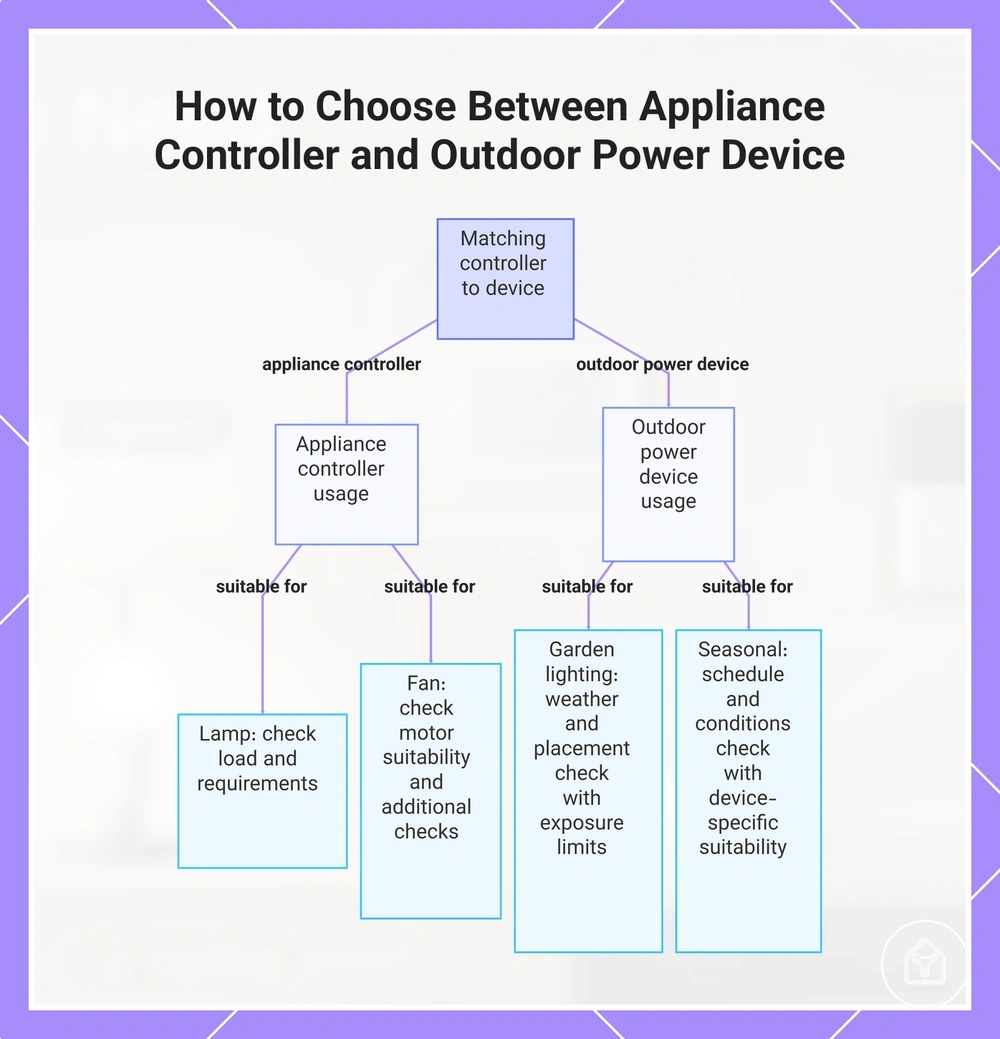
A lamp, fan, garden lighting setup, or seasonal device may require a different power-control approach depending on the equipment type and environment. An appliance controller can support schedules, remote shutdown, and automation for suitable devices, while an outdoor power device requires conditions such as weather rating and placement to be considered.
A lamp, fan, garden lighting setup, or seasonal device may require a different power-control approach depending on the equipment type and environment.
Appliance controllers and outdoor power devices should be evaluated using load, appliance type, weather rating, schedule needs, remote shutdown requirements, and automation fit. The suitable use depends on matching the controller to the equipment and conditions rather than assuming one controller is appropriate for every appliance or outdoor situation.
- Lamp control: An appliance controller may suit a compatible lamp when scheduled operation or remote shutdown is useful, but the load rating and appliance requirements should be checked before use.
- Fan control: An appliance controller may suit a compatible fan when the load and appliance type match the controller conditions, but motor-based equipment may require additional suitability checks.
- Garden lighting: An outdoor power device may suit garden lighting when the weather rating and placement conditions match the environment, but outdoor exposure conditions remain a limitation.
- Seasonal devices: An outdoor power device may suit temporary seasonal equipment when schedule needs and outdoor conditions are appropriate, but suitability depends on the specific device type.
This chart shows the suitability conditions for using an appliance controller versus an outdoor power device based on device type and environment.
Smart home comfort and climate devices
Comfort devices and climate devices are smart home device types that influence temperature, airflow, shade, and room comfort. These devices focus on managing room conditions rather than security, lighting, or power-control functions. Their role depends on how the device type matches the room environment and existing equipment.
Their role depends on how the device type matches the room environment and existing equipment.
Comfort and climate devices include thermostats, heating and cooling controls, airflow devices, and automated curtains or blinds. A thermostat can regulate temperature conditions through a schedule, while heating, cooling, airflow, and shade devices can influence comfort according to room conditions and user preferences. For example, a blind controller may adjust shade at scheduled times, while a thermostat may adjust temperature settings when compatible with the existing climate system.
Comfort outcomes depend on home layout, equipment compatibility, room conditions, and schedule behavior.
Comfort outcomes depend on home layout, equipment compatibility, room conditions, and schedule behavior. A climate device may influence room comfort when the device type and environment are suitable, but temperature, airflow, shade, and energy expectations can differ between households.
| Device type | Comfort attribute | Condition to check | Likely use |
|---|---|---|---|
| Thermostat | Temperature control | Compatibility with the existing heating or cooling equipment | Scheduled temperature adjustments for room comfort |
| Heater | Heating support | Equipment type and compatibility conditions | Supporting heating needs where the device setup allows control |
| Airflow device | Airflow management | Room layout and airflow conditions | Influencing airflow-related comfort preferences |
| Curtain controller | Shade control | Curtain type and control compatibility | Scheduled shade adjustments for room comfort |
| Blind controller | Shade control | Blind mechanism and compatibility conditions | Automated shade management based on room needs |
Thermostats, heaters, and temperature control devices
Thermostats, heaters, and temperature control devices influence room temperature by controlling or supporting heating and cooling functions. These devices can provide temperature control through schedules, remote control, and sensor-based responses, but compatibility with the HVAC type and heating equipment limits where they fit.
Thermostats, heaters, and temperature control devices influence room temperature by controlling or supporting heating and cooling functions.
Temperature control devices use attributes such as sensor support, schedule behavior, remote control, and occupancy input to respond to room conditions. A thermostat may adjust temperature settings according to configured schedules, while a heater or heating control device may support temperature management when the equipment type and compatibility conditions allow the intended use.
Temperature control fit checklist:
- HVAC type: Verify that the thermostat matches the relevant HVAC type before considering it suitable for temperature control.
- Heating equipment: Check that the heater or heating system type supports the intended control approach.
- Control condition: Confirm that the existing control setup supports the required temperature control method.
- Sensor support: Check whether available sensors can provide the room condition information needed for the device response.
- Schedule and remote control: Identify whether scheduled temperature changes or remote control features match the household comfort requirements.
Curtain controllers and room comfort automation
Curtain controllers and room comfort automation devices adjust shade, light exposure, privacy, and routine timing to influence room comfort. These devices connect window coverings with automated control, but suitability depends on the curtain or blind type, motor method, and room conditions.
Curtain controllers and room comfort automation devices adjust shade, light exposure, privacy, and routine timing to influence room comfort.
Curtain controllers and blind controllers use attributes such as track or rod fit, motor type, power source, and schedule behavior to determine suitable use. A shade controller may adjust light exposure in a sunny room, while a curtain controller may support privacy routines in a bedroom when the window covering and control conditions match.
- Curtain controller: May suit compatible curtains when the track or rod design and motor method support automated movement, but curtain type limits which control approach is suitable.
- Blind controller: May suit compatible blinds when the blind mechanism supports automated shade adjustment, but blind formats can require different control conditions.
- Motor-based shade device: Uses a motor to adjust shade or light exposure when the power source and window covering design support the intended function.
- Scheduled shade control: May suit rooms where routine timing changes light exposure or privacy needs, but comfort outcomes depend on room conditions and user settings.
Matching smart home device types to rooms
A room-based smart home setup starts by matching the room need with the device type and expected outcome. An entry may prioritize monitoring and access awareness, while a bedroom may prioritize comfort and routine control. Room need changes device priority.
Common room needs include convenience, monitoring, comfort, and alerts.
Common room needs include convenience, monitoring, comfort, and alerts. A living room may benefit from devices that support household routines, while a laundry may focus on condition alerts where environmental changes require attention.
A device may suit a household area when its control method, placement requirements, and environment match the intended use case.
Practical constraints such as installation burden, safety sensitivity, and renter suitability influence which device type is appropriate. A device may suit a household area when its control method, placement requirements, and environment match the intended use case.
Matching smart home devices to a room requires comparing the home need, device role, and limiting condition.
Matching smart home devices to a room requires comparing the home need, device role, and limiting condition. The process of choosing the right smart home devices can help organise these decisions before comparing specific room requirements.
| Room or area | Common need | Useful device types | Condition to check | Qualified outcome |
|---|---|---|---|---|
| Entry | Security and access awareness | Doorbells, locks, cameras, entry sensors | Monitoring purpose, placement, and access conditions | May improve awareness of entry activity when the device matches the area |
| Living room | Convenience and comfort | Lighting devices, climate devices, voice controllers | Room layout, routine frequency, and existing equipment | May support household routines when device roles match room use |
| Bedroom | Comfort and routine control | Lighting devices, curtain controllers, climate devices | Privacy needs, schedule use, and room conditions | May support comfort routines when settings match household preferences |
| Kitchen | Convenience and condition awareness | Smart plugs, sensors, lighting devices | Appliance type, placement, and safety sensitivity | May support monitoring or control when device conditions are suitable |
| Bathroom | Environmental awareness and comfort | Sensors, lighting devices, ventilation-related controls | Moisture conditions, placement, and device suitability | May support room awareness when environmental conditions are considered |
| Laundry | Condition monitoring | Leak sensors, power controllers, sensors | Water exposure, appliance type, and alert requirements | May provide alerts when the device matches the condition being monitored |
| Garage | Access and monitoring | Cameras, sensors, lighting devices | Power source, environmental conditions, and monitoring need | May improve awareness when the device fits the garage environment |
| Outdoor area | Exterior monitoring and lighting | Outdoor cameras, outdoor lighting, outdoor power devices | Weather rating, placement, and outdoor conditions | May support outdoor use when device requirements match the location |
Room selection works best when the device type is matched to the specific home need and practical constraint. A suitable choice depends on the room condition, household behavior, and the role the device is expected to perform.
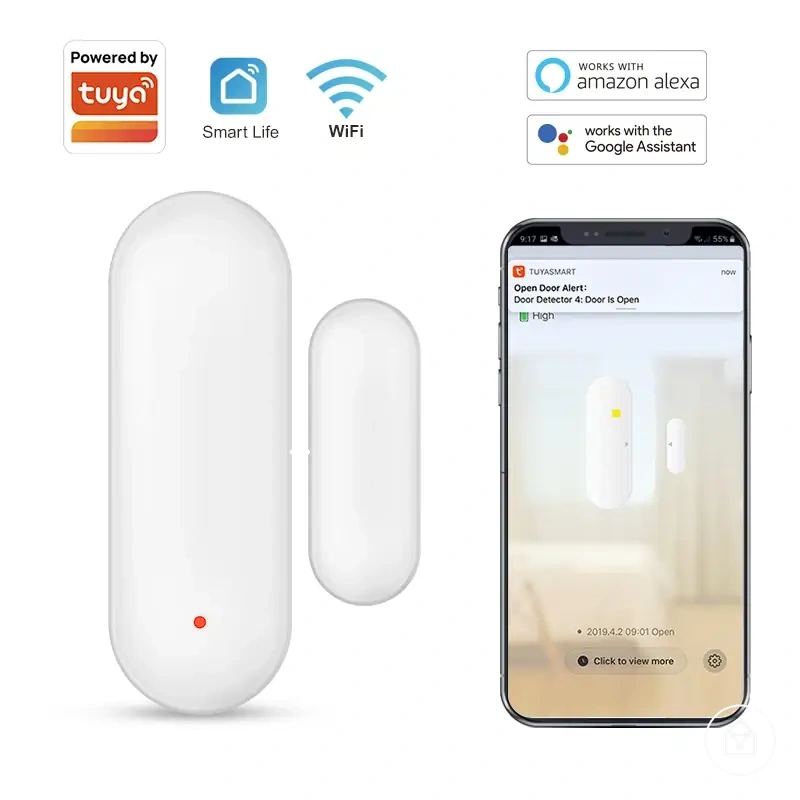
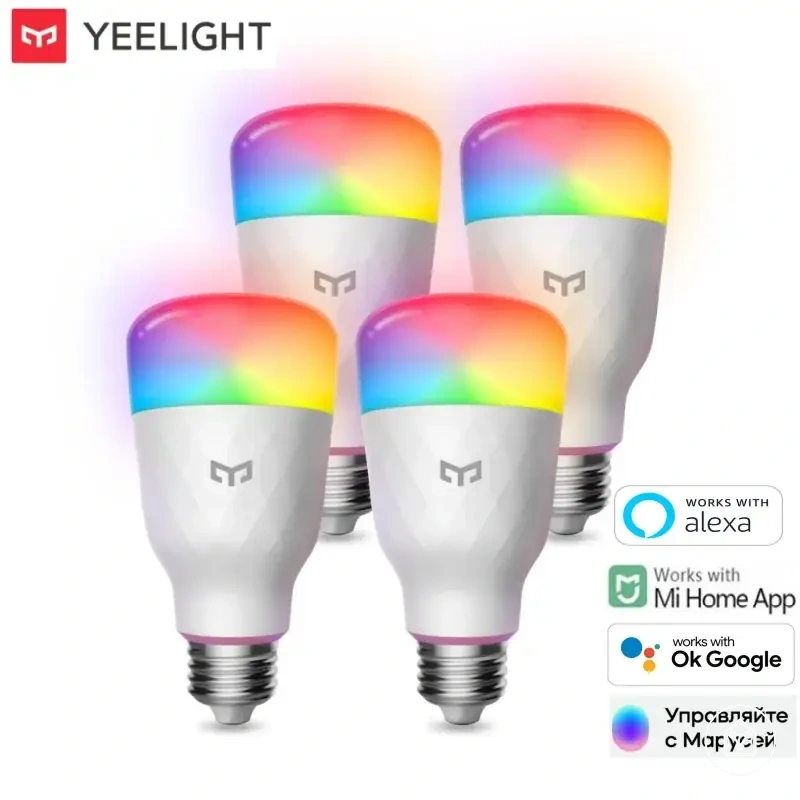
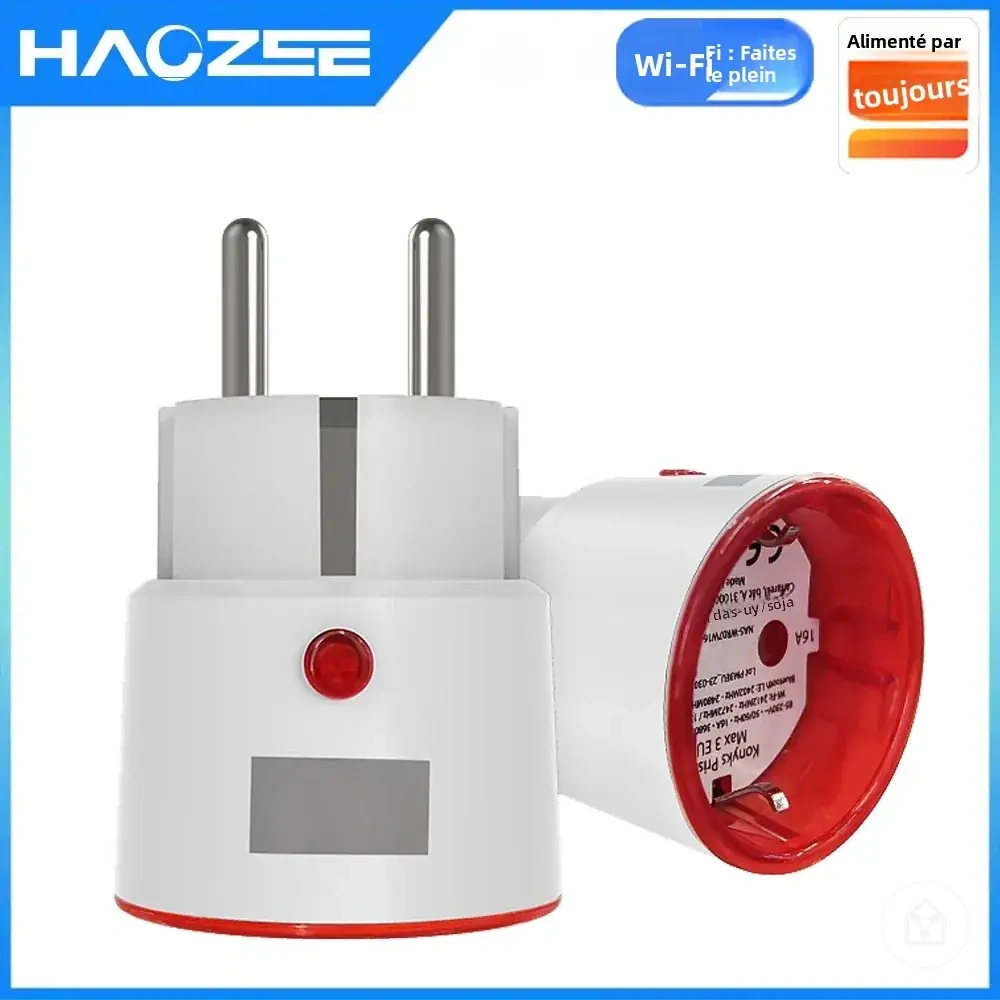
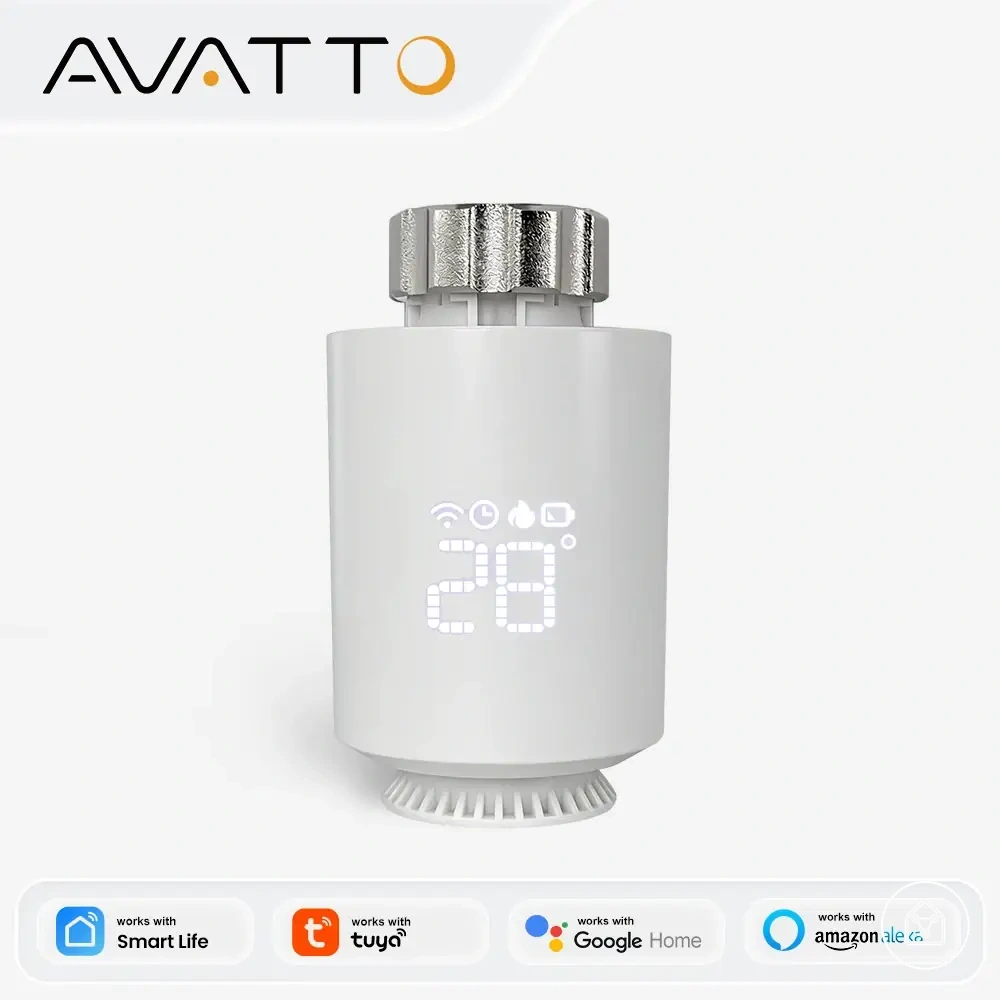
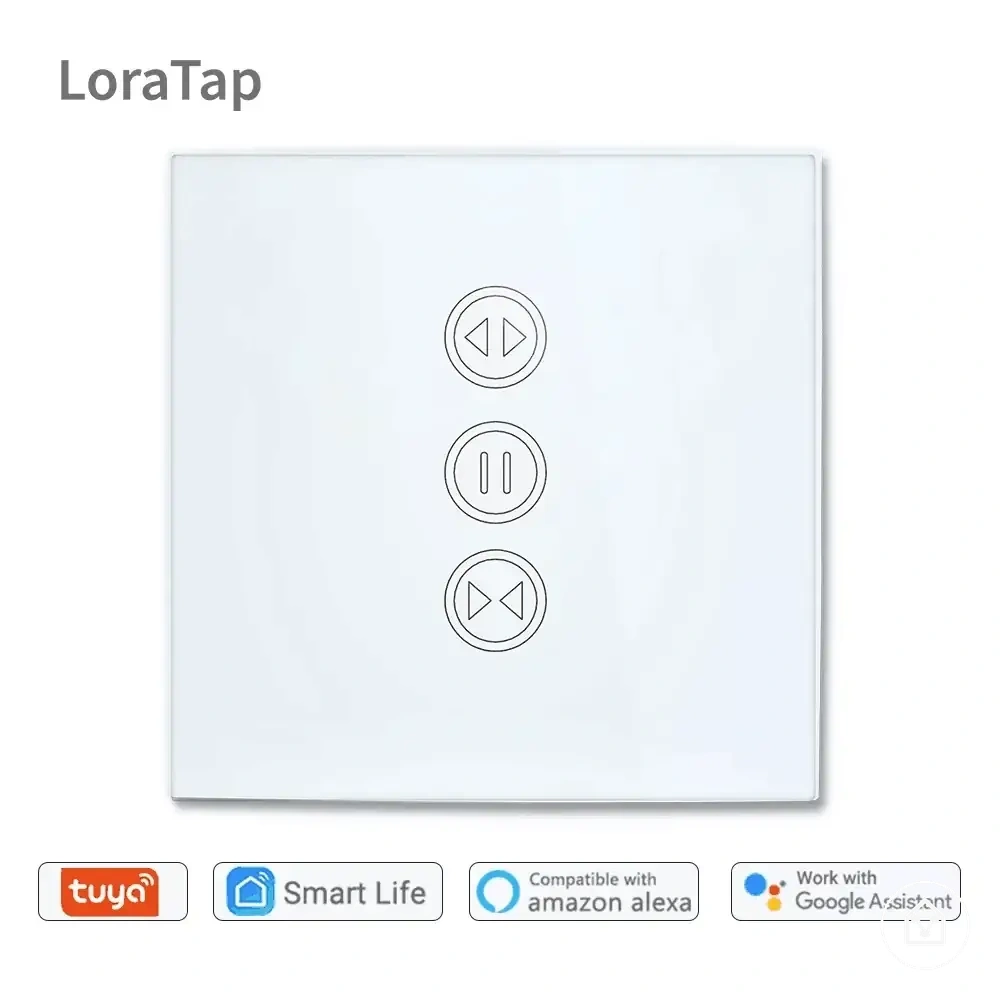
Here are product examples that may make comparison easier.
Here are product examples that may make comparison easier. Before buying, always review the compatibility criteria, essential features, and product details.
Which smart home device types are usually most useful
The most useful smart home device types depend on the user's home need, how often the problem occurs, and the practical impact of the solution. Lighting, security, sensors, plugs, and climate controls are common starting points because they address frequent household activities. Usefulness is conditional on the household situation rather than a universal ranking.
Usefulness is conditional on the household situation rather than a universal ranking.
Smart home device usefulness can be evaluated through decision signals such as frequency of use, problem severity, setup burden, and compatibility risk. A device type that addresses a repeated inconvenience or important monitoring need may have greater practical value, while higher setup requirements or system limitations can reduce suitability.
Usefulness criteria checklist:
- Frequency of use: A device type may have higher priority when it supports a task performed regularly, such as everyday lighting routines or repeated comfort adjustments.
- Problem severity: Security devices and sensors may receive higher priority when the home need involves monitoring, alerts, or awareness of important conditions.
- Setup burden: Plugs and portable controls may suit households seeking lower setup demands, while integrated systems may require additional compatibility checks.
- Compatibility risk: Climate controls and connected equipment should be assessed against existing systems because compatibility can affect practical usefulness.
- Automation value: A device type may provide greater practical impact when automation reduces repeated manual actions or supports regular household routines.
- Renter suitability: Portable device types may be more suitable when the living arrangement limits permanent changes.
- Long-term maintenance: Device priority should consider ongoing management needs such as updates, power requirements, and household use patterns.
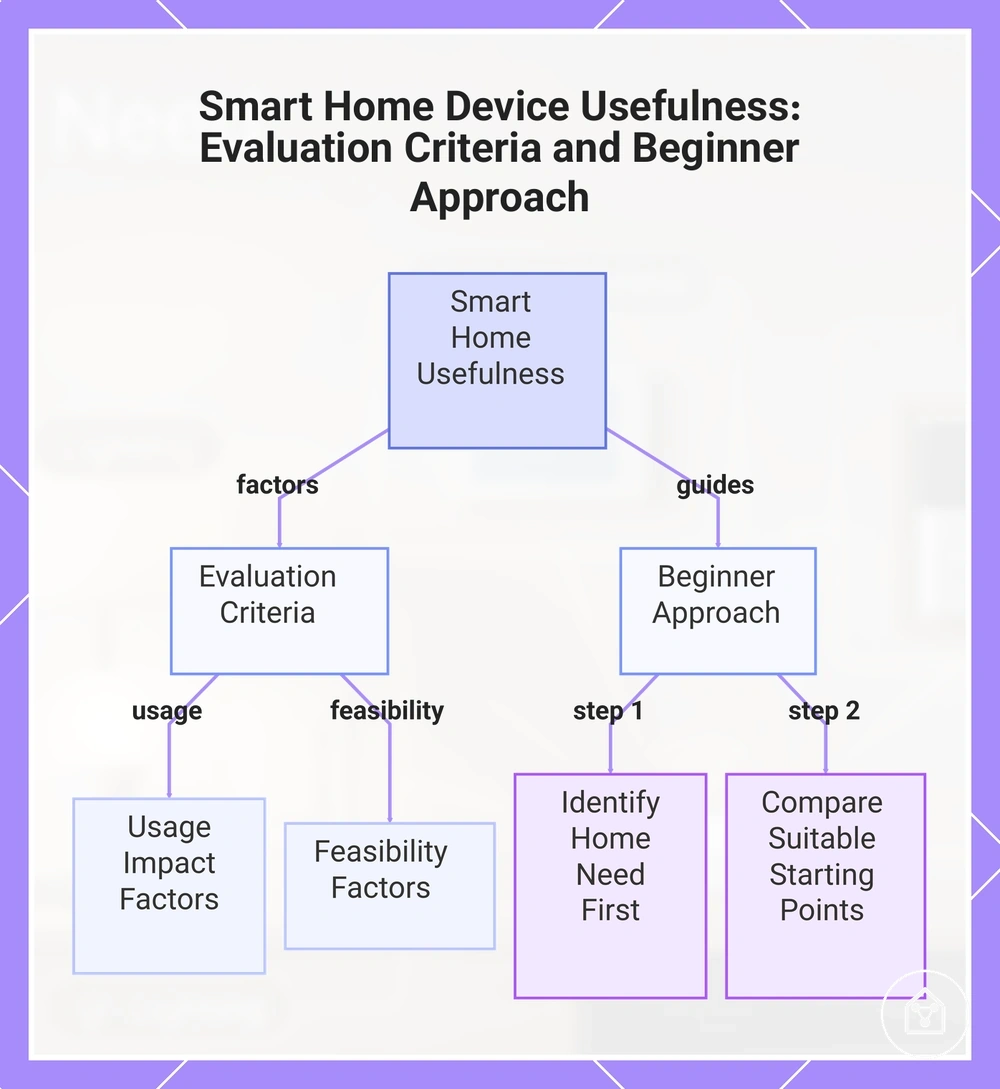
For beginners, prioritising a smart home device type starts with identifying the home need rather than selecting a category first. A household can use smart home devices for beginners as a decision-support reference when comparing suitable starting points.
Before buying, always review the compatibility criteria, essential features, and product details.
Here are product examples that may make comparison easier. Before buying, always review the compatibility criteria, essential features, and product details.
The most useful device type differs between households because priorities change with routines, existing equipment, and practical constraints. One home may gain more everyday value from lighting, while another may prioritise security, sensors, plugs, or climate controls based on the problem being solved.
This chart shows the key factors that determine smart home device usefulness and the recommended approach for beginners to choose the right type.