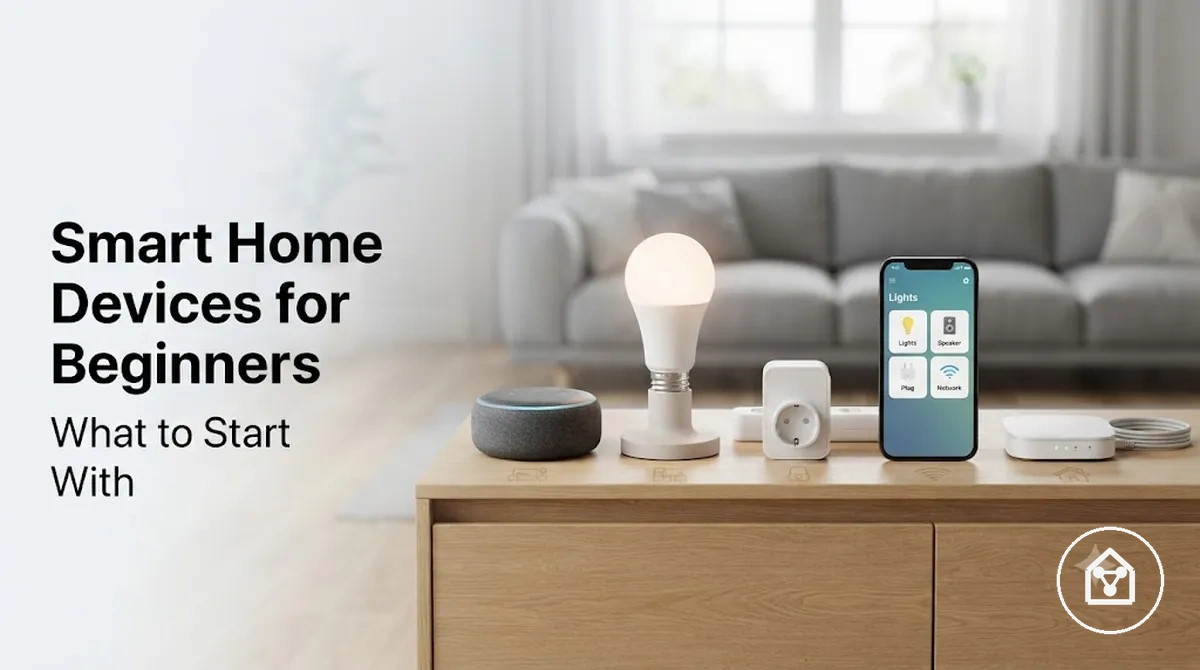
Smart Home Devices for Beginners: First Choices for a Simple Starter Setup
Smart home devices for beginners are easier to choose when the first device solves one clear daily need through a simple starter setup. A first device should match the intended use case, have a manageable setup effort, and provide a practical benefit such as easier lighting control or appliance management.
Matching the first device to these conditions creates more confidence before gradual expansion.
A beginner setup usually works better when it starts with a small number of compatible devices connected to a specific routine or problem. For example, a person who wants easier evening lighting may start with a smart light, while someone who wants simple appliance control may consider a smart plug. The key checks are the control method, required app or hub, and compatibility with the existing home environment. Matching the first device to these conditions creates more confidence before gradual expansion.
Beginners often choose too many devices before understanding how each option fits their home and daily habits.
Beginners often choose too many devices before understanding how each option fits their home and daily habits. A gradual expansion approach helps identify which features provide real value and reduces the chance of unused devices. For example, a renter testing a beginner smart home setup can start with one removable device for a single room, evaluate the experience, and add compatible devices only when a new need appears.
Beginner basics, selection criteria, and device categories help build a clearer decision path.
The first step is choosing smart home devices based on daily needs, setup comfort, and compatibility requirements. A simple starter setup provides a foundation for gradual expansion without requiring advanced automation knowledge at the beginning. Beginner basics, selection criteria, and device categories help build a clearer decision path.
Table of Contents
Smart Home Basics Beginners Should Understand First
Smart home devices are connected home products that let people manage everyday home functions through an app, voice assistant, hub, routine, or local trigger. A smart home device performs a specific task, while the controller and connection method determine how that task is accessed. Beginners should first understand these basic relationships before expanding a starter setup.
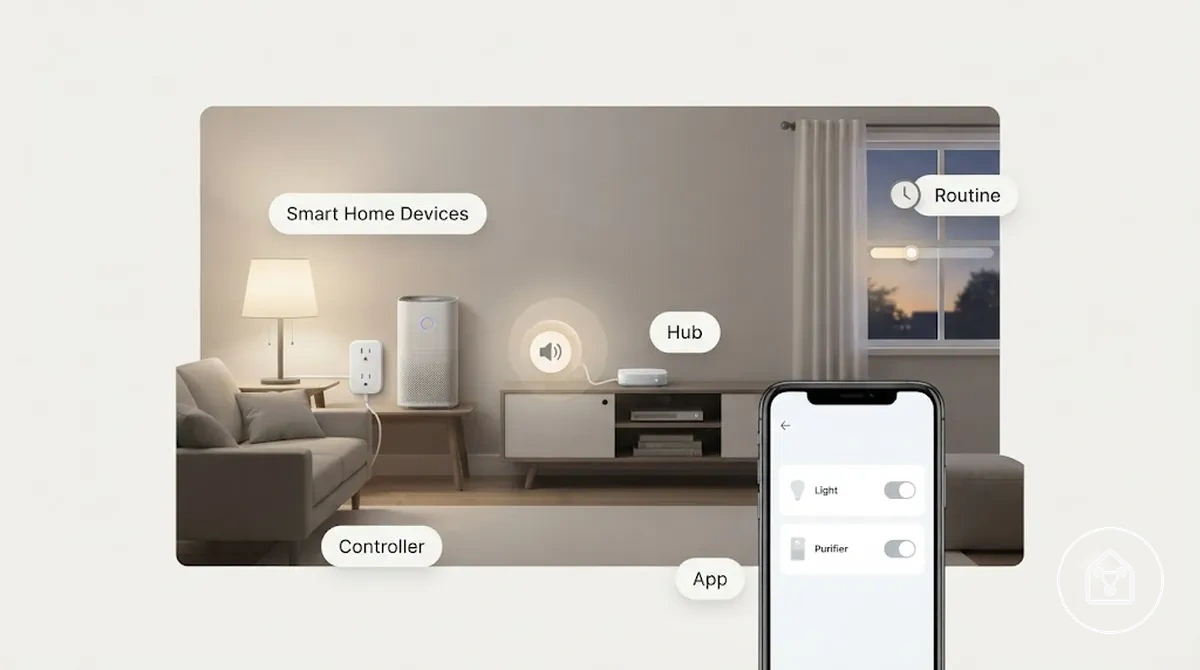
Smart home devices are easier to evaluate when beginners understand the difference between the device itself, the controller, the connection requirement, and the room use case. A device may use a phone app, voice assistant, hub, or routine as its control method, while its operation may require a compatible network connection or supporting component. The main decision factor is whether the device type and control method match the user's daily need.
The main decision factor is whether the device type and control method match the user's daily need.
These basic smart home components create the foundation for a beginner setup:
- Device: The connected home product that performs the intended task, such as controlling lighting, managing an appliance, or providing a local alert.
- Controller: The interface used to manage the device, such as an app, voice assistant, button, or other control method.
- Hub: A central connection point that links compatible devices and coordinates communication between them.
- Routine: A saved sequence that connects a trigger with one or more device actions.
For example, a beginner using a smart light in a bedroom may control it through a phone app, a voice assistant, or a routine that changes the light at a chosen time. This page focuses on choosing first smart home devices rather than covering every device type or advanced automation feature. For a broader category overview, explore the smart home devices hub.
What Makes a Smart Home Device Beginner-Friendly
A beginner-friendly smart home device is one that balances setup effort, everyday usefulness, control simplicity, compatibility, safety, and reversibility for a specific home situation. The right first purchase is determined by how well the device solves a daily need without adding unnecessary friction.
The main evaluation signal is whether the device matches the user's home condition, intended use, and comfort level.
Smart home devices are easier to choose when beginners evaluate both the benefit and the effort required to use them. A device with a clear purpose, a suitable control method, and a compatible connection setup can create more confidence during the first purchase decision. For example, a renter may prefer a reversible device that does not require permanent changes, while a homeowner may consider devices that fit a longer-term starter setup. The main evaluation signal is whether the device matches the user's home condition, intended use, and comfort level.
Smart home devices are easier to choose when beginners evaluate both the benefit and the effort required to use them.
These criteria help identify whether a smart home device fits a beginner setup:
- Setup effort: The device should match the user's ability to complete installation, app configuration, and connection steps without unnecessary complexity.
- Everyday usefulness: The device should provide a clear benefit connected to a specific room, routine, or repeated home task.
- Control simplicity: The device should support a control method, such as an app, voice assistant, or button, that fits the user's preferred interaction style.
- Compatibility: The device should match the required ecosystem, network conditions, and supporting components needed for operation.
- Safety and reversibility: The device choice should consider whether it suits the environment and whether it can be removed or changed when the user's needs change.
For example, a person creating a one-room beginner setup may choose a simple smart device that provides a visible daily benefit and can be expanded later. A gradual approach helps reduce unnecessary purchases because the first device shows which controls and features are useful. For more detailed selection criteria, see how to choose smart home devices.
Low Setup Effort and Everyday Usefulness
A beginner-friendly smart home device should solve a real daily task without requiring complex installation or configuration. The first device becomes more useful when its setup effort matches the user's comfort level and the result creates a visible benefit during normal home use.
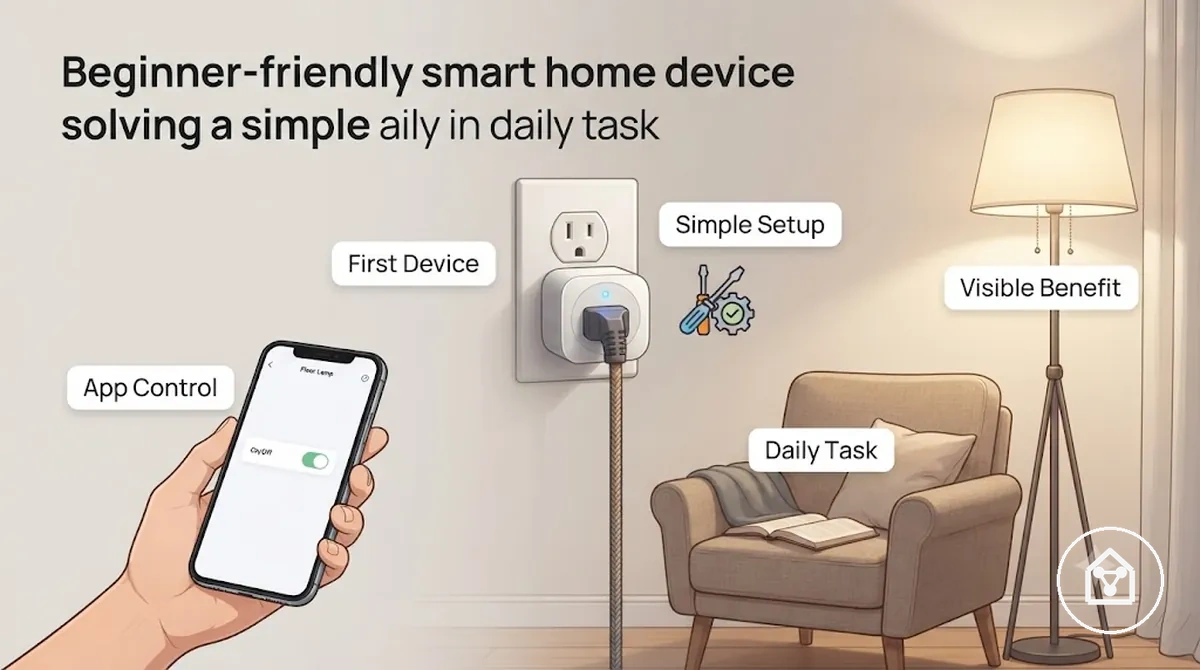
Low setup effort connects the device category, configuration needs, and daily task it supports. A simple smart device with a clear purpose can reduce friction when a user starts a beginner setup. For example, lamp control can provide a visible lighting change through a compatible app, while a device with schedule support can connect a repeated task with a routine.
Low setup effort connects the device category, configuration needs, and daily task it supports.
Common examples of everyday usefulness in a beginner setup include:
- Lamp control: A smart light can help manage room lighting through a compatible control method and create a visible change in the space.
- Schedule control: A device with scheduling capability can link a repeated daily task with a selected routine.
- Simple alerts: A suitable sensor can provide a local notification when its intended condition is detected.
A practical example is a person starting with one room who chooses a first device that solves a repeated task without adding unnecessary configuration. The suitable choice depends on the room, existing setup, and intended use, so a simple device can provide a clearer path for gradual expansion.
Simple Control Without Complex Automation
Beginner-friendly smart home devices should provide simple control through a familiar app, voice command, button, or schedule before adding more complex automation features. The most suitable control option matches the user's daily task, required connection, and comfort with the device.
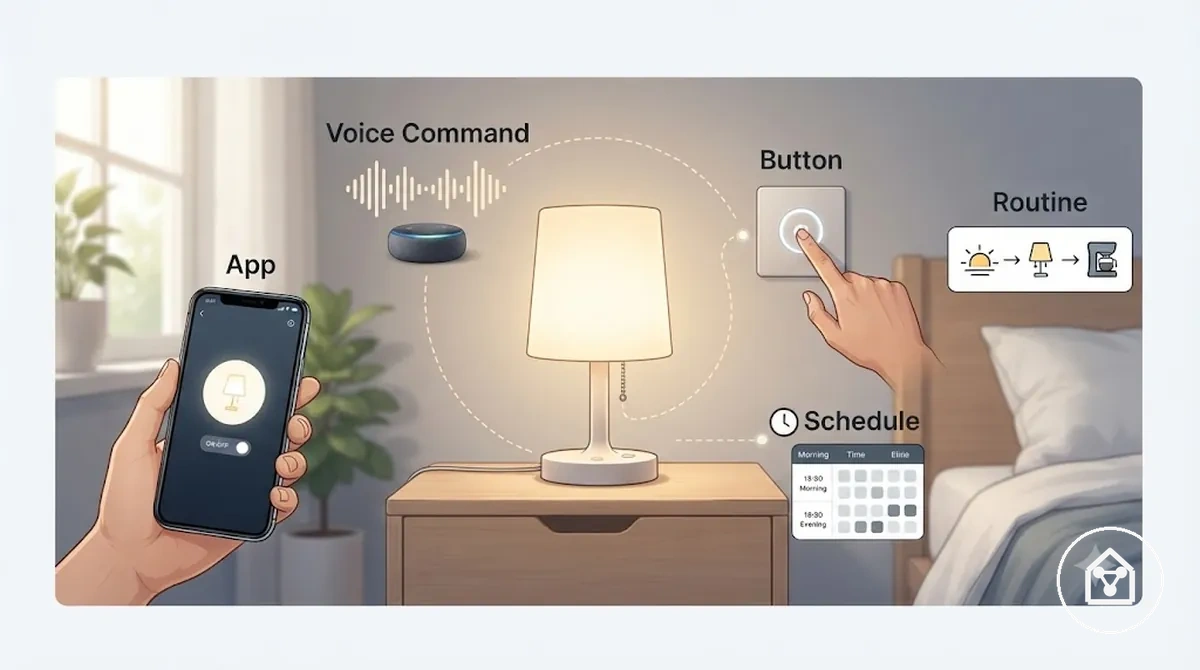
Smart home devices use different control options based on the device category and the user's preferred interaction style. An app provides phone-based control, a voice command allows hands-free interaction through a supported assistant, a button offers direct manual control, and a schedule connects a repeated task with a selected time. A hub or routine can support future expansion, but simple control is often the clearer starting point for a beginner setup.
Smart home devices use different control options based on the device category and the user's preferred interaction style.
These control options help beginners compare the main requirements:
- App: A phone-based control option that requires a compatible device and app connection for daily use.
- Voice command: A hands-free control option that requires a supported voice assistant and a compatible connected device.
- Button: A direct manual control option that allows a user action without relying on a phone interface.
- Schedule: A time-based control option that links a repeated task with a planned device response.
For example, a person using a smart light in one room may begin with app control or a button before exploring a routine that combines multiple actions later. Starting with simple control helps the user understand the daily value of the device before adding more automation features.
Best First Smart Home Device Categories to Consider
The best first smart home device categories depend on the user's use case, setup effort, control preference, and expected beginner value. A suitable starter category should solve a clear home need while keeping the first experience simple and easy to understand.
The main evaluation signal is whether the category matches the user's daily task, home environment, and comfort with setup.
Smart speakers, smart plugs, smart lights, and smart sensors support different beginner goals based on room fit, visible benefit, and control method. A smart speaker can act as a voice control point, a smart plug can add control to a compatible appliance, a smart light can create a visible room change, and a smart sensor can provide a simple alert when a specific condition is needed. The main evaluation signal is whether the category matches the user's daily task, home environment, and comfort with setup.
Smart speakers, smart plugs, smart lights, and smart sensors support different beginner goals based on room fit, visible benefit, and control method.
These first device categories can be compared by their main beginner considerations:
| Category | Use Case | Setup Effort | Control Method | Beginner Value |
|---|---|---|---|---|
| Smart speakers | Voice control and a central interaction point | Simple when the device fits the user's ecosystem | Voice command and app | Useful for users who prefer hands-free control |
| Smart plugs | Managing compatible appliances | Low when the appliance connection is suitable | App, button, or schedule | Useful for testing smart control with one task |
| Smart lights | Room lighting changes and simple routines | Simple when the lighting setup is compatible | App, voice command, or schedule | Provides a visible benefit during daily use |
| Smart sensors | Simple alerts and condition awareness | Depends on placement and intended use | App notifications or connected actions | Useful when a specific alert need exists |
For example, a person wanting a visible change in one room may consider smart lights, while someone testing appliance control may prefer a smart plug. Beginners can explore smart home device types to understand how different categories fit different use cases without treating one category as universally best.
Smart Speakers and Displays for Basic Control
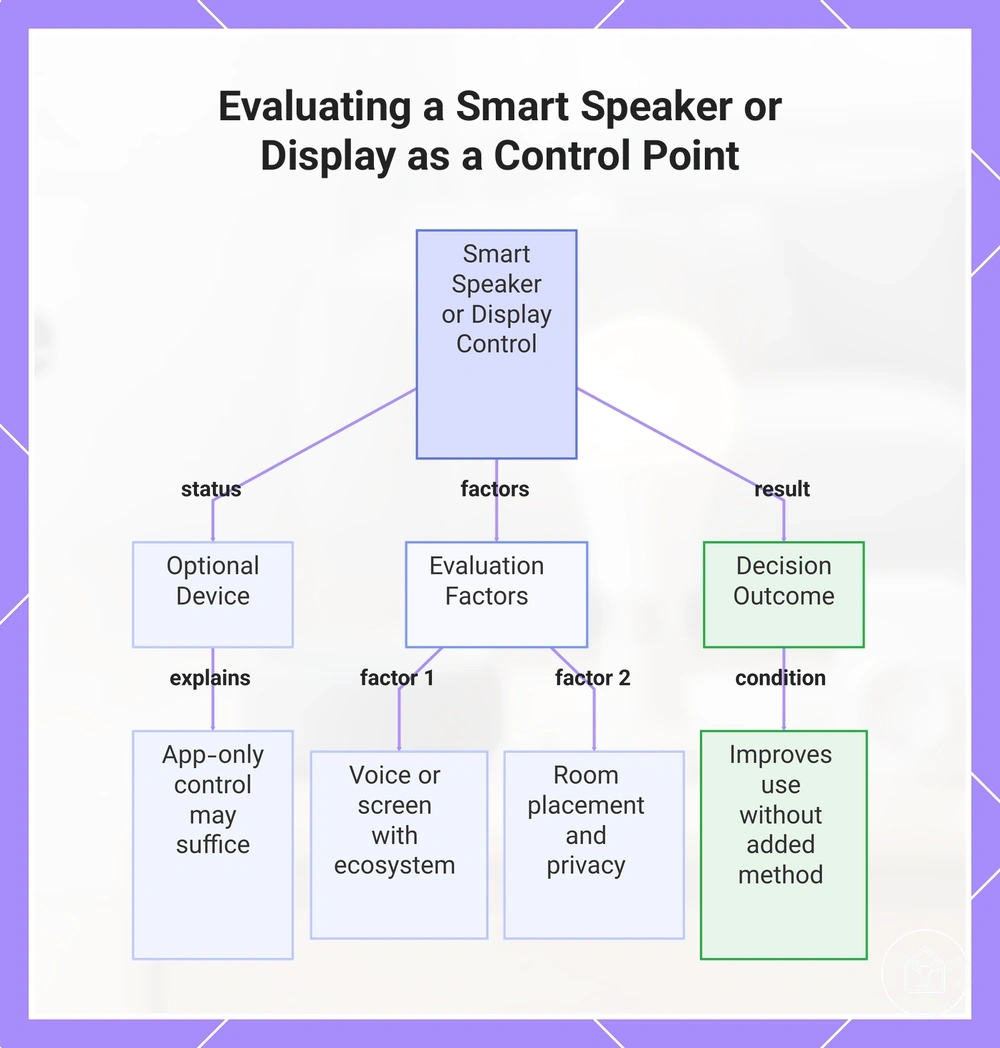
A smart speaker or smart display can work as a control point when voice access or screen access improves how a user manages connected devices. It is not a required starting device because app-only control may already suit users who prefer phone-based interaction.
It is not a required starting device because app-only control may already suit users who prefer phone-based interaction.
Smart speakers and smart displays are most useful when their control role matches the user's ecosystem, room placement, and daily habits. A smart speaker can provide voice access for compatible devices, while a smart display can add screen access for users who prefer visual interaction. For example, a device placed in a commonly used room may make voice control more convenient than opening an app repeatedly. The decision depends on whether the added control method improves daily use while fitting the user's privacy preferences.
The decision depends on whether the added control method improves daily use while fitting the user's privacy preferences.
Beginners can consider these factors when evaluating a smart speaker or smart display as a control point:
- Control role: The device should provide a useful control method, such as voice access or screen access, for the connected devices the user wants to manage.
- Ecosystem fit: The speaker or display should align with the user's existing ecosystem and compatible connected devices.
- Room placement: The location should support convenient daily interaction without creating unnecessary disruption.
- Privacy: Users should consider where voice-enabled devices are placed and whether the control method matches their comfort level.
A user who frequently prefers voice access may benefit from a smart speaker as a central control point, while another user may prefer app-only control for a smaller setup. The better choice is the option that improves daily device interaction without adding a control method the user does not need.
The better choice is the option that improves daily device interaction without adding a control method the user does not need.
This chart shows the key factors to consider when deciding whether to use a smart speaker or display as a control point, along with the decision outcome.
Smart Plugs for Simple Appliance Control
A smart plug can be a low-friction first device for simple appliance control when a user needs basic on-off control, scheduling, or manual operation. Its usefulness depends on the appliance type, plug load, outlet access, and whether the connected device is suitable for smart switching.
Smart plugs are most suitable for compatible appliances where remote control supports a clear daily task.
Smart plugs are most suitable for compatible appliances where remote control supports a clear daily task. For example, a lamp can benefit from a schedule or app-based control, while an unsuitable appliance type may require different control considerations. Users should check the appliance requirements, plug load, outlet access, and whether manual override remains available before choosing a smart plug. The decision effect is clearer appliance control without replacing manufacturer guidance for the connected device.
The decision effect is clearer appliance control without replacing manufacturer guidance for the connected device.
These examples help identify smart plug suitability for a beginner setup:
- Suitable appliance type: Lamps and other compatible devices that benefit from simple on-off control, schedule use, or remote switching.
- Outlet access: The smart plug should connect in a location where the outlet and manual controls remain accessible.
- Plug load: The appliance requirements should match the smart plug's supported load limits.
- Manual override: Users should consider whether direct physical control remains available when needed.
A person starting with one daily task may choose a smart plug to manage a compatible appliance without adding unnecessary complexity. However, appliance suitability, electrical requirements, and manufacturer guidance remain important conditions when deciding whether a smart plug fits the intended use case.
Smart Lights for Visible Everyday Benefits
Smart lights can provide beginners with a visible everyday benefit through schedules, scenes, dimming, and remote control. They are most suitable when the light type, room use, and existing switch behavior match the user's intended daily task.
Smart lights support different needs depending on the bulb, light strip, or switch option and the way the room is used.
Smart lights support different needs depending on the bulb, light strip, or switch option and the way the room is used. A smart bulb can provide app or voice control while keeping the existing fitting, while a light strip can suit areas where a visible lighting change is useful. A smart switch may be suitable when controlling existing fixtures is the goal, but its fit depends on the current switch setup and installation requirements. The main decision signal is choosing a lighting option that improves daily convenience without adding unnecessary complexity.
The main decision signal is choosing a lighting option that improves daily convenience without adding unnecessary complexity.
These factors help beginners compare smart lights for a first setup:
- Room use: The smart light choice should match where the visible benefit is needed, such as regular room lighting or a specific lighting area.
- Control options: App control, voice control, schedules, scenes, and dimming provide different ways to manage connected lights.
- Bulb, light strip, or switch: A bulb focuses on individual light control, a light strip supports focused lighting areas, and a switch can control suitable existing fixtures.
- Brightness or colour needs: Users should consider whether they need dimming, brightness adjustment, or colour options for their intended room use.
A person starting with one room may choose a smart bulb for a visible lighting change or a smart switch when existing fixture control is the main priority. The suitable choice depends on the current setup, room purpose, and the type of daily convenience the user wants to create.
Smart Sensors for Awareness and Simple Triggers
Smart sensors can help beginners add awareness, alerts, or simple triggers when a specific condition needs attention. They are most useful when the sensor type, placement condition, power source, and expected notification outcome match the user's daily need.
Smart sensors support different awareness tasks depending on the sensor type and where they are placed.
Smart sensors support different awareness tasks depending on the sensor type and where they are placed. A motion sensor can detect movement in a suitable area, a contact sensor can monitor an open or closed state, a temperature sensor can provide awareness of temperature changes, and a leak sensor can provide an alert when moisture is detected. Battery-powered sensor devices can suit locations where wired access is limited, while placement conditions affect whether the notification provides useful information. The decision effect is choosing a sensor that supports a specific awareness need without adding unnecessary complexity.
The decision effect is choosing a sensor that supports a specific awareness need without adding unnecessary complexity.
These common smart sensor roles help beginners compare possible uses:
- Motion sensor: A sensor type used for movement awareness in a suitable room or area where activity detection is needed.
- Contact sensor: A sensor type used to monitor whether an object, door, or window is open or closed.
- Temperature sensor: A sensor type used when users need awareness of temperature changes in a specific location.
- Leak sensor: A sensor type used to provide an alert when moisture detection is needed.
A person starting with one awareness task may choose a smart sensor that matches the room condition, battery availability, and expected alert outcome. The suitable choice depends on the specific trigger needed and how that information supports the user's daily routine.
Starter Kits Versus Individual Beginner Devices
A starter kit and an individual device provide different ways to begin a smart home setup. A starter kit can simplify early choices through a bundle of components, while an individual device allows users to test a specific use case before expanding.
A starter kit and an individual device provide different ways to begin a smart home setup.
The better option depends on ecosystem confidence, compatibility needs, and how clearly the user understands the first task they want to solve. A bundle may provide a coordinated starting point, but unused components can reduce its value when the included devices do not match the user's needs. An individual device usually provides more flexibility for testing one room or function, but future expansion may require more planning around ecosystem lock-in. The main evaluation signal is whether the chosen path supports a practical expansion path without creating unnecessary complexity.
The main evaluation signal is whether the chosen path supports a practical expansion path without creating unnecessary complexity.
Starter kits and individual devices can be compared by their main decision factors:
| Option | Main advantage | Trade-off | Best-fit condition |
|---|---|---|---|
| Starter kit | Provides a coordinated bundle with multiple components | Unused components may reduce value if they do not match the user's needs | Suitable when the user already understands the ecosystem and planned use case |
| Individual device | Provides flexibility to test one specific task | Requires more decisions about compatibility and future expansion | Suitable when the user is testing one room or building confidence |
For example, a user who already knows the ecosystem they want to use may choose a starter kit because the included components support a planned expansion path. A user still testing smart home devices in one room may choose an individual device first because it provides more confidence before adding a wider bundle.
Compatibility Checks Before Choosing Beginner Devices
Compatibility checks help beginners confirm whether a smart home device is likely to fit their home setup before buying or opening a kit. The main checks include ecosystem, app support, control options, connection requirements, and physical setup conditions.
A device may create setup friction when its requirements do not match the user's existing environment.
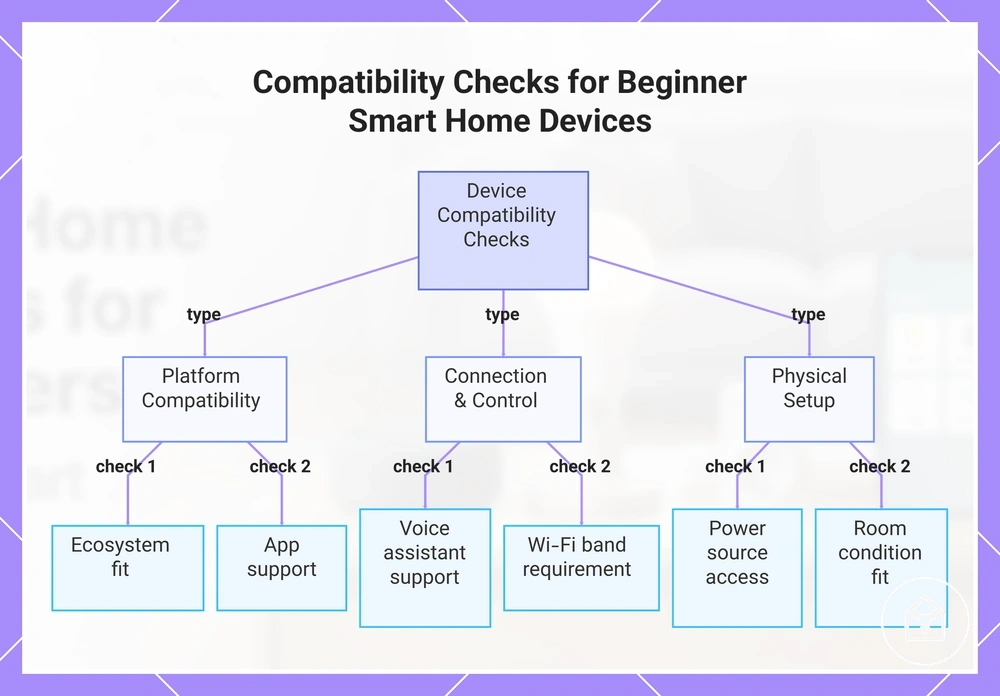
A device may create setup friction when its requirements do not match the user's existing environment. Ecosystem fit affects whether the device connects with the user's preferred platform, while app support affects how the device is managed. Voice assistant support, Wi-Fi band, hub requirement, power source, and room condition can each influence usability and setup effort. The main evaluation signal is whether the device requirements match the conditions where the device will be used.
The main evaluation signal is whether the device requirements match the conditions where the device will be used.
These compatibility checks help beginners identify common setup risks:
- Ecosystem: Check whether the device fits the user's existing smart home ecosystem or planned expansion path.
- App support: Confirm that the required app supports the device's main control functions.
- Voice assistant: Check whether the preferred voice assistant supports the intended device control method.
- Wi-Fi band: Verify whether the device requires a supported Wi-Fi band available in the home network.
- Hub requirement: Confirm whether an additional hub is needed for the device to operate as intended.
- Power source and room condition: Check whether the location provides suitable power access and whether the room environment matches the device placement needs.
For example, a user selecting a smart sensor for a room without nearby power access may need to consider a battery-powered option, while another user may need to confirm ecosystem and app fit before adding a device. Deeper protocol and hub decisions require more detailed compatibility or connectivity guidance beyond this beginner checklist.
Deeper protocol and hub decisions require more detailed compatibility or connectivity guidance beyond this beginner checklist.
This chart shows the main compatibility checks beginners should perform before choosing a smart home device, grouped by platform, connection/control, and physical setup.
App, Voice Assistant, and Ecosystem Fit
App support, voice assistant support, and ecosystem choice affect whether a beginner smart home device matches the user's preferred control method. The right fit depends on the required control option, account needs, and household access conditions.
A device's control option should match how the user plans to manage it.
A device's control option should match how the user plans to manage it. App support affects whether the required app provides the needed controls, while account needs affect who can access the setup. Voice assistant support can improve control when the preferred assistant supports the required functions, but household access requirements may affect shared use. The main evaluation signal is whether the ecosystem choice and control requirements improve setup confidence without adding unnecessary friction.
App support affects whether the required app provides the needed controls, while account needs affect who can access the setup.
These compatibility checks help beginners verify app, assistant, and ecosystem fit before choosing a device:
- App support: Confirm that the device has supported app access and that the app provides the controls needed for the intended use.
- Account needs: Check whether account creation is required and whether the people who need access can use the setup.
- Voice assistant support: Verify that the preferred voice assistant supports the control functions the user wants to use.
- Household access: Consider whether shared users can access and manage the device according to the home's needs.
For example, a household that prefers voice control may choose a device with suitable voice assistant support, while a user who manages devices mainly through a phone may prioritise app support. Checking these conditions before setup can reduce compatibility friction and improve confidence when expanding the smart home.
Wi-Fi, Hub, and Room Conditions
Wi-Fi reach, hub dependency, room placement, and power conditions affect whether a beginner smart home device fits the intended location. These compatibility checks help identify setup risks before a device is chosen.
These compatibility checks help identify setup risks before a device is chosen.
A device's connection type, physical placement, and power condition can influence reliability during daily use. Wi-Fi reach affects whether a device can communicate from its planned location, while hub dependency determines whether an additional connection component is required. Outlet position, battery access, and wall switch behavior can also affect device fit in a specific room. The main evaluation signal is whether the room condition and power setup support the intended device function.
Outlet position, battery access, and wall switch behavior can also affect device fit in a specific room.
These checks help beginners evaluate Wi-Fi, hub, and room fit before choosing a device:
- Wi-Fi reach: Check whether the planned room location has suitable network access for the device's connection type.
- Hub dependency: Confirm whether the device requires a hub and whether the hub can be placed in a suitable location.
- Outlet position: Verify that the device location provides suitable access to the required power source.
- Battery access: Consider whether a battery-powered device can be maintained after placement.
- Wall switch behavior: Check whether existing switch use matches the intended device control method.
- Room placement: Consider distance and physical obstructions that may affect reliability in the chosen location.
For example, a battery-powered sensor may suit a room without nearby outlet access, while a device requiring continuous power may need a different placement condition. Checking these factors before purchase helps reduce setup risk when the device is added to the home.
A Small Beginner Setup That Can Grow Gradually
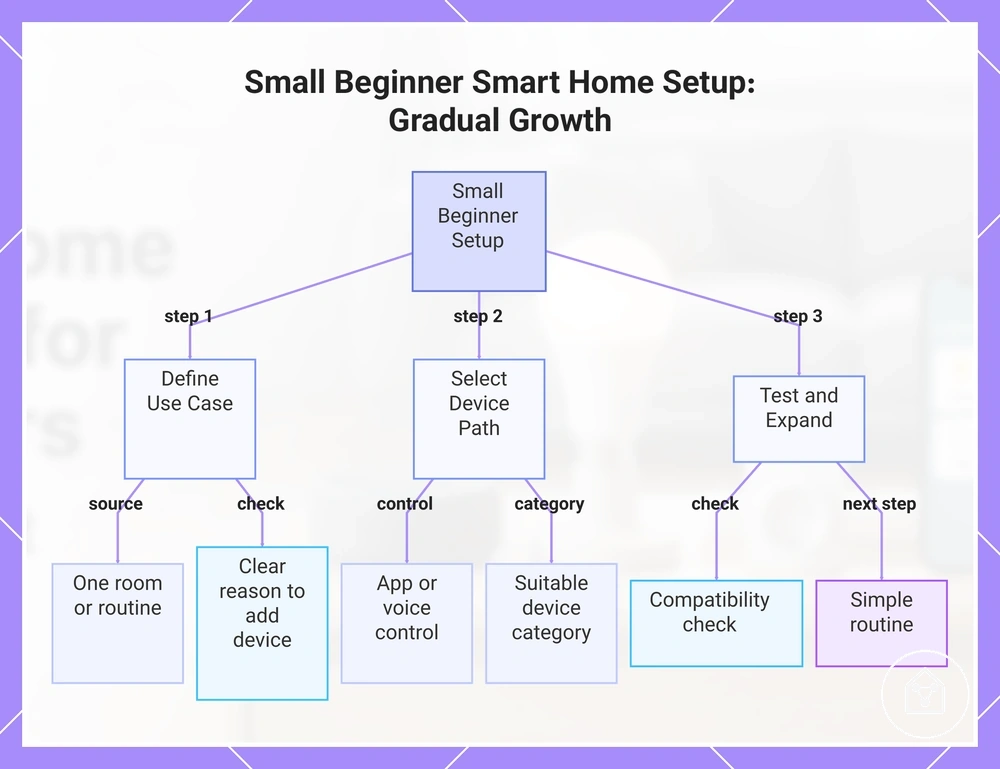
A beginner setup works best when it starts with one room or one routine instead of multiple devices at once. This approach helps users understand what provides value before expanding. The setup should remain focused on a specific one-room or one-routine goal.
This decision sequence helps create a more focused beginner setup.
Many beginners create wasted devices and compatibility issues by choosing products before identifying the task they want to improve. A gradual approach starts with a clear use case, such as controlling lighting or managing a repeated appliance task, and then selects a suitable device path. The first use case becomes the basis for choosing the right device category and control method. This decision sequence helps create a more focused beginner setup.
The first use case becomes the basis for choosing the right device category and control method.
A small smart home setup can follow this decision sequence:
- Choose the first use case: Select one room or one routine where a device can support a repeated task. The decision signal is whether the use case provides a clear reason to add a device.
- Select the control point: Choose the main control method, such as app control or voice control, based on how the device will be used. The decision signal is whether the control option matches the user's daily habits.
- Choose the first device category: Select a suitable category, such as smart lights, smart plugs, or sensors, based on the chosen task. The decision signal is whether the device category solves the identified need.
- Complete a compatibility check: Verify ecosystem fit, app support, room conditions, and other requirements before expanding. The decision signal is whether the device fits the home conditions.
- Create a simple routine: Use the device in a repeated action before adding more components. The decision signal is whether the routine provides enough value to justify expansion.
The next step is confirming that the first device fits the home and planned use, which is covered in this first smart home setup guidance. A clear control point, first device category, and compatibility check help prepare the setup for gradual use.
A gradual expansion approach works better when each new device follows a clear need and compatibility check.
Adding more devices before the first setup proves useful can create unused components and unnecessary complexity. A gradual expansion approach works better when each new device follows a clear need and compatibility check.
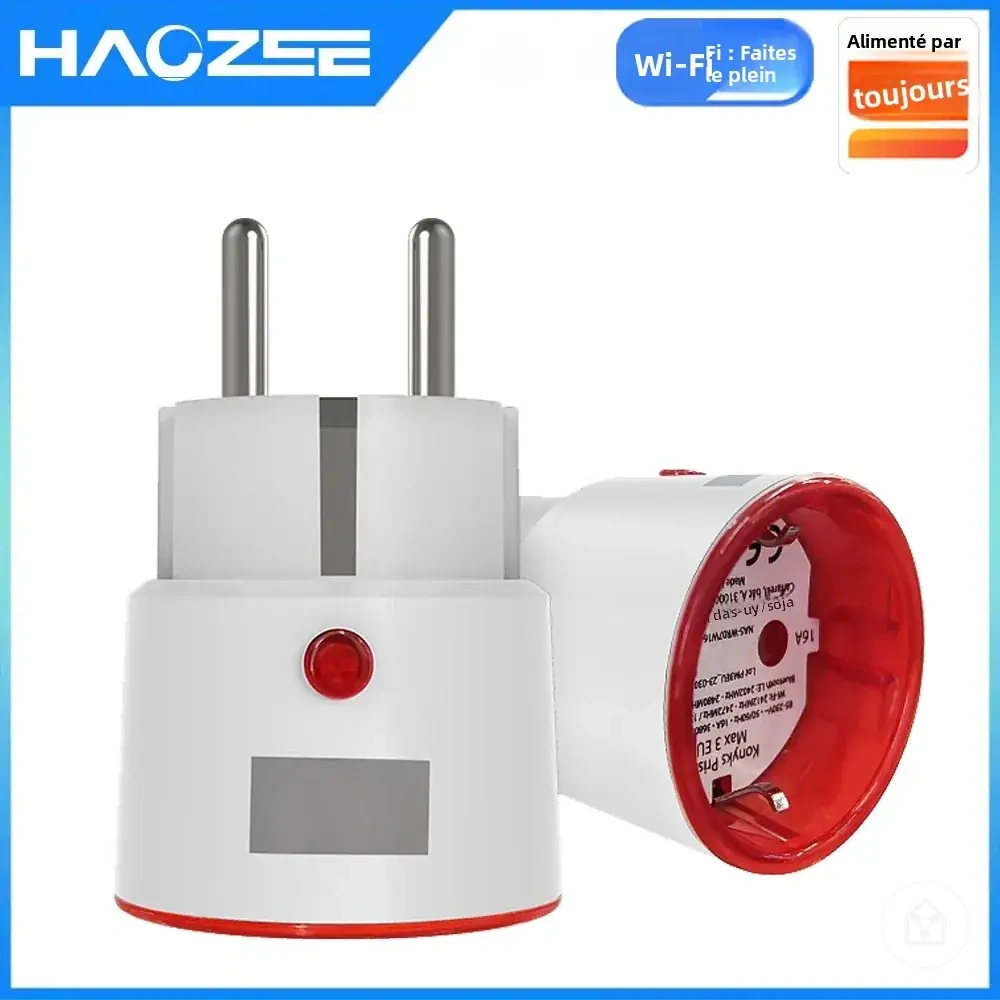
Here are product examples that may make comparison easier.
Here are product examples that may make comparison easier. Before buying, always review the compatibility criteria, essential features, and product details.
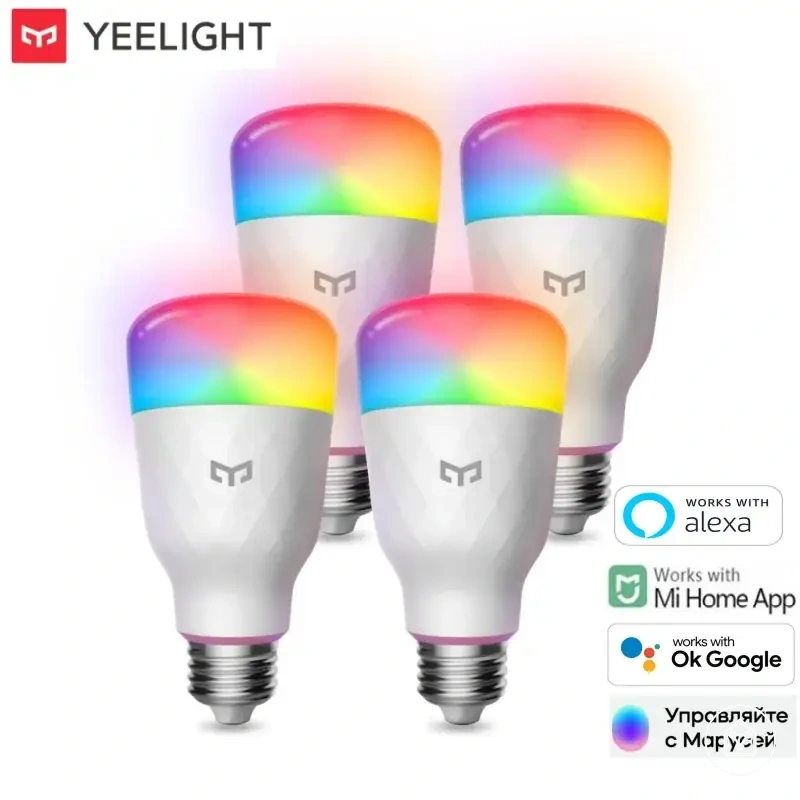
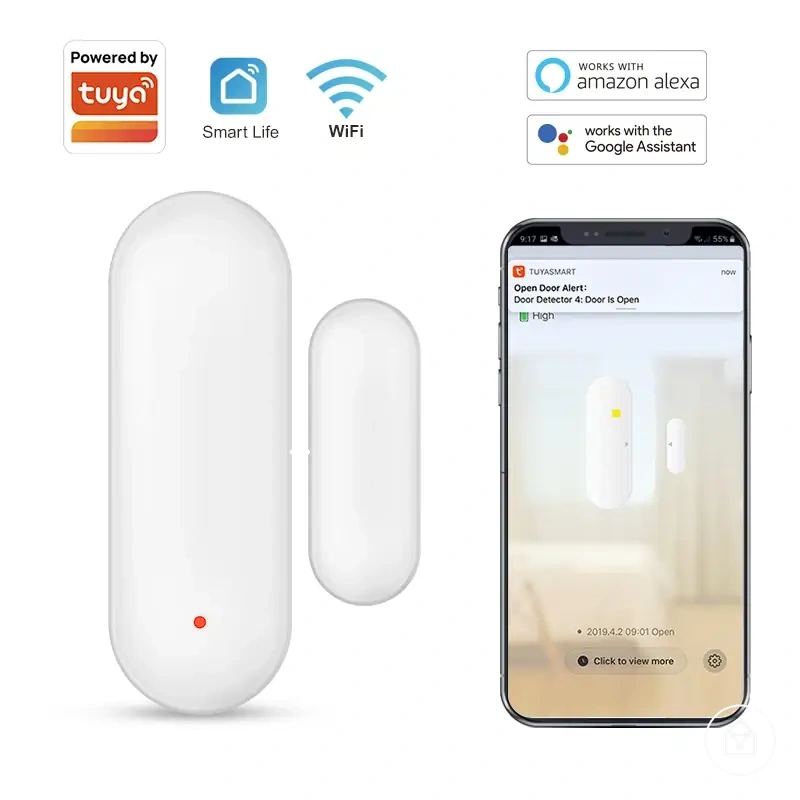
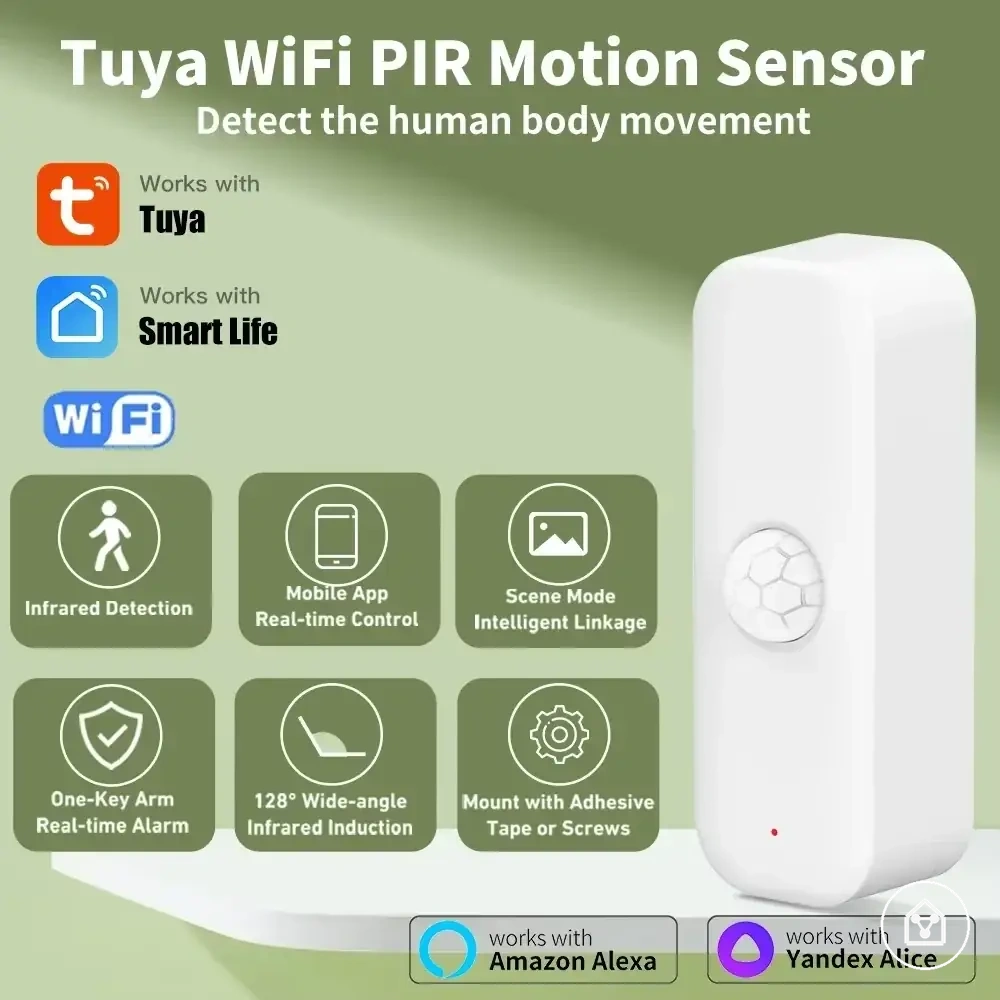
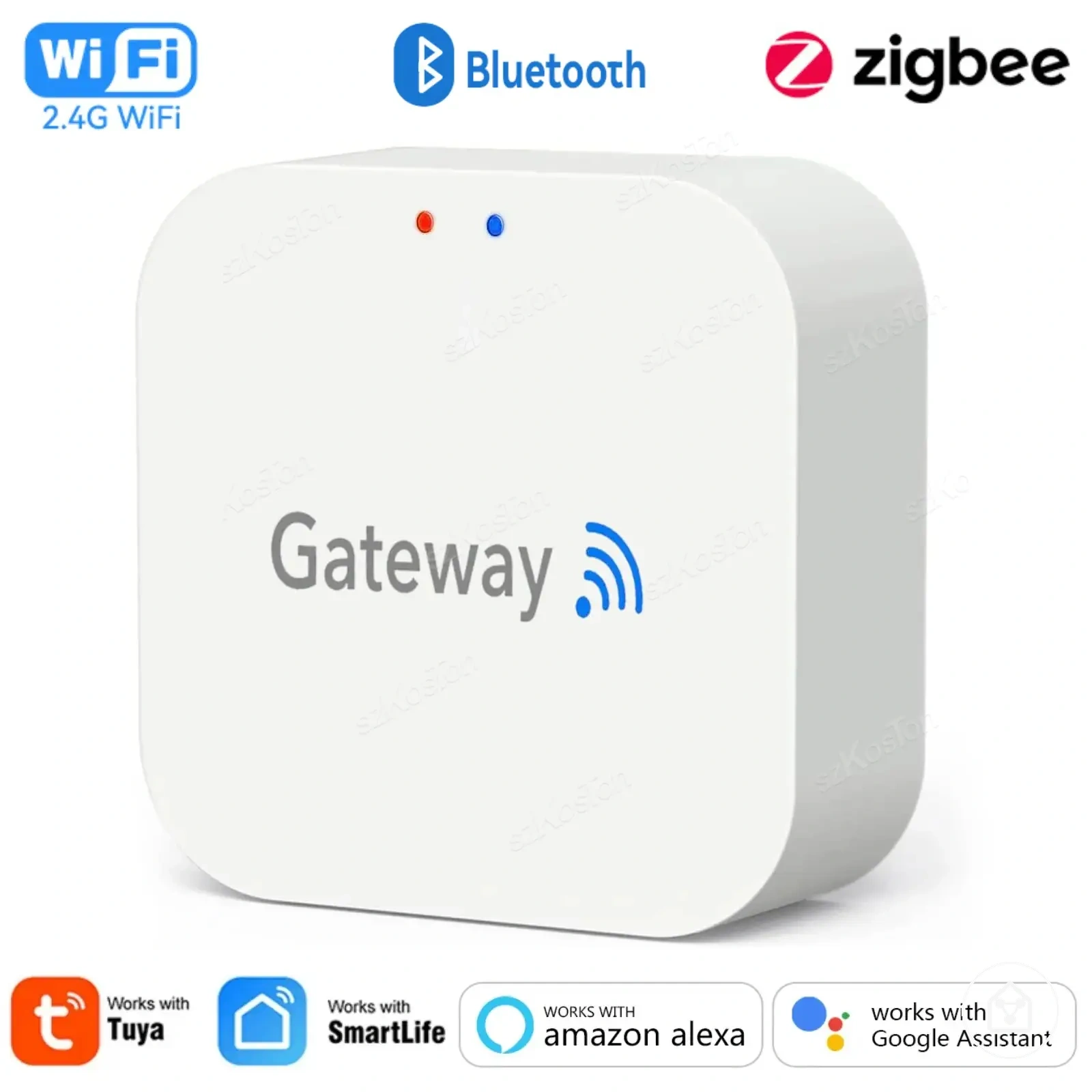
This chart shows the decision sequence for building a small beginner smart home setup that starts with one room or routine and expands gradually.
Start With One Room or One Routine
Start with one room or one routine to create a clear test of value before adding more smart home devices. This approach connects the first use case, device choice, and control method in a focused sequence. The usefulness depends on choosing a task that fits the user's daily needs.
This creates a clearer test of value before moving to the next step.
A room-based start works when the goal is improving one specific space, while a routine-based start works when a repeated action is the main focus. The next step is to connect the room or routine with a suitable task, device, and control method. For example, a user may focus on lighting in one room or a repeated appliance task instead of adding multiple devices at once. This creates a clearer test of value before moving to the next step.
The next step is to connect the room or routine with a suitable task, device, and control method.
Choose the starting path by following this decision sequence:
- Select one room or one routine: Choose a single space or repeated action that has a clear purpose. The success condition is identifying a first use case that can be evaluated after regular use.
- Define the task: Decide what the setup should help with before choosing a device. The success condition is matching the task with a practical device purpose.
- Select the device: Choose a device category that fits the selected room, task, and expected daily value. The success condition is that the device supports the intended use.
- Choose the control method: Select a suitable control point based on how the device will be accessed. The success condition is that the control method fits the user's routine.
A one-room or one-routine approach gives beginners a controlled test before adding more devices. The next step is based on whether the first setup meets the success condition and creates a clear reason for gradual expansion.
Add Devices After the First Use Case Works
Add expansion only after the first use case proves useful in daily life. A second device, sensor, or control point should follow evidence from the first setup rather than the desire to add more features. The decision depends on reliability, adoption, and compatibility confidence.
The first use case provides the proof needed before gradual expansion.
The first use case provides the proof needed before gradual expansion. A second device is more suitable when the existing setup has reliable performance, regular daily use, and clear household adoption. Compatibility confidence should be checked before adding another component because the new device needs to fit the current setup. This creates a decision process based on actual value rather than unused additions.
This creates a decision process based on actual value rather than unused additions.
Use this checklist before adding the next smart device:
- Review reliability: Confirm that the first device performs consistently for its intended task. The decision signal is whether the current setup provides dependable daily value.
- Check daily use: Evaluate whether the first use case has become part of the household routine. The decision signal is whether the device is used often enough to justify expansion.
- Verify compatibility confidence: Check whether the second device, sensor, or control point fits the existing ecosystem and control method. The decision signal is whether the addition supports the current setup.
- Consider household adoption: Confirm that the people using the setup find the first device useful. The decision signal is whether the next device solves a recognised household need.
Adding another device should happen after the first use case has shown clear value and a new need has appeared. Gradual expansion keeps the setup focused because each new device follows reliability, adoption, and compatibility confidence.
Beginner Mistakes That Lead to Poor Device Choices
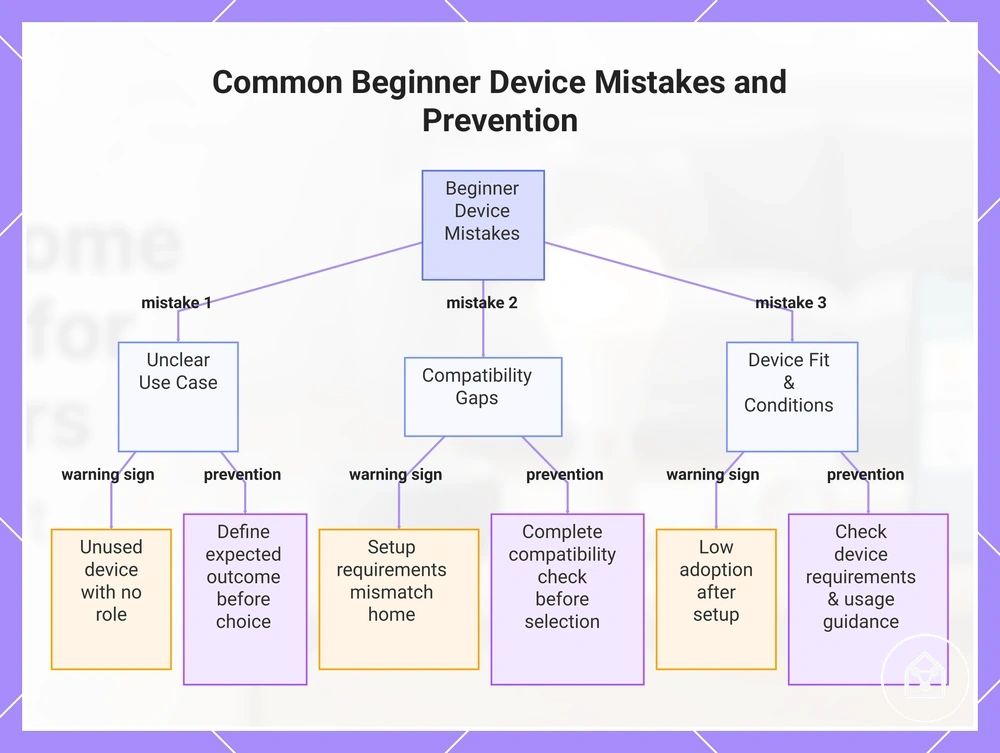
Beginner mistakes often come from unclear use cases, compatibility gaps, or choosing a device that does not fit the home situation. These mistakes can create setup friction, unused devices, or wrong device fit. The decision goal is to identify warning signs early and prevent poor choices before adding a device.
These mistakes can create setup friction, unused devices, or wrong device fit.
A first-purchase mistake usually happens when the device purpose, home conditions, or expected outcome are not clear. Compatibility gaps can increase setup friction when app requirements, ecosystem fit, or control methods do not match the intended setup. Wrong device fit can reduce daily value when a device does not support a real household need. The main evaluation signal is whether the device choice has a clear purpose, suitable conditions, and a practical prevention step.
Wrong device fit can reduce daily value when a device does not support a real household need.
Use this checklist to identify common beginner mistakes and prevention steps:
- Choosing without a clear use case: The cause is selecting a device before identifying the task it should support. The warning sign is an unused device with no regular role in the routine. The prevention step is defining the expected outcome before choosing a device.
- Ignoring compatibility gaps: The cause is not checking required ecosystem, app support, or control conditions. The warning sign is discovering setup requirements that do not match the existing home environment. The prevention step is completing a compatibility check before selection.
- Choosing the wrong device fit: The cause is focusing on features instead of the room, task, or household need. The warning sign is low adoption after setup. The prevention step is matching the device category with the intended daily use.
- Overlooking safe use conditions: The cause is placing or using a device outside its intended conditions. The warning sign is uncertainty about whether the device suits the location or task. The prevention step is checking the device requirements and usage guidance before use.
For example, a user may choose a device with many available features but later find that it does not support the main task they wanted to solve. A better selection process starts with the problem, checks device fit and compatibility, and adds the device only when the expected outcome matches the household need.
For example, a user may choose a device with many available features but later find that it does not support the main task they wanted to solve.
This chart shows the three main types of beginner device mistakes, along with their warning signs and prevention steps to help avoid poor device choices.
Buying Too Many Devices Before Choosing a System
Buying too many devices before choosing a system can create compatibility issues, longer setup time, and unused devices. A small test setup helps reduce decision risk by showing whether the chosen approach fits the home. The key condition is having a clear purpose before increasing the device count.
The key condition is having a clear purpose before increasing the device count.
Device overload can happen when users add multiple devices before confirming ecosystem uncertainty, room needs, and compatibility requirements. A larger setup may create more setup time when each device introduces different control or configuration conditions. A small test setup allows users to evaluate whether the first devices provide enough value before expansion. The main evaluation signal is whether the setup creates confidence rather than unnecessary complexity or waste.
A small test setup allows users to evaluate whether the first devices provide enough value before expansion.
Use this cause-and-prevention checklist to identify when adding devices too early may create problems:
- Too many devices at once: The cause is increasing device count before a clear use case is established. The warning sign is unused devices without a defined role. The prevention step is testing a smaller setup before adding more components.
- Ecosystem uncertainty: The cause is choosing multiple devices before confirming compatibility needs. The warning sign is discovering different requirements after setup begins. The prevention step is checking system fit before expansion.
- No clear room need: The cause is adding devices without matching them to a specific space or task. The warning sign is low daily use or unclear purpose. The prevention step is connecting each device to a practical household need.
- Underestimating setup time: The cause is expanding before understanding the effort required to manage the setup. The warning sign is reduced confidence in maintaining the devices. The prevention step is allowing the first setup to establish realistic expectations.
A small test setup does not remove every future decision, but it provides evidence before expansion. Adding devices after the first system choices are understood can improve compatibility confidence and reduce unnecessary waste.
Using Smart Plugs Where They Do Not Fit
Smart plugs are not suitable for every appliance because appliance type, plug load, and unattended use conditions affect whether the setup is appropriate. Choosing the wrong appliance fit can create reliability concerns or reduce the expected benefit. The key condition is matching the smart plug with the connected appliance and its intended use.
The key condition is matching the smart plug with the connected appliance and its intended use.
Smart plug suitability depends on the appliance type, power draw, heat risk, restart behavior, and available manual control. A connected device should match the smart plug's intended use because unsuitable combinations can create setup or reliability concerns. For example, a lamp used for scheduled control may have a different suitability profile from an appliance where unattended use requires more caution. The decision effect is choosing a smart plug only when the appliance conditions and intended control method align.
The decision effect is choosing a smart plug only when the appliance conditions and intended control method align.
Use this checklist to review smart plug suitability before connecting an appliance:
- Appliance type: Check whether the connected appliance is suitable for smart plug control. The prevention step is matching the plug with the intended task and use condition.
- Plug load and power draw: Review the appliance requirements and smart plug limits before use. The decision effect is reducing mismatch between the appliance load and the plug capability.
- Heat risk: Consider whether the appliance creates conditions where heat or unattended use requires extra caution. The prevention step is avoiding unsuitable use cases.
- Restart behavior: Check how the appliance behaves after power is restored. The decision effect is understanding whether automatic power changes match the intended operation.
- Manual control: Confirm whether the appliance can still be controlled manually when needed. The prevention step is maintaining practical control during normal use.
Smart plugs can be useful when the appliance type, load conditions, and use pattern match the intended purpose. If those conditions are unclear, check the manufacturer guidance for both the appliance and smart plug before use.
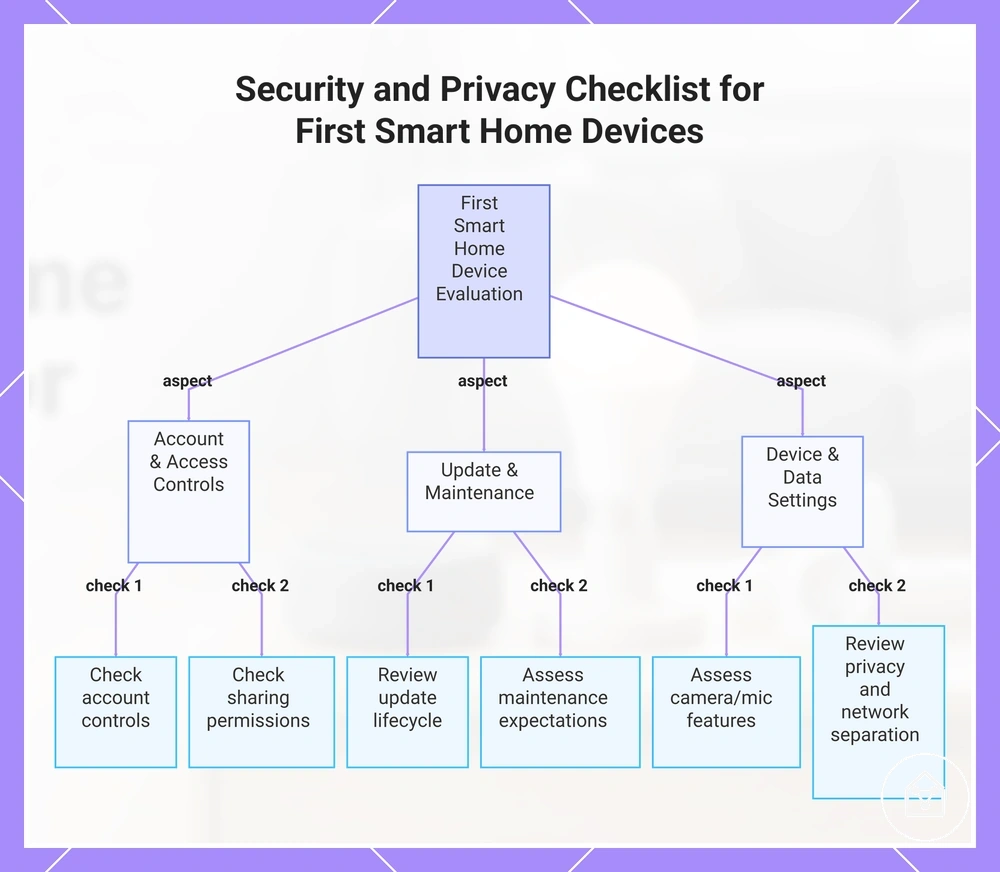
Security and Privacy Basics for First Smart Home Devices
Security basics and privacy basics should be considered when choosing first smart home devices, not only after setup. Account protection, updates, and access settings influence safe use over time. The decision frame is selecting devices with suitable controls before adding them to the home.
Account protection, updates, and access settings influence safe use over time.
First smart home devices should be evaluated by how they handle accounts, software updates, shared access, and data settings. Account protection helps manage access to device accounts, while updates support ongoing maintenance when they are provided by the manufacturer. Access sharing should be reviewed because different household users may need different permissions. Camera or microphone features, privacy settings, and network separation should be considered when they match the device type and home conditions. The main evaluation signal is whether the device provides appropriate controls for the intended use.
Access sharing should be reviewed because different household users may need different permissions.
Use this checklist to review security and privacy basics before choosing a first smart home device:
- Account protection: Check available account controls and how access is managed. The prevention step is reducing unnecessary account exposure.
- Updates: Review whether the device receives updates and whether update support is part of the device lifecycle. The decision effect is understanding ongoing maintenance expectations.
- Access sharing: Check who needs access and whether each user requires the same level of control. The prevention step is limiting shared access to the appropriate people.
- Camera or microphone presence: Consider whether the device includes these features and whether their use matches household preferences. The decision effect is choosing suitable privacy settings.
- Data settings and network separation: Review available privacy controls and consider network separation when relevant to the device type and home setup. The prevention step is aligning configuration choices with intended use.
For a deeper process after choosing first devices, explore security basics for smart devices. A suitable security and privacy approach depends on the device type, available controls, and how the household plans to use the device.
For a deeper process after choosing first devices, explore security basics for smart devices .
This chart shows the main evaluation categories and key checks to review before choosing a first smart home device.