
Smart Home Device Compatibility Across Ecosystems, Protocols, and Controls
Smart home device compatibility is the ability of a device to connect with a supported ecosystem, protocol, app, hub, or controller while providing the intended control functions. Compatibility is a conditional fit between the smart home device and the surrounding system because a connection does not always provide every control, automation, or feature.
For example, a device that uses Thread requires a compatible Thread controller or border router to participate in a supported smart home environment.
A compatibility check should evaluate ecosystem support, protocol requirements, app access, hub or bridge needs, and device category before adding a smart home device to an existing setup. For example, a device that uses Thread requires a compatible Thread controller or border router to participate in a supported smart home environment.
The compatibility factors below organize the main conditions that affect smart home device support.
The compatibility factors below organize the main conditions that affect smart home device support. The available outcome depends on the device model, firmware version, region, controller, hub, and platform configuration.
| Compatibility factor | Condition to check | Possible effect | Safe decision cue |
|---|---|---|---|
| Ecosystem | Check whether the smart home device supports the intended platform, such as the user's selected ecosystem and control environment. | Supported ecosystem integration can enable app access, device control, and automation functions. | Confirm documented ecosystem support before choosing the device. |
| Protocol | Check the communication method, such as Wi-Fi, Thread, Matter, Zigbee, Z-Wave, or Bluetooth. | The protocol determines the connection path, controller requirements, and possible setup limitations. | Match the device protocol with the available network, hub, or controller. |
| App | Check manufacturer app support, ecosystem app access, account linking, and permissions. | App compatibility affects available controls, notifications, and automation options. | Verify that the required controls are exposed through the intended app. |
| Hub | Check whether the device requires a hub, bridge, gateway, or controller. | A required hub can change the setup path and available automation support. | Confirm the controller path before integrating the device. |
| Region | Check whether platform support and device features are available in the operating region. | Regional differences can affect supported services, integrations, and available functions. | Verify support for the location where the device will be used. |
| Firmware | Check firmware support for the device and connected platform. | Firmware compatibility can affect available integrations, controls, and feature access. | Use current documented firmware support information. |
| Device type | Check whether the device category supports the required functions inside the selected system. | Different device types can expose different controls and automation capabilities. | Match the device category with the intended use case. |
Table of Contents
What Smart Home Device Compatibility Means
Smart home device compatibility is the ability of a smart home device to work with a user's platform, network, app, hub, control method, and setup conditions. It defines whether a device can connect, appear in an app, provide control access, and support automations within a specific system fit rather than being an absolute property of the device.
A compatible smart home device can have different levels of support.
A compatible smart home device can have different levels of support. A device may connect to a network, appear inside an app, expose available controls, or support automations, and these stages describe different outcomes between basic connection and full system support.
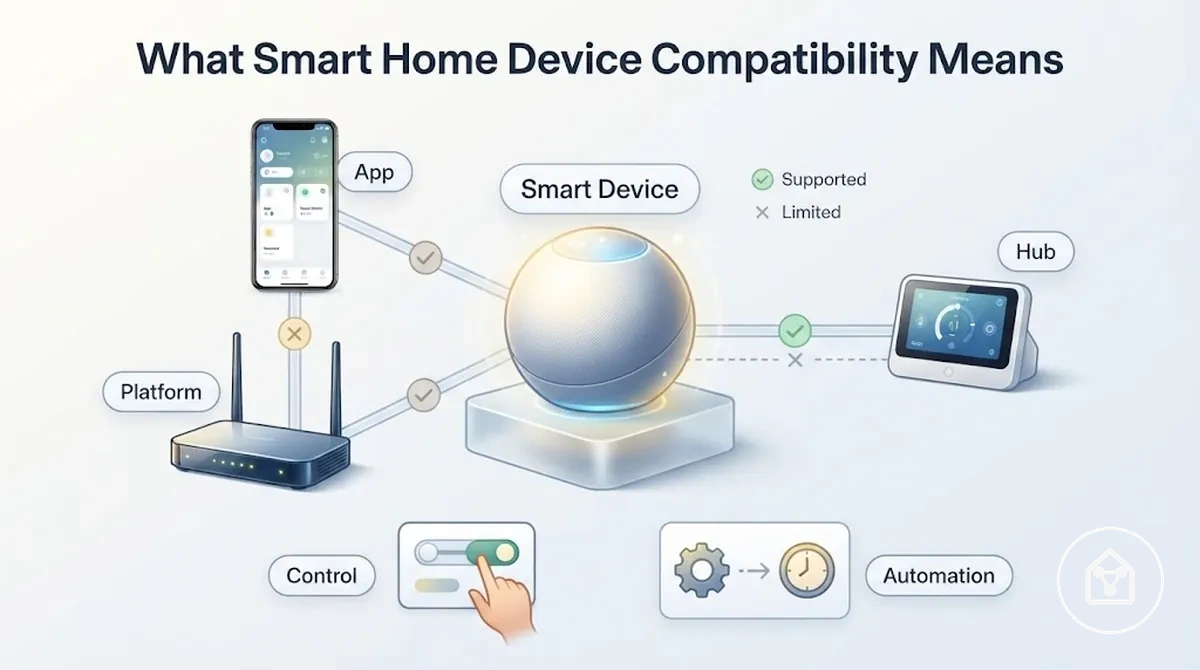
For example, a smart home device may appear in a control app after connection but still provide only limited functions if the platform does not expose every available feature. Full support requires the relevant platform, app, controller, and setup conditions to match the functions the user wants to access.
Compatibility is therefore a conditional relationship between the smart home device and the surrounding system.
Compatibility is therefore a conditional relationship between the smart home device and the surrounding system. Readers looking at the wider category can explore the smart home devices hub to understand how different device types connect within a broader smart home environment.
Ecosystem Compatibility and Platform Fit
Ecosystem compatibility determines whether a smart home device can be discovered, controlled, automated, and maintained inside a chosen platform environment. Platform fit is the controlling factor because ecosystem support, account access, certification status, Matter compatibility, device category support, and automation availability determine which functions are exposed.
A smart home device can have different levels of platform support depending on the ecosystem and device category.
A smart home device can have different levels of platform support depending on the ecosystem and device category. Account linking and permissions affect app access, certification information can indicate supported integration paths, and Matter support can improve cross-ecosystem connections when the required controller and supported features are available.
The comparison below shows what to check and how each factor can affect device support.
Ecosystem Compatibility and Platform Fit compares the main conditions that influence practical control rather than ranking ecosystems. The comparison below shows what to check and how each factor can affect device support.
| Platform factor | What to check | Compatibility effect |
|---|---|---|
| Ecosystem support | Check whether the smart home device supports the intended ecosystem, such as Alexa, Google Home, Apple Home, or SmartThings. | Supported ecosystem integration can enable device discovery, control access, and automation support. |
| Account requirement | Check whether account linking and permissions are required for app access and shared controls. | Account conditions can affect who can access controls and which platform features are available. |
| Certification | Check documented certification or compatibility information for the device and ecosystem combination. | Certification information can indicate an integration path but does not define every available function. |
| Matter status | Check whether Matter support is available and whether a compatible controller is required. | Matter support can enable broader ecosystem connections while advanced features may still depend on platform and device category support. |
| Device category | Check whether the ecosystem supports the specific device type and required controls. | Different device categories can expose different control functions and automation options. |
| Automation availability | Check whether the platform supports the required routines and automation features. | A device may provide basic control while having limited automation support inside a specific ecosystem. |
For example, a smart home device may appear in Alexa, Google Home, Apple Home, or SmartThings after integration but expose different controls depending on the supported device category, account permissions, and available automation features.
Alexa, Google Home, Apple Home, and SmartThings Support
Alexa, Google Home, Apple Home, and SmartThings support determines how a smart home device integrates with a specific ecosystem. Support varies by device category and region because integration availability, exposed controls, and automation features depend on the supported platform environment.
Integration depth affects how a connected device can be used after discovery.
Integration depth affects how a connected device can be used after discovery. Discovery allows a supported device to appear in an ecosystem app, controls determine which functions are available, and routines determine whether the device can participate in supported automations.
- Discovery: The ecosystem must support the device category before the device can appear in the platform app.
- Controls: Integration determines which device functions are exposed after connection.
- Routines: Automation support depends on available device features and ecosystem capabilities.
- Region and category limits: Support can differ by device type, account availability, and regional platform support.
For example, a smart home device may appear in Apple Home, Google Home, Alexa, or SmartThings after integration but expose fewer controls or routines if the platform does not support the full feature set for that device category.
Matter Support Across Major Ecosystems
Matter is a cross-ecosystem compatibility layer that can improve how smart home devices connect with supported ecosystems, but it does not remove every compatibility check. Matter support can improve platform connections when the correct controller, transport method, device category support, and feature availability are present.
Matter compatibility requires matching conditions across the smart home setup.
Matter compatibility requires matching conditions across the smart home setup. A Matter controller manages ecosystem connections, Thread requires a compatible Thread controller or border router for Thread-based devices, and Wi-Fi provides a network path for supported Matter devices. Device category support and certification status also influence which controls and functions are available.
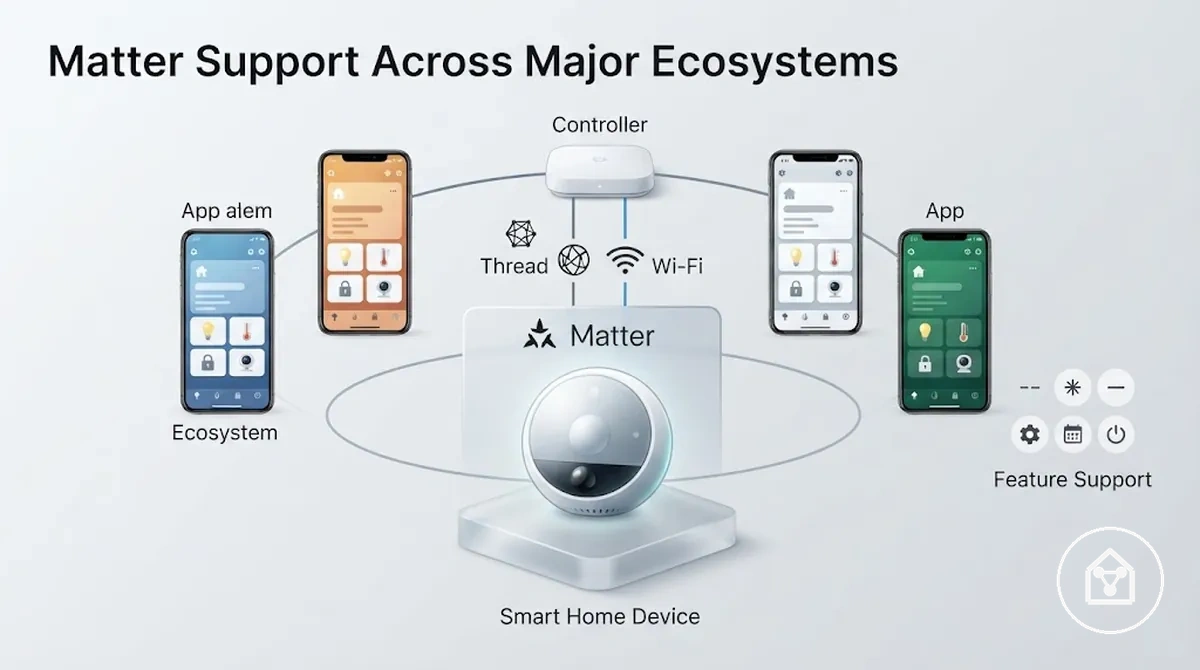
Matter Support Across Major Ecosystems compares Matter support with full feature support. The table below shows what Matter status can enable and what still requires separate checks.
| Matter condition | What it enables | What still needs checking |
|---|---|---|
| Controller | A Matter controller enables supported devices to connect with compatible ecosystem environments. | Check whether the controller supports the required ecosystem and device category. |
| Transport | Thread or Wi-Fi can provide the connection path for supported Matter devices. | Check the available network, controller requirements, and setup conditions. |
| Device category | Matter can provide cross-ecosystem support for supported device categories. | Check whether the device category exposes the required controls and automation features. |
| Certification | Matter certification indicates that a device follows the Matter specification requirements. | Check available features because certification does not define every manufacturer-specific function. |
| Advanced features | Matter can support basic ecosystem integration for compatible devices. | Check the manufacturer app because firmware updates, advanced settings, and additional functions may remain outside the Matter connection. |
For example, a Matter-compatible smart home device can connect through a supported ecosystem while still requiring the manufacturer app for advanced functions, firmware updates, or settings that are not exposed through the Matter integration.
App, Voice Assistant, and Account Compatibility
App, voice assistant, and account compatibility determines whether a technically connected smart home device provides usable daily control through apps, commands, routines, and shared access. Daily control depends on app compatibility, account linking, and permissions because a device connection alone does not guarantee access to every available function.
Manufacturer app support, ecosystem app access, voice assistant integration, account linking, and permissions affect how controls are exposed after connection.
Manufacturer app support, ecosystem app access, voice assistant integration, account linking, and permissions affect how controls are exposed after connection. A device may connect successfully while specific routines, notifications, or household access features remain limited because the required account access or permission level is not available.
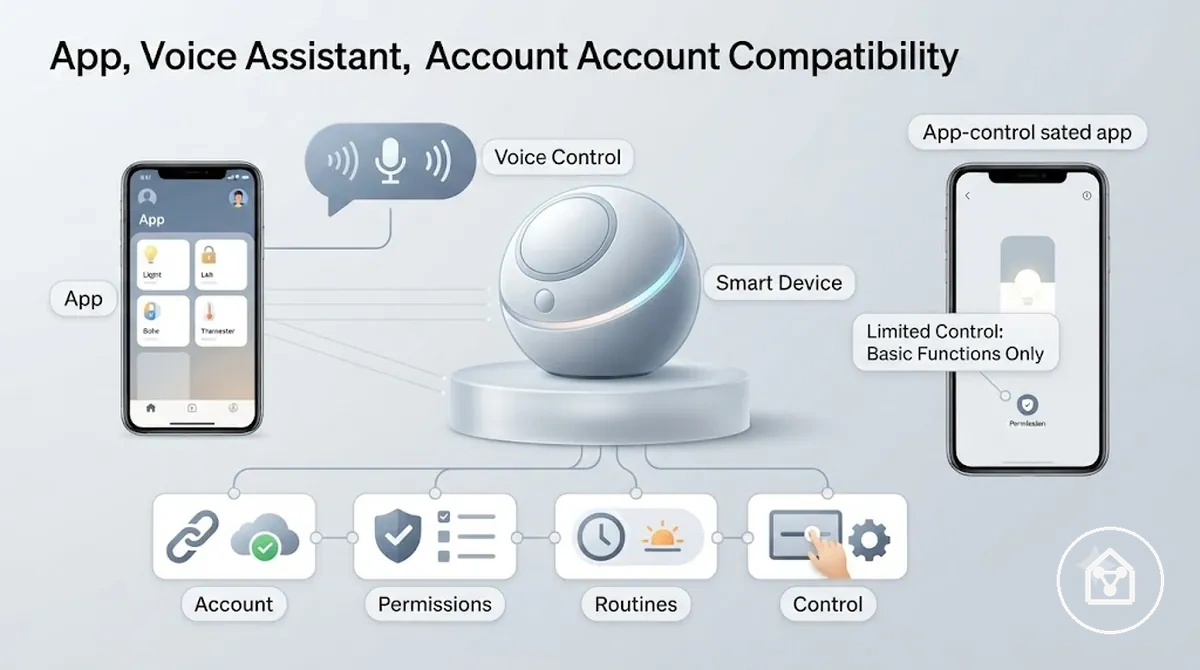
App, Voice Assistant, and Account Compatibility can be evaluated through the control conditions below. These checks focus on daily usability after technical compatibility rather than setup steps.
- Manufacturer app: Check whether the device requires its own app for controls, notifications, updates, or advanced functions.
- Ecosystem app: Check whether the connected platform app exposes the required device controls.
- Account linking: Check whether account access is required before controls, routines, or shared features become available.
- Permissions: Check whether users have the required permission level for shared controls and device access.
- Household access: Check whether multiple users can access the device through supported shared access options.
- Local control and cloud control: Check whether available functions rely on local network access, cloud services, or both.
- Routine support: Check whether the voice assistant exposes the routines and commands required for the intended use.
For example, a smart home device may connect to an ecosystem app and respond to basic commands while requiring the manufacturer app for advanced functions or notifications. This partial-control situation occurs when the connection exists but the platform does not expose every available feature.
Primary App Control and Third-Party App Access
A smart home device can divide control responsibilities between a manufacturer app and a third-party app. The manufacturer app often provides device-specific functions, while third-party app access depends on the available integration and creates a local compatibility condition for daily control.
A smart home device can divide control responsibilities between a manufacturer app and a third-party app.
The manufacturer app can provide onboarding, firmware updates, advanced settings, notifications, and fallback control options when ecosystem app support is limited. A third-party app or ecosystem app may expose additional controls or automations, but the available functions depend on the device category, platform support, and integration depth.
Primary App Control and Third-Party App Access compares the app layers that affect daily device use.
Primary App Control and Third-Party App Access compares the app layers that affect daily device use. The table below shows which conditions to check and how each app layer can influence control support.
| Factor | Condition to check | Compatibility effect |
|---|---|---|
| Manufacturer app | Check whether the device uses its own app for onboarding, firmware updates, advanced settings, or notifications. | Device-specific controls may remain available only through the manufacturer app. |
| Third-party app | Check whether an ecosystem app supports the device and exposes the required controls. | Third-party app access can provide additional control support when integration is available. |
| Onboarding | Check which app or account connection is required during the initial device setup process. | The available control path can depend on the supported onboarding method. |
| Firmware updates | Check where firmware updates are provided and managed. | Updates may require the manufacturer app even when daily controls are available through another app. |
| Advanced settings | Check whether advanced device options are exposed outside the primary app. | Some functions may remain limited when using third-party app access. |
| Notifications | Check which app provides alerts and status notifications. | Notification access can differ between manufacturer and ecosystem apps. |
| Fallback control | Check whether another supported app path exists when one control layer has limited features. | A fallback option may provide partial control rather than the full available feature set. |
For example, a smart home device may allow basic controls through an ecosystem app while requiring the manufacturer app for firmware updates or advanced settings. This creates a partial-control situation where connection exists but control support remains divided between app layers.
Voice Control Requirements and Limitations
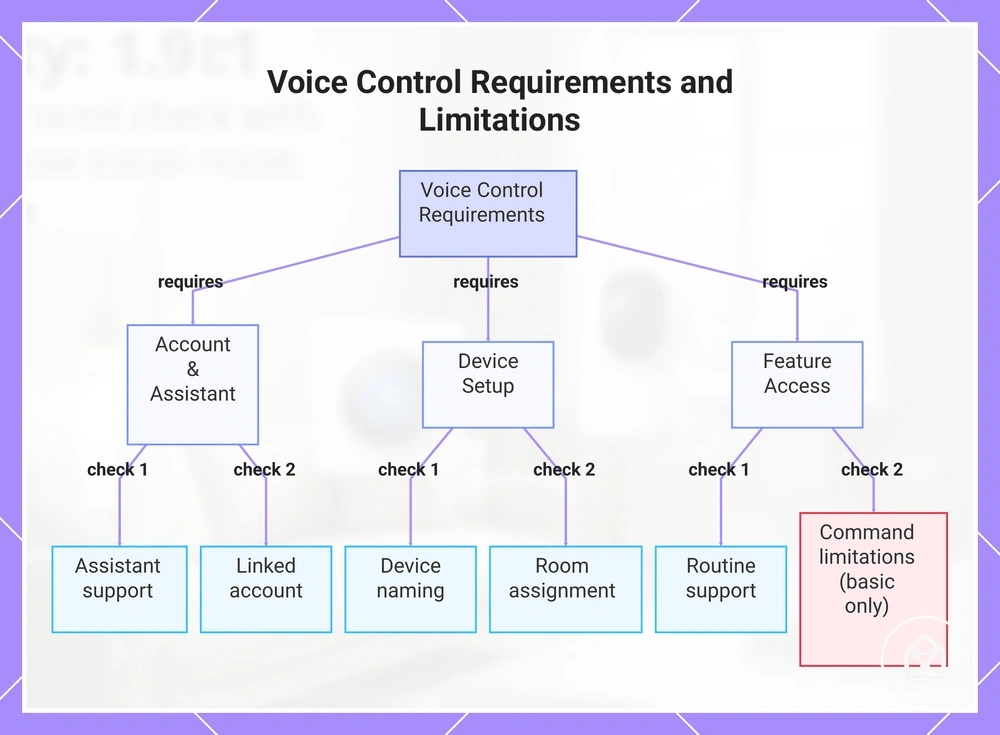
A smart home device can provide voice control only when assistant support, a linked account, and exposed commands match the device and platform requirements. Voice compatibility can confirm access to selected controls, but it does not confirm full device compatibility because available features depend on the connected system and supported functions.
The following checks show the factors that influence voice access and where limitations can appear.
Voice control depends on several local compatibility conditions that determine which commands and routines are available. The following checks show the factors that influence voice access and where limitations can appear.
- Assistant support: Check whether the device supports the intended voice assistant and required platform connection.
- Linked account: Check whether the device account and assistant account are connected so voice commands can be processed.
- Device naming: Check whether the device name is recognised clearly by the assistant for reliable commands.
- Room assignment: Check whether the device is assigned to the correct room for location-based voice requests.
- Routine support: Check whether the platform exposes the routines required for the intended automation.
- Command limitations: Check whether available voice commands match the controls exposed through the integration.
For example, a smart home device may respond to basic voice commands after linking with an assistant while requiring its own app for advanced settings or features. This creates a compatibility limitation where voice control is available but the full set of device functions remains restricted.
This chart shows the key checks for voice control compatibility and where limitations may occur.
This chart shows the key checks for voice control compatibility and where limitations may occur.
Protocols and Network Conditions That Affect Compatibility
A smart home device can connect successfully only when its protocol, network conditions, and power requirements match the available system environment. Protocol and network attributes affect compatibility because connection method, signal conditions, and communication requirements determine whether the device can remain reliable after connection.
Wi-Fi, Zigbee, Z-Wave, Bluetooth, Thread, and Matter provide different communication pathways for smart home devices.
Wi-Fi, Zigbee, Z-Wave, Bluetooth, Thread, and Matter provide different communication pathways for smart home devices. Network conditions such as frequency band, hub requirement, range, interference, local network settings, power source, and internet dependency can change the available control support when the connection environment does not match the device requirements.
Protocols and Network Conditions That Affect Compatibility can be evaluated through the main attributes below.
Protocols and Network Conditions That Affect Compatibility can be evaluated through the main attributes below. These conditions help separate protocol limitations from issues caused by signal quality, power availability, or placement.
| Factor | Condition to check | Compatibility effect |
|---|---|---|
| Protocol | Check whether the device uses a supported connection method such as Wi-Fi, Zigbee, Z-Wave, Bluetooth, Thread, or Matter. | The protocol determines whether the device can communicate with the available controller or ecosystem environment. |
| Frequency band | Check whether the device and network use compatible frequency bands. | A frequency mismatch can prevent connection even when the device category is supported. |
| Hub requirement | Check whether the device requires a hub, bridge, or controller. | A required hub changes the connection pathway and can limit system fit when the required controller is unavailable. |
| Range | Check whether device placement allows reliable communication distance. | Distance and physical obstacles can reduce signal strength and make a supported device appear incompatible. |
| Interference | Check whether nearby wireless devices, barriers, or network congestion affect communication. | Interference can reduce connection reliability and limit available controls. |
| Power source | Check whether the device requires mains power, battery power, or another power condition. | Power limitations can affect whether the device remains connected and responsive. |
| Local network settings | Check whether the local network allows communication between the device and controller. | Network restrictions can affect discovery, communication, or control access. |
| Internet dependency | Check whether specific features require cloud access. | Cloud-dependent functions may be limited when internet access is unavailable. |
A device using a supported protocol may still have limited control when signal conditions, power availability, or network requirements prevent reliable communication. For a broader view of the connection layer, explore connectivity and hubs to understand how controllers and connection methods fit into a smart home system.
Wi-Fi, Zigbee, Z-Wave, Bluetooth, Thread, and Matter Fit
A smart home device's protocol determines the connection pathway, controller requirements, and compatibility conditions needed for reliable use. Wi-Fi, Zigbee, Z-Wave, Bluetooth, Thread, and Matter each provide different options for device support, so protocol choice affects hub needs, range behaviour, and platform support.
Protocol fit depends on the available controller, hub, network environment, and supported device category.
Protocol fit depends on the available controller, hub, network environment, and supported device category. Certification, region, frequency band, and controller support can also affect whether a protocol provides the expected level of control support.
| Factor | Condition to check | Compatibility effect |
|---|---|---|
| Wi-Fi | Check whether the device uses a supported Wi-Fi network and whether the local network conditions match the device requirements. | Wi-Fi can provide direct network connection, but range, interference, and internet dependency can affect available functions. |
| Zigbee | Check whether a compatible Zigbee controller or hub is available. | Zigbee device support depends on controller compatibility and the supported device category. |
| Z-Wave | Check whether the device and controller support the same Z-Wave environment and regional requirements. | Z-Wave compatibility can be limited when controller support or region-specific conditions do not match. |
| Bluetooth | Check whether Bluetooth connection support matches the required operating range and control method. | Bluetooth can suit nearby device control, but range limitations can affect placement and reliability. |
| Thread | Check whether a compatible Thread controller or border router is available. | Thread support depends on the controller environment and supported device integration. |
| Matter | Check whether the device, controller, and ecosystem support the required Matter features. | Matter can improve cross-ecosystem support, but certification does not define every available device feature. |
For example, a device may use a supported protocol but still have limited control when the required controller, hub, or network condition is missing. The protocol defines the communication pathway, while the surrounding system determines the final compatibility outcome.
Range, Power, and Signal Conditions
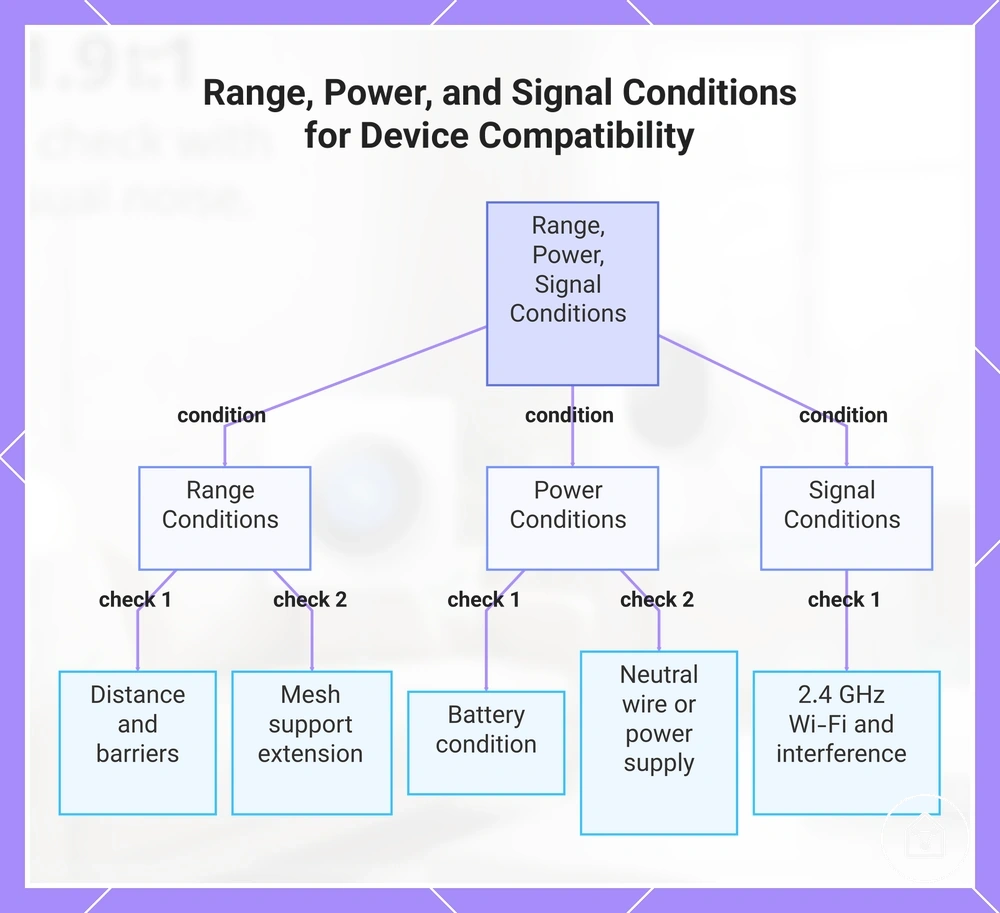
A smart home device can appear incompatible when range, power, or signal conditions prevent reliable communication. Distance, walls, interference, battery condition, and power requirements affect whether a compatible device can maintain expected control support in its operating environment.
Range, power, and signal conditions can be evaluated through the factors that influence connection reliability.
Range, power, and signal conditions can be evaluated through the factors that influence connection reliability. The checklist below verifies the main signal and power conditions that can limit device support without changing the underlying protocol compatibility.
- Range: Check whether the device is within the communication distance supported by its connection method.
- Walls: Check whether physical barriers reduce signal strength between the device, controller, or hub.
- Mesh support: Check whether the network provides mesh support to extend communication between compatible devices.
- Battery: Check whether battery condition provides enough power for consistent device communication.
- Neutral wire or power supply: Check whether the device has the required power connection condition for operation.
- 2.4 GHz Wi-Fi and interference: Check whether wireless congestion or interference affects the signal path.
For example, a smart home device may use a supported protocol but lose reliable control when walls weaken the signal, battery condition reduces availability, or interference affects communication. In this case, the compatibility condition is affected by the operating environment rather than the device protocol itself.
In this case, the compatibility condition is affected by the operating environment rather than the device protocol itself.
This chart shows the main range, power, and signal conditions that can make a compatible smart home device appear incompatible, and the checks to verify each condition.
Hub, Bridge, and Controller Compatibility
A smart home device can require a hub, bridge, or controller when its protocol does not connect directly with the preferred ecosystem. These components change the compatibility path by managing communication between the device, platform, and available control methods, with the final outcome depending on protocol support and exposed features.
The following factors show how these components affect device support, local control, cloud dependency, and automation support.
A hub connects supported devices through a compatible system, a bridge can translate between communication methods, and a controller manages interactions within an ecosystem. The following factors show how these components affect device support, local control, cloud dependency, and automation support.
| Factor | Condition to check | Compatibility effect |
|---|---|---|
| Protocol | Check whether the device protocol is supported by the available hub, bridge, or controller. | A matching protocol pathway allows the device to communicate with the intended smart home system. |
| Controller | Check whether the ecosystem controller supports the device category and required controls. | Controller support determines which device functions and automation options are exposed. |
| Bridge | Check whether a bridge is required to translate between different communication methods. | A bridge can connect compatible systems, but available controls depend on the supported integration. |
| Gateway | Check whether a gateway is required to manage communication between the device and platform. | A gateway can provide the required connection path when the device and system support the same communication environment. |
| Local control | Check whether the connected system supports communication without relying on cloud services. | Local control can provide direct device interaction when supported by the controller environment. |
| Cloud dependency | Check whether specific features require online services after connection. | Cloud-dependent functions may remain limited when those services are unavailable. |
| Automation support | Check whether the controller exposes the required routines and automation functions. | A connected device may support basic control while some advanced automation features remain unavailable. |
For example, a smart home device may connect through a hub or bridge but still provide limited control if the controller does not expose advanced functions. A compatible connection path enables communication, but it does not confirm access to every device feature.
When a Hub or Bridge Is Required
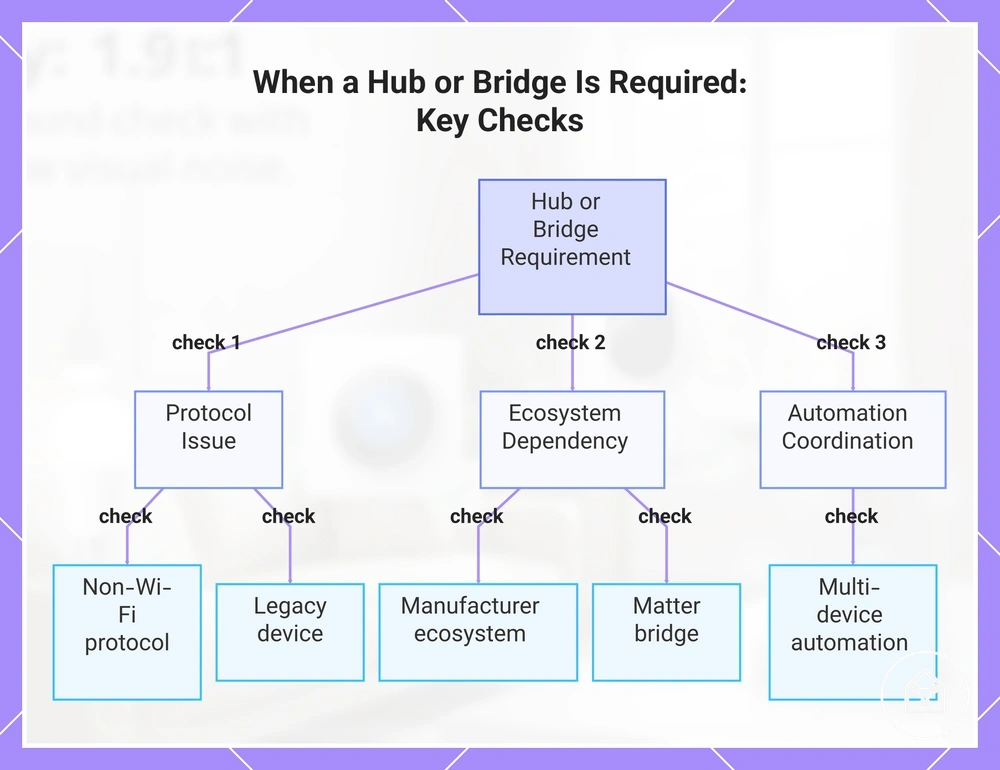
A hub or bridge is required when a smart home device cannot connect directly to the preferred ecosystem because its protocol or communication method needs an additional connection layer. A hub required or bridge required condition should be checked when device support depends on a controller, gateway, or manufacturer ecosystem component.
The following checks identify when a hub or bridge changes the compatibility path.
The following checks identify when a hub or bridge changes the compatibility path. They focus on whether the device can connect, receive control support, and participate in the intended smart home system.
- Non-Wi-Fi protocol: Check whether the device uses a non-Wi-Fi protocol that requires a compatible hub, controller, or gateway to communicate with the ecosystem.
- Manufacturer ecosystem: Check whether the device requires a manufacturer ecosystem component for platform connection and available controls.
- Legacy device: Check whether a legacy device needs a bridge or gateway to connect with newer smart home platforms.
- Matter bridge: Check whether a Matter bridge is needed to expose supported devices through a Matter-compatible ecosystem.
- Multi-device automation: Check whether a hub or controller is needed to coordinate automation support between multiple connected devices.
For example, a legacy device using a non-Wi-Fi protocol may require a bridge to communicate with a newer ecosystem, while a device with direct platform support may not need an additional component. A hub or bridge can enable connection, but advanced features still depend on the supported controller, app integration, and available platform functions.
This chart shows the main checks that identify when a smart home device requires a hub or bridge for ecosystem compatibility.
This chart shows the main checks that identify when a smart home device requires a hub or bridge for ecosystem compatibility.
When a Controller Can Replace a Dedicated Hub
A controller can replace a dedicated hub when it already provides the required connection support, ecosystem access, and automation functions for the device category being used. This can occur when the controller includes features such as Thread border router support or Matter controller support, but the result depends on the device requirements and available platform functions.
The following checks compare controller capability with dedicated hub capability.
The following checks compare controller capability with dedicated hub capability. They help identify whether the controller provides enough device support, control support, and automation depth for the intended smart home setup.
| Factor | Condition to check | Compatibility effect |
|---|---|---|
| Thread border router | Check whether the controller includes Thread border router support for compatible Thread devices. | A built-in Thread border router can provide the connection pathway required for supported Thread devices without a separate dedicated hub. |
| Matter controller | Check whether the controller supports Matter device integration and the required Matter features. | A Matter controller can manage supported Matter devices, but available functions depend on device-category limits and platform support. |
| Ecosystem control | Check whether the controller supports the preferred ecosystem and required device categories. | Ecosystem support affects which controls, apps, and device functions are available. |
| Device-category limits | Check whether the controller supports the specific device category and required control functions. | Some device categories may still require a dedicated hub, bridge, or manufacturer app for additional features. |
| Automation depth | Check whether the controller provides the required routines and automation options. | A controller may provide basic control while offering less automation depth than a dedicated hub. |
For example, a controller with built-in Thread border router support may connect compatible Thread devices without a separate hub, while another setup may require a dedicated hub for broader device-category support. A controller can replace a dedicated hub only when its supported features match the required compatibility condition.
Device-Type Compatibility Differences
Device type compatibility differs because each smart home category exposes different controls, power needs, wiring conditions, and platform features. Switches, sensors, plugs, cameras, locks, and thermostats require different compatibility checks because each device type has specific attributes that affect control support and system fit.
Each row identifies the required condition and the resulting compatibility effect for common smart home device categories.
The matrix below organizes device type compatibility by the attributes that influence connection, setup conditions, and available platform features. Each row identifies the required condition and the resulting compatibility effect for common smart home device categories.
| Factor | Condition to check | Compatibility effect |
|---|---|---|
| Switches | Check wiring requirements and whether the platform supports the switch controls. | Wiring conditions can affect whether the switch can be installed and which platform features are available. |
| Sensors | Check the sensor power source, communication method, and supported sensor functions. | Sensor compatibility depends on whether the controller and platform expose the required readings or automations. |
| Plugs | Check power requirements and ecosystem support for plug controls. | Plug compatibility affects available controls such as switching, scheduling, and platform-based automation. |
| Cameras | Check network requirements, platform support, and available camera features. | Camera compatibility is affected by supported controls, app access, and platform feature limitations. |
| Locks | Check lock communication method, power source, and supported access controls. | Lock compatibility depends on whether the ecosystem supports the required control functions and integrations. |
| Thermostats | Check wiring conditions, HVAC compatibility, and platform feature support. | Thermostat compatibility is affected by system wiring and the climate controls exposed by the platform. |
| Controllers and hubs | Check protocol support, ecosystem compatibility, and automation support. | Controller and hub compatibility determines which device categories can connect and which automation options are available. |
For example, a smart switch may require compatible wiring before platform integration is possible, while a sensor may depend more on communication support and power conditions. The device type determines which compatibility attributes need verification before selection.
Switches, Sensors, Plugs, Cameras, Locks, and Thermostats
Switches, sensors, plugs, cameras, locks, and thermostats create different compatibility conditions because each device type depends on specific attributes such as wiring, power, protocol support, load limit, and HVAC support. These attributes determine whether the device can provide the required control support within the existing smart home system.
The compatibility variables below show the main conditions to verify for each device type.
The compatibility variables below show the main conditions to verify for each device type. Each factor identifies the attribute that can change system fit and the resulting effect on device support or platform features.
| Factor | Condition to check | Compatibility effect |
|---|---|---|
| Switches | Check wiring requirements and whether the platform supports the required switch controls. | Wiring conditions can affect whether the switch can be integrated and which platform features are available. |
| Sensors | Check sensor protocol, power requirements, and supported sensor functions. | Sensor compatibility depends on whether the controller and platform can use the required sensor data. |
| Plugs | Check power requirements and the load limit of connected devices. | Plug compatibility is affected by supported power control features and whether the connected load matches the plug capability. |
| Cameras | Check video ecosystem support, network requirements, and available camera controls. | Camera compatibility depends on whether the platform supports the required video features and app controls. |
| Locks | Check lock integration method, power source, and supported access controls. | Lock compatibility is affected by whether the ecosystem supports the required locking functions and integrations. |
| Thermostats | Check wiring conditions, HVAC support, and available climate controls. | Thermostat compatibility depends on whether the HVAC system and platform expose the required functions. |
For example, a smart switch may require compatible wiring while a thermostat may require matching HVAC support before platform control is available. The device type determines which compatibility attribute needs verification before selection.
How to Check Compatibility Before Choosing a Device
A compatibility check before choosing a smart home device verifies whether the device matches the existing ecosystem, app requirements, protocol, hub needs, and control expectations. This verification helps identify compatibility conditions before selecting a device and reduces the risk of choosing a device with unsuitable system fit.
This verification helps identify compatibility conditions before selecting a device and reduces the risk of choosing a device with unsuitable system fit.
Before choosing a device, check the ecosystem, app requirements, protocol, and hub requirements because these attributes determine the available connection path and control support. A device may appear compatible when it connects to a platform but still have limitations if the required app features, controller support, or automation functions are unavailable.
Reviewing criteria such as a secure smart home setup helps identify security-related requirements before adding connected devices.
Region, firmware, security, and setup risk should also be verified before selection because these conditions can affect ongoing device support and safe operation. Reviewing criteria such as a secure smart home setup helps identify security-related requirements before adding connected devices.
Region, firmware, security, and setup risk should also be verified before selection because these conditions can affect ongoing device support and safe operation.
The following pre-purchase compatibility checklist verifies the main conditions before choosing a device:
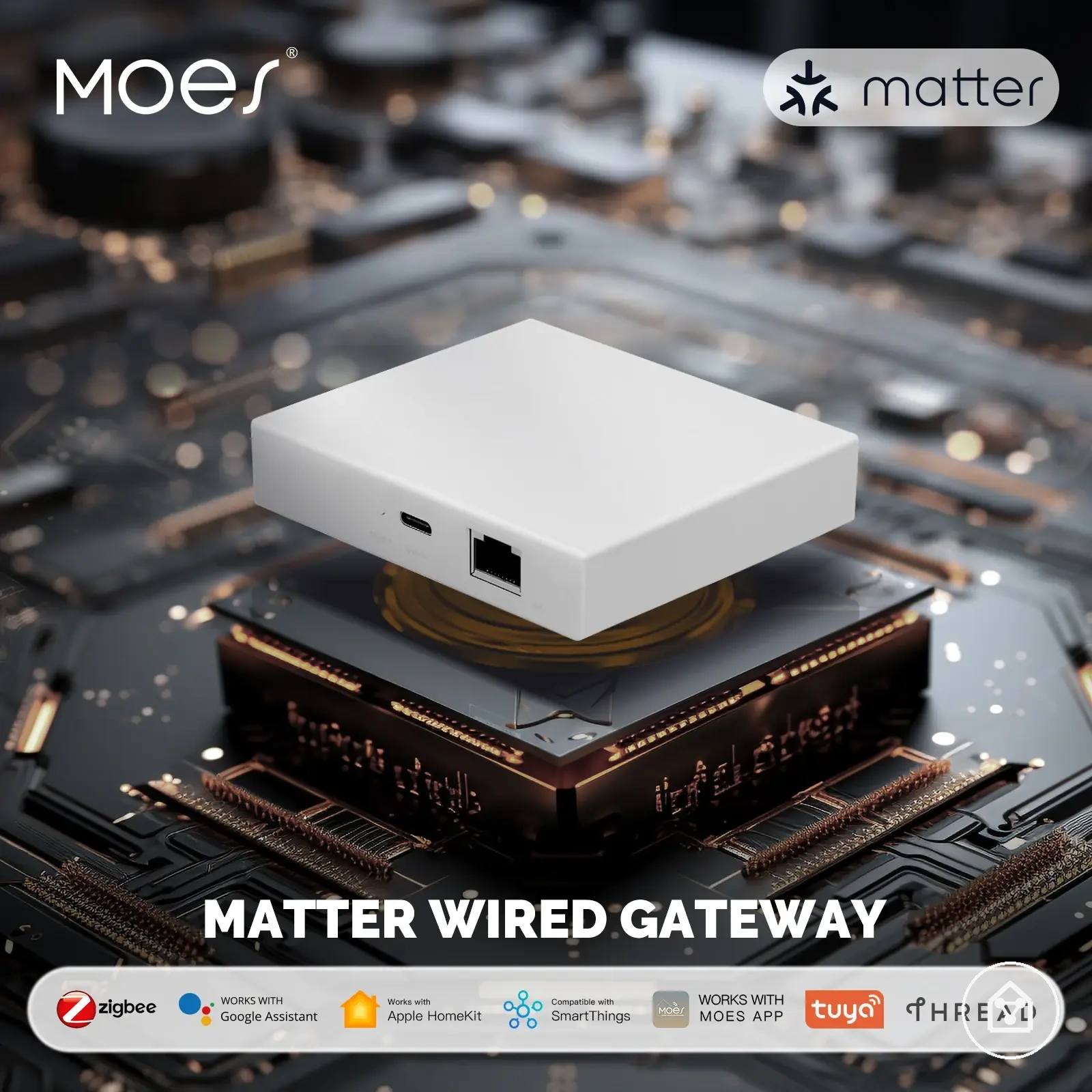
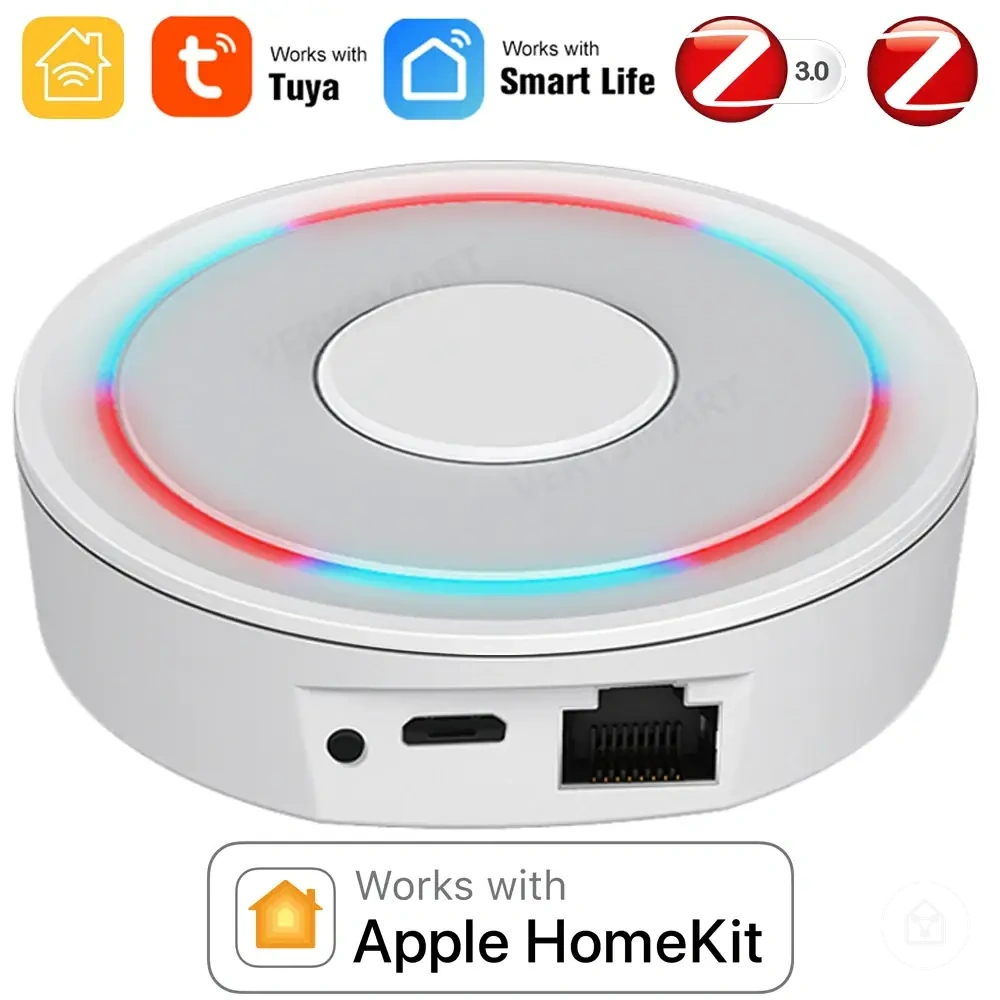
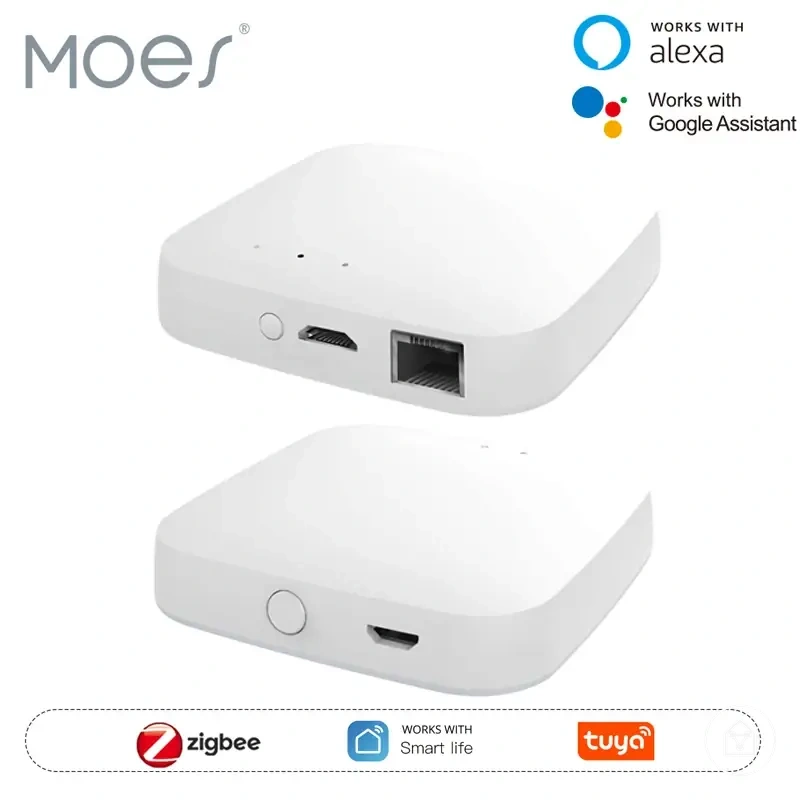
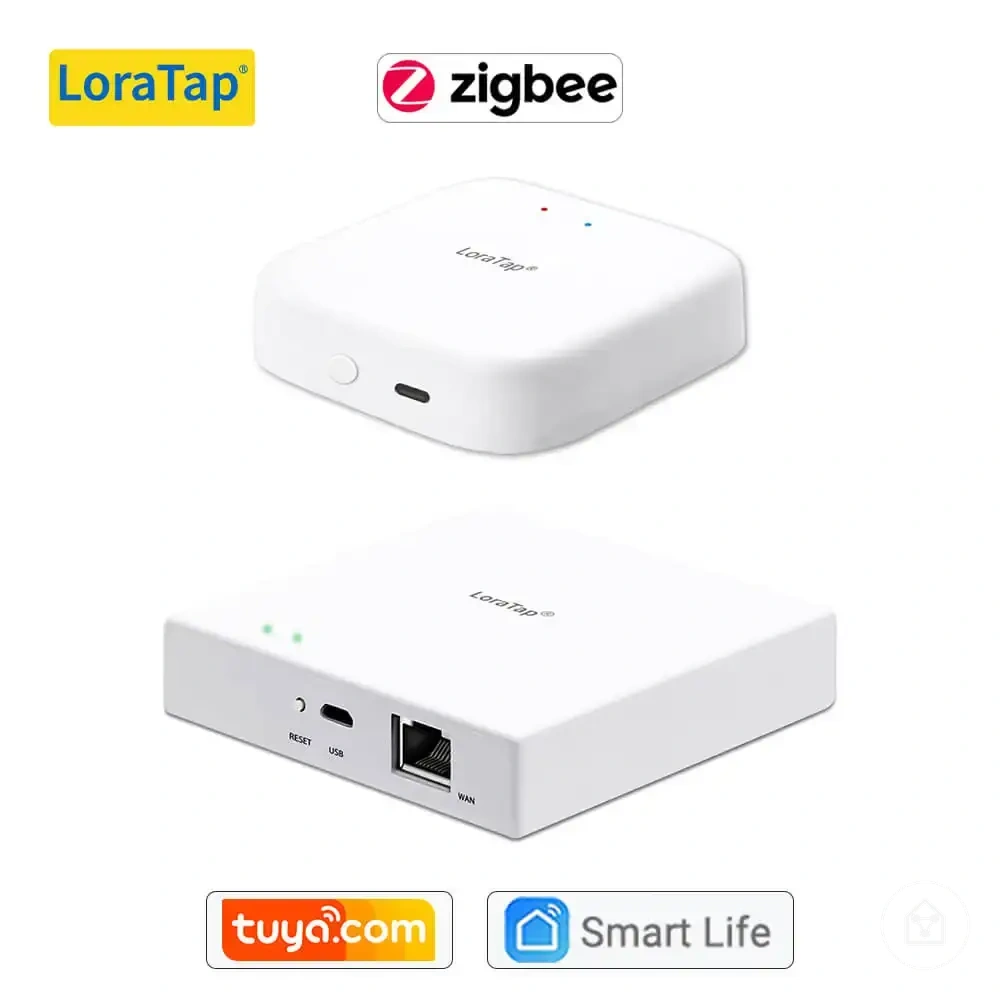
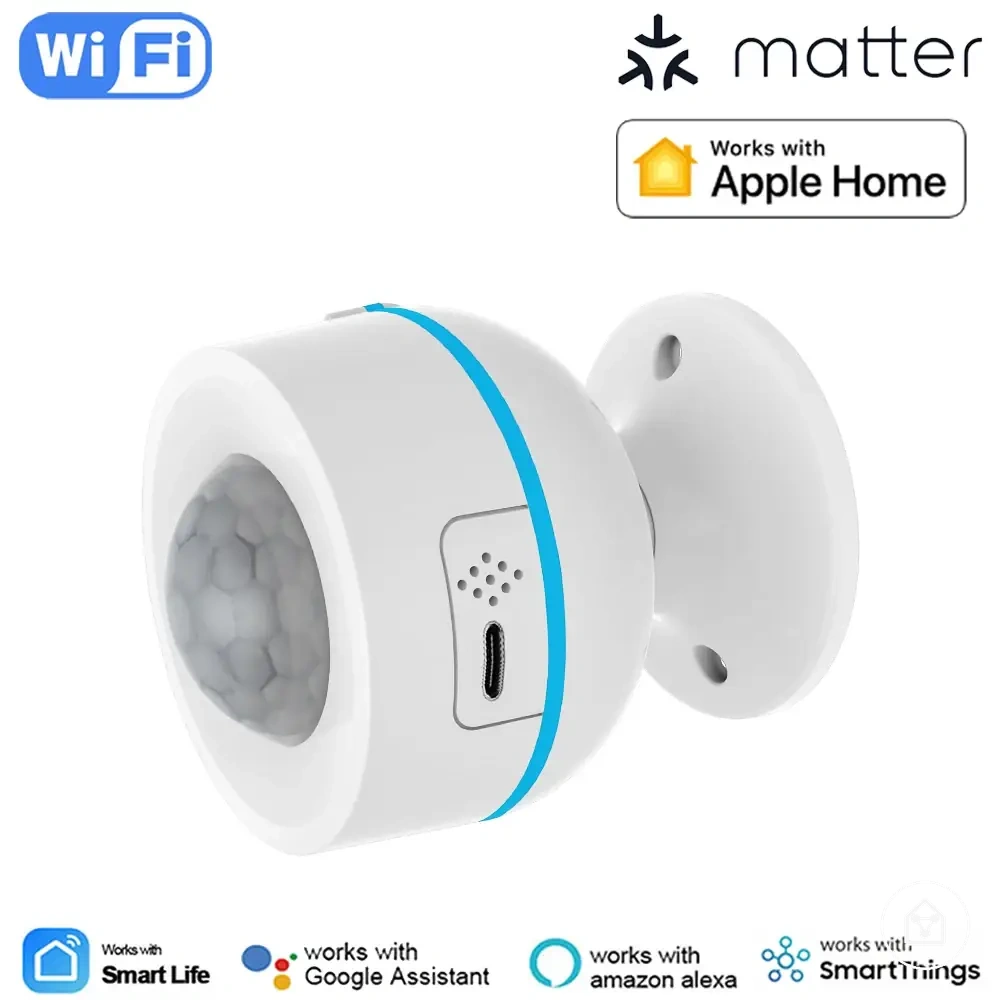
The products below are useful examples for comparing available options.
The products below are useful examples for comparing available options. Before buying, check that the compatibility criteria, key features, and product details match your needs.
- Existing ecosystem: Check whether the device supports the ecosystem already used in the smart home system.
- App requirements: Check whether the required app, account access, and available controls match the intended use.
- Protocol: Check whether the device protocol is supported by the available controller, hub, or bridge.
- Hub or bridge: Check whether an additional hub or bridge is required for connection and control support.
- Device category: Check whether the platform supports the device type and required functions.
- Region: Check whether the device and platform support the intended region and available features.
- Firmware: Check whether firmware updates and ongoing support are available for the device.
- Security implication: Check whether the device setup creates security considerations related to connected access.
- Setup risk: Check whether wiring, installation conditions, or configuration requirements create additional compatibility limitations.
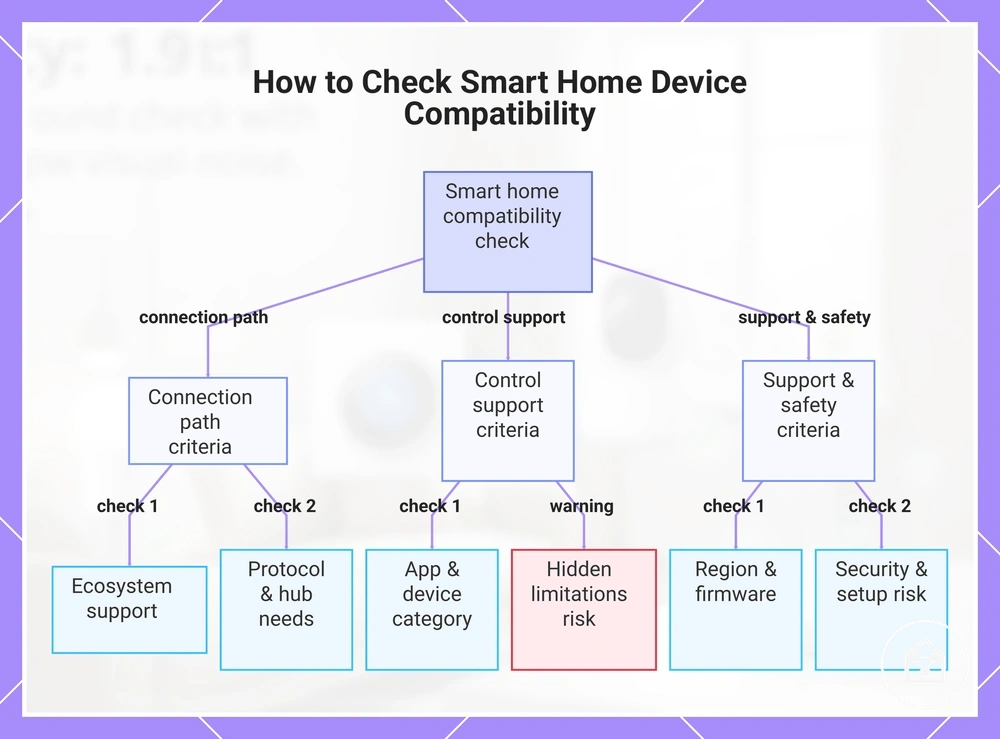
This chart organizes pre-purchase compatibility checks for smart home devices into three groups: connection path, control support, and support and safety, and highlights the risk of hidden limitations.
Existing Ecosystem, App, and Protocol Checks
Check the existing ecosystem, app stack, and protocol support before selecting a smart home device because these conditions determine whether the device can connect to the current platform and provide the required control support. The compatibility check should verify the current platform, controller, and connection requirements before choosing a device.
The following checks identify the existing-system attributes that can affect device support.
The following checks identify the existing-system attributes that can affect device support. Review the ecosystem, hub, controller, app requirements, account setup, and automation goals to determine whether the device fits the intended smart home environment.
- Existing ecosystem: Check whether the current platform supports the device category and required controls.
- Hub and controller: Check whether the existing hub or controller supports the device protocol and required connection path.
- Protocol support: Check whether the device protocol matches the available controller and platform support.
- App stack: Check whether the required apps are available and whether their controls match the intended use.
- Account setup: Check whether household accounts and access permissions support the planned device controls.
- Automation goals: Check whether the platform provides the routines and automation features required for the intended setup.
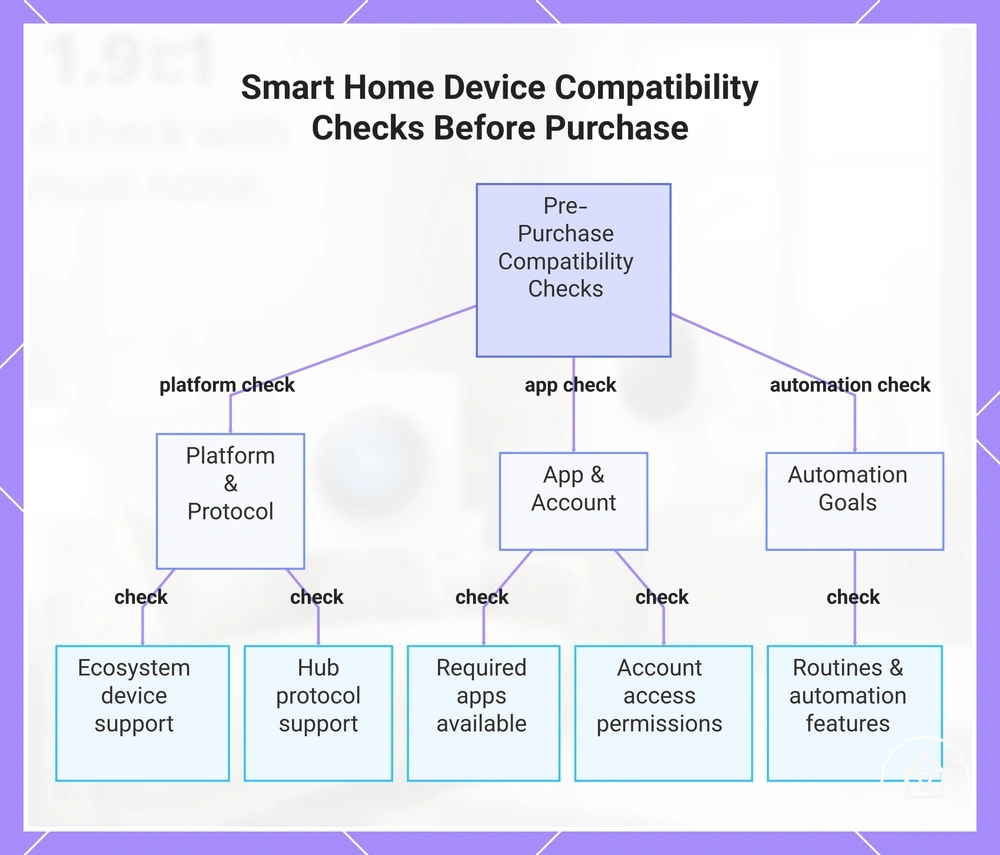
This chart shows the key compatibility checks to perform before selecting a smart home device, ensuring it connects to the existing platform and provides the required control support.
Region, Firmware, and Update Support Checks
Check region, firmware, and update support before choosing a smart home device because these conditions can affect compatibility after the initial connection. A device may appear suitable while app availability, regional requirements, or future platform changes create limitations. The local compatibility condition is whether the device can maintain expected support within the intended environment.
The following checks identify long-term support conditions that can influence device support and system fit.
The following checks identify long-term support conditions that can influence device support and system fit. Verify the region, firmware, updates, certification changes, and support lifecycle factors that affect ongoing control support.
- Region: Check whether the device and its app availability support the intended region and available platform features.
- Power and frequency: Check whether the device specifications match the local power or frequency requirements where relevant.
- Firmware: Check whether firmware updates are provided and whether update availability matches the expected device support needs.
- Certification changes: Check whether Matter or platform certification changes affect available integrations or supported features.
- Support lifecycle: Check whether the manufacturer provides information about the expected support lifecycle for the device.
For example, a device may connect successfully when purchased but later have limited control support if firmware updates or platform support conditions change. Reviewing smart home device setup requirements can help verify initial compatibility conditions, but update support improves compatibility resilience without guaranteeing future platform behaviour.
Compatibility Limits and Common Mismatch Causes
Compatibility limits and mismatch causes explain why a smart home device may not connect, appear correctly, or expose expected controls even when the device seems suitable. A mismatch can come from ecosystem support, protocol differences, app access, hub requirements, power conditions, signal quality, region, or firmware status. The local compatibility condition is determining whether the issue is true incompatibility or a separate configuration, account, or network limitation.
Compare the symptom, likely cause, and verification condition before deciding whether a device has a compatibility limit.
The following diagnostic checks group common mismatch causes by the attributes that affect device support and control availability. Compare the symptom, likely cause, and verification condition before deciding whether a device has a compatibility limit.
| Factor | Condition to check | Compatibility effect |
|---|---|---|
| Ecosystem | Check whether the device platform support matches the current smart home ecosystem. | A device may not appear or may expose limited controls when platform support does not include the required functions. |
| Protocol | Check whether the device protocol matches the available controller or hub. | A protocol mismatch can prevent connection when the communication path is not supported. |
| App | Check whether the required app, account access, and permissions are available. | Missing app access or account permissions can limit discovery, control, or automation functions. |
| Hub | Check whether the device requires a compatible hub or bridge for communication. | A missing hub requirement can make a supported device appear incompatible. |
| Power and signal | Check whether power conditions and signal quality support reliable communication. | Power limitations or weak signal conditions can create connection symptoms without indicating true incompatibility. |
| Region and firmware | Check whether regional availability and firmware support match the intended setup. | Regional restrictions or firmware limitations can affect available features and updates. |
For example, a device may fail to connect because of a weak signal or missing account permission while the protocol itself is supported. Separating true incompatibility from setup, signal, account, or update problems helps identify the correct next safe check without assuming an exact fix.