
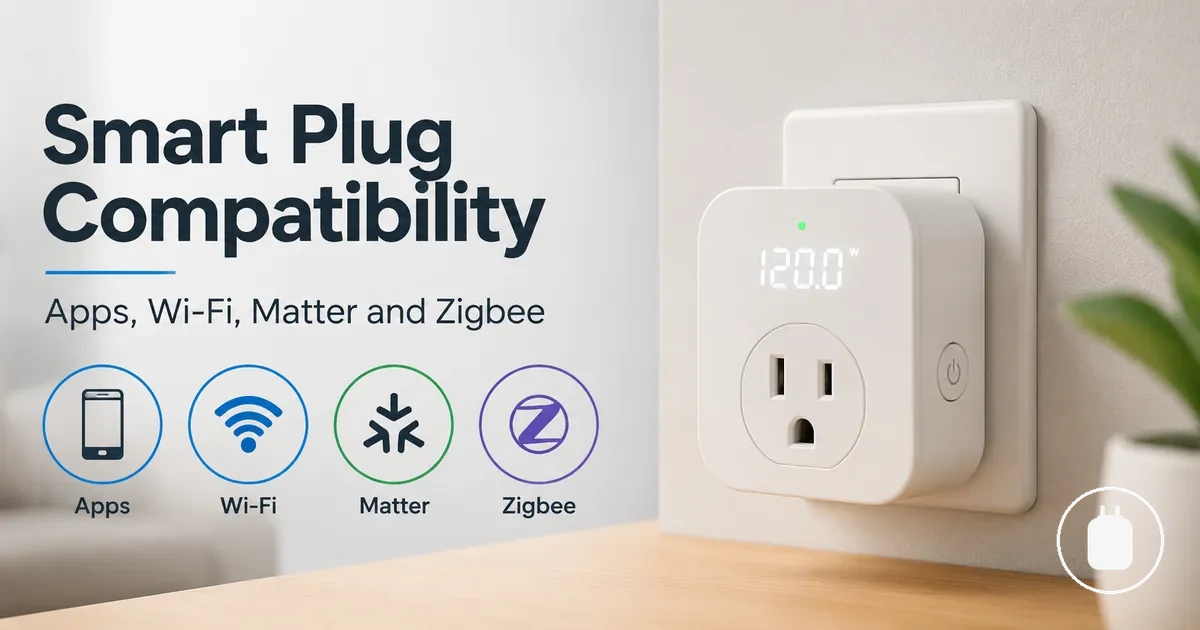
Energy Monitoring Smart Plug Compatibility
Energy monitoring smart plug compatibility depends on the connection requirements, app support, protocol, platform, and the way energy data is accessed. It defines whether a smart plug can connect within a user's setup and which control or monitoring functions may be available through the related app or platform. energy monitoring smart plugs should be assessed through compatibility conditions rather than compatibility labels alone.
An energy monitoring smart plug may use different connection methods and platform integrations, but available functions can vary by device, app, firmware, network environment, and supported platform. A connection that enables device control may not provide the same energy data visibility or monitoring features across different environments.
Compatibility should be separated from other evaluation areas such as safety, appliance suitability, and measurement accuracy. Matching the connection method, app, protocol, and platform requirements helps clarify whether an energy monitoring smart plug fits a specific monitoring and control need.
What Compatibility Changes for Energy Monitoring Smart Plugs
Energy monitoring smart plug compatibility affects how a device connects, how it can be controlled, and which monitoring data may be available through an app or platform. A supported connection can enable control and data access, while the available monitoring and automation features may vary by device, app, firmware, network environment, and platform support.
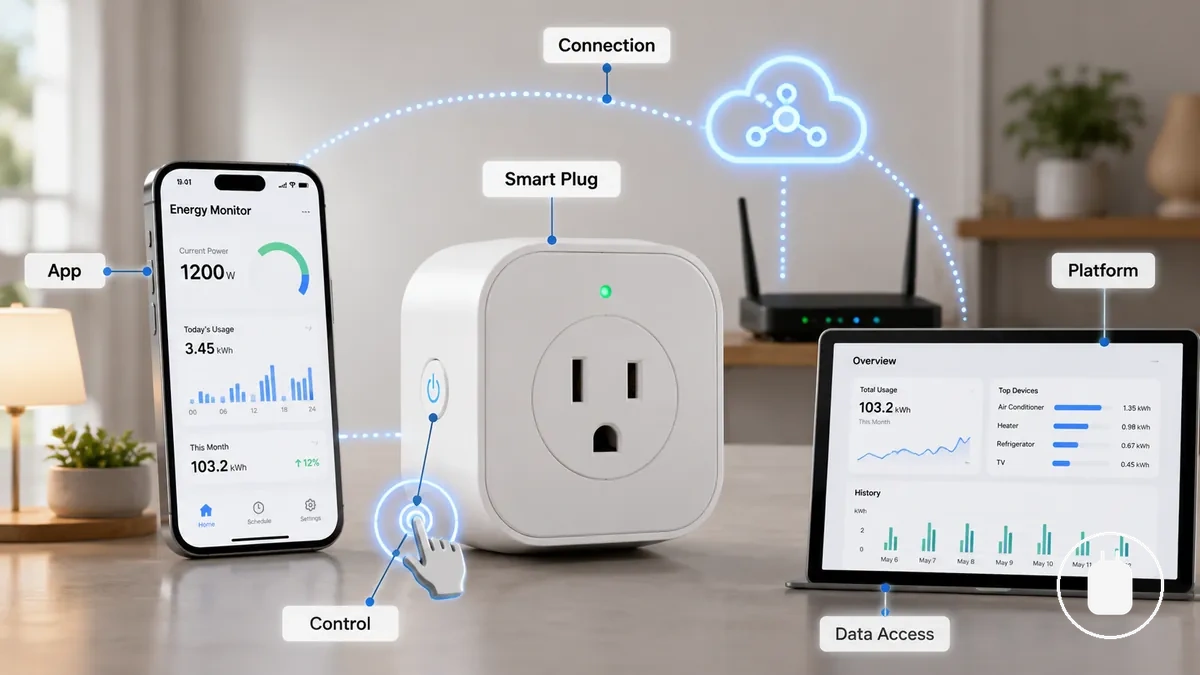
Compatibility should be evaluated by the relationship between the smart plug, its connection method, the supporting app, and the selected platform. These elements determine whether control functions, monitoring information, or automation options may be available, although the exposed features can differ between supported environments.
Compatibility does not indicate electrical safety, measurement accuracy, or appliance suitability because a successful connection only confirms that devices can communicate within a supported environment. Review load and safety limits separately when assessing whether an energy monitoring smart plug is appropriate for a particular application.
- Connection: Determines whether the device can join the intended network or platform.
- Control: Depends on the features available through the supported app or platform.
- Monitoring: Energy data visibility may vary according to the supported integration.
App Compatibility and Energy Data Visibility
App compatibility determines how an energy monitoring smart plug connects with its app and how energy data may be accessed through the available interface. A compatible app environment may provide monitoring features, but visible data, dashboard functions, history options, and automation controls can vary by device support, platform, and integration method.
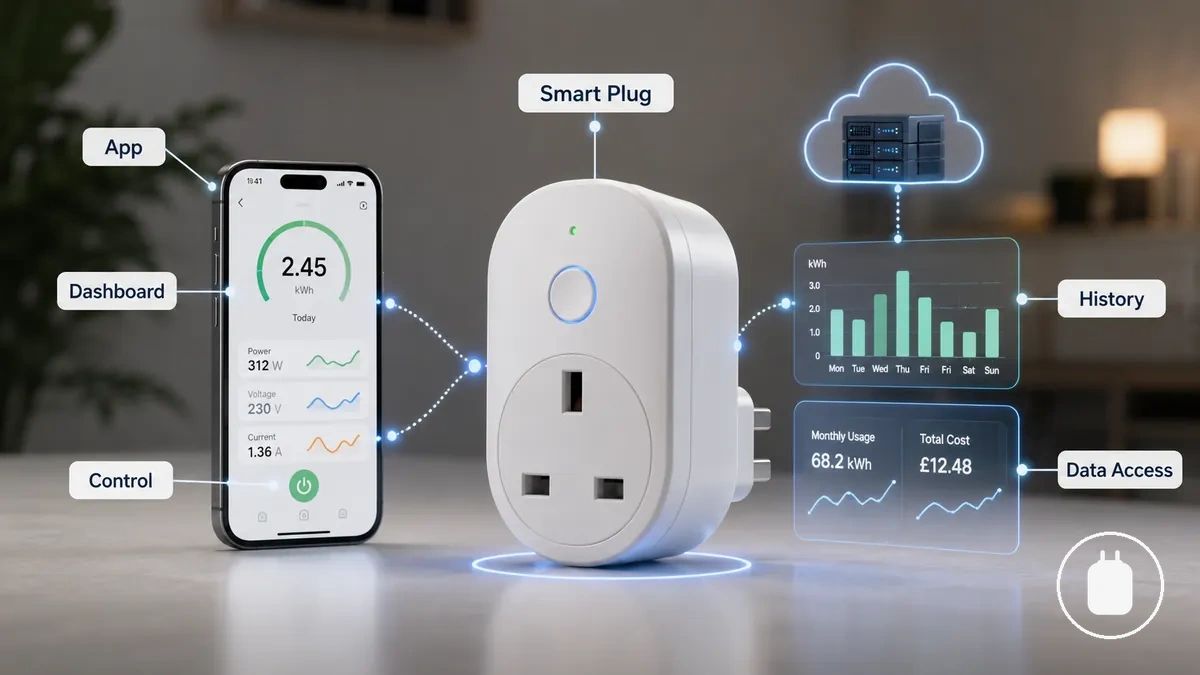
The energy monitoring smart plug app experience depends on the relationship between the device, the native app, the operating environment, and connected platforms. Account settings, region, firmware, and integration support may influence which information appears, including usage history, notifications, or automation options.
App compatibility can allow device control without providing the same level of energy data visibility. A platform may expose switching functions while showing different monitoring information depending on the supported integration. Explore app and data tracking to understand how energy information may be accessed and used.
| App Area | Energy Data Behaviour |
|---|---|
| Dashboard | Shows available device and energy information through the supported app interface. |
| History | May provide stored usage information when historical data access is supported. |
| Notifications | May provide updates or alerts based on available app features. |
| Automation | May enable connected actions when supported by the platform integration. |
Native App Support and Energy Dashboard Access
Native app support provides a direct view of the monitoring features available for an energy monitoring smart plug through its connected app. The native dashboard can act as a verification point for available energy information, but the displayed fields and functions may vary by device, app, and supported integration.
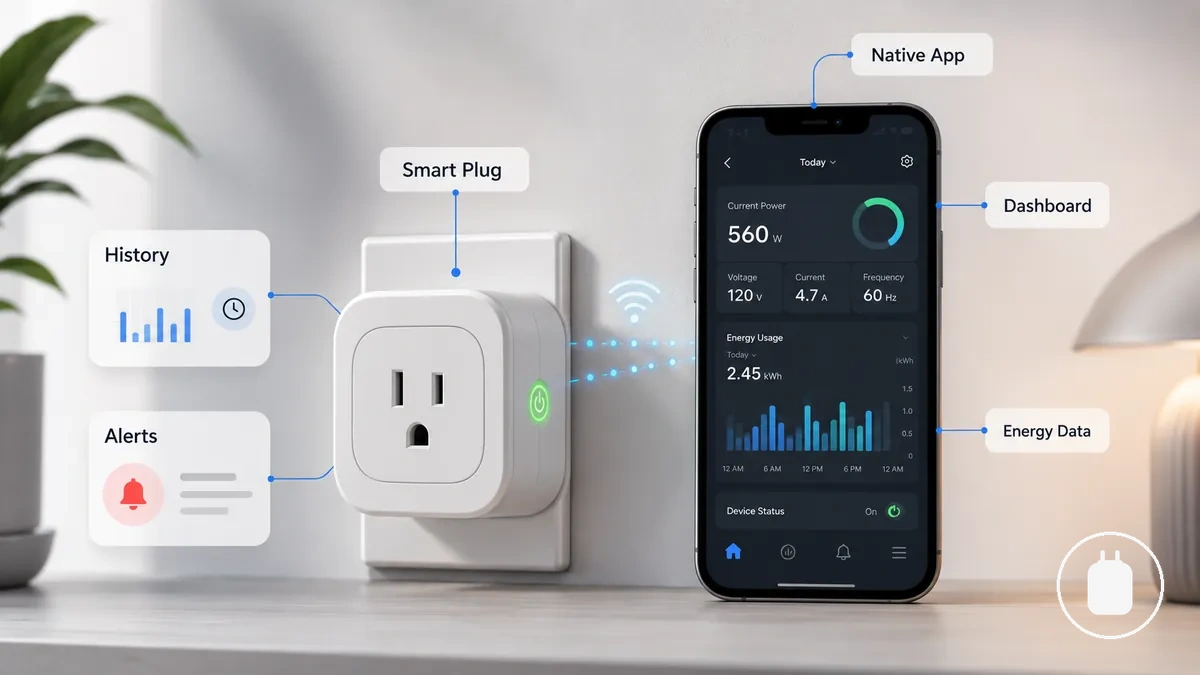
The native app dashboard may provide access to available monitoring fields, such as energy information, usage history, or alerts, when those features are supported. External platforms may expose different information, so the native app can help identify which monitoring details are available within the device ecosystem.
- Dashboard: Shows available monitoring information through the native app interface.
- History: May display stored usage information when supported.
- Alerts: May provide notifications when available in the app.
- Energy Data: Visibility depends on supported app features and integration.
Third-Party App Limits for Monitoring Data
Third-party app limits affect how much energy monitoring data an external platform can access from an energy monitoring smart plug. A third-party app may provide device control while showing fewer monitoring fields, depending on the integration method, exposed data, firmware, and platform support.
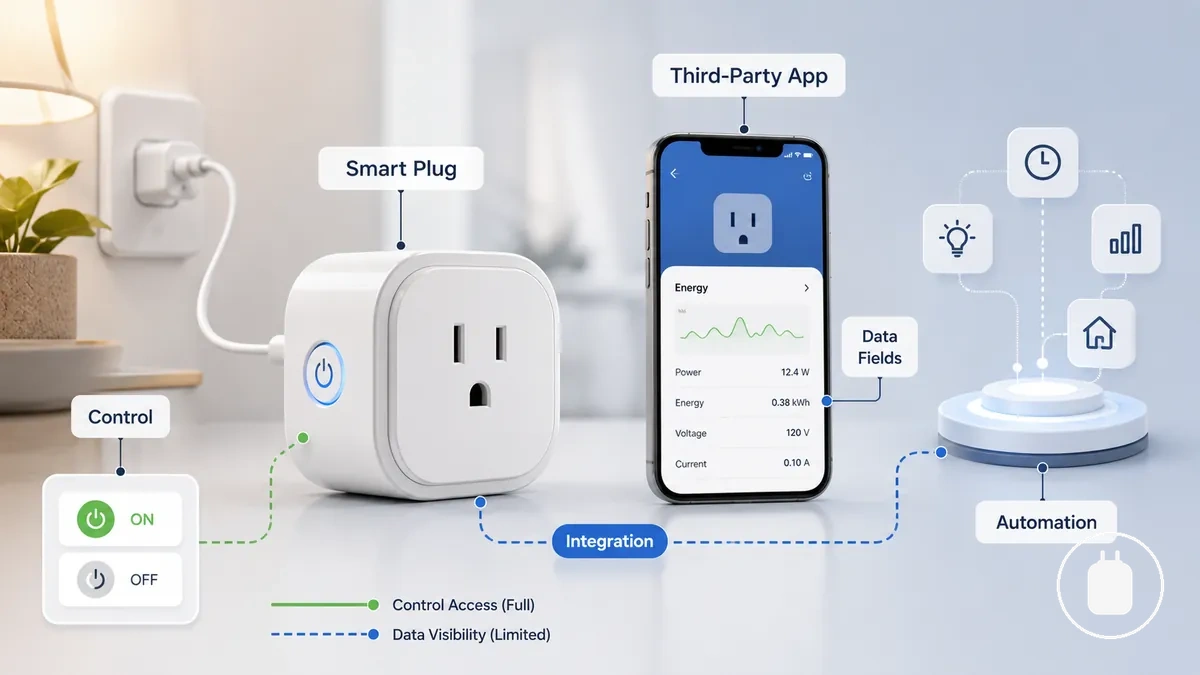
External app access depends on which information is made available through the connection between the energy monitoring smart plug and the platform. Supported fields, automation options, and visible metrics may vary because different integrations handle device data in different ways.
Control access versus monitoring data: An external platform may allow device interaction while providing limited energy information compared with another app environment. The available monitoring details depend on supported integrations and exposed data fields.
- Integration: Determines which device information a platform can access.
- Data Fields: Available monitoring information depends on exposed support.
- Automation: Available actions vary by platform capabilities.
Wi-Fi and No-Hub Compatibility
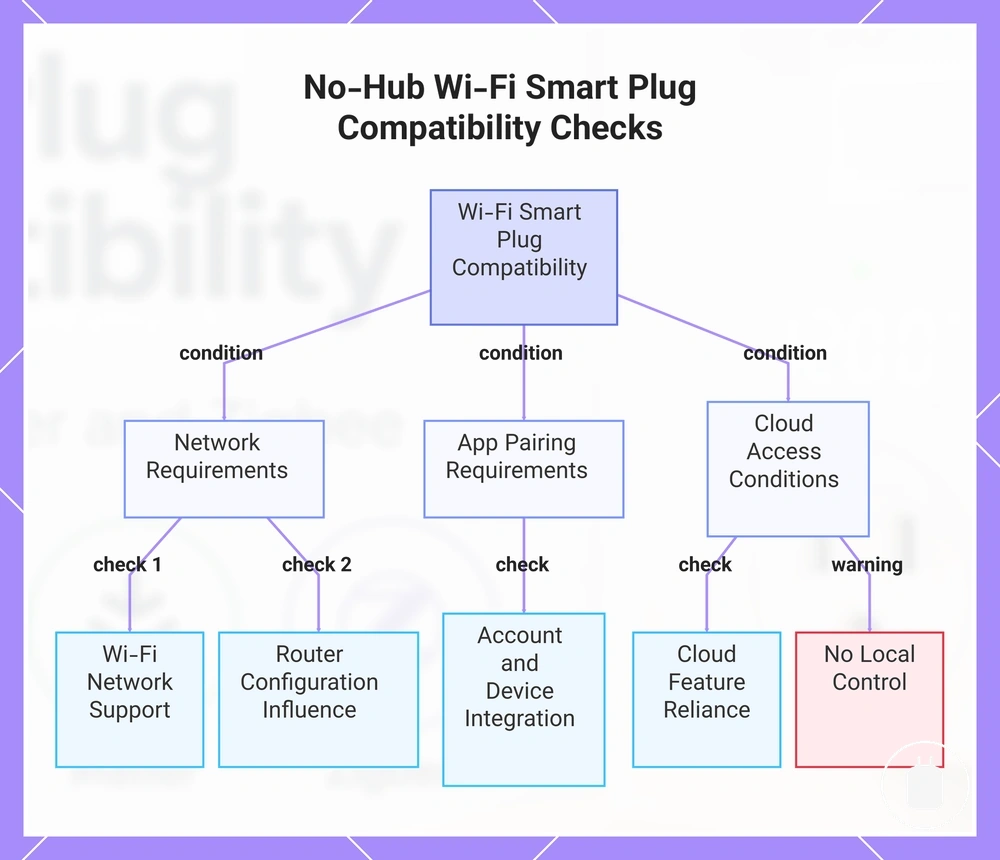
Wi-Fi energy monitoring smart plug compatibility depends on network requirements, router support, app pairing, and whether a separate hub is needed for the intended setup. A Wi-Fi smart plug may connect without a hub when the required connection conditions are supported, but no-hub compatibility does not necessarily provide local control or offline operation.
A no-hub Wi-Fi setup can depend on the relationship between the plug, router environment, cloud account, and connected app. Network settings, security configurations, and platform requirements may influence pairing and which functions are available after connection.
Before moving into setup and connection, check these compatibility conditions:
- Wi-Fi Network: The network environment needs to support the connection requirements of the smart plug.
- Router Support: Router settings and configuration can influence device communication and pairing.
- App Pairing: The connected app may depend on account access and supported device integration.
- Cloud Access: Some functions may rely on cloud-based features rather than only the local network.
This chart shows the key compatibility conditions to verify before using a Wi-Fi smart plug without a hub, including network, app, and cloud requirements, and a warning about local control.
2.4 GHz Network Requirements
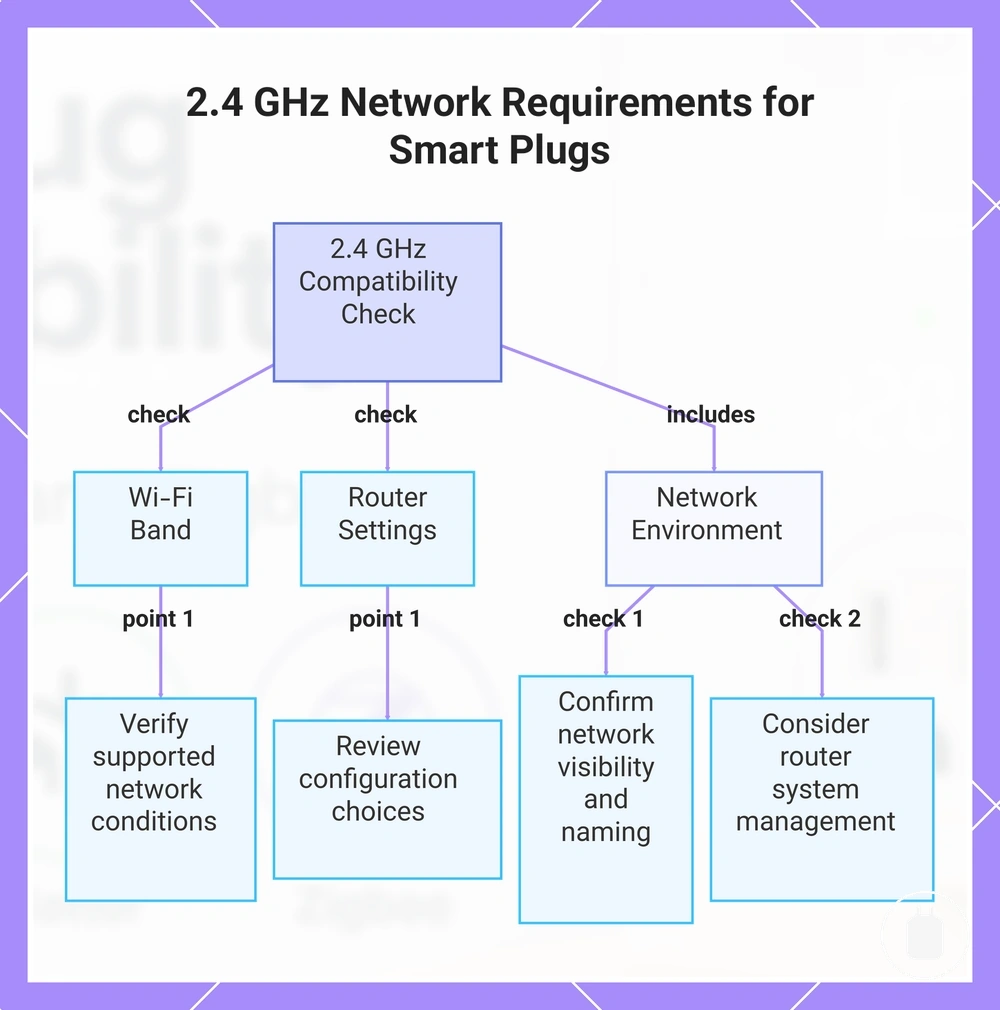
2.4 GHz network requirements are a compatibility check that helps determine whether an energy monitoring smart plug can connect within a specific Wi-Fi environment. The Wi-Fi band, router settings, and pairing conditions should be verified because connection behavior may vary by device, app design, and network configuration.
The network requirement depends on how the router and connected devices handle Wi-Fi connections. Settings such as separate SSIDs or mesh network behavior may influence pairing in some environments, depending on the router system and app support.
- Wi-Fi Band: Check the supported network conditions for the smart plug and app combination.
- Router Settings: Review configuration choices that may influence connection and pairing.
- SSID Setup: Confirm the network visibility and naming conditions used during pairing.
- Mesh Networks: Consider how the router system manages connections across the network environment.
This chart outlines the key compatibility checks needed to verify whether a smart plug can connect to a 2.4 GHz Wi-Fi network.
Cloud Dependence and Local-Only Limits
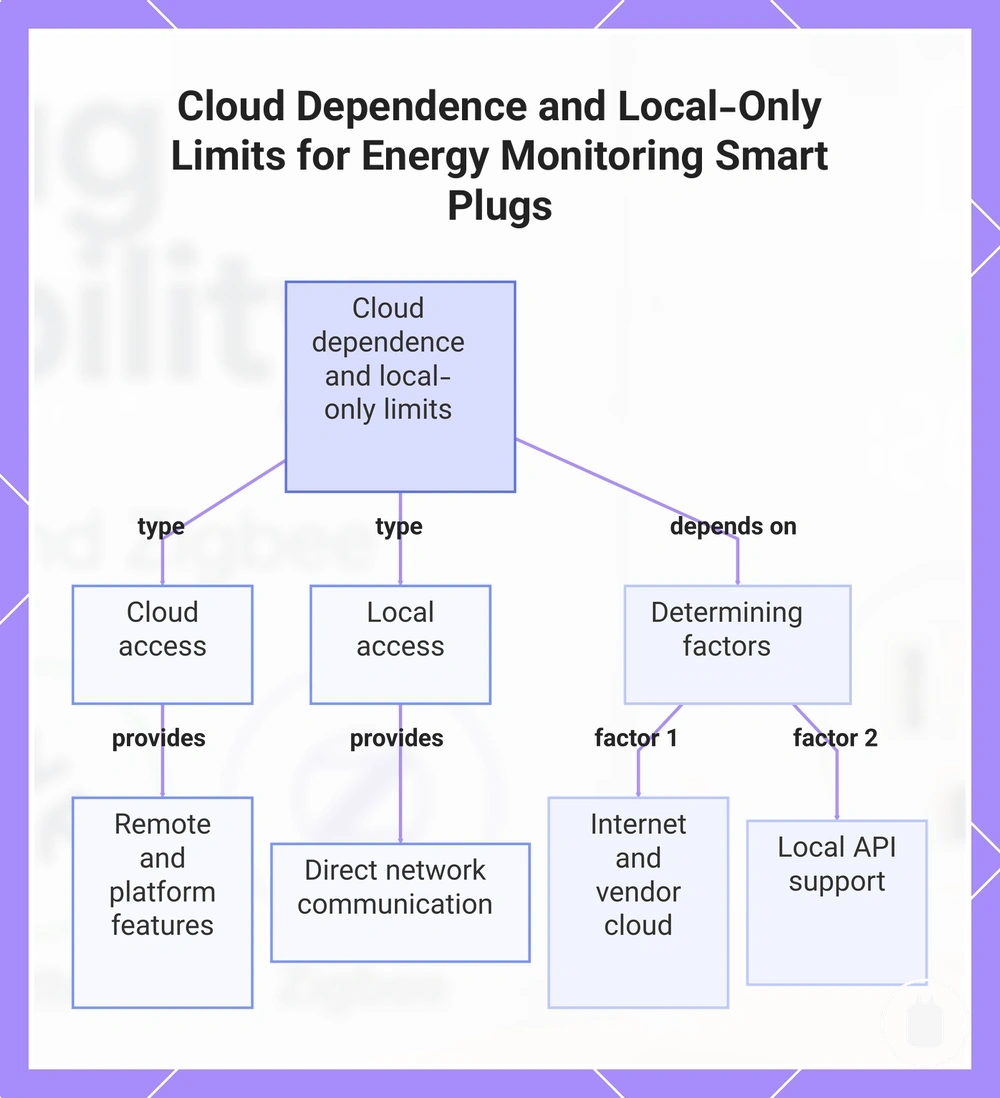
Cloud dependence and local-only limits affect how an energy monitoring smart plug accesses control features, energy history, and automation functions. A cloud-based connection may provide access through an external service, while local-only compatibility depends on whether the device exposes supported local connection methods.
The difference between cloud access and local control depends on the device, platform support, and available integration options. Internet availability, vendor cloud access, and local API support may influence whether remote control, energy history, or automation features are accessible in a specific setup.
Cloud access versus local control: A cloud-dependent setup may rely on an external service for certain features, while a local-only setup may use direct network communication when supported. The effect on control and data access depends on the available device capabilities and integration environment.
- Cloud: May provide remote access and platform-based features through an external service.
- Local: May provide direct access when supported local connections are available.
- API: Availability depends on whether the device exposes a supported connection method.
- Offline: Available functions may vary based on the connection method and device support.
This chart compares cloud-dependent and local-only access for energy monitoring smart plugs, highlighting the features each mode provides and the factors that determine which mode is available.
Zigbee Compatibility and Hub Support
Zigbee compatibility depends on the relationship between an energy monitoring smart plug, the Zigbee hub, coordinator, and connected platform. This combination can influence pairing, exposed device information, routing behavior, and energy reporting, while available functions may vary by device support, firmware, and integration method.
Zigbee hub support should be evaluated as a complete compatibility system rather than by the hub alone. The smart plug, coordinator, platform, and integration environment may affect which entities are available and which automation or monitoring functions can be accessed.
Hub support changes how a Zigbee energy monitoring smart plug communicates within a platform. Compare these compatibility factors when evaluating a Zigbee setup:
| Compatibility Factor | Potential Effect |
|---|---|
| Zigbee Hub | May influence device pairing and platform communication. |
| Coordinator | Can affect how the device is managed within the Zigbee network. |
| Platform Integration | May determine which entities, controls, and automation options are exposed. |
| Energy Reporting | Availability can vary based on device support and integration handling. |
ZHA, Zigbee2MQTT, and Controller Support
Controller support affects how a Zigbee energy monitoring smart plug is paired, represented, and managed within a connected platform. Different controller paths may expose different entities, automation options, and device behaviors depending on the integration method, device support, firmware, and configuration.
The controller choice can change how the Zigbee device is handled within a platform environment. Compatibility should be evaluated through pairing support, available entities, and automation exposure rather than assuming every controller provides the same access or behavior.
- Controller: May influence how the Zigbee device is recognised and managed within the platform.
- Pairing: Compatibility can vary depending on the controller path and integration method.
- Entities: Available device information may depend on exposed support from the integration.
- Automation: Available actions can vary by platform capabilities and supported device handling.
Power, Current, Voltage, and Energy Reporting Support
Energy reporting attributes define the electrical fields that an energy monitoring smart plug may expose through a supported integration. Power, current, voltage, and kWh values can help interpret device activity, but the availability of each field depends on the device, integration method, and platform support.
Available reporting fields should be separated from accuracy because access to a data attribute does not confirm measurement precision. These attributes are useful when a supported system exposes them for monitoring, automation decisions, or usage interpretation.
The relationship between reporting fields and their possible use can be described through an entity-attribute-value structure:
| Entity | Attribute | Value | Effect |
|---|---|---|---|
| Energy Monitoring Smart Plug | Power | Power value | May help identify device activity when exposed by the integration. |
| Energy Monitoring Smart Plug | Current | Current value | May provide additional electrical context when supported. |
| Energy Monitoring Smart Plug | Voltage | Voltage value | May help interpret available electrical information when exposed. |
| Energy Monitoring Smart Plug | kWh | Energy usage value | May support usage tracking or automation decisions when available. |
Matter Compatibility and Energy Monitoring Support
Matter compatibility affects how an energy monitoring smart plug connects with supported controllers and platforms, but it does not automatically determine which energy monitoring features are available. Matter support may improve control interoperability, while energy data exposure depends on the device implementation, platform support, and available capabilities.
Matter compatibility should be evaluated through the controller platform, exposed capabilities, and native app options connected to the smart plug. Different implementations may provide different levels of access, so Matter support does not mean every ecosystem will display identical energy information or history.
These criteria help separate Matter control compatibility from energy monitoring support:
| Compatibility Factor | What It Influences |
|---|---|
| Matter Support | May influence communication between the smart plug and supported platforms. |
| Controller Platform | Can affect which device capabilities are exposed within an ecosystem. |
| Energy Data | Availability may depend on implementation and platform support. |
| Native App | May provide additional device information when supported by the app environment. |
Matter Transport and Platform Fit
Matter transport and platform fit depend on the connection method, controller ecosystem, and supported capabilities of an energy monitoring smart plug. Wi-Fi, Thread, controller support, and app compatibility can influence whether a device connects within an intended ecosystem and which functions may be available.
The transport method and controller ecosystem should be checked together because Matter devices may use different connection paths depending on implementation. Available control features and energy monitoring support can vary by platform, controller, and device capabilities.
- Matter Transport: Check which connection method is supported by the smart plug and intended ecosystem.
- Wi-Fi: May provide compatibility through supported network-based controller environments.
- Thread: May require compatible controller support when used as the connection method.
- Controller: Feature availability can depend on platform support and exposed capabilities.
- App Support: Available controls or monitoring information may vary by connected ecosystem.
Energy Data Availability Outside the Native App
Energy data availability outside the native app depends on which fields, history, and controls are exposed through the connected platform. An energy monitoring smart plug may allow control through another platform while providing different levels of monitoring visibility based on integration support, exposed entities, and platform capabilities.
Cross-platform data visibility can vary because external platforms may handle device information differently from the native app environment. Available energy fields, usage history, and automation usefulness depend on the data exposed by the integration and the capabilities supported by the platform.
Control access versus monitoring visibility:
- Native App: May provide the device information available through the original app environment.
- External Platform: May expose selected fields and controls depending on integration support.
- Energy History: Availability and depth may vary based on exposed data and platform handling.
- Automation Data: Usefulness depends on which entities and attributes are available.
Home Assistant and Local Control Compatibility
Home Assistant and local control compatibility depends on whether an energy monitoring smart plug exposes supported integrations, sensors, and local access methods. A compatible local-control setup may provide more direct access for monitoring and automation, but available features depend on the device, firmware, integration path, and exposed data.
Local automation compatibility should be evaluated through the available connection method, exposed sensors, update behaviour, and supported interfaces. Local APIs or MQTT support may be available for some devices, while other devices may rely on different integration paths or provide limited local access.
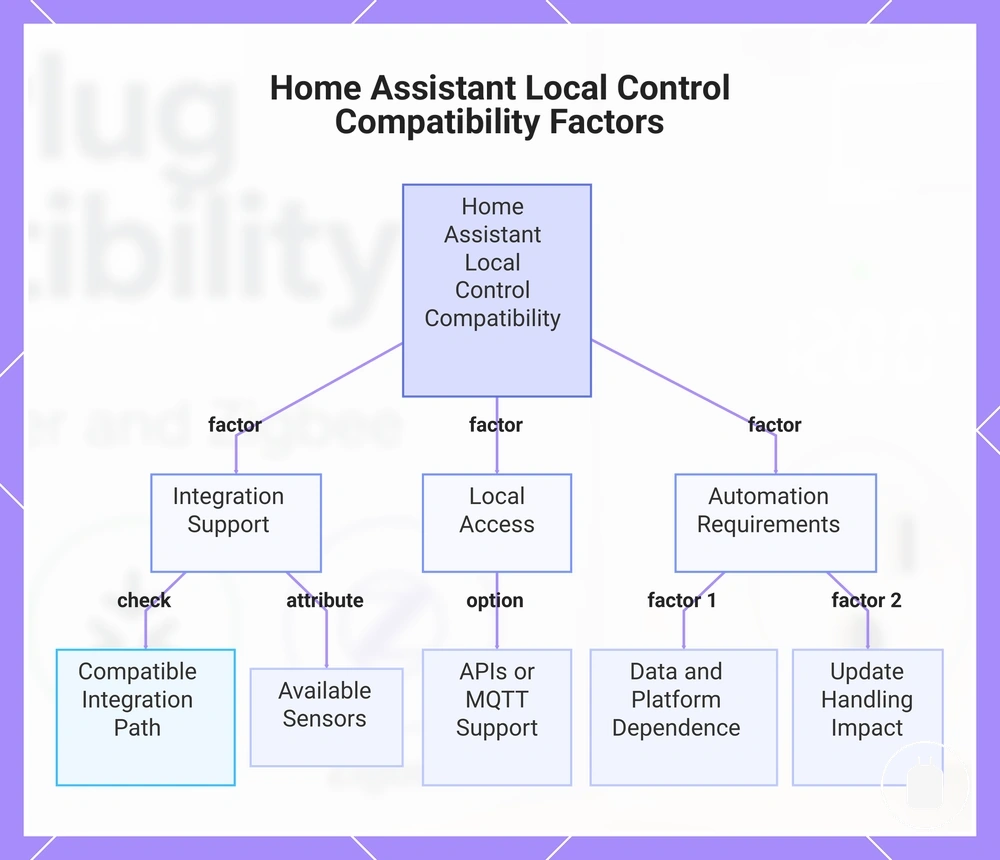
Check these compatibility factors before evaluating a local-control setup:
- Integration Support: Verify whether the smart plug exposes a compatible integration path for the intended platform.
- Sensors: Available energy monitoring sensors may vary depending on exposed entities and integration support.
- Local Access: Local control depends on whether supported access methods are available for the device.
- Automation Requirements: Automation behaviour can vary based on available data, update handling, and platform support.
This chart shows the key compatibility factors to evaluate for a local-control energy monitoring smart plug in Home Assistant.
Local Reporting Speed and Automation Fit
Local reporting speed affects how suitable an energy monitoring smart plug is for automation because update behaviour can influence when connected actions respond. Reporting speed depends on factors such as refresh intervals, latency, trigger conditions, and how device states are communicated to the connected platform.
A reporting speed check should focus on whether available updates support the intended automation use case. Slower updates may reduce the usefulness of threshold-based triggers or state changes when timely information is needed, while suitable reporting behaviour can improve automation responsiveness.
- Refresh Interval: Check how frequently updated device information becomes available.
- Latency: Consider whether delays between device changes and platform updates affect automation needs.
- Trigger Conditions: Verify whether available updates support the required automation conditions.
- Device State: Review how consistently status information is exposed for automation decisions.
MQTT, API, and Integration Support
MQTT, API, and integration support define how an energy monitoring smart plug can connect with other platforms and expose available device information. These access paths may affect available sensors, authentication requirements, and maintenance considerations depending on the device capabilities, firmware, and supported integration method.
Integration methods should be evaluated by how they provide access to smart plug data rather than by the method name alone. Local APIs, cloud APIs, and MQTT availability can vary between devices, and changes to firmware, authentication, or platform support may affect how an integration behaves.
These factors help compare common integration paths:
- MQTT: May provide a communication method for device data when supported by the smart plug and connected platform.
- API: May expose device information through local or cloud access methods depending on implementation.
- Sensors: Available sensor data can vary based on exposed entities and integration support.
- Authentication: Access requirements may depend on the connection method and platform design.
Voice Assistant Compatibility and Control Limits
Voice assistant compatibility affects which control functions an energy monitoring smart plug can provide through supported voice platforms, but it does not automatically mean that energy monitoring data is available through voice commands. Voice assistants may add control, routines, and device interaction features, while energy queries depend on platform support and exposed capabilities.
Voice control compatibility should be evaluated by separating command access from energy data visibility. A smart plug may support actions such as switching or routines while providing limited access to values such as energy usage information, depending on the connected platform and available device data.
These capability factors help compare voice assistant compatibility:
| Capability | Compatibility Consideration |
|---|---|
| Control Commands | May allow device actions through supported voice platforms. |
| Routines | May support automated actions when compatible controls are exposed. |
| Device Naming | Can influence how voice platforms identify and interact with the smart plug. |
| Energy Queries | Availability may depend on whether the platform exposes energy data for voice access. |
Compatibility Checks Before Choosing an Energy Monitoring Smart Plug
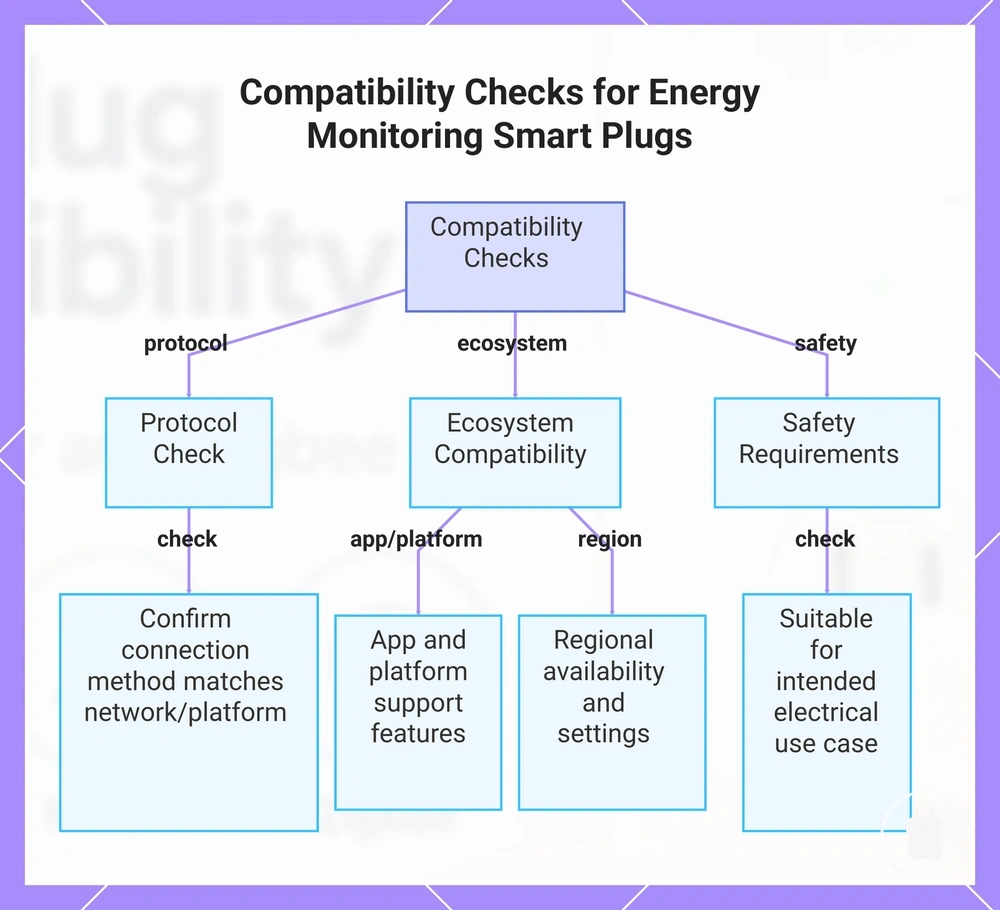
Compatibility checks before choosing an energy monitoring smart plug help verify whether a device matches the intended protocol, app, platform, region, and usage requirements. These checks should be completed before comparing options because compatibility depends on the user’s ecosystem, appliance requirements, and automation needs.
Reviewing the right criteria can reduce compatibility issues by confirming the connection method, platform support, and safety requirements before selection. See compatibility checks before buying to understand the wider selection factors that may affect a suitable choice.
A final compatibility review can be organised around these checks:
- Protocol: Confirm that the connection method matches the intended network and platform environment.
- App and Platform: Verify that available apps and platforms support the required control and monitoring features.
- Region: Check whether regional availability, settings, or platform support may affect compatibility.
- Safety and Appliance Requirements: Review whether the smart plug is suitable for the intended electrical use case before selection.
After these checks are complete, compatible energy monitoring smart plugs can be compared based on the features and requirements relevant to the intended setup rather than general compatibility claims.
This chart shows the main compatibility checks to perform before selecting an energy monitoring smart plug, covering protocol, ecosystem, and safety requirements.
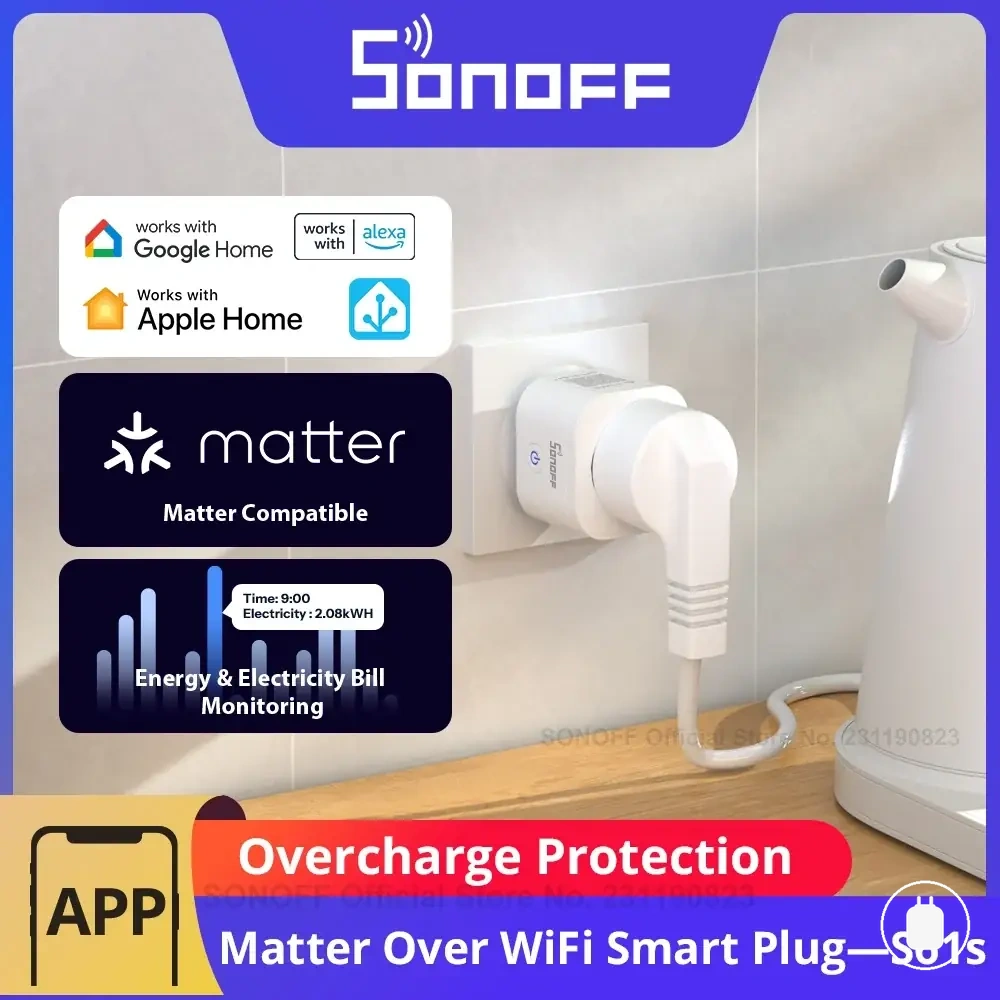
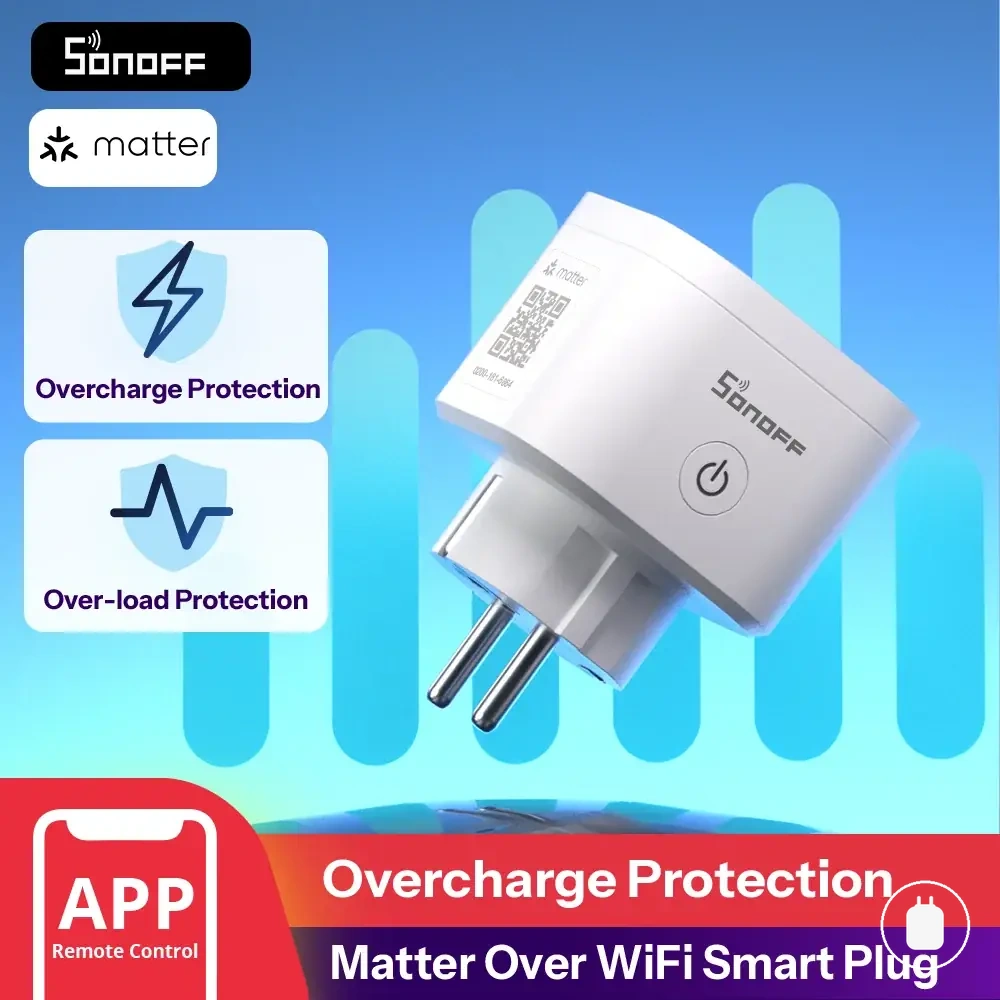
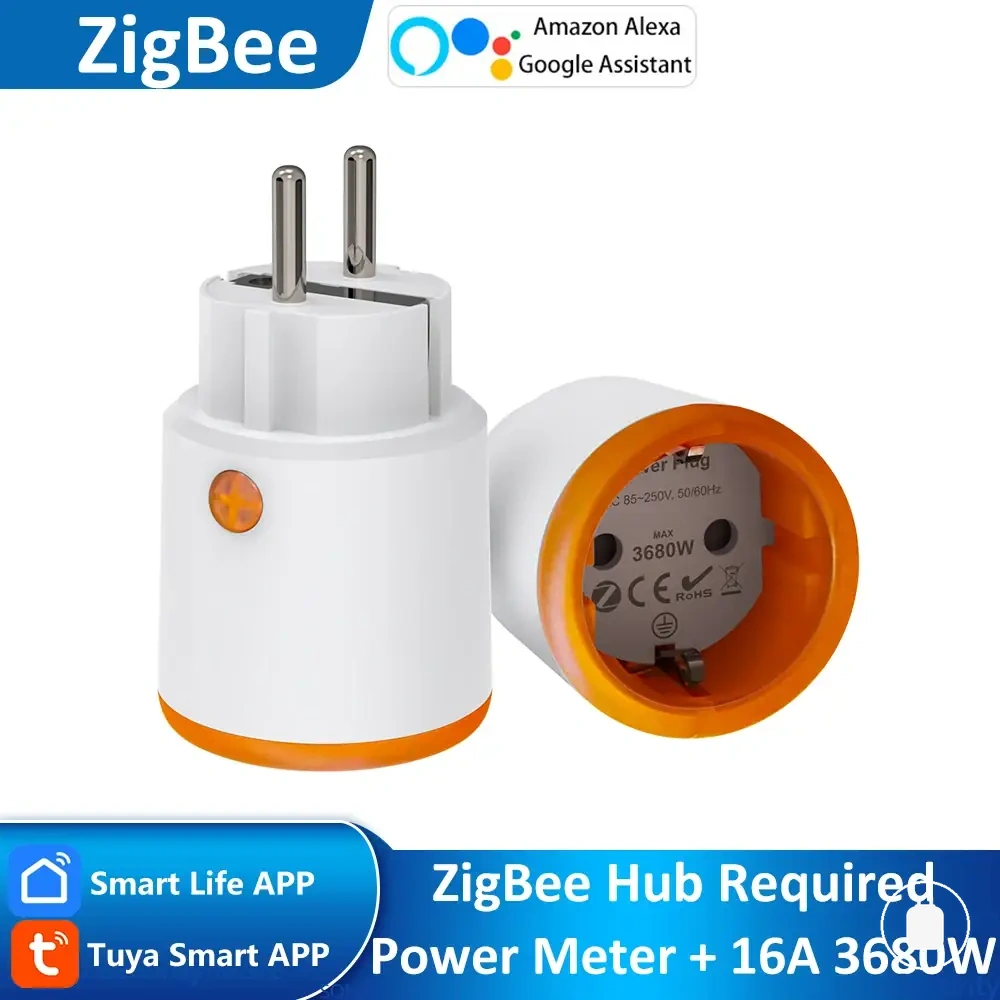
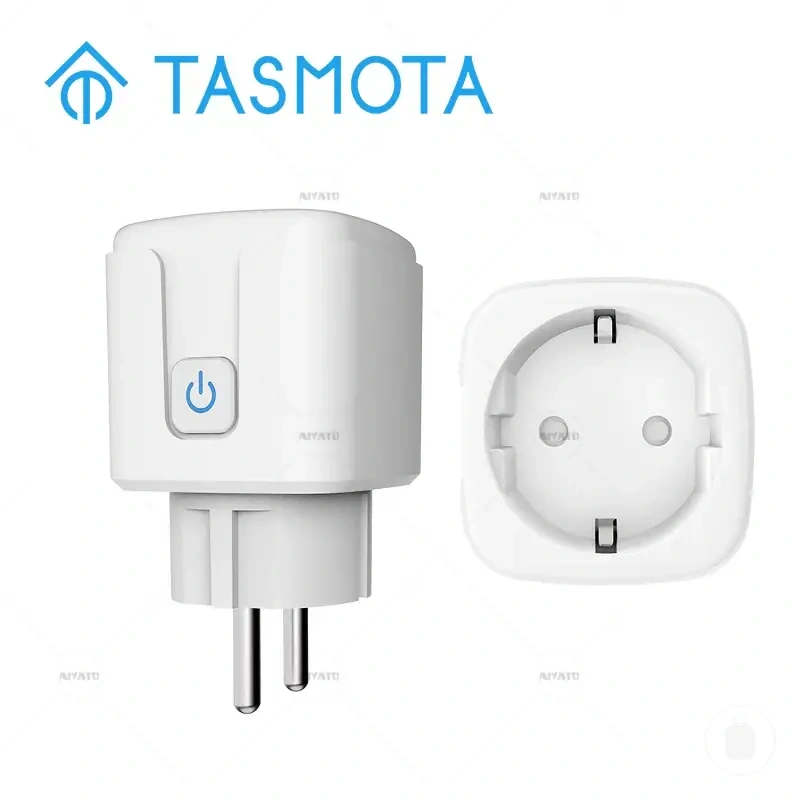
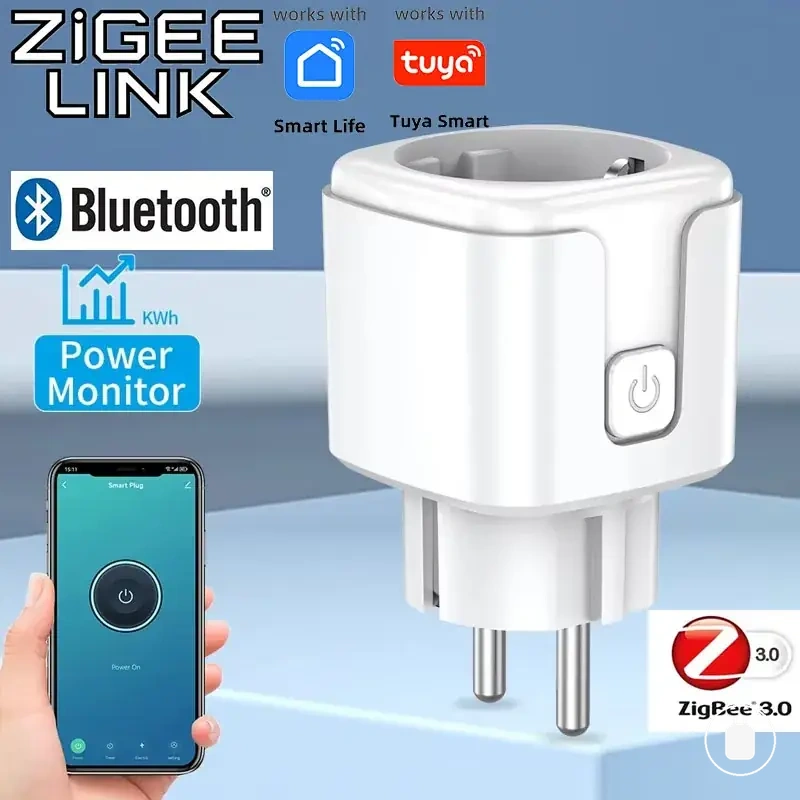
Here are product examples that may make comparison easier. Before buying, always review the compatibility criteria, essential features, and product details.
Match Protocol, App, Region, and Platform Needs
Matching protocol, app, region, and platform needs helps determine whether an energy monitoring smart plug fits an existing setup. Each requirement affects a different compatibility area, including connection access, available features, regional support, and platform interaction.
Check each requirement against the intended environment before choosing a device:
- Protocol: Confirm that the supported connection method matches the network and platform requirements of the setup.
- App: Verify that the available app supports the required control and monitoring features for the intended use.
- Region: Check whether regional settings, availability, or account conditions may affect compatibility.
- Platform: Confirm that the smart home platform supports the required device functions and integrations.
Matching these requirements helps separate general compatibility from setup-specific suitability. Device outcomes can vary depending on the ecosystem, account context, appliance requirements, and automation goals.
Separate Connection Compatibility from Load and Appliance Suitability
Connection compatibility and appliance suitability are separate checks for an energy monitoring smart plug. A device that connects successfully to a network or platform does not confirm that its load requirements match the intended appliance use.
Load suitability depends on factors such as rated current, wattage, appliance type, and continuous load conditions. Review load and safety limits separately from connection checks, and use connection troubleshooting when the issue relates to communication rather than appliance suitability.
- Connection Compatibility: Confirms whether the smart plug can communicate with the intended network, app, or platform.
- Rated Current: Check whether the appliance requirements align with the smart plug’s stated limits.
- Wattage: Consider the appliance power demand and whether it matches the smart plug’s supported load conditions.
- Appliance Type: Evaluate the intended use case because different appliance characteristics may affect suitability.
- Continuous Load: Consider ongoing power demand when assessing whether the smart plug is appropriate for the application.